- My goal: I would like to display specific data in the list view when I click the Delete/Update button.
- Issue: In the table, there is an option to select either the current row or the currently selected row. Unfortunately, the list view doesn't have this functionality. I have to use local storage, but it is causing a problem sometimes. The system stores the old value in local storage, which can lead to the deletion and update of incorrect data.
- Steps I've taken to troubleshoot: -
- Additional info: (Cloud or Self-hosted, Screenshots)-
2 Likes
Hey @Seda_Baskan
I understand your issue you don't find the data according to current row in list view for that you can use the step by step solution :
- First get the data into the list view
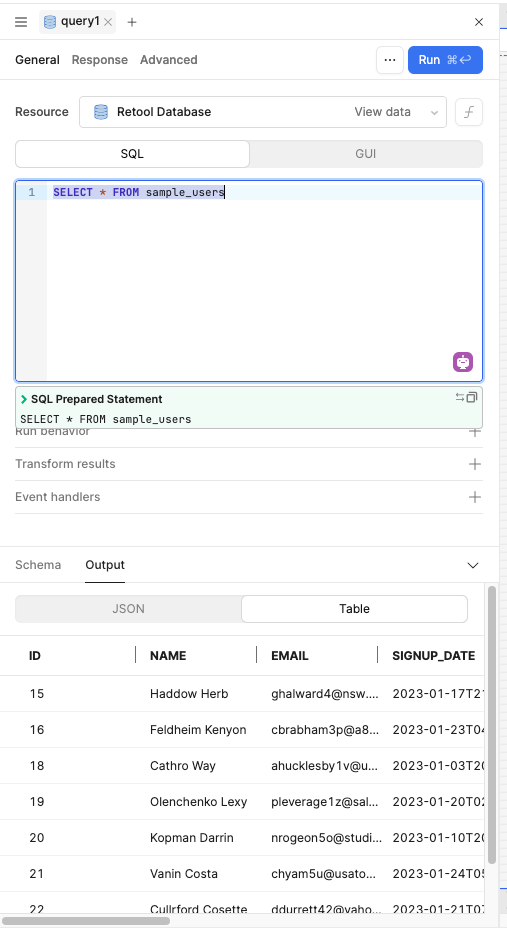
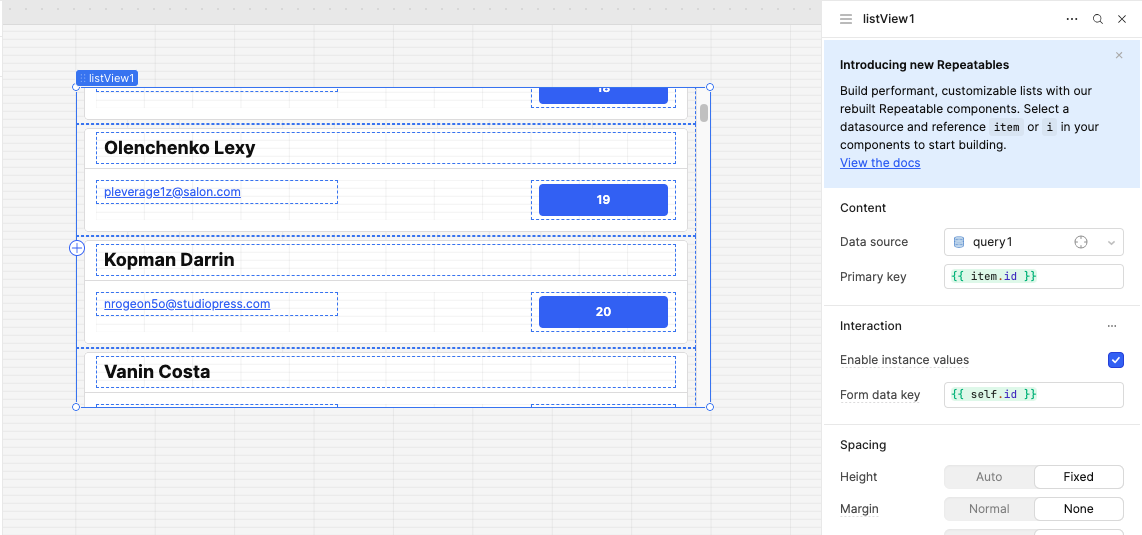
Add button in it and on button value you can use the {{ item.id }} for just showing for just the understand the demo.
In list view enable the instance values
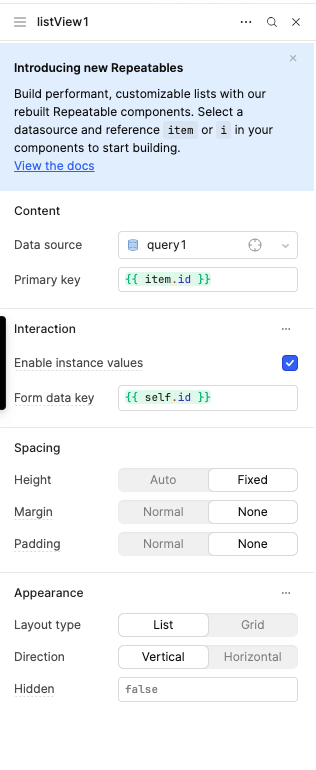
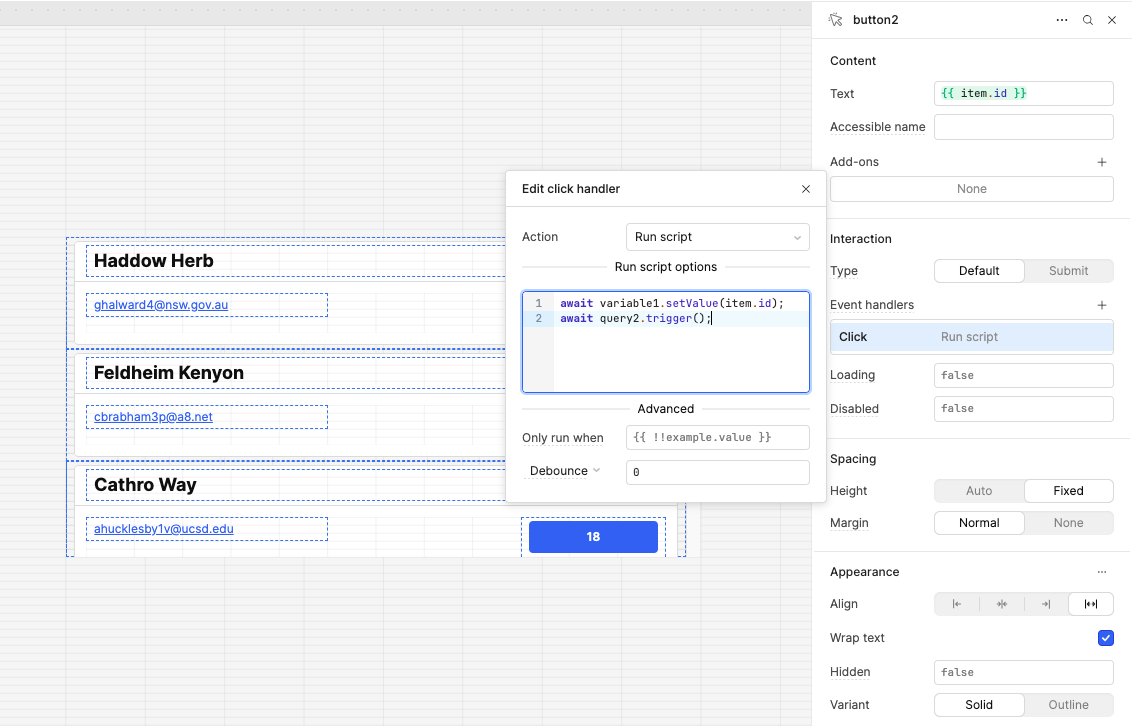
On the click of the button you can store the id into the variable and use that variable id into the query that can you get the current row data manually
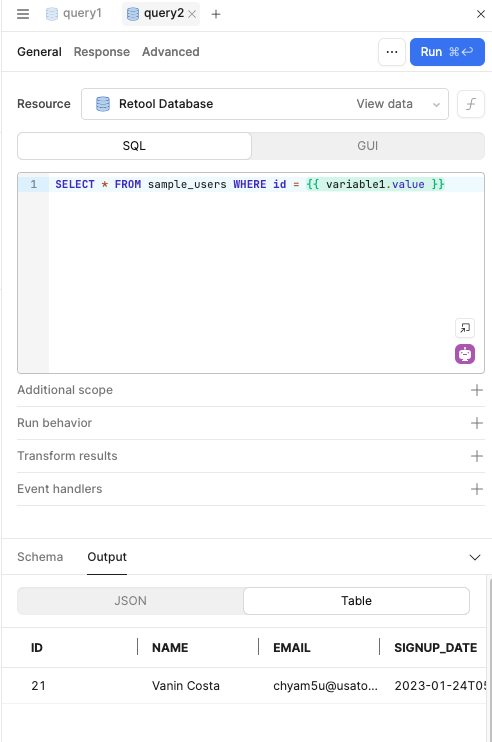
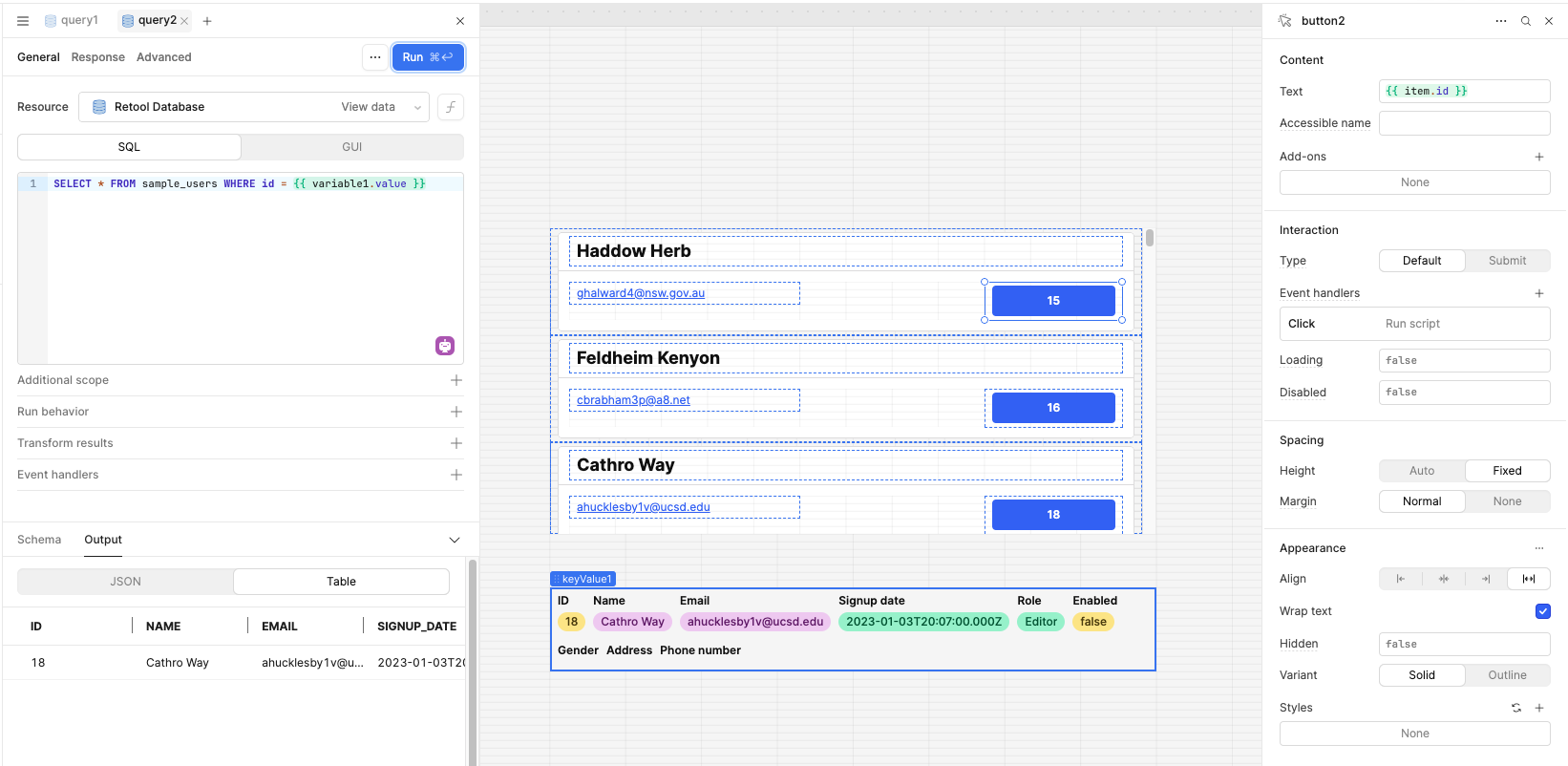
If you need help tell me.
4 Likes
It a little bit confused me. Maybe share screenhot, it could help you what i wanna success.
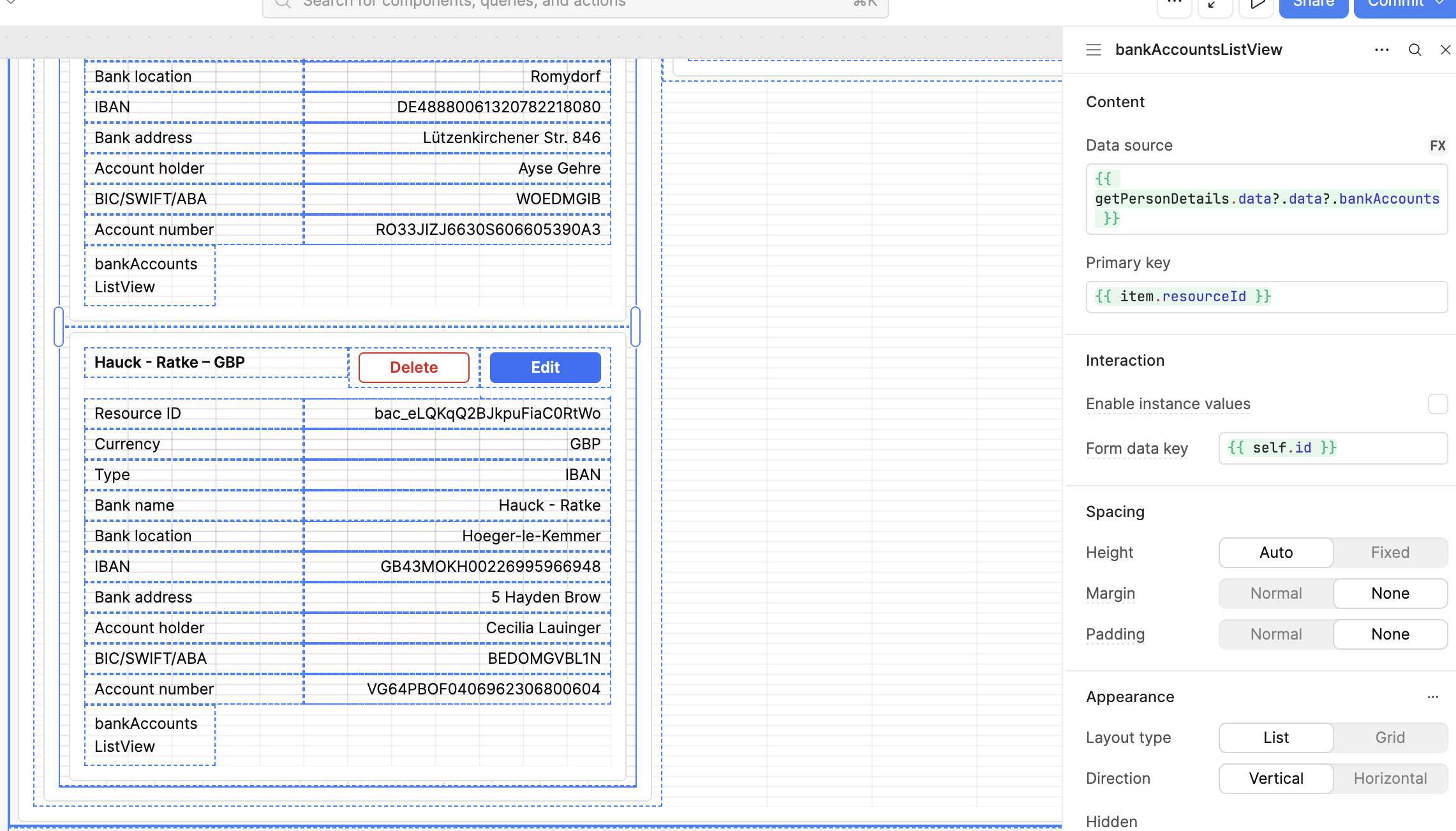
When I click the delete button, I want to bring the data on the listview into a modal frame. I use localstorage.values.bankDetails
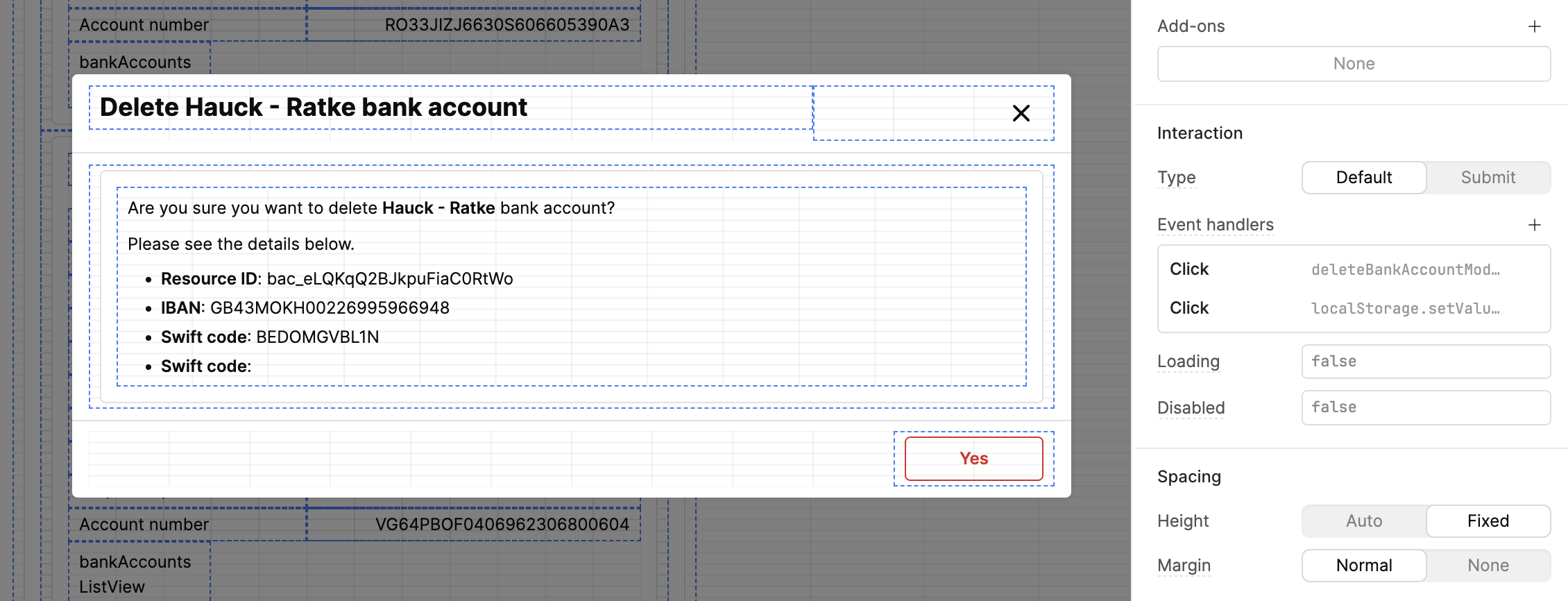
Text fields:
Are you sure you want to delete {{ localStorage.values.bankDetailsforDelete.bankname }} bank account?
Please see the details below.
- Resource ID: {{ localStorage.values.bankDetailsforDelete.bankId }}
- IBAN: {{ localStorage.values.bankDetailsforDelete.ibannumber }}
- Swift code: {{ localStorage.values.bankDetailsforDelete.swiftcode }}
Is there any other way? Sorry, it was not clear enough to use your solution 
3 Likes
Hey @Seda_Baskan
To perform update or delete operations, you just need to store a single id in a variable when the corresponding button (update/delete) is clicked.
You can set the id in a temporary state variable within Retool. Once stored, you can use this variable to reference the specific item you'd like to get, update, or delete.
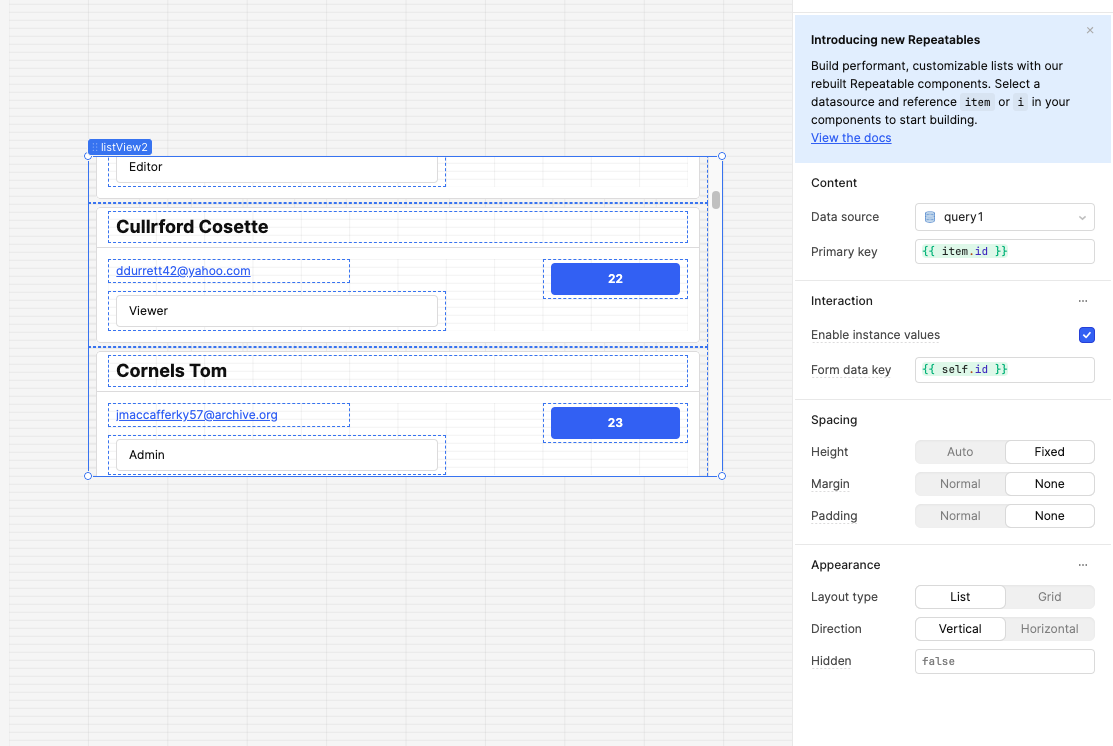
- I save the
idinto a variable when the button is clicked - Then I trigger the appropriate query that uses this
id
And use that id from the variable of the retool :
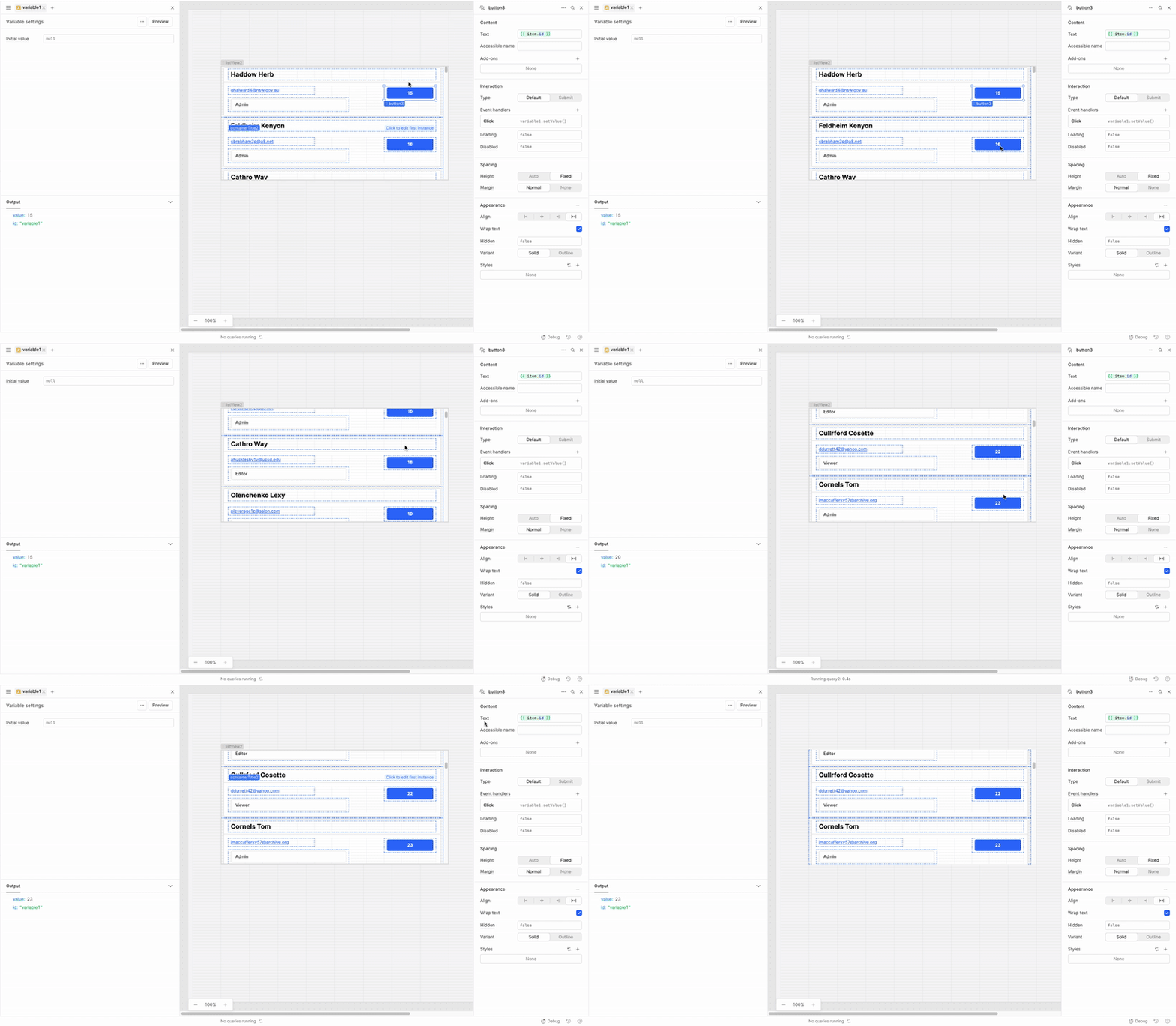
And using that variable id you can get, update or delete data using the queries.
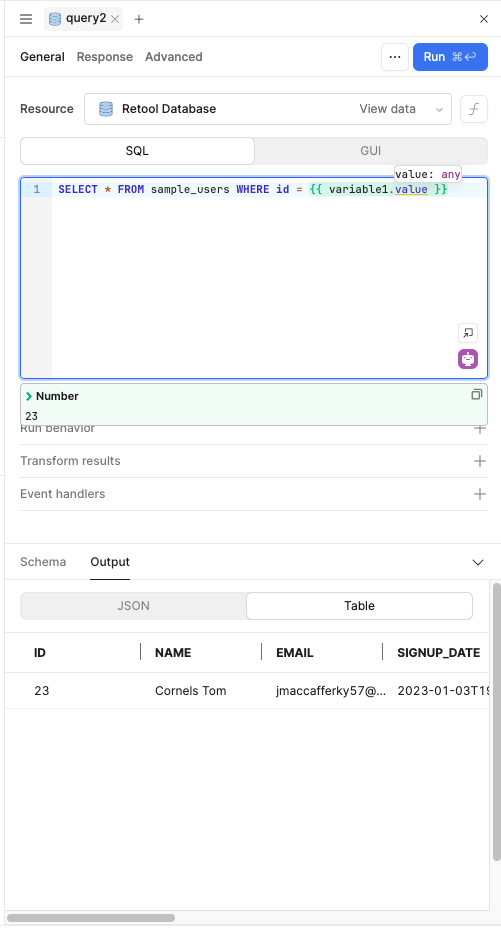
For example i use the get query :
Like i am using this like on the button i am saving the id into the variable and also trigger the query.
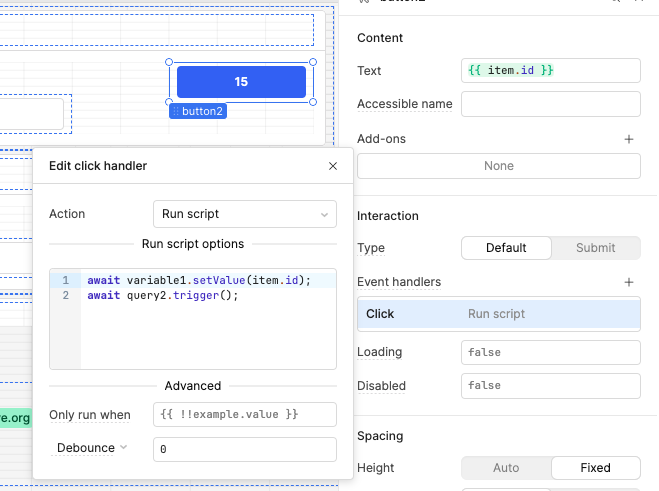
4 Likes
Hi @Seda_Baskan, just checking in to see if this solution was helpful to you or if you need clarification?
1 Like
Hi @Mike_M, it's a solution, but it's not the expected answer. Creating new local storage is an easier way to do it for me. Otherwise, I need to set a value for each component.\
Is it possible to expand the list view functionality like a table? I know that in the list view, I need to add components, but if I click a button to show a modal frame, it should be easy for me to bring the current list view [2nd one, for example] 's data, such as listview.data.text1. It could be much better to take the information. Thank you for your effort 
There isn't currently a way to use methods similar to the table on a list view, but the list view has the functionality already to display a specific item in a modal after clicking it. From what you've shown, it looks like you are correctly able to display info from localStorage into the modal.
You shouldn't necessarily need to use localStorage, as there are other ways to do this, but I am curious to know more about what issues you are having. You said in your original post that the system stores old values and can lead to the deletion and update of incorrect data. Can you explain more about what is happening there? That way I can better assist you in finding a solution.
1 Like