My goal: I want to change my Google OAuth client configuration (client_id and client_secret) on my self-hosted Retool instance.
Issue: After updating the Google OAuth client_id and client_secret in my configuration and restarting Retool, the application still uses the old OAuth client instead of the new credentials. The env variables changed are the following: CLIENT_ID and CLIENT_SECRET
Retool version & hosting setup (Docker, K8s, cloud provider, etc.): AWS ECS with env variable set.
Error message(s) or screenshots: In the network request I see that Retool call the google oauth endpoint with the old client_id.
What I've tried so far:
Updated the client_id configuration value
Updated the client_secret configuration value
Restarted the Retool instance
Verified the configuration file/environment variables contain the new values
The instance continues to authenticate users with the previous OAuth client configuration. Are there additional steps required to refresh the OAuth configuration, such as clearing a cache or updating database entries?
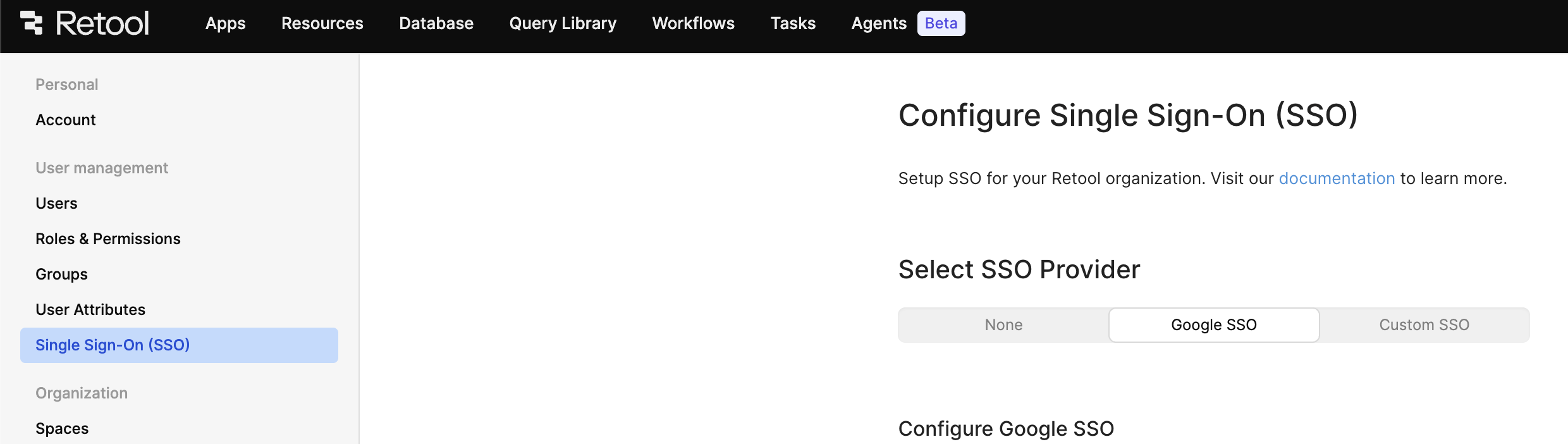
The solution I found and worked for me. Was to set to null the value of the field customSSOSettings in the table organizations in retool’s postgresql database. Because this field contain a json dictionary with a googleSSOClientId and googleSSOClientSecret key, I supposed retool used this data instead of my env variables.
With this value to null, my self-hosted app used the env variable as expected. But use this info as your own risk. It isn’t in any official doc.
I appreciate you circling back around to share an update, @Erwan_Bernard! I would certainly expect Retool to read and use those environment variables, unless you had previously defined the SSO configuration via the UI.
I wasn’t the admin when this was configured. May be it was configured this way. But where can I found the interface that can configure the google oauth credentials ? I search for it, but didn’t found anything.
Any admin on a paid plan can configure it via the organization-wide settings. I see that you're on a Free plan now, but were you paying at some point in time?
We don’t think so. Maybe the employee who setup retool got like a free trial or find a way to setup with the UI. Unfortunately , he isn't in the company any more.
But, the soft block we faced is a real problem. If we payed a Entreprise license one day and setup the SSO through the UI, we shouldn’t have to edit the database to switch over environment variable.