What is the official way to save the unique file ID, when uploading to Retool Storage?
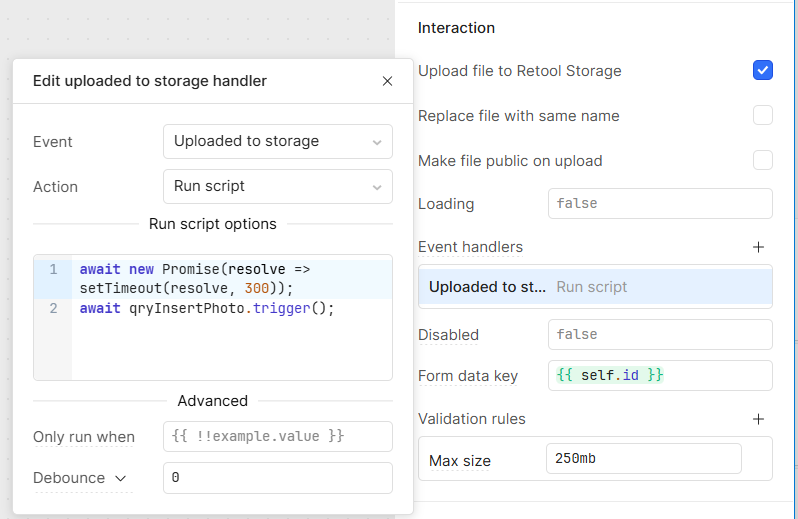
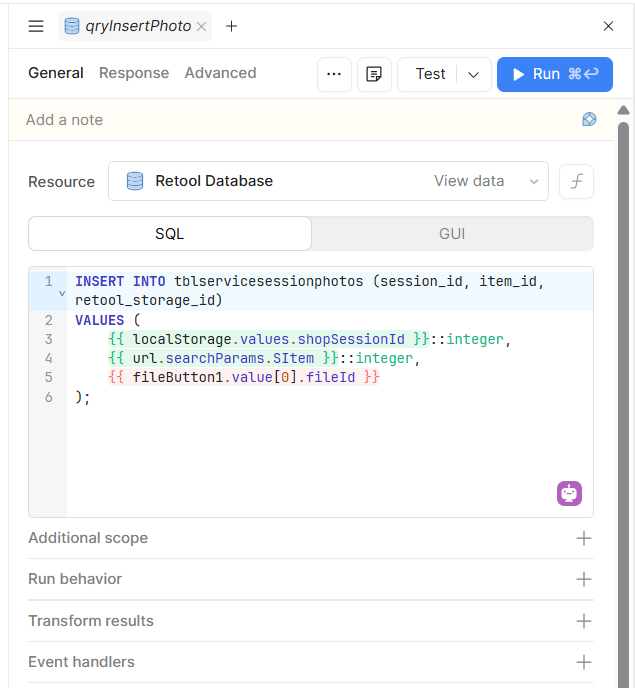
I found I can identify the file ID of the last uploaded file with {{ fileButton1.value[0].fileId }}. So I made an insert query to run on the “Uploaded to storage” event that references this variable, but it saves the fileId of the previously uploaded file. So apparently it is running to soon. I would have imagined that the “Uploaded to storage” event would be the one that would wait until after the file was uploaded and the file ID was generated, but there is no documentation about this feature.
Presumably, I have to delay the insert query until the fileId is updated to match the current file. However, I cannot find any documention on the correct way to do this. I would have thought that practically everyone who uploaded a file to Retool Storage would be saving the File ID somewhere to reference that file later. How are you going about this?
1 Like
Hi @Mitchell Loewen,
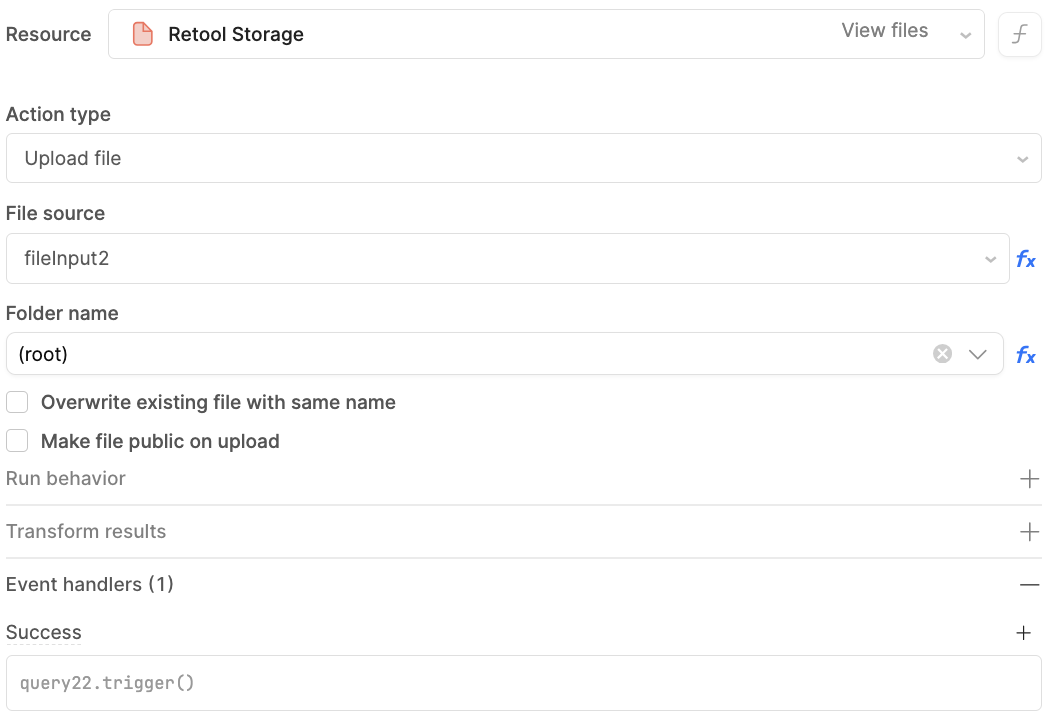
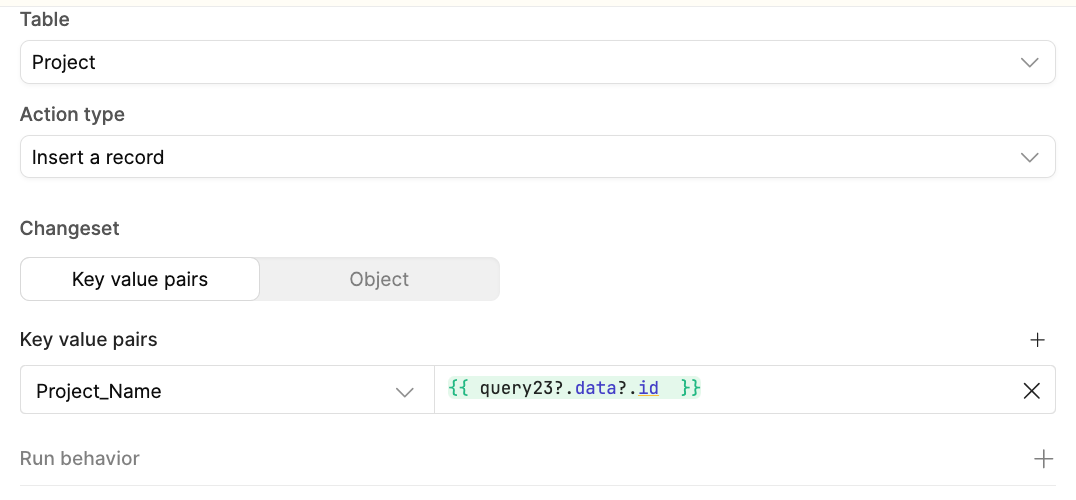
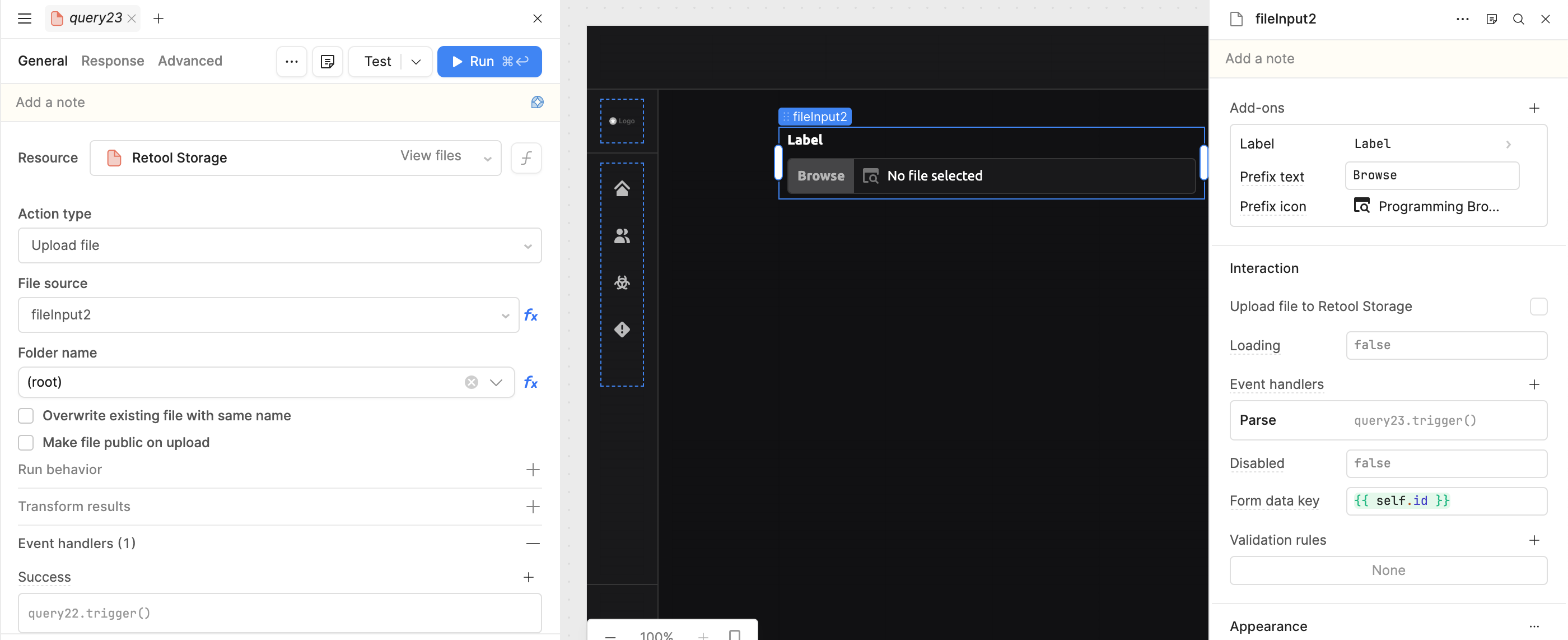
To store the file ID in the insert query, first run the Retool Storage query. Then, on the success event of that query, trigger the insert query where the file ID is passed and used.
I’ve also attached screenshots below to help clarify the flow I’m referring to. Please take a look.
If you still face any issues, feel free to share additional details or screenshots so I can assist you further.
Thanks @WidleStudioLLP.
I have done some experimenting with your flow. Looks like I have to uncheck “Upload file to Retool Storage” (otherwise I end up with duplicates) and then trigger the upload query on the “Parse” handler (“Change” fires too soon and uploads the previous image, and “Uploaded to storage” does nothing if “Upload file to Retool Storage” is unchecked.
Perhaps the “Upload file to Retool Storage” check box is a new feature, and that is why it isn’t well documented?
My solution had been to put in a 300ms delay on the “Uploaded to storage” event. Then trigger the query that saves the file ID, and refer to the file id as {{fileButton1.value[0].fileId}}. As shown in my screenshots below.
1 Like
Hi @Mitchell_Loewen ,
There are a few issues in your current flow.
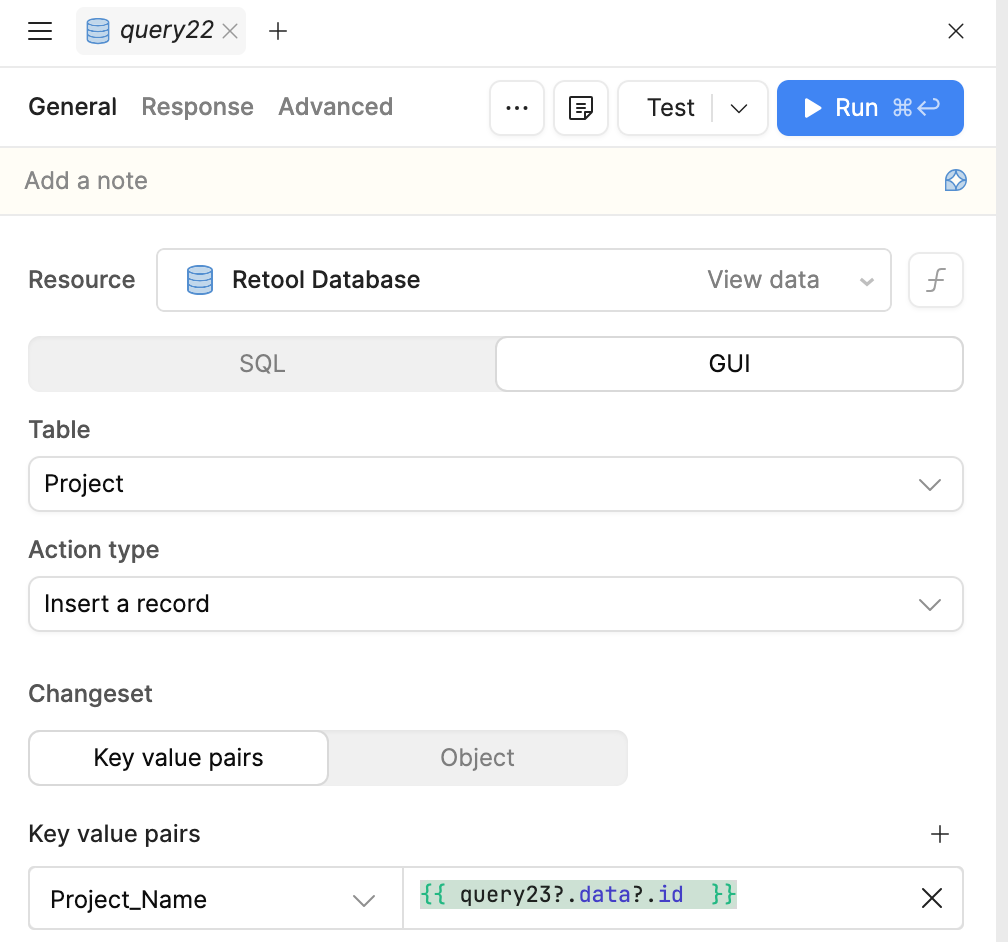
On the file input event handler, please select Parse and create a query for the S3 upload (similar to what I’ve done in the screenshot). Then, in the success handler of that S3 query, trigger the database insert query.
After that, you can pass the unique ID of the uploaded file like this:
{{ query23?.data?.id }} (as shown in the screenshot).
Once these changes are applied, your flow should work correctly, and the file ID will be stored properly without any issues.