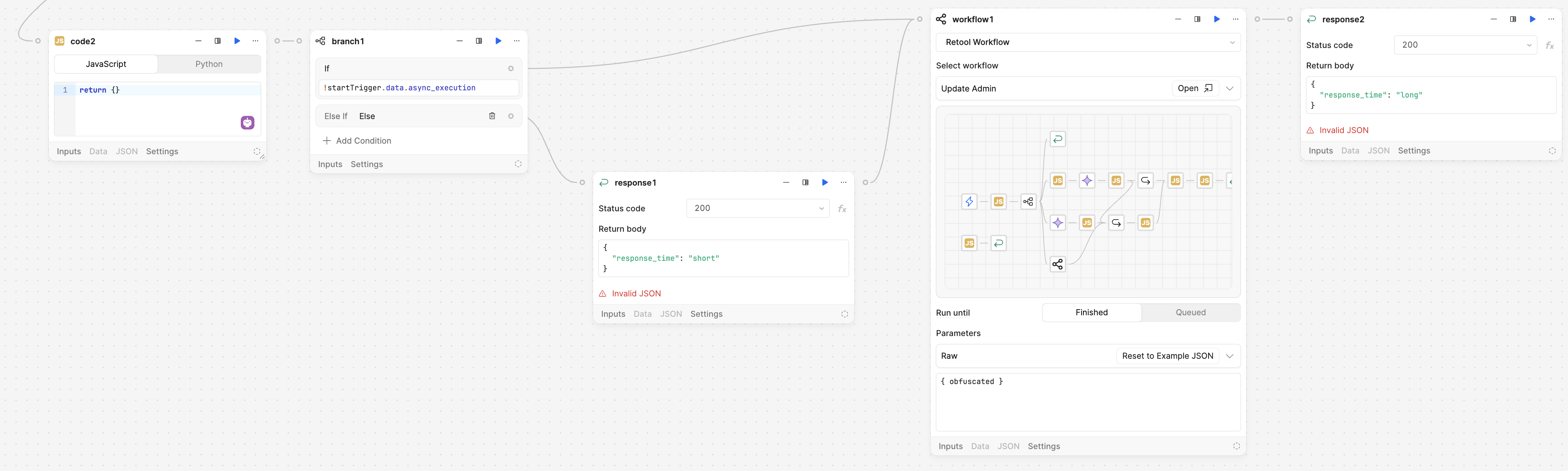
I want to run a workflow initiated by salesforce, asynchronously. I followed this post, and I’m not having any luck. The only structural difference is instead of “longRunningCode” javscript block, I am making a call to another workflow.
The workflow isn’t failing. It’s completing successfully. However, my expectation is that the workflow would immediately respond with the 200 while continuing to process the rest of the workflow.
code1 - this was arbitrary to show that both branch1 and handleUpdateAdmin blocks originate from the same point. I didn’t want to expose things upstream so I added the arbitrary code1.
Both complete successfully, at roughly the same time. In other words, the parent workflow is waiting for the child workflow to finish.
An interesting observation – the original screenshot has a single response. when parent workflow finishes, that response will be returned. A modified it slightly so that handleUpdateAdmin was connected to a response block (ie response2) as well. In this setup, when child workflow finished, parent workflow responded with response2.
My guess is that the only other difference is the if block before the response block. Is the issue that salesforce is not getting the response?
The issue is that the parent block doesn’t respond immediately (ie response1) when it hits that, while also continue processing handleUpdateAdmin in the background. Salesforce gets the response – that’s never been an issue. However, if handleUpdateAdmin takes longer than 2 minutes, than Salesforce will timeout (self inflicted) and mark it internally as “failed”. It makes sense that Salesforce doesn’t want to wait 5 minutes, 10 minutes, whatever, for some webhook to return.
Ultimately what I did was build a queuing system myself, where all Salesforce → Retool requests get logged in a retool db table. And then I have a “batch process” workflow that is scheduled to run every 5 minutes, and will run through all those “unprocessed requests” in the queue. I didn’t want to have to spend time doing this, but I think it’s a cleaner architecture anyway.
In terms of the parent block not responding immediately, the one other suggestion I have would be to put the handleUpdateAdmin block directly after the response block.
This way, as the workflow queues up blocks to execute chronologically, instead of race conditions where sometimes handleUpdateAdmin starts and is being waited on completion by the top level workflow before response1 runs, you will be sure that the Salesforce call to the Retool webhook endpoint gives back a response.
Let me know if you tried this already I was assuming you tested this and needed to use branching logic instead for some reason but just want to cover all our bases.
It is tricky with the time limitation on the Salesforce side but it makes sense.
I really like the sound of that architecture! Using a retool db table for a queuing system is really clever.
When I specify async_execution = true, then the requester (postman for the test) got a quick response with body {"response_time": "short"}, and workflow1 ran to completion (eg 26 seconds). The “parent” workflow itself showed both response1 and response2 as completed blocks. I assume response2 goes to /dev/null.
Since you called out the branch in there, I’ll comment on why I have it – when running from a webhook trigger I wanted to run it async; when running as a test, I wanted to run in sync.
I’ll keep ^^ in mind for future needs. @Jack_T thanks for working through this with me.
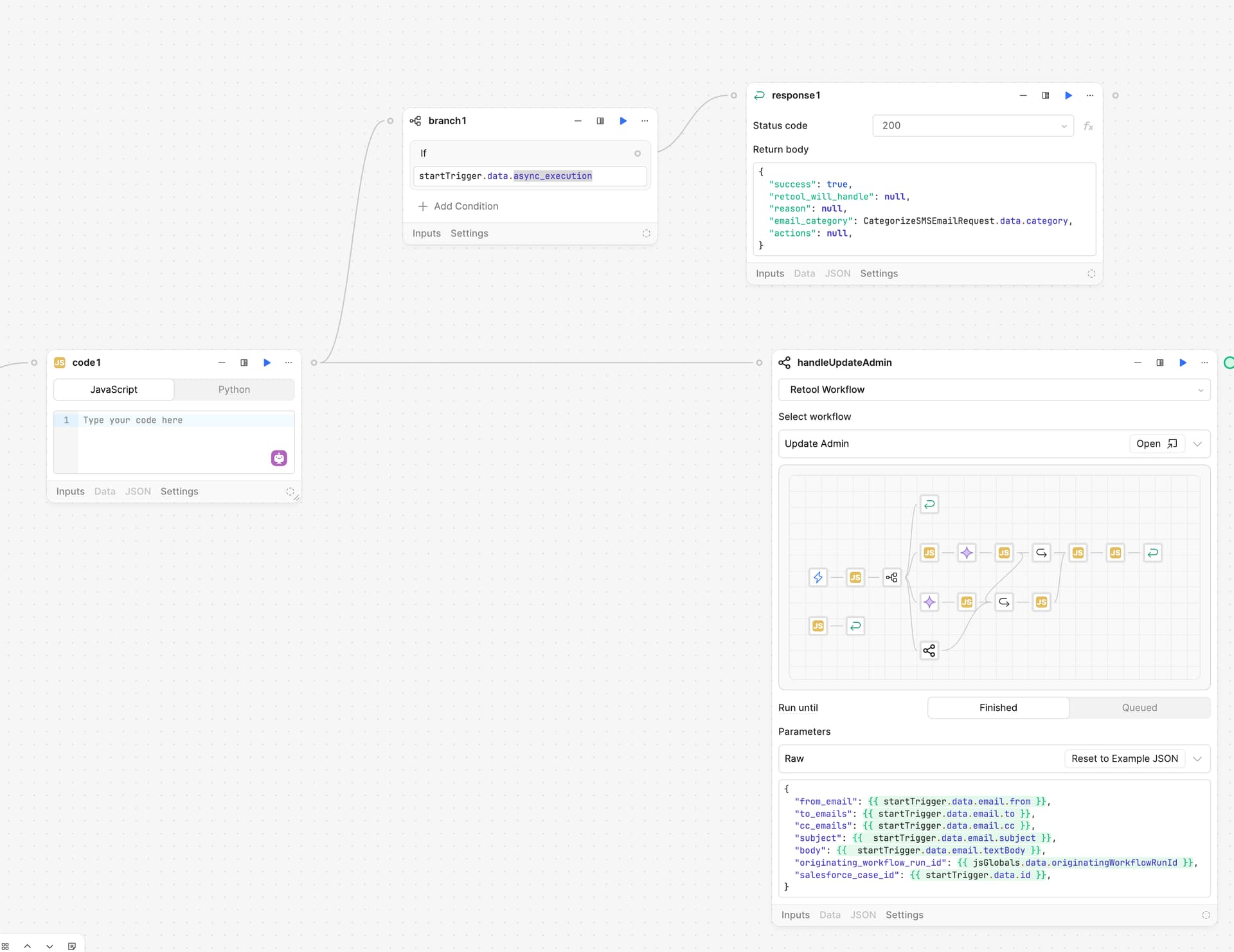
 I was assuming you tested this and needed to use branching logic instead for some reason but just want to cover all our bases.