I actually found a way to get this to work, but there seems to be 2 problems here:
- the column type 'UUID' is auto set to
not uniqueeven if you select 'yes' for unique when creating the column. - when trying to edit a 'UUID' column, I often get an error:
-above I was just trying to rename the column
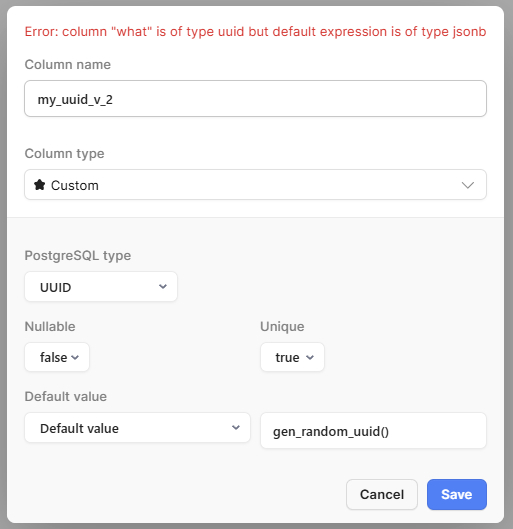
The Workaround For An Existing Column
IF:
- table1 has a 'my_uuid' column of type
UUID - table2 has a 'uuid_ref' column of type
UUID
THEN:
- edit table1 in Retool DB GUI and set 'my_uuid' as the Primary Key
- in any retool app, create a new DB query and put the following in it:
ALTER TABLE table2 ADD CONSTRAINT fk_uuid_ref FOREIGN KEY (uuid_ref) REFERENCES table1 (my_uuid)
- NOTE: fk_uuid_ref can be anything, it just needs to be unique
- save and run the query
table1 'my_uuid' now looks like the following in the GUI:
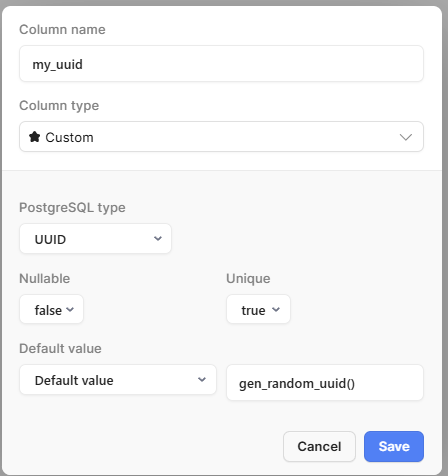
and table2 'uuid_ref' looks like:
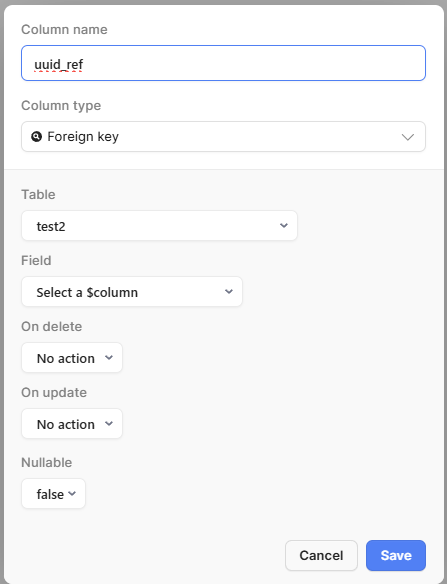
you can see the blue text to confirm also:

The Workaround For A New Column
1.) in any app create a new database query and put the following in it:
BEGIN;
ALTER TABLE test_table
  ADD COLUMN new_uuid_column UUID DEFAULT gen_random_uuid();
ALTER TABLE test_table
  ADD CONSTRAINT unique_new_uuid UNIQUE (new_uuid_column);
COMMIT;
workaround attempts that didn't work:
ALTER TABLE tabl1 ADD CONSTRAINT custom_unique_uuid UNIQUE (my_uuid)
 BEGIN;

ALTER TABLE
  test2
ADD COLUMN
  new_uuid_column2 UUID DEFAULT gen_random_uuid();

ALTER TABLE
  test2 ADD CONSTRAINT unique_new_uuid2 UNIQUE (new_uuid_column2);

ALTER TABLE
  testtable ADD CONSTRAINT fk_uuid_ref_2 FOREIGN KEY (uuid_ref_2) REFERENCES test2 (new_uuid_column2);

COMMIT;