Retool DB foreign key

  1. My goal: add a foreign key to a column
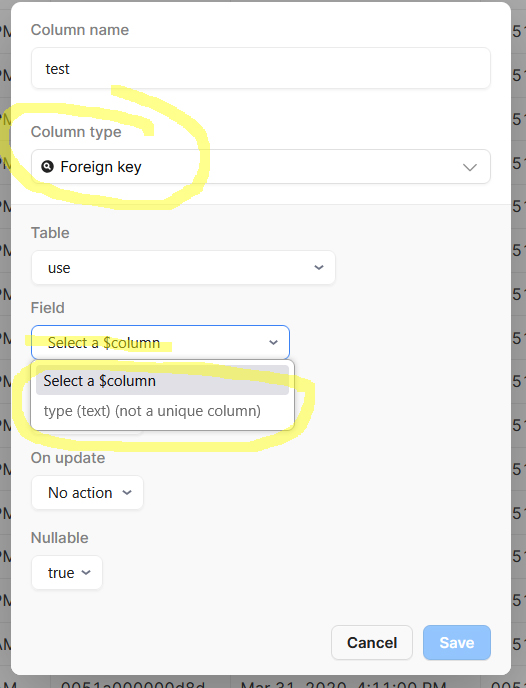
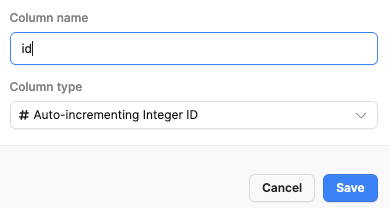
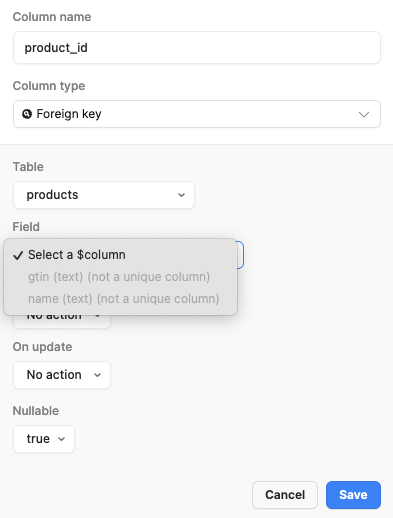
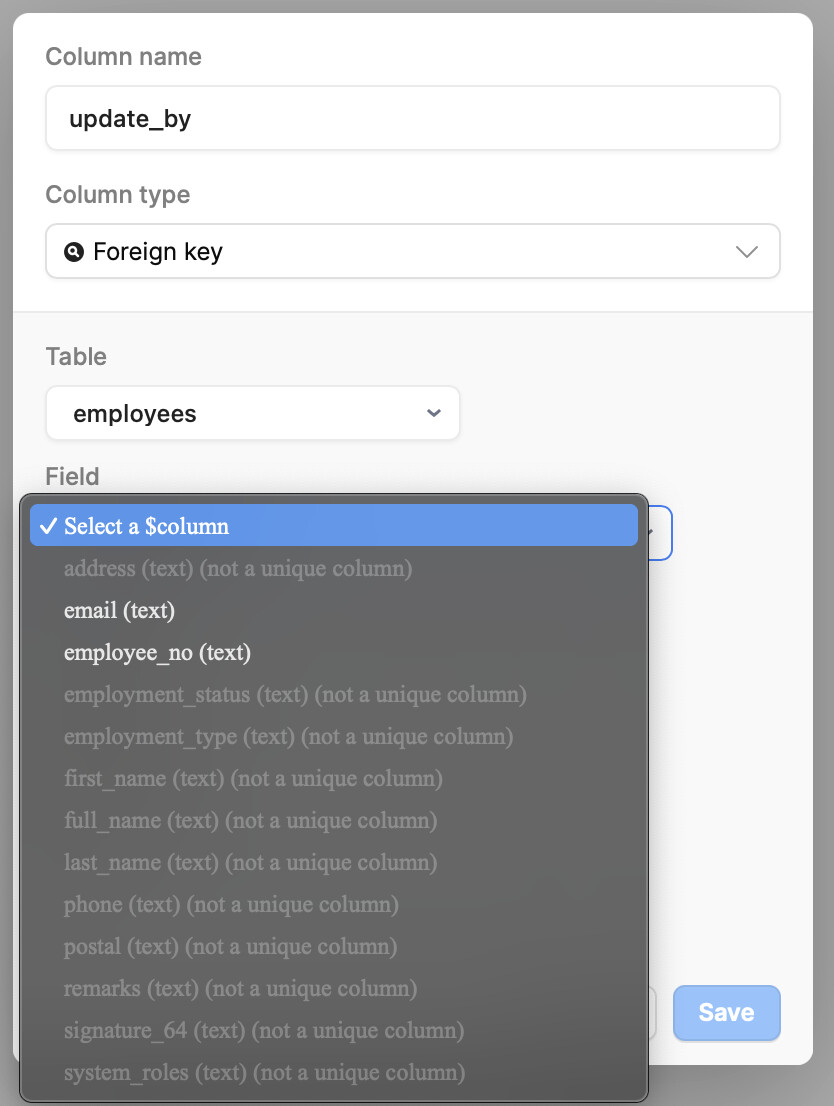
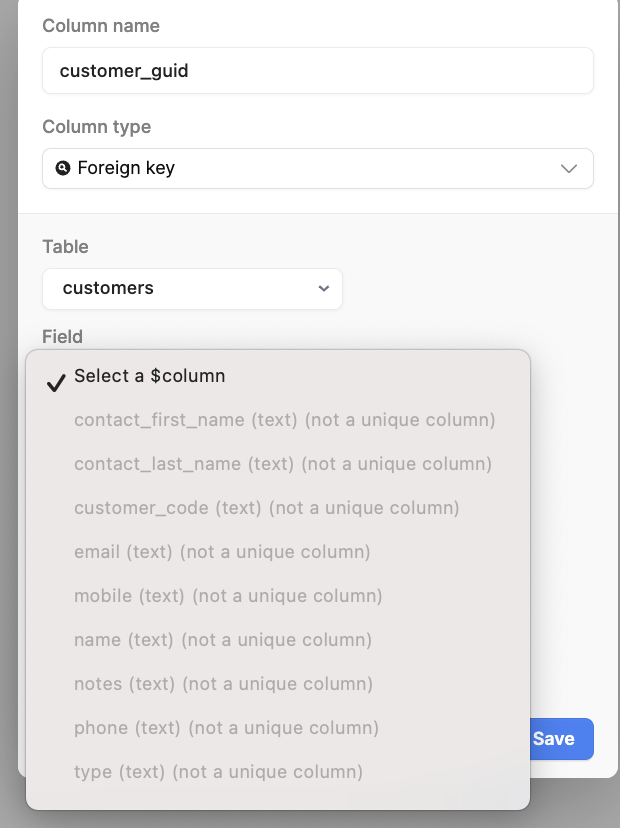
  2. Issue: can'e select the primary key of the other table as a foreign key
  3. Steps I've taken to troubleshoot:
  4. Additional info: (Cloud or Self-hosted, Screenshots) - Cloud


can't select the table id I always select the table id field as a foreign key but today I found that the reference was broken, and the id can't be selected, it not appear as an option

2 Likes

It happened the same to me today on the latest cloud version.

@Avner1 what I did was to log in on pgAdmin to the retool DB and manually create the foreign key there.

I'd suggest PGAdmin also, but if you're not a DB person and figuring out a whole new IDE sounds like overkill for this you could create a new Query and use the Retool Database resource type, then switch to SQL Mode and add:

BEGIN;

ALTER TABLE table_name
DROP CONSTRAINT constraint_fkey;

ALTER TABLE child_table
ADD CONSTRAINT constraint_name
FOREIGN KEY (fk_columns)
REFERENCES parent_table(parent_key_columns);
// you can also use the bellow line, just be sure to delete the semicolon above this line
// ON DELETE CASCADE;

COMMIT;

Then you can hit 'run' on the query and after it finishes running you can delete this Query, which I probably would incase someone would accidently run it or links it to a button or something.... I mean, obv unless you want to keep it to reuse for whatever reason :person_shrugging:

2 Likes

Thanks for reporting this issue and sharing workarounds! I am looking into this bug, but haven't been able to reproduce it yet.

@Avner1 or @Filippo_Galli If either of you could share the configuration for the column that isn't showing up, that would be helpful :pray:

Absolutely,

Here is my customers table that uses a UUID type as primary key, that might be the issue?
I set it up manually with SQL queries.

and here if I try to link notes_interactions table to the customer the customer_uuid does not show up

Let me know if you need anything else :slight_smile:

2 Likes

Hi,

Yes, this is the issue, to set the primary key of the related table as a foreign key
But directly in the DB as I used to
This is very important, to be able to set the foreign keys directly !!!
Thanks

Yup, I can confirm the same thing happened to me just now. Trying to set a foreign key won't identify a table's primary key if it is set up as UUID (which seems to be column type "Custom" ?)

2 Likes

This still seems to be an issue

Unable to select the UUID on a parent table as Foreign Key.

Yes, unfortunately, this is a bug that we're tracking. I'll follow up here if our team ships a fix

2 Likes

I actually found a way to get this to work, but there seems to be 2 problems here:

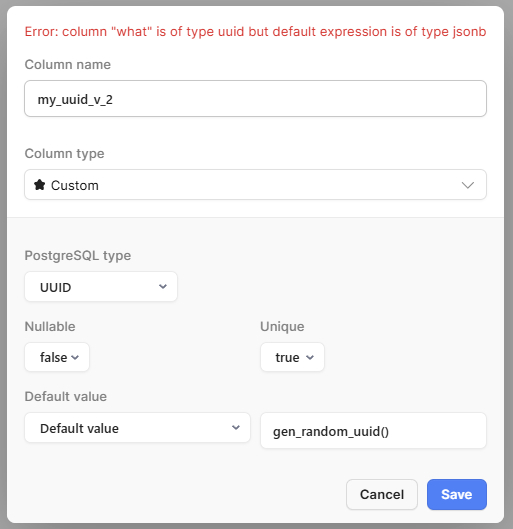
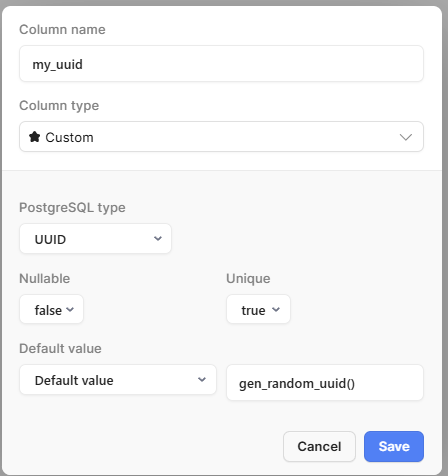
  1. the column type 'UUID' is auto set to not unique even if you select 'yes' for unique when creating the column.
  2. when trying to edit a 'UUID' column, I often get an error:

    -above I was just trying to rename the column

The Workaround For An Existing Column

IF:

  • table1 has a 'my_uuid' column of type UUID
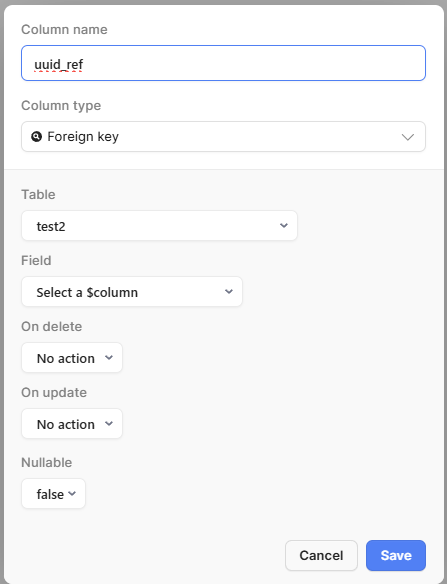
  • table2 has a 'uuid_ref' column of type UUID

THEN:

  1. edit table1 in Retool DB GUI and set 'my_uuid' as the Primary Key
  2. in any retool app, create a new DB query and put the following in it:
ALTER TABLE table2 ADD CONSTRAINT fk_uuid_ref FOREIGN KEY (uuid_ref) REFERENCES table1 (my_uuid)
  • NOTE: fk_uuid_ref can be anything, it just needs to be unique
  1. save and run the query

table1 'my_uuid' now looks like the following in the GUI:

and table2 'uuid_ref' looks like:

you can see the blue text to confirm also:
image

The Workaround For A New Column

1.) in any app create a new database query and put the following in it:

BEGIN;
ALTER TABLE test_table
  ADD COLUMN new_uuid_column UUID DEFAULT gen_random_uuid();
ALTER TABLE test_table
  ADD CONSTRAINT unique_new_uuid UNIQUE (new_uuid_column);
COMMIT;

workaround attempts that didn't work:

  • ALTER TABLE tabl1 ADD CONSTRAINT custom_unique_uuid UNIQUE (my_uuid)
 BEGIN;

ALTER TABLE
  test2
ADD COLUMN
  new_uuid_column2 UUID DEFAULT gen_random_uuid();

ALTER TABLE
  test2 ADD CONSTRAINT unique_new_uuid2 UNIQUE (new_uuid_column2);

ALTER TABLE
  testtable ADD CONSTRAINT fk_uuid_ref_2 FOREIGN KEY (uuid_ref_2) REFERENCES test2 (new_uuid_column2);

COMMIT;
2 Likes

Appreciate your help here! I'm having the same issues with the Auto-incrementing Integer ID... any workaround you would suggest for that?

ya just follow the Workaround For An Existing Column section. the sql code is the same, you just have to be sure the column types of both tables is the same

2 Likes

Thank you so much, that worked!

2 Likes

Also experiencing this same problem. The work around mentioned above adds just enough complexity across an already complex product I'm trying to build that it's not worth implementing in my case. Unfortunately I'll just have to wait till the fix is shipped.

I can confirm we're dealing with this same issues. It was very confusing and ultimately frustrating as selecting a table's auto-incrementing ID seems like such an obvious candidate as a foreign key. Tracking this issue for resolution...

Same issue with fkey, unable to select the primary key (or any field) of related table. Does not show as an option. Our workaround has been utilizing pgAdmin to create the relationships needed, but would be great to have a resolution on this retool bug.

May I have a little more assistant for a workaround.

I created following tables in June with

products-table with auto-inc integer ID-field

order_rows-table with Foreign key to the products-table ID-field.

When I view this connection in resources Retool databases I see the problem above. The ID-field flashes as selected, but I cannot select it anymore.

I tried to follow the workarounds, but I failed to make any change. Could somebody provide more detailed steps to fix this table situation? Current tables work, but when I try to create a new Foreign key field I see the same problem.
I have PGAdmin 4 access, but I have never used it before.

Best Regards
Janne

Hi Janne,

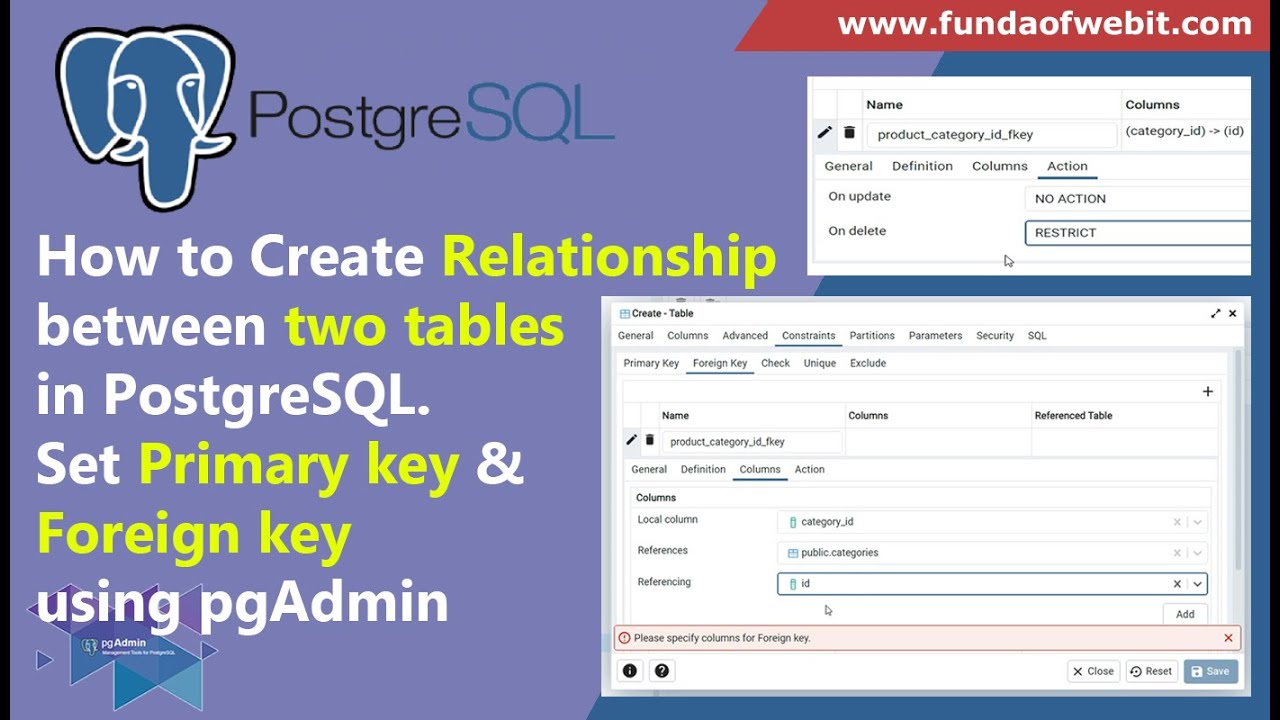
Maybe you could try to follow this video it shows how to create a foreign key on PgAdmin 4 with the User Interface without any SQL.
You would need to do it for your order_rows table.
Let me know if it helps. :slight_smile:

Hi all - the fix for this particular issue will ship with the release of version 3.266!

6 Likes