My goal:
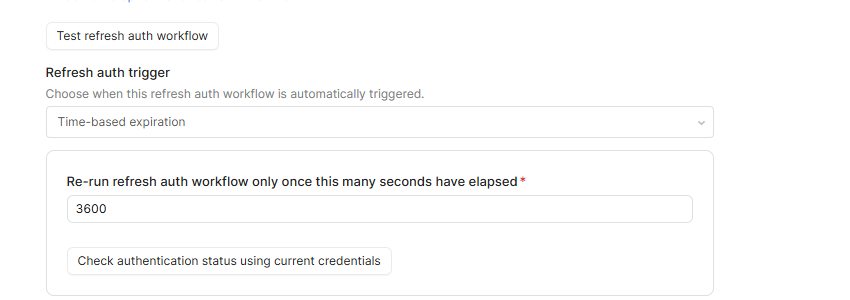
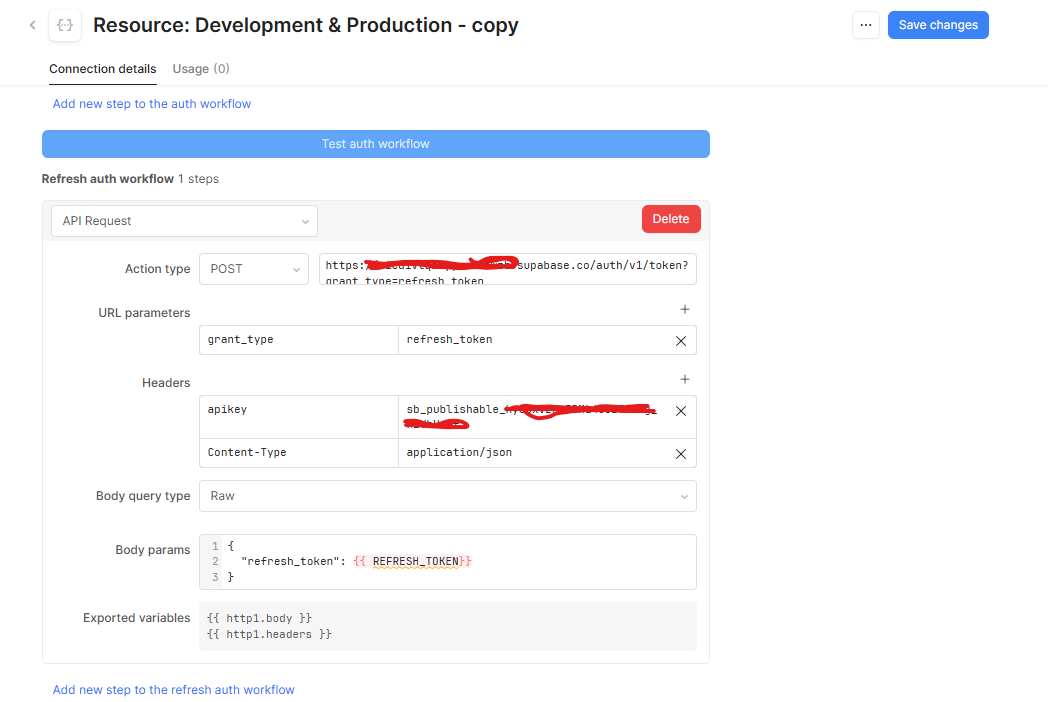
I want to use the refresh_token obtained in my Auth workflow inside a separate Refresh workflow, so I can automatically get a new access token without hardcoding the refresh token
Issue:
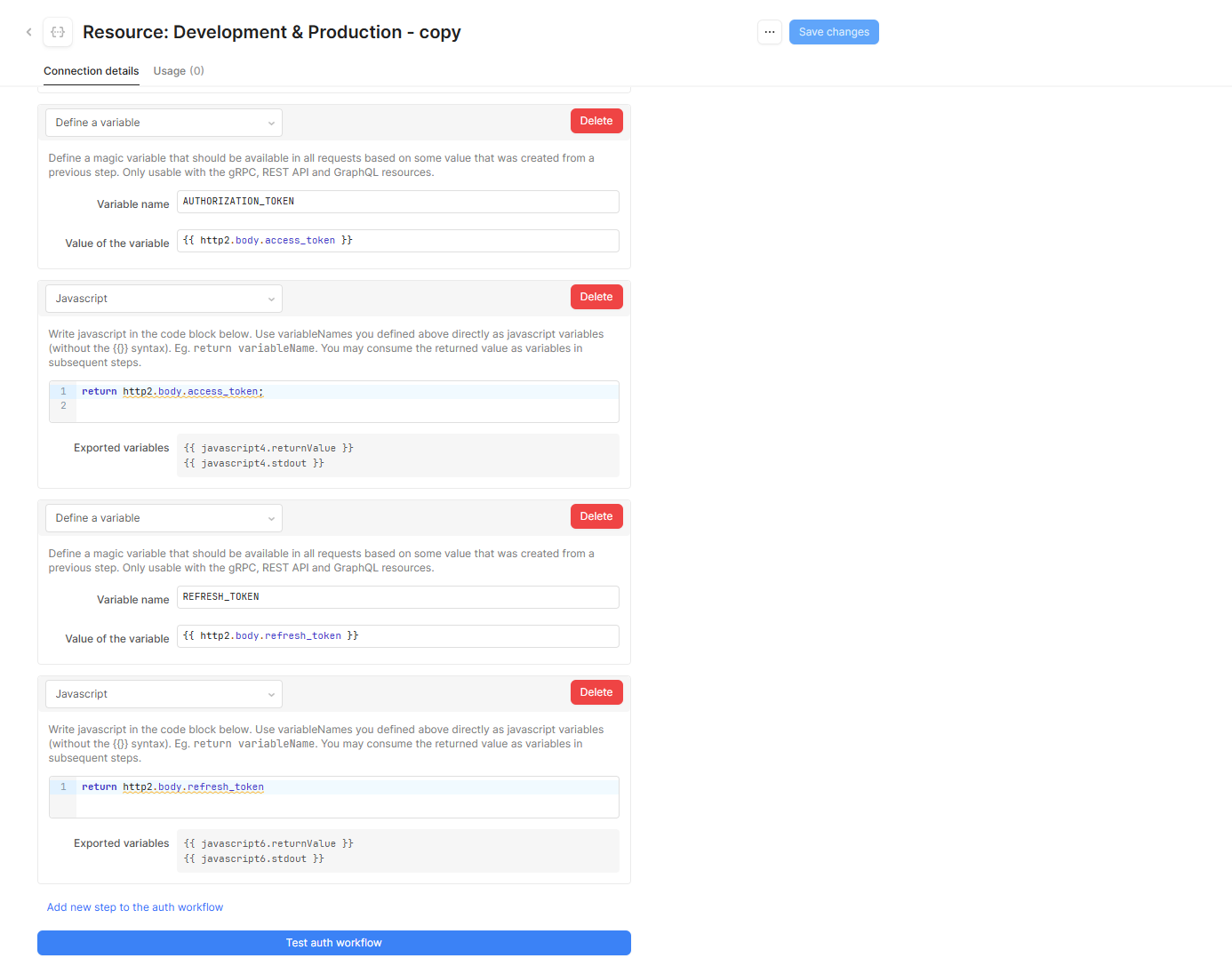
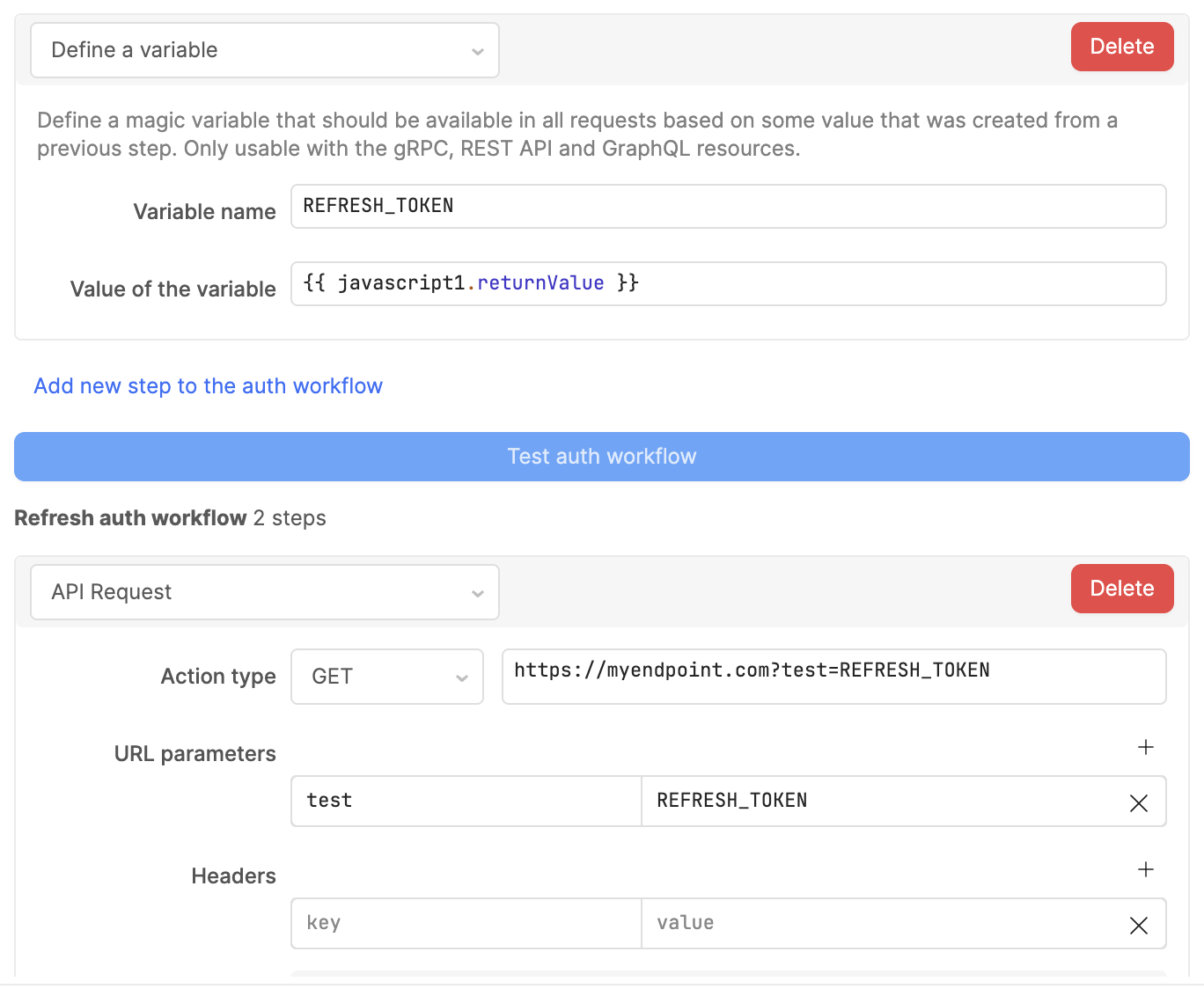
Variables from the Auth workflow, e.g., REFRESH_TOKEN, are not recognized in the Refresh workflow.
If I hardcode the refresh token in the POST request, it works.
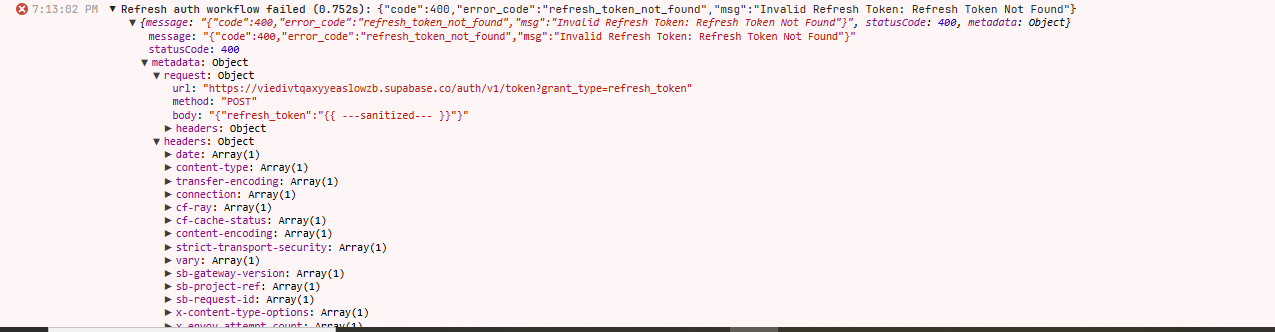
But when I try to use the variable REFRESH_TOKEN, the workflow fails.
I don’t know how to properly pass variables between workflows in Retool.
3) Steps I've taken to troubleshoot:
Tried different ways to reference variables in the Refresh workflow (e.g., http2.body.refresh_token).
Checked Retool documentation and forums, but didn’t find a solution.
Defined global variables
4) Additional info:
Cloud-hosted Retool.
Auth workflow works fine by itself.
Refresh workflow only works with a hardcoded token.
Sorry to hear you've been running into this, and thanks for sharing those screenshots!
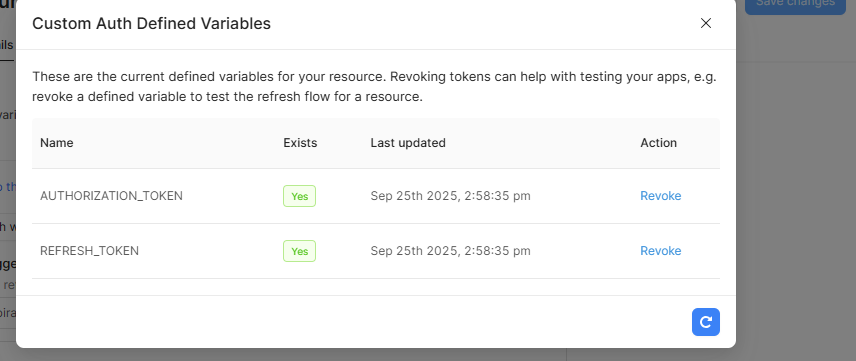
It looks like your tokens are being saved correctly since the Custom Auth Defined Variables modal confirms Retool is persisting them for that resource.
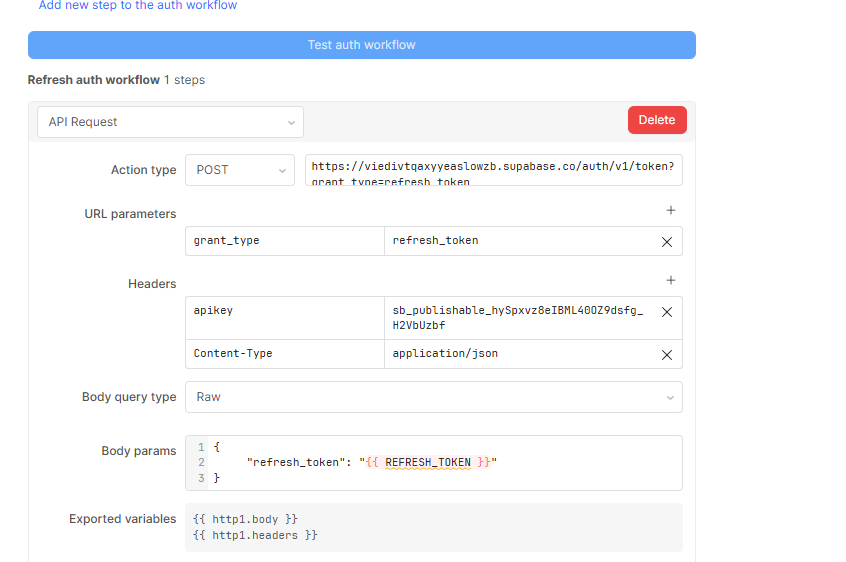
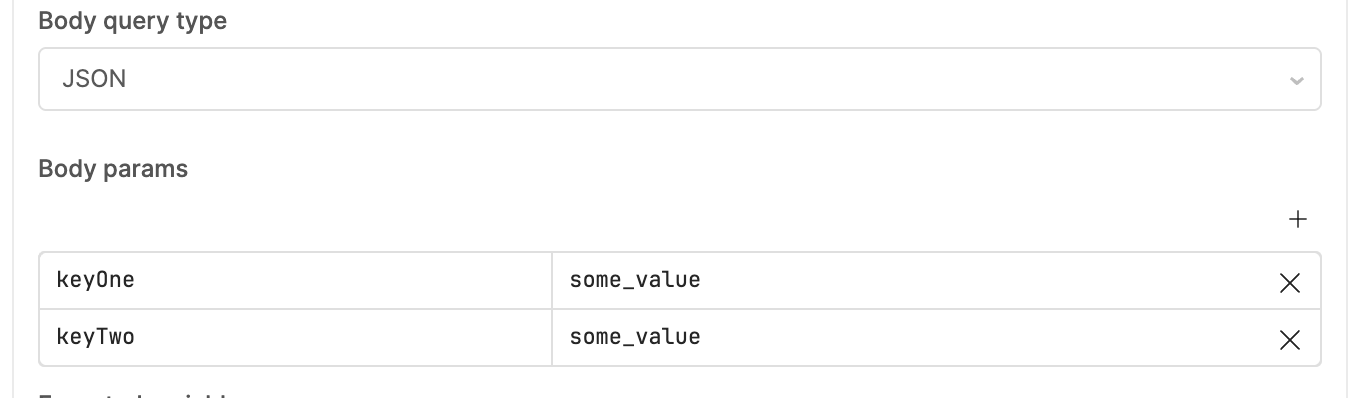
The failure is most likely how the refresh body is built in the body params of your Refresh auth workflow. Try adding quotes around {{ REFRESH_TOKEN }} so it looks like this:
{
     "refresh_token": "{{ REFRESH_TOKEN }}"
}
Retool needs the variable wrapped in quotes so it gets treated as a proper string inside your JSON (which might be why hardcoding the refresh workflow works but the variable doesn't).
If that still gives you trouble, another option is to set the body query type to Javascript and return it like this:
return { "refresh_token": REFRESH_TOKEN }
If neither of these fixes work, could you paste the exact error message you're seeing in the Refresh step so I can help you debug further?
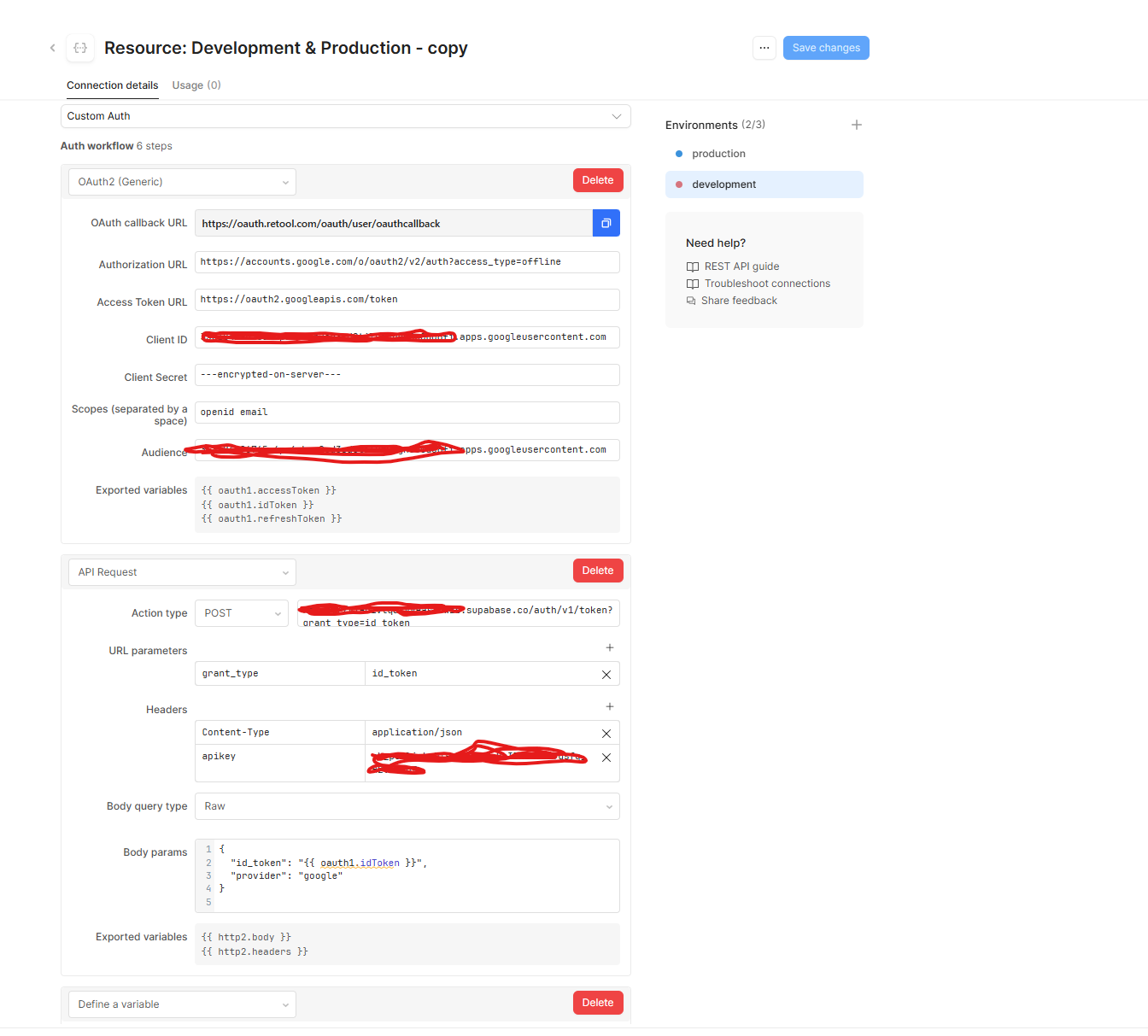
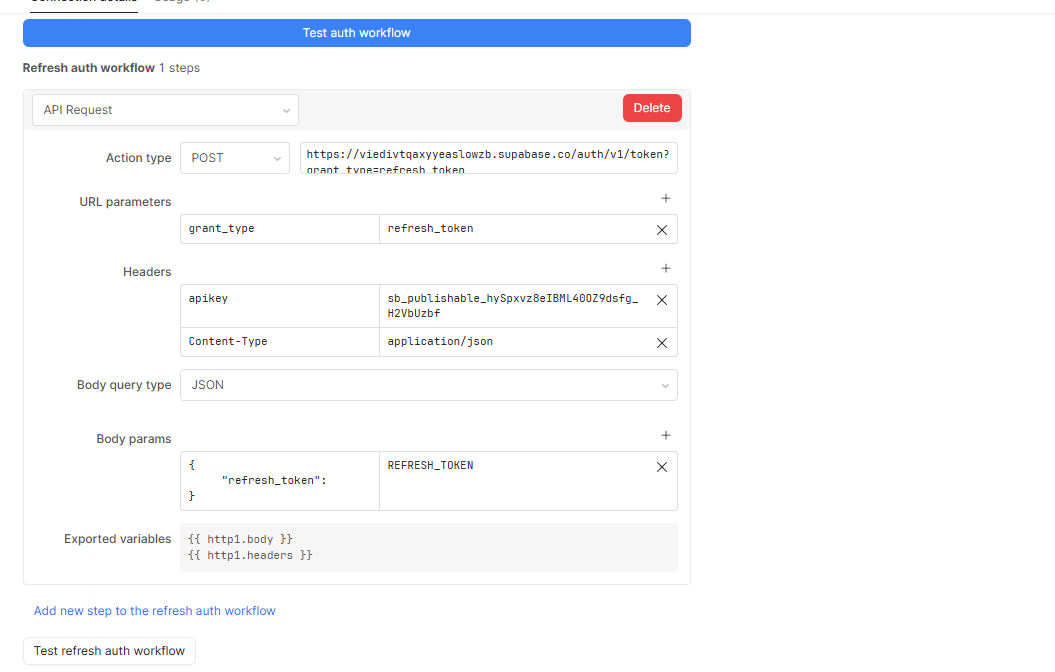
I noticed in your screenshots that the Body query type is set to "Raw" - this might be causing the variable evaluation issue.
Can you try switching the Body query type from "Raw" to "JSON" and then remove the quotes/brackets around REFRESH_TOKEN? So your body params would look like this:
{
     "refresh_token": REFRESH_TOKEN
}
I have a feeling that in Raw mode, Retool was sending the literal string "{{ REFRESH_TOKEN }}".
Hey Gabii, I'm sorry to hear your refresh token variable still isn't recognized in your refresh workflow.
I've gone ahead and submitted this internally to see if I can get some additional eyes on this. I'll be monitoring this closely and will get back to you as soon as possible!
Thanks for sharing that you're running into this too. Our engineering team is looking into it, but I don't have a timeline for a fix just yet. I'll keep you updated here as soon as I know more.
Hey @Gabii, thanks for reaching out. Based on the most recent screenshot that you shared, the params of the API request being made by the refresh flow may not be defined correctly.