I have 5 buttons that trigger the same query, and I want to do different things based on which button was clicked
5 Likes
break me out
+1
You could make the button trigger a JavaScript query and then trigger the SQL queries (or different queries) w/different parameters like this: https://docs.retool.com/docs/scripting-retool
Specifically, you would use triggeredById inside a JS query. That will give you the name of the component that triggered the query.
@coleca's solution seems great, it'd just be nice if this was natively supported from the UI so there could be autosuggestions.
+1
Would be really great, so you can make more generelt and reusable scripts
+1 on this
1 Like
I would suggest to create a temporary state.
For every button, you can make an action to set up the value of the temporary state.
Give the temporary state argument to the query.
I keep seeing people say stuff about using javascript to trigger SQL queries with parameters, but the documentation they reference has no mention of this. How do I do this?
Hi @Joshua_B,
I believe they are referring to using using the additionalScope parameter.
It looks like there is an example in the docs they linked where it is used in the context of being inside a mapping function where it is grabbing every row of a table's ID to pass as the additional scope to the used inside a query.
There is also a great forum post about using Additional Scope here.
The steps are:
- Go to the query builder, scroll down and expand the 'Additional Scope' there will be an input field to type out the key name and press enter to create it. It will look like a white pill once the key is defined. Save the query
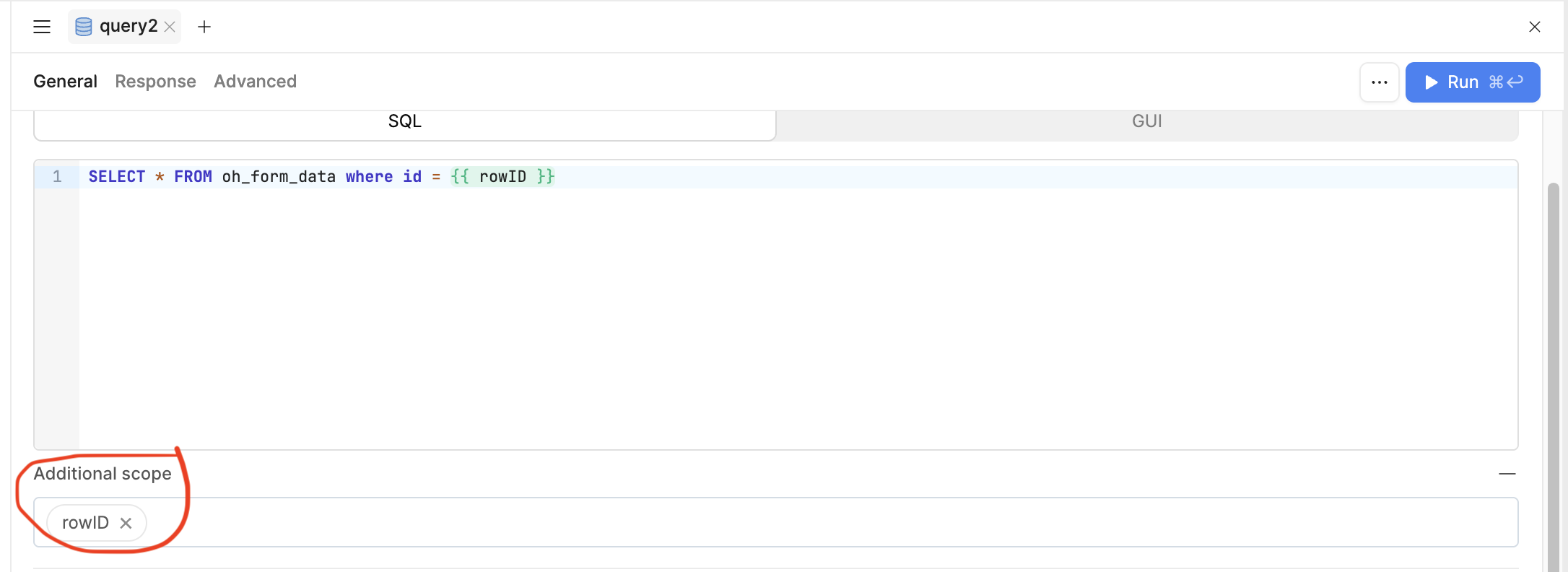
- Where ever in a JS query you want to call the query and pass in a value for the additional scope, follow the below example. In this case I hard coded in a 2 but you can use
{{}}syntax to dynamically chose a value.
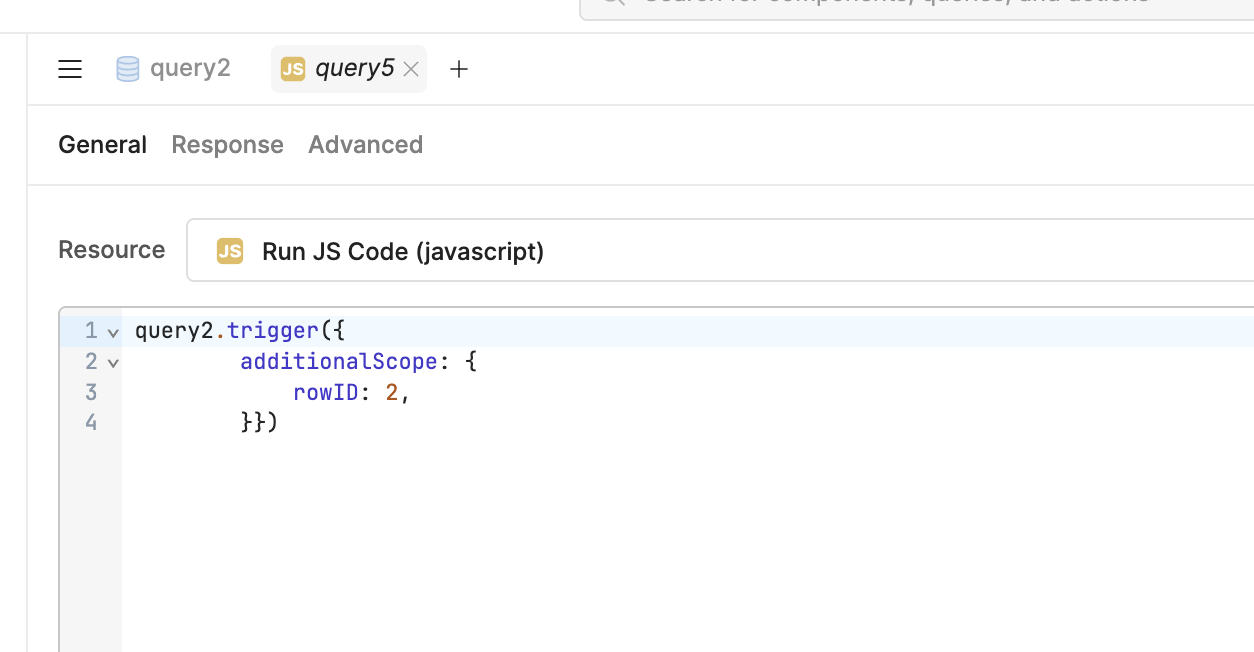
Hope this helps!