I am using a phone input field which works pretty well when user selects country and input numbers, adding the correct spacing for phones on different countries.
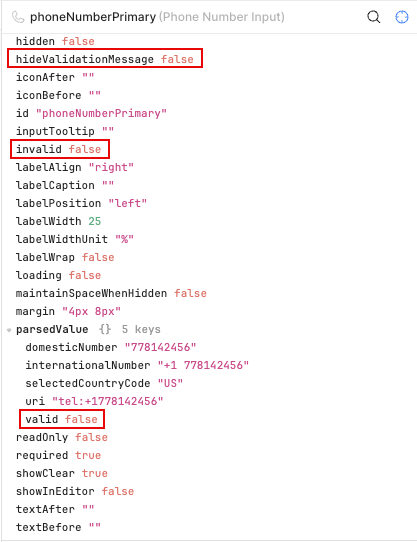
I was expecting to get the component validating that the phone is correct. Seems that the parsed value section of the state shows the phone is invalid but the invalid state value never gets updated, no matter what value is added to the input. It ALWAYS show invalid = false. Any suggestions?
1 Like
Hi @Dataland,
I understand the issue you're facing. I tried reproducing it on my end and found a solution that should achieve the behavior you're looking for.
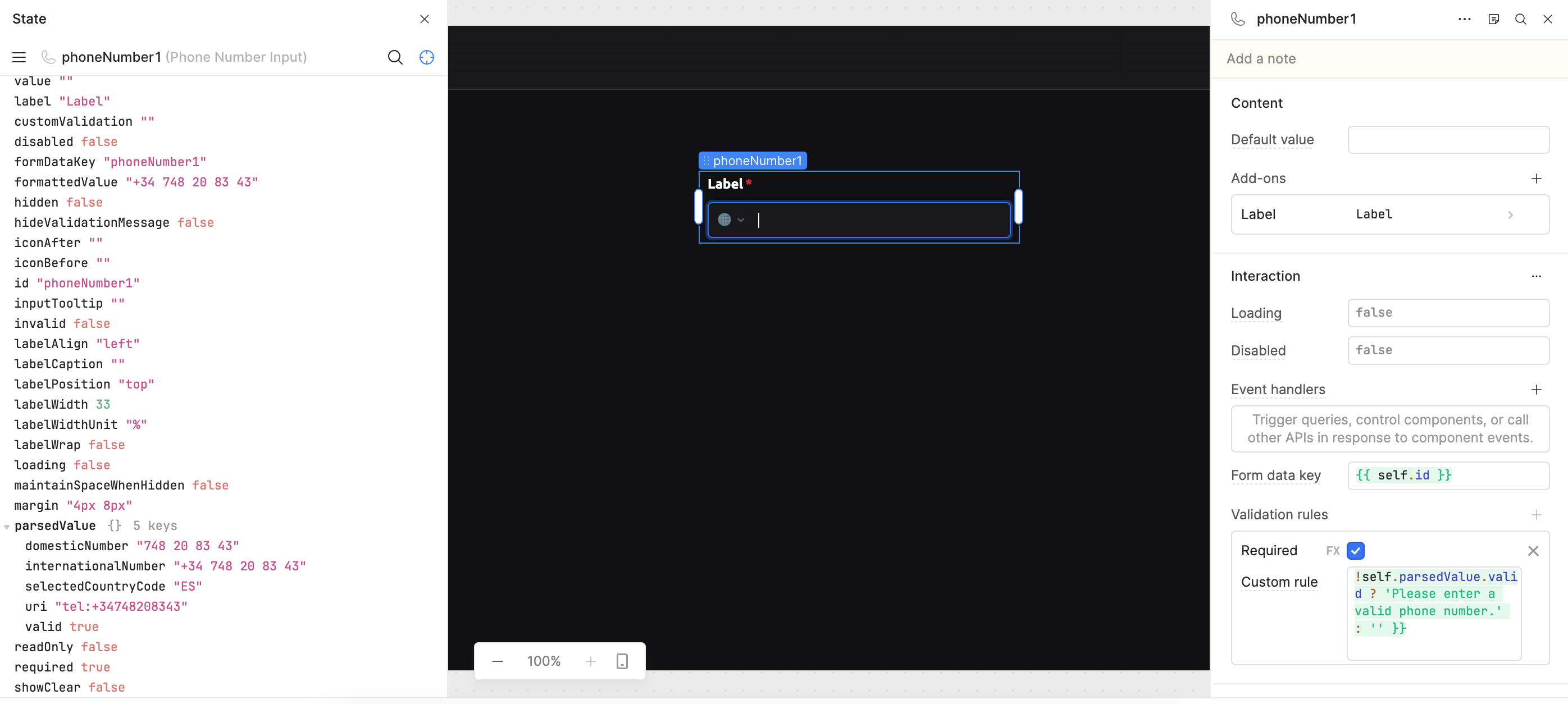
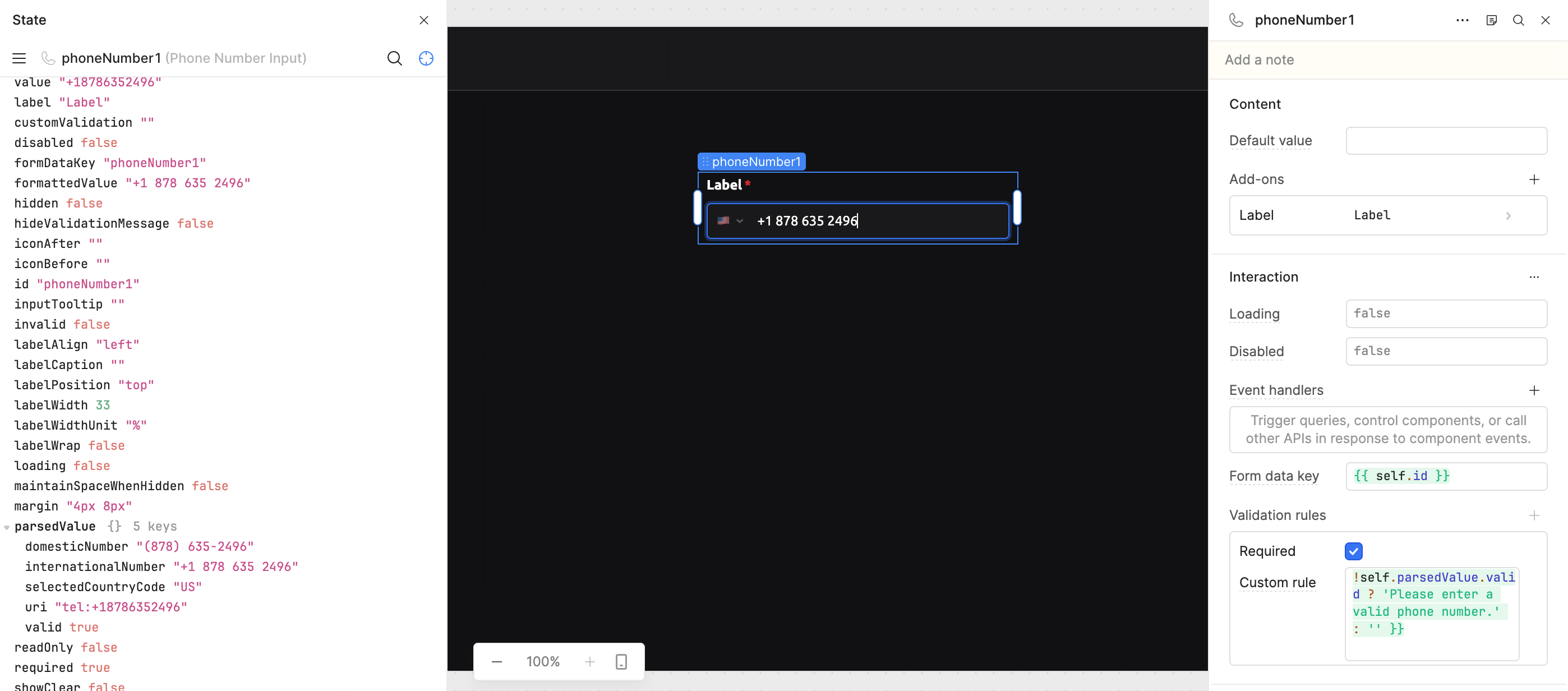
Instead of relying on the built-in validation message, you can add a Custom Rule under Validation Rules with the following expression:
{{ !self.parsedValue.valid ? 'Please enter a valid phone number.' : '' }}
After applying this custom rule, the validation behaves as expected.
Regarding the option you highlighted, the Hide Validation Message setting is located under:
Appearance → Hide Validation Message
This is a boolean checkbox that controls whether the validation message is displayed.
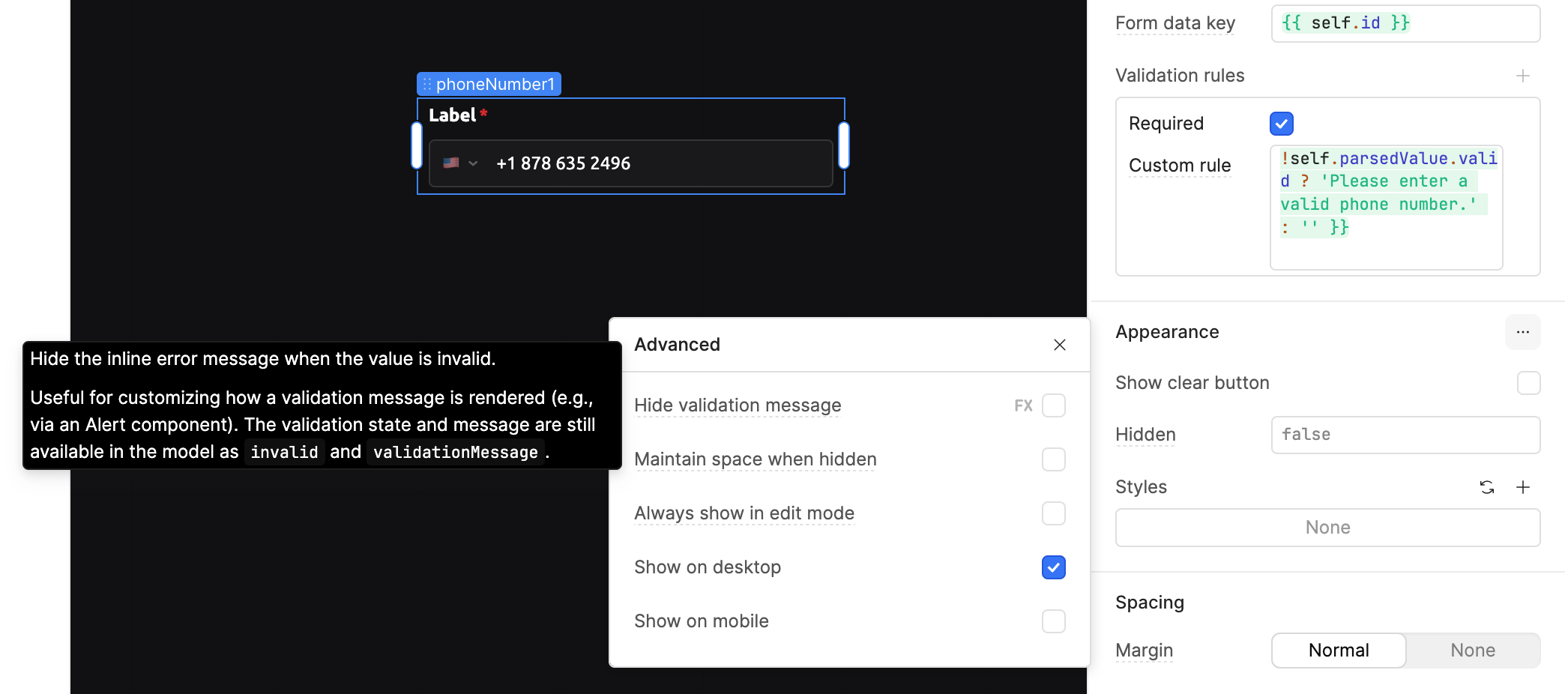
This approach worked correctly in my testing.
Hope this helps! If you run into any other issues or have additional questions, feel free to reply here and I'll be happy to help.
Hi @Dataland!
It looks like the "invalid" state value is driven only by adding either the required or customValidation validation rules (or both) in the phone number component settings. So, if you do not have either or both of these set up, then the "invalid" state will always show "false".
Phone number validity lives separately in parsedValue.valid as @WidleStudioLLP has mentioned - it reflects whether the number is a real, well-formed number for the selected country.
Just curious to see if you were able to try out the custom rule suggestion that @WidleStudioLLP has provided?
Let me know how it goes!
-Jen
1 Like
Thanks @WidleStudioLLP . I did try this before and it was giving me a circular-recursive error of some kind. I probably was doing something wrong.
I did as you show on your screenshot and it works perfectly!
Thanks again
2 Likes
@Dataland Great, happy to hear that @WidleStudioLLP's suggestion works!

1 Like