I’ve been using Claude Code in VS Code to edit my classic apps’ code, source control files through Git and then manually copy/paste the edits to the Retool code editor to make the changes. We’re only on the Team plan, so no Enterprise Git syncing. Wasn’t ideal, but it worked. Still had to manually edit GUI changes though...
I’m testing this workflow with the new React app builder and wanted to get some input to make sure I’m doing this correctly. I’ve got a Claude Max plan, so I want to keep the majority of compute in Claude Code and then push changes to Retool’s MCP to reduce Retool AI credit usage.
Convert my Classic apps to React apps in Retool
Have Claude Code pull files from Retool and setup local directories for Git repo syncing
Feed Claude Code screenshots of the new App Builder and instruct him to perform changes locally
Claude pushes to Retool MCP via retool_submit_prepared_import
This seems to keep the brain power done in Claude Code and then the importing task (minimal tokens) is the only thing that uses Retool’s AI Credits
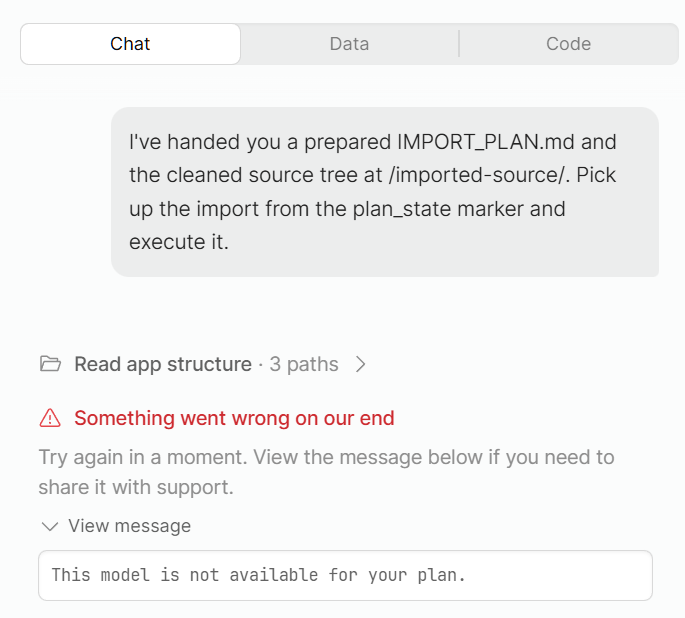
Claude Code was initially trying to push changes via thread_stream tools but it kept kicking back this error: "This model is not available for your plan." statusCode: 402, provider: anthropic, errorOrigin: retool. Eventually it found ‘prepared_import’
Get changes to populate in Retool’s App Builder
After I push the import via VS Code, Claude says everything is updated but nothing automatically happens in the Retool App Builder.
I have to click Edit on my app and the chat window has this error prepopulated, with a link towards the bottom to ‘continue import task’ or similar.
Thanks for posting, @nickroz1! This is super relevant to a workstream that we're actively planning. Right now, it's not really possible to minimize Retool credit usage when building, converting, or importing new apps. Even the relevant MCP tools, including retool_submit_prepared_import, hand off work to the Retool agent.
We're scoping out a set of MCP tools that changes this, though, by unlocking direct file upload/modification. I'll keep you in the loop as this develops and let you know if it ever goes live!
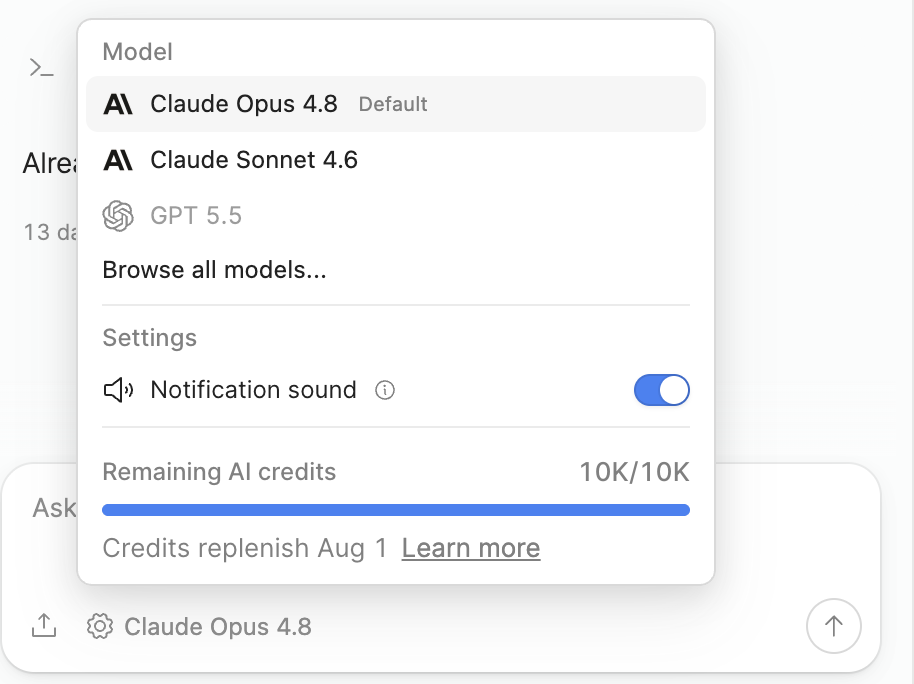
As an aside, I think the error you're seeing about the model not being available is unrelated and slated to be fixed in an upcoming release!
Thanks. That error I was getting seems to have resolved it itself and Claude Code is now able to push changes through the MCP to publish them automatically.
There is an issue with old threads getting stuck and not being able to delete them. I’ve got a handful that I seem to be locked out of as they’re tied to Opus and it spits out an error that it’s not part of my plan. If I request a new thread be created on each MCP publish I don’t have any issues.
BTW @nickroz1 , this workflow is going to get a LOT better this week. We are working on a native CLI / way for coding agents (e.g. Claude Code, Codex, etc.) to directly write to the Retool API / filesystem. If you’re interested @Prajya_Sharma can get you in on the beta. This is a lot more robust, and allows you to directly code wherever you want, but just deploy to Retool.
The workflow makes sense for cutting down on Retool credits, and since you mentioned the push now publishes automatically, that’s exactly when the identity question stops being theoretical. When Claude writes through the MCP, every change lands under your own Retool identity and permission scope. So before you scale this across multiple apps or agents, it’s worth nailing down which credential the agent is actually pushing with and how you’d trace and revoke a bad import if one slips through. A misconfigured push that touches company data is a lot harder to roll back cleanly if you can’t tell whose scope it ran under, and if you ever expose an agent externally, you’d want it to have its own revocable access rather than sharing yours. In our own agent tooling, each agent carries its own identity key and a separate revocable token, so killing one agent’s access never touches the human operator. That separation is the piece I’d want in place before leaning on this as your daily driver.