Hey @MarkMcP ,
After reading what @Spacebar shared, here is how I would set it up.
In the GeoJSON field you define your points in this format
{
  "type": "FeatureCollection",
  "features": [
    {
      "type": "Feature",
      "geometry": {
        "type": "Point",
        "coordinates": [-122.454, 37.766],
      },
      "properties": {
        "color_val": "#F00"
      }
    },
    {
      "type": "Feature",
      "geometry": {
        "type": "Point",
        "coordinates": [-122.510, 37.764],
      },
      "properties": {
        "color_val": "rgb(0,255,0)"
      }
    },
  ]
}
You can use a JS transformer to create these points in this JSON format.
and then below in the GeoJson Layer Styling you need to use something like
{
  "type": "circle",
  "paint": {
    "circle-color": ['get', 'color_val']
  }
}
Without the styling you won't see any points on the map.
The color_val property of the marker will define the colour.
However with this method the interactions with the markers won't trigger events.
It is a bit of a hack and Retool is working on adding a better integration.
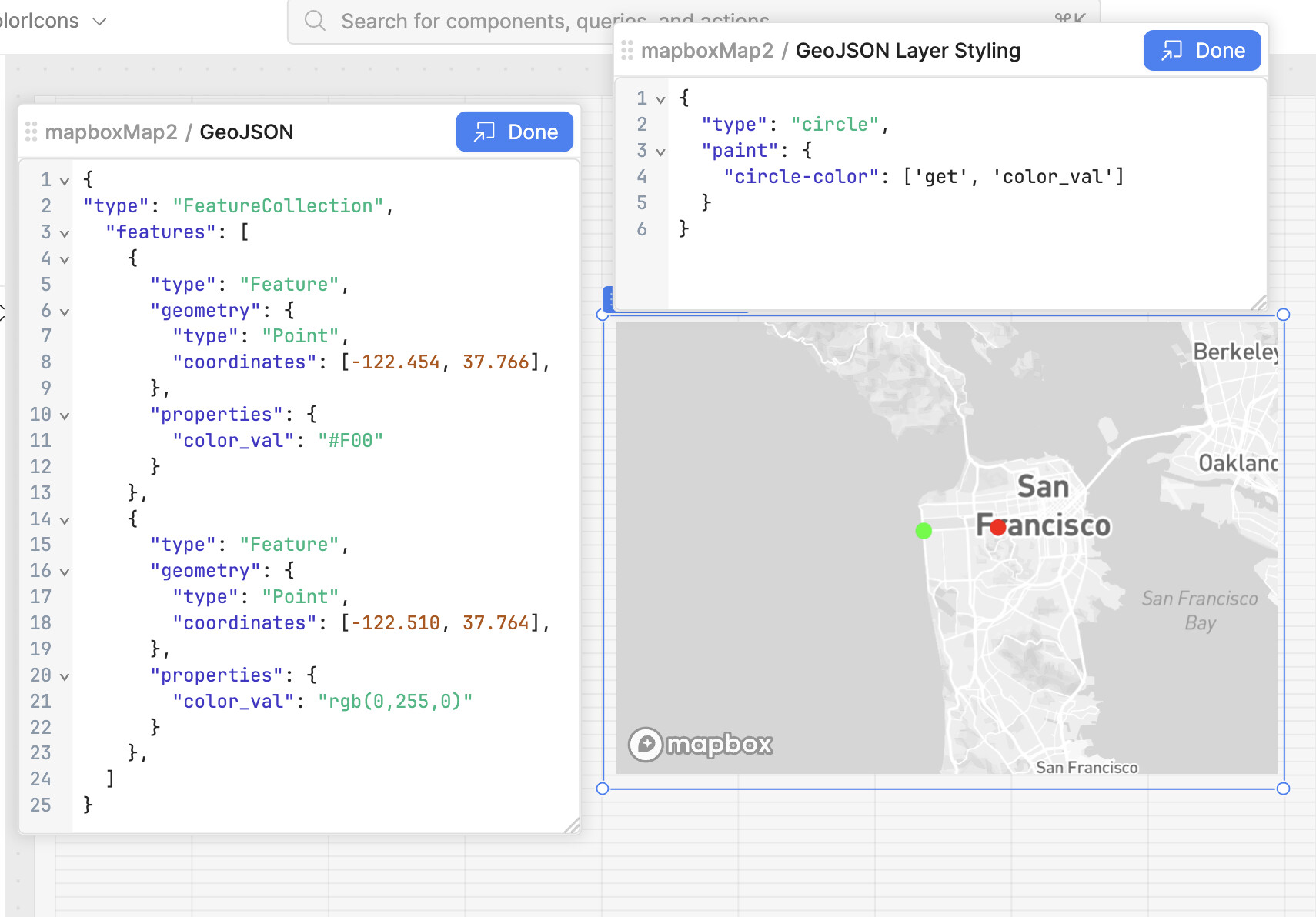
Let me know if it works or helps. 