Some of you have told us that Retool apps don't feel as responsive as they should. Scrollbars that flicker. Layouts that thrash and reflow as data loads. Stacks that resize themselves every time you drag something. That feedback was fair, and a fair amount of it traces back to one root cause: the layout engine underpinning Retool apps.
So we rebuilt it. The new layout engine is ready for a small group of beta testers.
To be clear about scope: this is the classic app builder. It's the engine underneath the apps most of you have already built, not the new app builder. If you've been wondering whether the classic builder was still getting real investment, this is part of the answer.
This first round covers presentation mode only (i.e., how your apps render for the people using them). Editor mode is at parity too, but we're deliberately rolling out reads before writes. Before the new engine touches an app template, we want to be certain it can't modify one in a way you can't fix. Editing joins the beta in a later round.
What it changes
-
Rendering performance. Apps should feel more responsive to interact with: smoother scrolling, less lag on hover and selection, fewer visible reflows on complex layouts. We're targeting consistent 60+ FPS rendering. How much you notice will depend on how heavy your app is.
-
Drag-and-drop reliability. Reordering widgets inside stacks and working in complex multi-row layouts should feel much more predictable. Drop previews are now computed from actual measured widget positions instead of approximated ones, which fixes a class of bugs where the drop indicator landed nowhere near your cursor. (You'll see this once we enable the beta for editor mode.)
-
Auto-height and scroll behavior. Several of the most-reported layout bugs — expandable table rows not growing correctly, layout thrashing from scroll container overflow, listview scrollbars appearing when they shouldn't — come out of this rework.
What it doesn't change
Your apps. There's no migration project on your side, no rebuilding, no changes to your layouts or functionality. Apps move to the new engine automatically and should look identical.
App loading performance. This work targets interaction and rendering performance. It does not change how long an app takes to load initially. That's a separate problem with separate causes, and it isn't what this project fixes.
What we're asking of beta testers
Turn it on for the app that feels jankiest to interact with—lots of components, nested containers, big tables, list views. Tell us where it breaks or where it still feels slow. Specifically useful to us:
-
Fidelity: anywhere a layout renders differently than it did on the old engine. You might see slight spacing discrepancies. If anything feels broken beyond that, please let us know.
-
Runtime behavior: scrolling, auto-height containers, expandable table rows, list views, anything that resizes or reflows as data loads.
-
Performance: whether your heaviest apps actually feel faster to interact with, and where they don't.
A few things worth knowing
-
Yes, you can test business-critical apps. Since this round is presentation mode only, nothing gets written back to your app template. Your apps aren't being modified — only rendered by a different engine.
-
It's a toggle, not a commitment. If an app looks wrong on the new engine, switch it back and tell us what you saw.
-
Some editor interactions will change later. When the editing round arrives, a few behaviors are intentionally different. For example, dropping a widget on top of an existing one may no longer automatically push the existing widgets down.
-
Mobile apps are excluded. We haven’t enabled support for mobile apps yet.
Who can join right now
Cloud orgs with apps in the classic app builder. Cloud only for this round, as our goal is to take in feedback and iterate quickly. We are considering enrolling self-hosted customers with our upcoming stable release before the end of the year. If you're self-hosted and have a cloud instance you don't mind experimenting in, we can enable the beta there.
Getting set up
-
Once you're in, we'll enable the beta flag for your org. (Details below on enrolling in the beta)
-
You'll then see a new toggle in the app's status bar. Click it to render the app with the new engine, and click it again to switch back if something looks wrong.
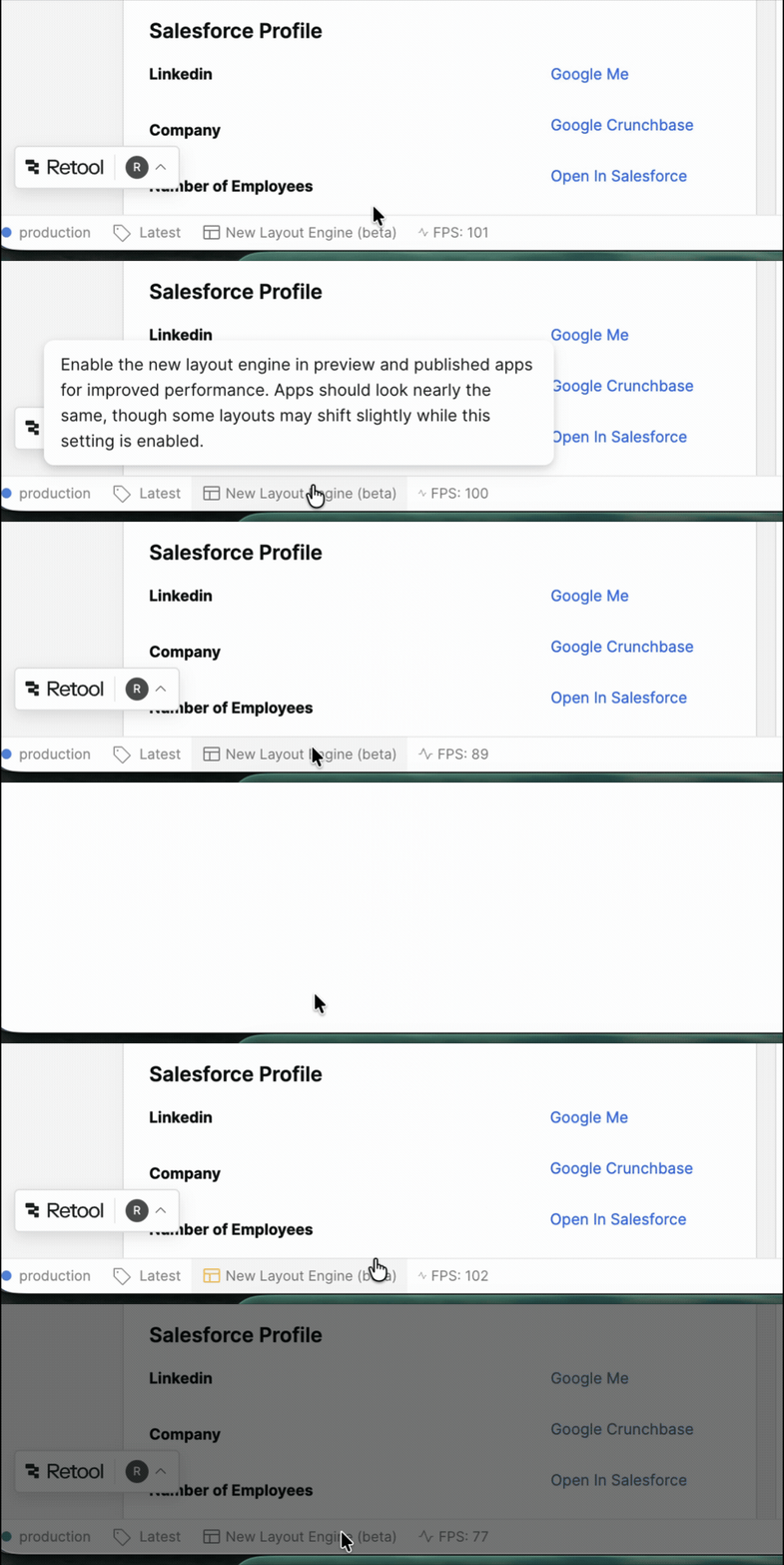
Please note that this setting only applies to the current user and will remain on for all apps until disabled. If you want others to see an app with the new layout engine enabled, they’ll need to turn on this setting themselves.
How to sign up
Reply in this thread or send me a DM — either is fine. It helps if you include:
-
Your org name
-
Whether you're on Cloud
-
(Optional) An app (or two) that's been painfully slow for your users, and roughly what makes it heavy — component count, nested containers, big tables, list views, etc.
We'll be reading every report in this thread. If you've posted about flickering, scroll thrashing, or layout jank, this is the work that's meant to answer it. If you've posted about stack drag-and-drop, that's the next round. We’ll post here again when that’s ready.