Hi!
We are running a production application on Retool Cloud and our users are frequently hitting an infrastructure connection bottleneck. Multiple concurrent users are getting a red error banner that blocks their queries and logs from saving.
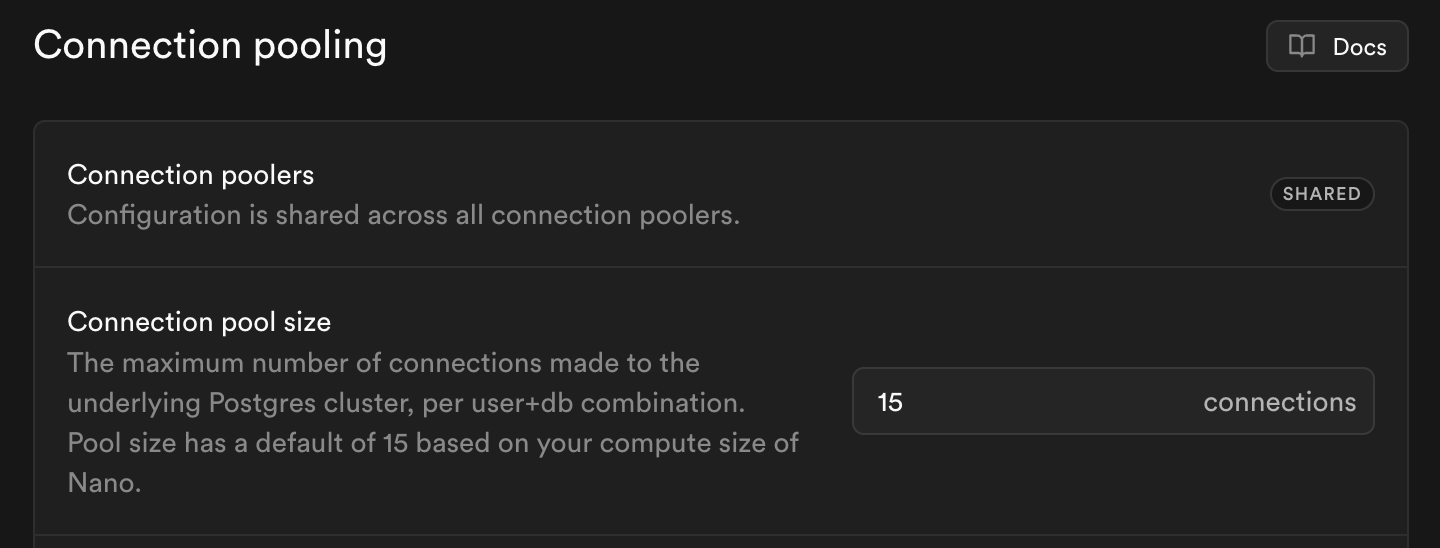
The Exact Error: submitLogs (EMAXCONNSESSION) max clients reached in session mode - max clients are limited to pool_size: 15
We can see that Retool is hard-limiting our concurrent client connections to a pool size of 15.
Because this is a live app used by our team simultaneously, a pool of 15 is easily exhausted by just a few users loading the page and triggering multiple backend queries at once.
Target Goal: We need to extend this max_client connection limit to 100 so our application can withstand normal business traffic. Is this a setting an admin can modify somewhere hidden in the Resource Advanced Options, or does a Retool Engineer need to adjust this connection proxy pool size on the backend for our subdomain? Any guidance or help from the team would be greatly appreciated!