Hello,
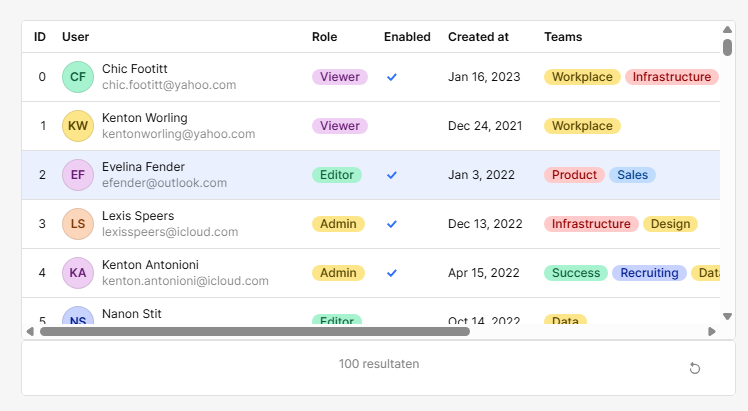
How can we set the text in the footer? It now shows "7 results". How do I change the word "results" into the word of my users native language? Like for me it would show "7 resultaten".
Same goes for the text in the Summary row.
Thanks!
Hello,
How can we set the text in the footer? It now shows "7 results". How do I change the word "results" into the word of my users native language? Like for me it would show "7 resultaten".
Same goes for the text in the Summary row.
Thanks!
Hi @PatrickMast,
This isn't currently supported, but we have an internal feature request that we are tracking for this behavior -- I'll post here if I get any updates
Thanks @Tess!
Hello @Tess! Has there been any progress on this? Any workarounds in the meantime?
Hey @mbgs - thanks for reaching out. 
There hasn't been any movement on the specific request that Tess mentioned above, but app localization is fully supported on Enterprise plans and would dynamically handle translations for you. I only bring that up as an alternative because it looks like your org is currently considering an upgrade!
Hi @PatrickMast, @mbgs,
A relatively simple workaround would be to hide the table footer and add a container just below it. You could localize this easily!
Here is a quick and dirty sample app to get you started.
Happy coding! (or vibe coding) 
localize table footer.json (71.8 KB)