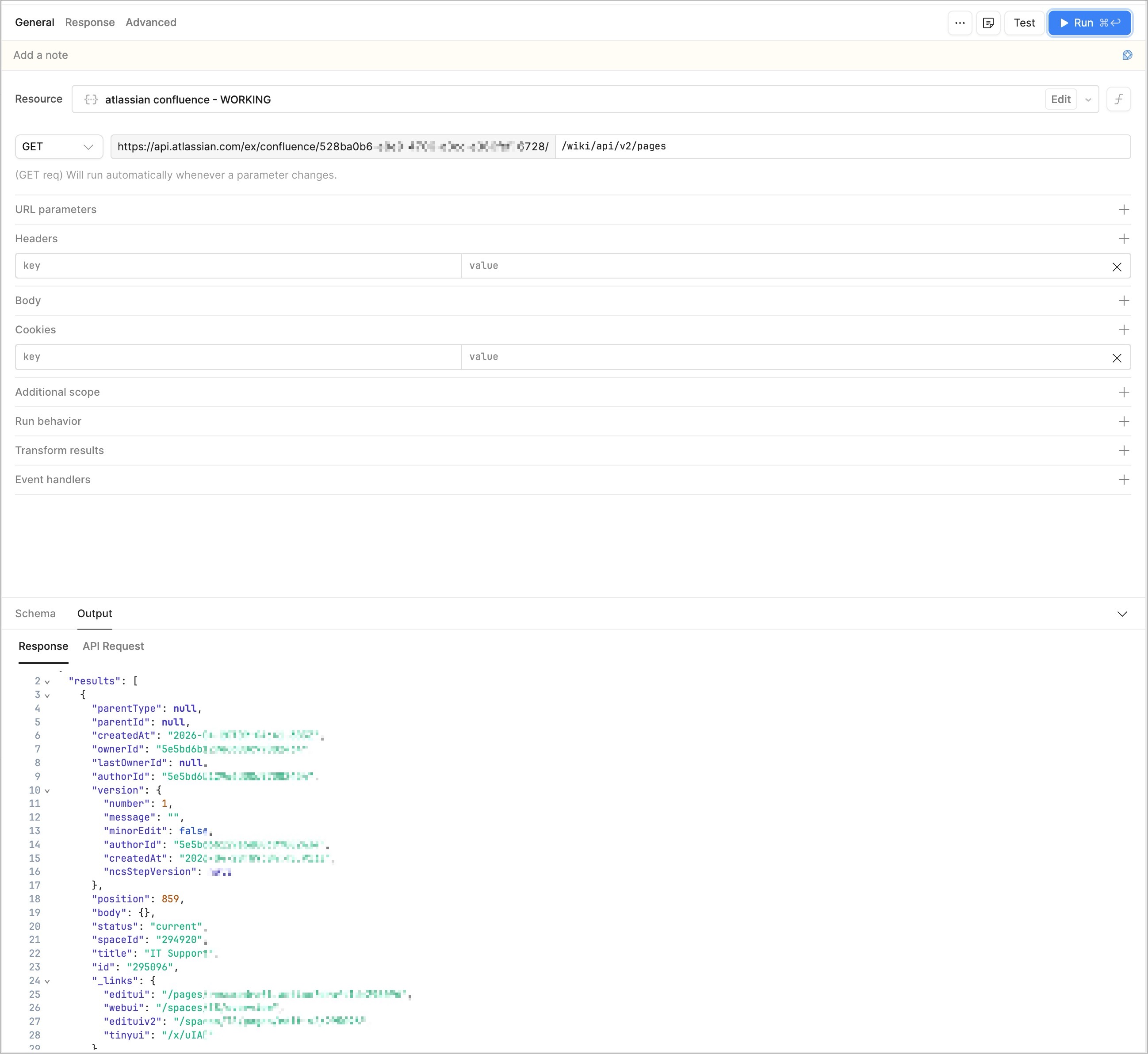
If you're seeing a successful connection test on your Retool Confluence REST API resource but getting 403 errors when running a query, here are a few things to check:
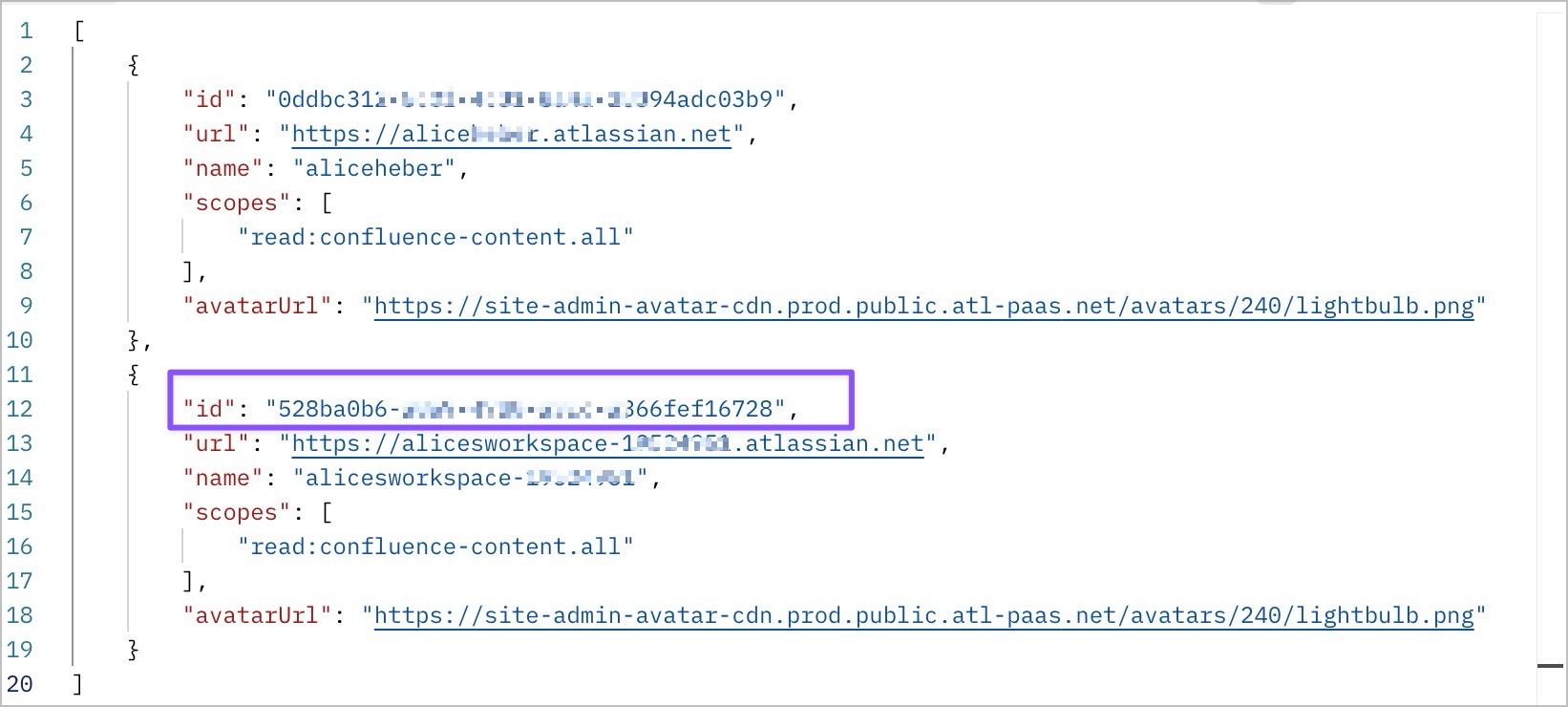
- Ensure you have the right Cloud ID set up in your Base url https://api.atlassian.com/ex/confluence/{cloudId} but running a GET request on https://api.atlassian.com/oauth/token/accessible-resources. In my example this returns 2 cloud ids, the 2nd one is the one to use for the Confluence Base URL
- The Base URL must use
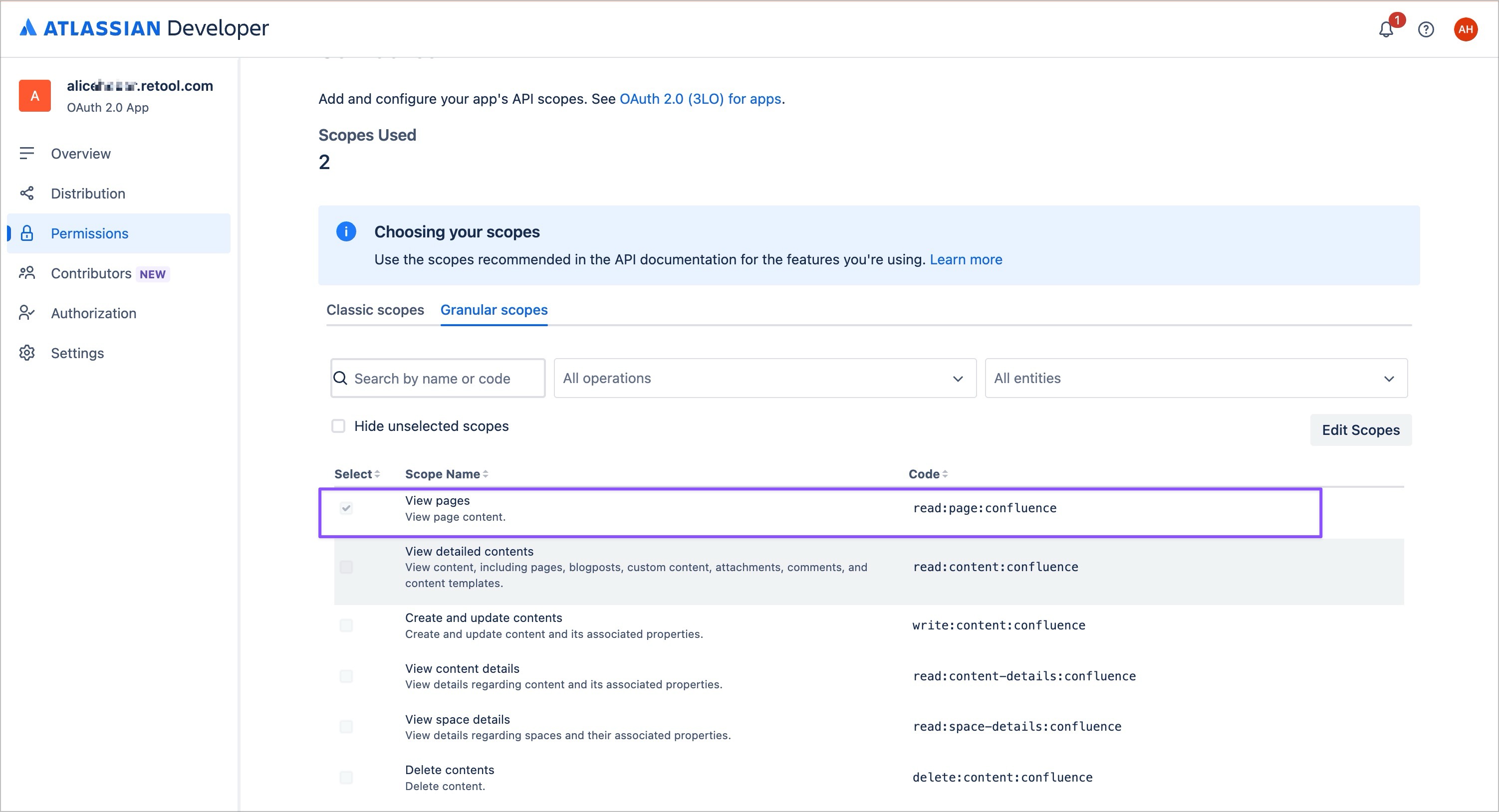
api.atlassian.com, not your direct Atlassian domain,yoursite.atlassian.net - Ensure you have the correct scopes set in the Retool resource as well as in Atlassian. For my test endpoint
/wiki/api/v2/pagesthis isread:confluence-content.allandread:page:confluence(the latter is a granular scope in Confluence
If you add a new scope in the console, you need to reconnect OAuth in Retool to get a fresh token that includes the new scope. - The connection test doesn't validate query permissions it only checks that the token is valid (hitting something like
/rest/api/myself), which is why you can see a successful connection but still get 403s on actual queries
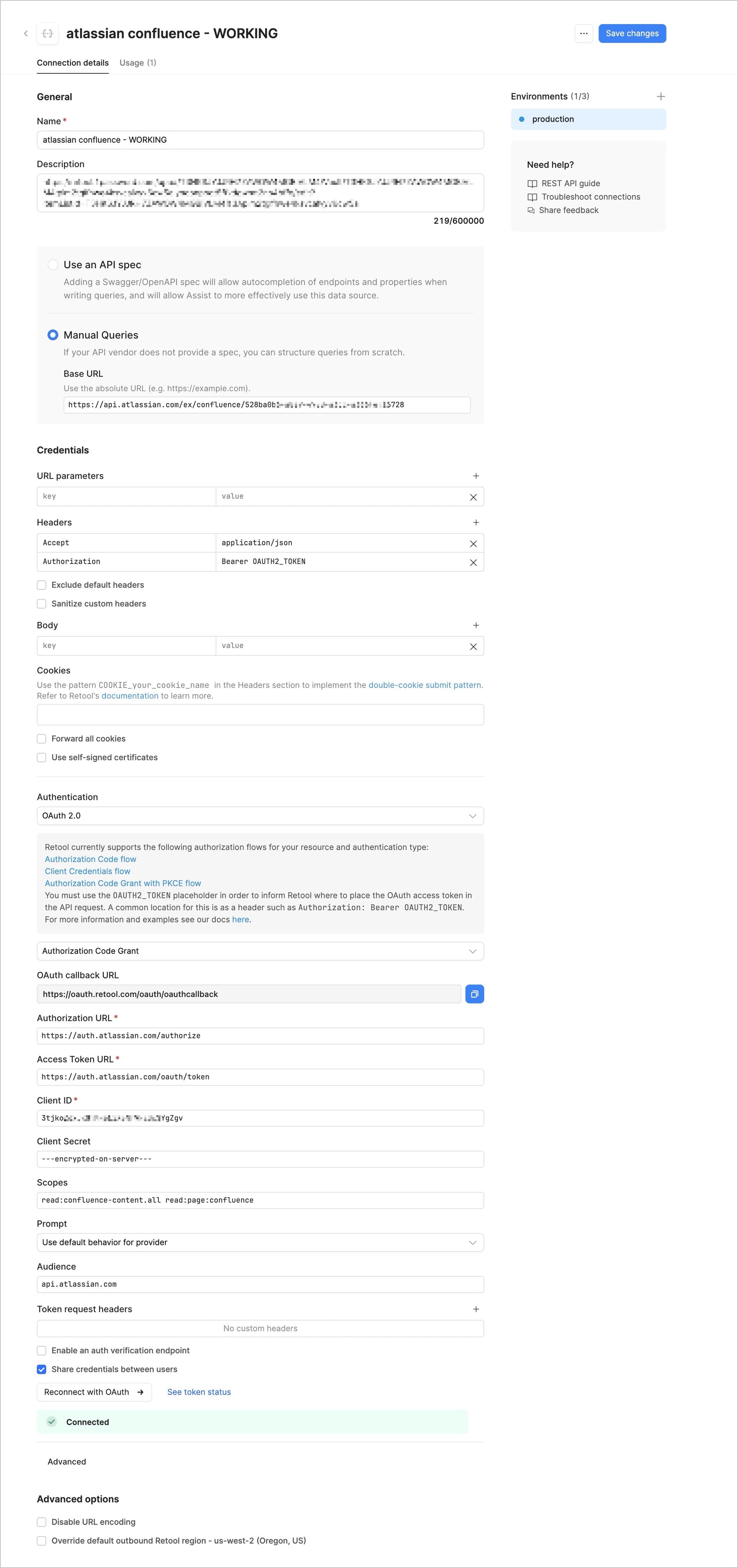
Here is my resource set up:
And the app query: