Issue: We have an application form that accepts a single document upload using the file input component. This for the most part works but about 2% of users on mobile have reported that they are either unable to browse for a file to upload or the document is not picked up and fails the form validation (Users who have reported this are usually on old android devices and are using chrome browser)
Hey @Rutendo_Nyakutira -
Welcome to the community!
Which component are you using to upload these docs on Mobile?
Hi. It's the file input component
hmmm do you have any more details you can give us on your application (JSON or more screenshots on how things are hooked up?) Thinking its most likely a Retool bug, but maybe there is a work around.
1 Like
wondering if it has anything to do with this: Error uploading with file input on mobile device
We have a stepped container that has various fields that need to be provided
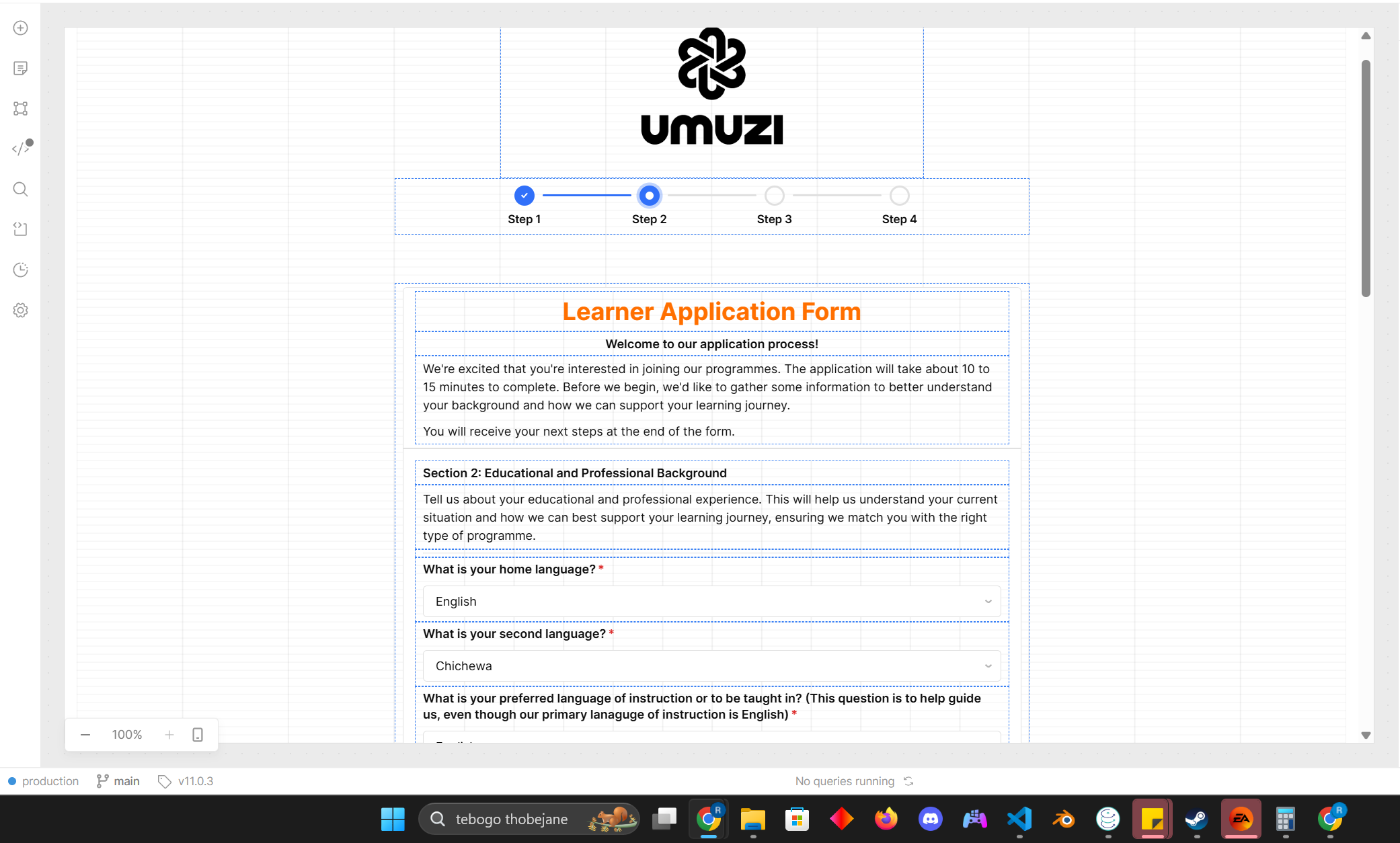
The problem component is the one that is highlighted, the file input component
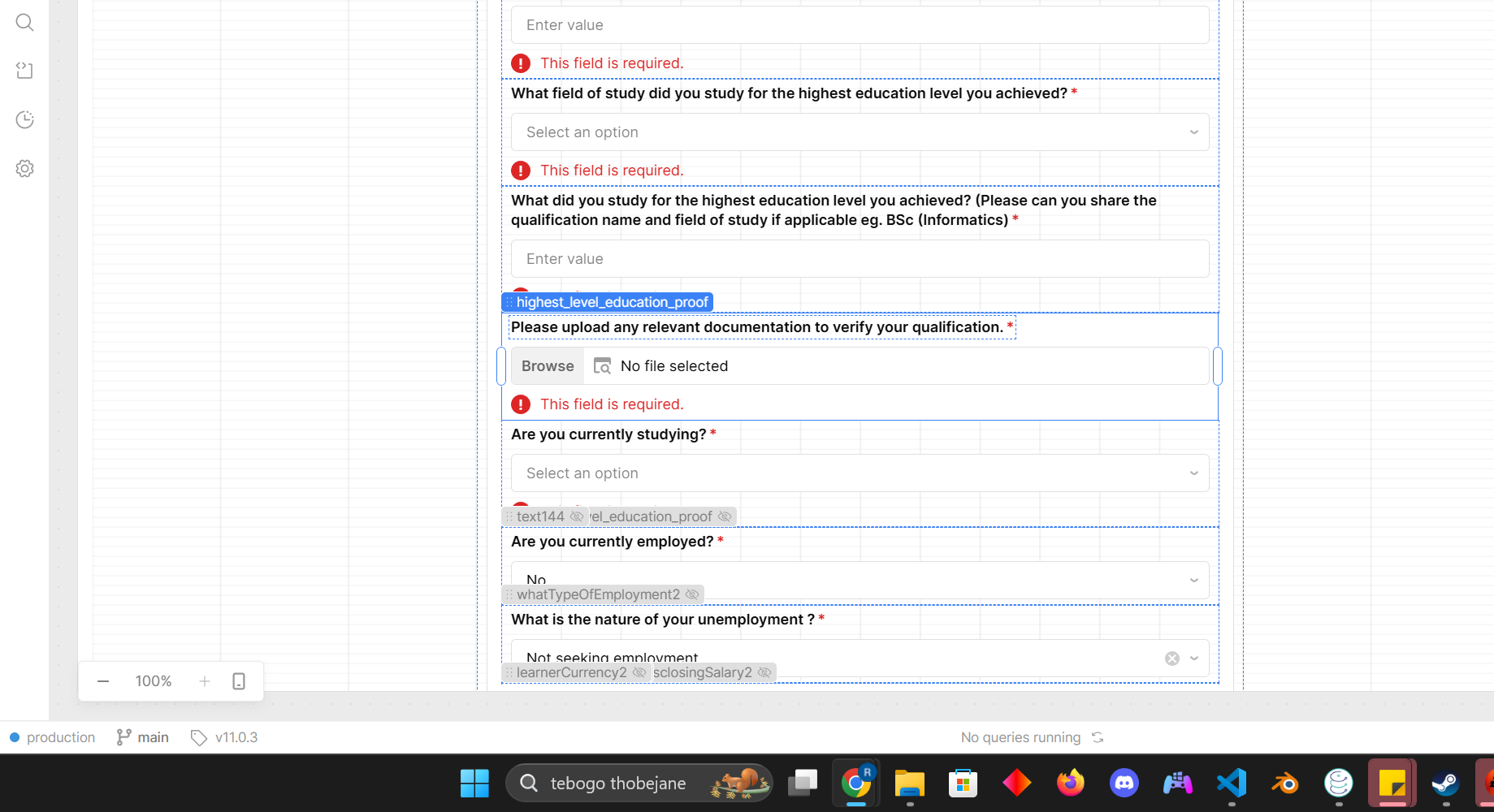
The way it is all hooked up is that before a user can go to the next step, we have two scripts following this pattern. First ValidateFields.js runs and then ValidateForm.js is run
ValidateFields.js
//validate page 1
if(applicationForm.currentViewIndex == 0){
    learnerOfficialDocumentType.validate();
    //rest of the fields
}

//validate page 2 >>where the error is occuring
if(applicationForm.currentViewIndex == 1){
  // Validate
  learnerHomeLanguage.validate();
    learnepreferredLanguageInstruction.validate();
    learnerEnglishProficiency.validate();
  //problem field
  highest_level_education_proof.validate();
 //rest of the fields
}

//validate page 3
if(applicationForm.currentViewIndex == 2){
  // Validate
    whatTypeAreaYouLiveIn.validate();
   //rest of the fields
}


//validate page 4
if(applicationForm.currentViewIndex == 3){
  // Validate
    whichCareerStream.validate();
     //rest of the fields
}
ValidateForm.js
//validate page 1
if(applicationForm.currentViewIndex == 0){

  learnerOfficialDocumentType.invalid ? learnerOfficialDocumentType.scrollIntoView({ behavior: "smooth"}) : null;
  idNumber.invalid ? idNumber.scrollIntoView({ behavior: "smooth"}) : null;
// This will scroll to the field that has not been filled in
   //rest of the fields

//This checks if all the required fields are valid and if they are, we move to the next step page
  if(!learnerOfficialDocumentType.invalid //&&the other fields){
    applicationFormshowNextView();
  }
}

//validate page 2, where the problem component is and where users are getting stuck and unable to move to page 3
if(applicationForm.currentViewIndex == 1){

  learnerHomeLanguage.invalid ? learnerHomeLanguage.scrollIntoView({ behavior: "smooth"}) : null;
  highest_level_education_proof.invalid ? highest_level_education_proof.scrollIntoView({behavior: "smooth"}): null;
 //rest of the fields


  if(!learnerHomeLanguage.invalid && !highest_level_education_proof.invalid  //&&the other fields)){
    applicationForm.showNextView();
  }

}


//validate page 3 >> users are struggling to get to this page
// follows the same structure as the above


//validate page 4
// follows the same structure as the above, only that on the next step if statement it is simply return; and the postgres script to run the insertion of data into the db is ran if all page 4 values are valid (note the bug is not even allowing users to get to this point
As mentioned before, this works for about 98% of users and the issue mainly seems to be on lower end phones like Samsung Galaxy A04e and Vivo y11 for example
Thank you for sharing the code snippets. That all looks correctly set up for what I can tell.
Retool does have some known limitations with older mobile hardware that would likely explain why this fails to work a small percentage of the time on older devices such as those you mentioned.
Unfortunately there isn’t much that can be done, our mobile team encourages mission critical work to be done on the newest and most up to date mobile devices as there are limitations on supporting lower end and older devices.