The amazing @kent gave me a rundown on the Eval tool for Agents, Eval Items and why the output from the Eval tool is giving you that message
The Eval tool only ever runs one iteration of an Agent, by design. So in this case, the Eval tool is more or less running the tool call, then running its scoring and exiting before the Agent gets the result of the tool call. Resulting in that message.
An analogy to this would be how in Javascript, if you don't use async and await correctly, you might end up returning a Promise object(result of the tool call), instead of the result of an async function call you are awaiting the resolution of.
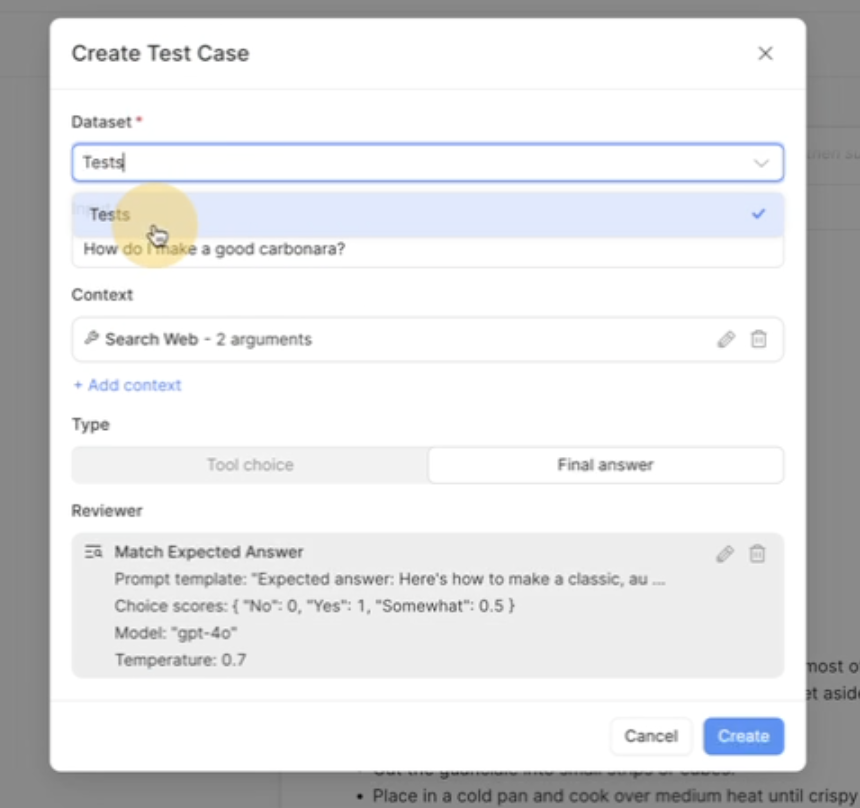
We can fix this by having the result of the tool call to the Eval Item. Then the LLM evaluating the Eval Item will have the additional context of both the tool call, as well as the data from the result of said tool call, so it can judge the accuracy properly.
There are two ways to build out the Eval Item to have both the tool call and the tool's results. One way is very manual the other is quicker and works just as well. Potentially even leaving less margin for typos or small bugs.
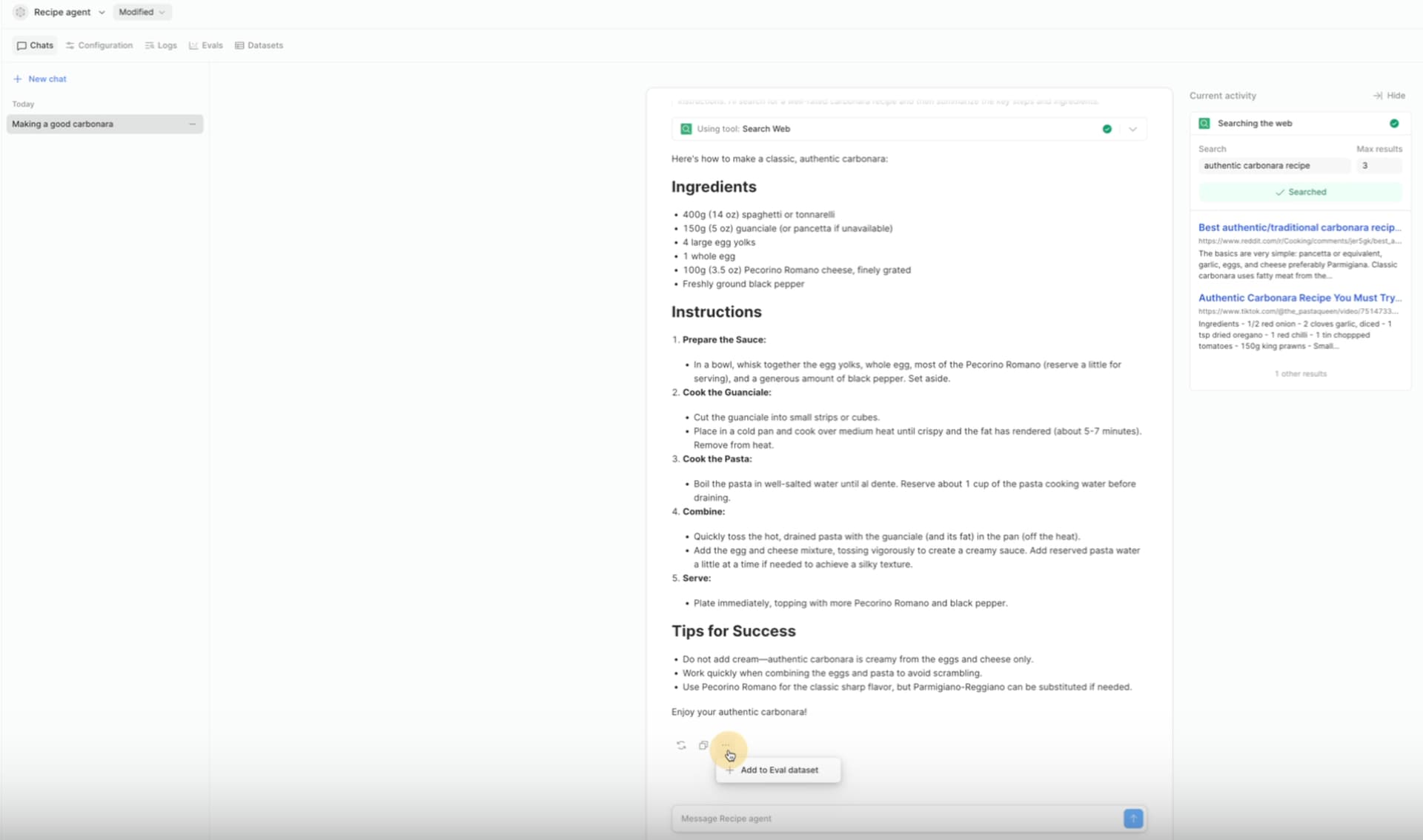
The quicker and easier way is done from the chat window. By clicking "Add eval to dataset", at the bottom under the '...' button.
This will fully create the Eval item, which will appear in the modal that pops up. All you need to do is click your Dataset at the top and then it will be ready for you to click 'Create' at the bottom!