-
My goal:
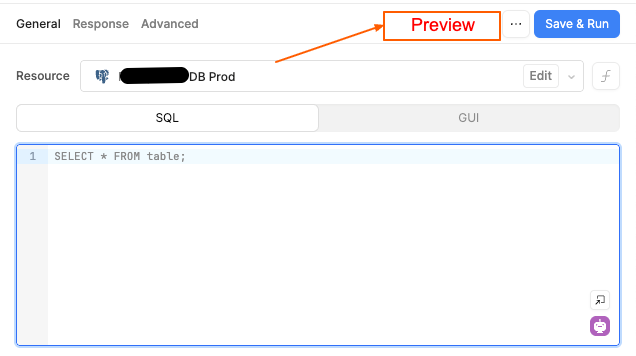
enable again the (preview) button, it was useful to test the queries before saving them -
Additional info:
4 Likes
Hey @CoderNadir ,
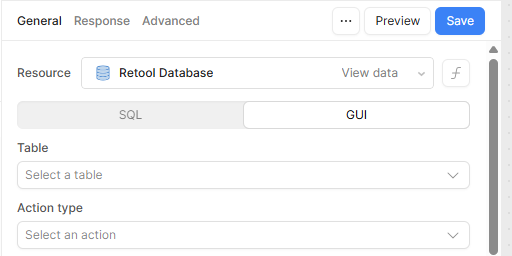
Just a heads-up — the Preview button is only available when you're working in GUI mode for your queries. If you're currently in SQL mode and want to use the Preview functionality, simply switch back to GUI mode.
Here's what it looks like when you're in GUI mode:
4 Likes
Aha, but it was there previously even in SQL mode!
I still find it useful in SQL mode, hope you don't have a problem guys to enable it again in SQL mode 
1 Like
This is a big surprise!
I've been using "Preview" a lot in SQL mode, I'm pretty sure even up until yesterday. So seeing this post I went quickly to check - and sure enough it's gone!
Surely it can't have been planned to take it away? - I also hope it's put back quickly.
(Switching to GUI mode is no help because there is no connection between the SQL query and the GUI query. If you set up an SQL query and then switch to GUI there is nothing there.)
1 Like
Hey all, thanks for reaching out and flagging this change - the short answer is we intentionally removed the button because it was not functioning as expected.
Instead of previewing the effect of the query, it was fully running the raw SQL against the configured resource without any safeguards in place. This wasn't a big deal for anybody exclusively writing SELECT statements, but could have been quite bad for anybody writing potentially destructive queries.
To be clear, the Preview button in GUI mode is still working as expected, but we felt the need to take the preemptive measure of removing the button from the SQL view in order to prevent data loss.
I hope that clears up any confusion! Don't hesitate to follow up with any additional questions if there's anything I can help with.
2 Likes
I often work with a continuous listing of the log on my database server. so I can see the queries sent from my Retool App to the sever. So I had noticed that "Preview" sent the SQL mode queries to the server. I just assumed that in that case "Preview" was in the sense that only the database query took place, but that the result wasn't propagated through into the App components.
So in my case I found 3 benefits from having the "Preview" button available.
- It was quicker to run Preview than Run. Because to get to Run you have to Save, and that normally took a few seconds, sometimes a bit too long.
- Even if the query was set up as a source to a component like a table, I could use Preview while adjusting the query without any risk of confusing the table if I messed up the query and generated a wildly different result.
- The display of the result of a query were more useful after a Preview. As I recall, the results were shown as a long vertical array of the column data, like...
[
     key-1:
     {
         "abc",
          null,
         "123"
     }
    key-2:
    {
        .... and so on.
This works well in the default query work area which is tall and narrow. It makes easy to scan quickly down the list to check the content and order.
By contrast, after "Run", the results are shown in a tabular form which is harder to scan quick.y in that kind of window. Often the columns need widening to see the data, and it seems one step removed from the actual raw data which I want to see.
So for me it served a very good purpose and I will miss it a lot.
If there is any chance of having i back with a new name which makes it clearer what it does, or as a configuration option then I'd really appreciate it.
1 Like
@davblo yep correct, for me I also Preview button was really useful
@Darren I hope there will be a fix and it will be available again ASAP!
Thinking of a solution to this.
Can a checkbox be added to the query settings to enable preview in SQL mode?
Then those that know what they're doing or are not using any destructive statements can enable it for ease of dev/test/debug 
Or vet the SQL and block DELETE and DROP statements with a pop-up saying nah-uh-uh like the first Jurassic Park movie 

2 Likes
Not to confuse things too much, but I notice that for my "Run JS Code" query, the Preview button is still there...
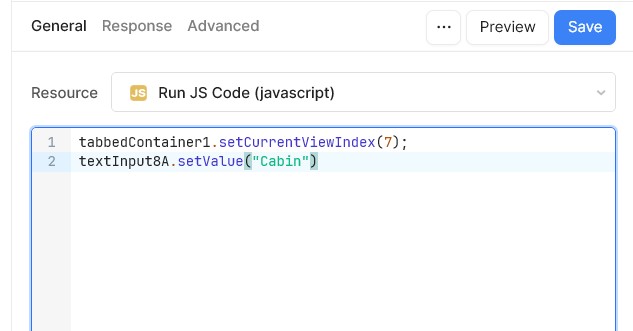
And if I press it then it actually executes the script and affects the App.
(Which is fine for me, but maybe not what you want?)
1 Like
Thanks all for providing this additional context! It's great to hear how you've been using this feature. We certainly intend to bring it back in some capacity, which is where everything you've shared here becomes super helpful. 
To your most recent point, @davblo, our current work will include a review of the Preview functionality on all resource types. I think the point of the Preview button in a JS query, for example, is that it executes the JS but doesn't update the output value.
2 Likes
@Darren Will it be enabled again SOON?
it is really helpful feature (button) that saves me bunch of time when developing/writing queries, PLEASE make it an urgent task 
The short answer is that I don't know when this functionality will be restored, @CoderNadir, or even if it will come back in the same form.
Disabling it was considered urgent due to the potential for unintended data loss, but we are now taking the time to reevaluate its use and impact before taking any concrete next steps. As I mentioned previously, any anecdotes from the community about how you typically utilize this feature is potentially very helpful.
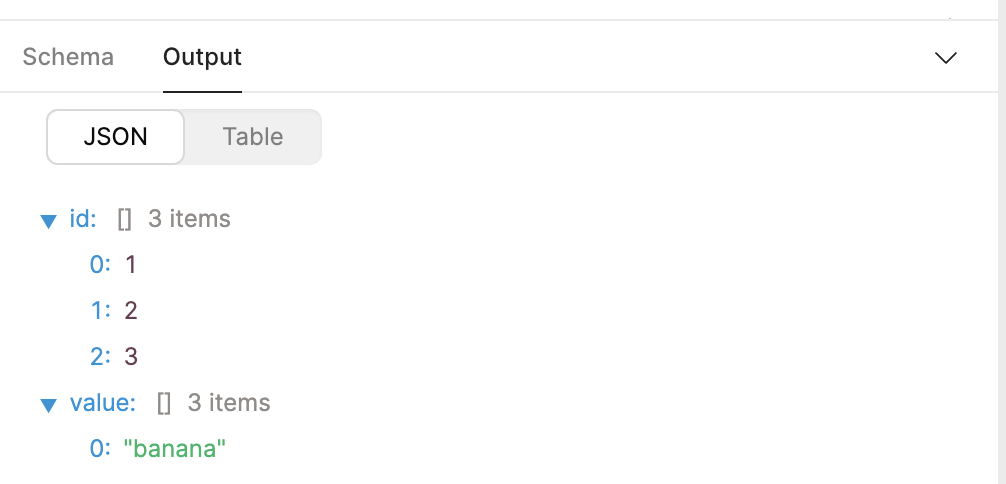
UPDATE: We've already restored one piece of functionality in the 3.222.0 release - visualizing the query output as JSON.
2 Likes
Hey folks —
I posted this last week on a different thread, but wanted to add it here as well!
I’m on the Product Design team at Retool, and as Darren mentioned, we’re thinking about how best to fold Preview functionality back in.
One thing we want to communicate with this design is that there are two ways you can execute a query from the Query Editor:
- Run executes the query against your resource, and propagates the resulting data into your app: components will update, other queries that depend on its value will run, et cetera.
- Preview (which we want to rename to Test) executes the query against your resource, but only displays the output in the lower pane of the Query Editor.
We originally removed Preview because we were concerned it sounded too ephemeral: some queries can have lasting effects (writes, deletes, et cetera), and we were concerned the word Preview didn’t capture that. We are planning to reintroduce this button under the name Test. It’s a subtle change, but we think that captures the behavior better. (We considered other names, such as Run in Query Console, but — while more accurate — those felt too wordy.)
While we were considering this change, we also noticed some additional confusion: unsaved queries set to run automatically had a button called “Save & Run,” whereas manual queries had a button just called “Save.” (Once saved, both buttons would turn into “Run.”)
Automatic queries are best used for lightweight, standalone queries: they may be read-only, and may not depend on any other information or interactions from your app. Executing them via either “Test” or “Run” should be straightforward:
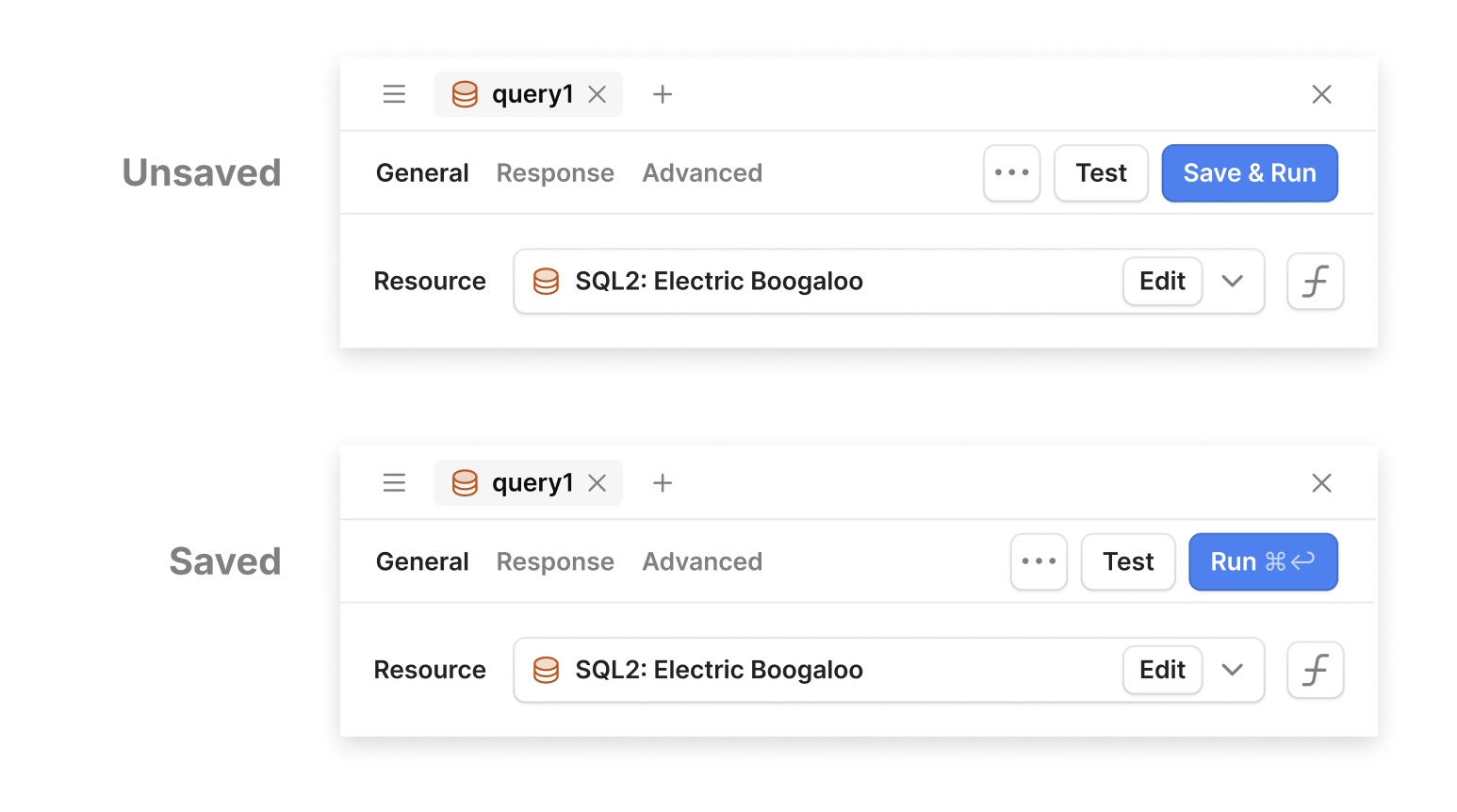
Manual queries, on the other hand, are trickier: they may delete data, read from extremely large datasets, or depend on variables that may not be fully initialized in the IDE.
Running or Testing these queries may be destructive, or may simply not work if the query depends on additional state. And even if they do work, Running a manual query from the Query Editor, rather than via whatever interaction triggers it in your app, may put your app into a state in the IDE it can’t possibly be in in production.
Therefore we propose a slightly different layout for manual queries: Save is the most prominent action, Test remains available, but Run (here called “Run in App”) is much less prominent.
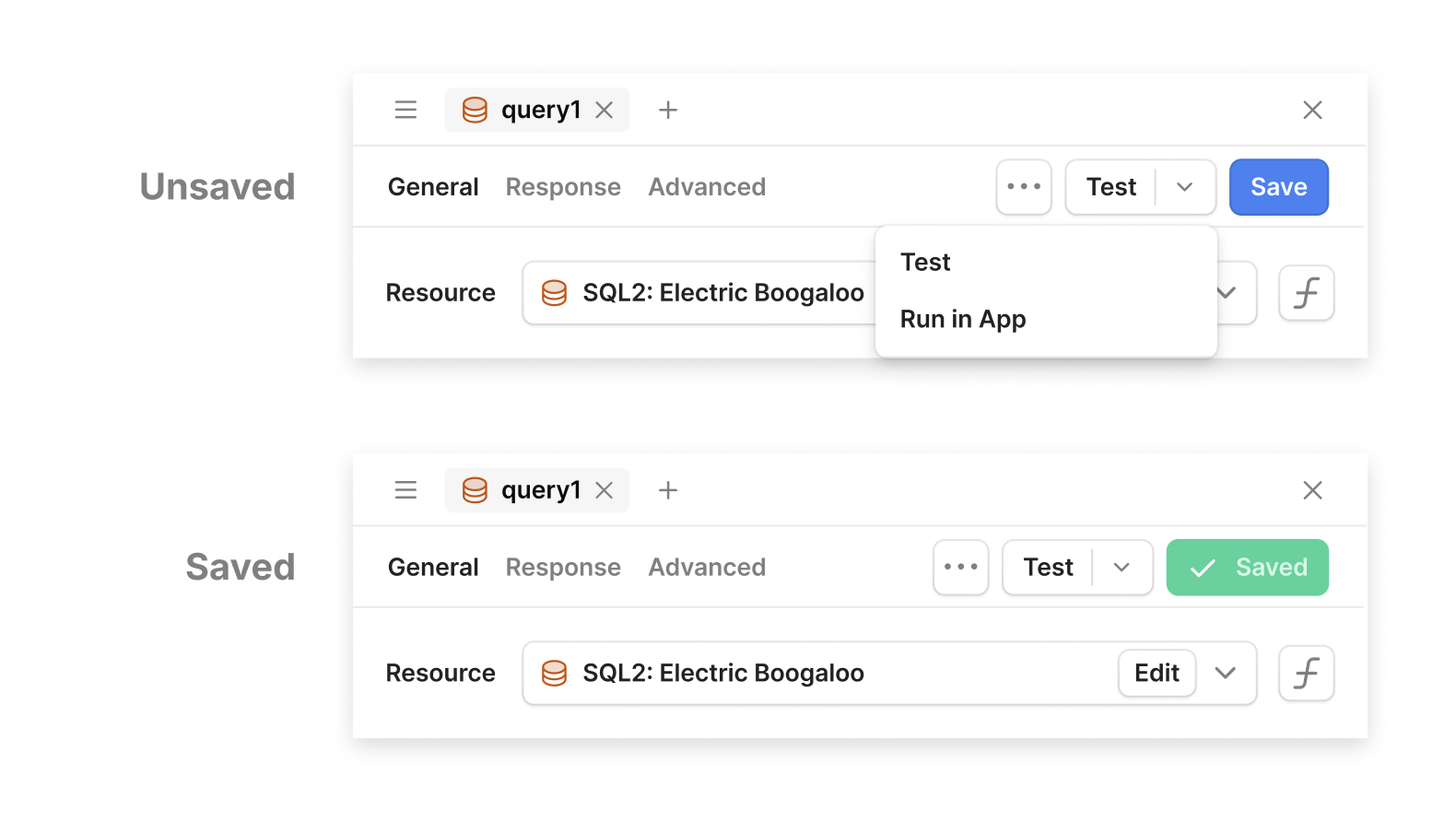
We know there are lots of different workflows and ways to use queries — we appreciate any thoughts you have about whether these changes will make your experience better!
— Andrew Watterson
Product Design, Retool
2 Likes
Hello @andrewwatterson
Thank you for sharing this update
Well, for me (Test, Run in App) options are very useful for many cases I faced before, that's a great update guys 
Suggestions: don't have any!
Finally we got something new here 
Thank you guys for your har work 

1 Like