Yes @xoel!
There's a beta feature that's available for all Cloud orgs as well as self-hosted orgs that are on version >2.97. Let us know if you're interested and we can look into turning it on for you 
The feature introduces a new fx toggle next to the resource in a query.
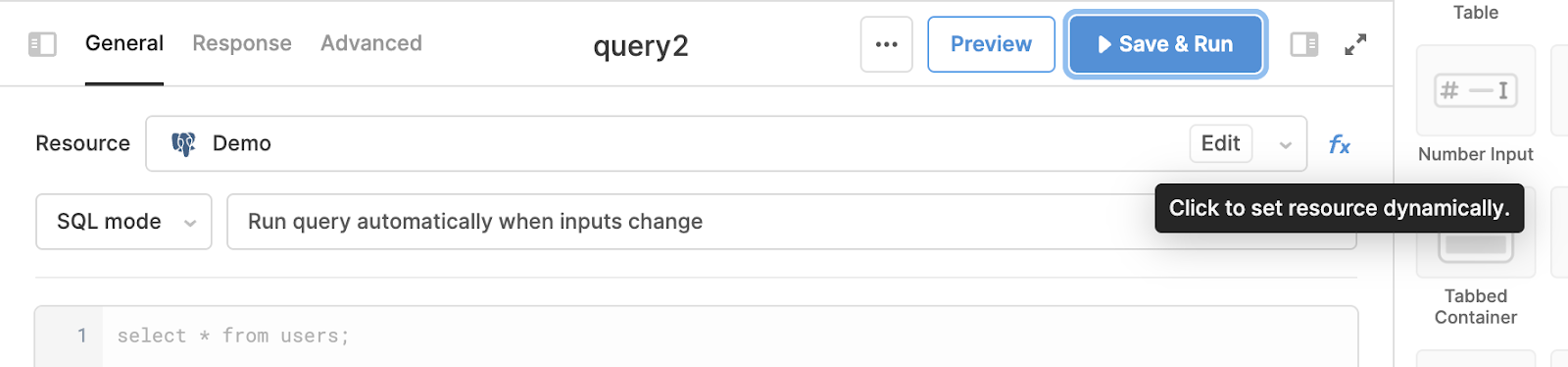
From there, you can use the Resource ID field to pass the ID of the resource the query should run against. You can populate this field with the selected value of a dropdown (eg {{select1.value}} ), the results of a query (eg {{dbLookupQuery.data.db_id}}) or any other value available in your app.

There are three methods to retrieve a list of resource IDs to reference:
- Manually. Users can retrieve the ID of a resource from the url of the resource’s configuration page. The ID is the x character string following /resources/. For example:
https://demo.retool.com/resources/b49d8ef2-a774-433f-9b5c-cadd2a60c678 - Using the underlying Retool storage database. Users on self-hosted instances of Retool can query the underlying Retool database to fetch a list of resources.
- Using the Retool API. Users can query the /resources endpoint of the new Retool API to fetch a list of resources, filtered by the desired resource type.