Hi All,
I am having trouble with formatting one of my table columns as a number using the formatting options in the dynamic columns setting of my table. For some reason, whenever I reference my format as seen here:
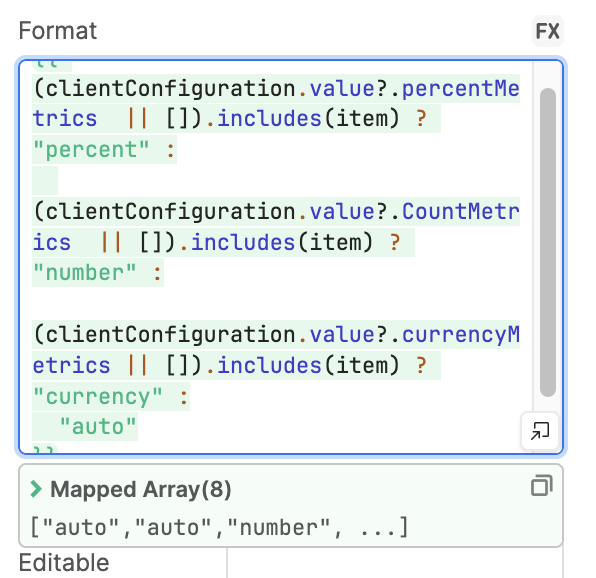
and then add the number settings as seen here:
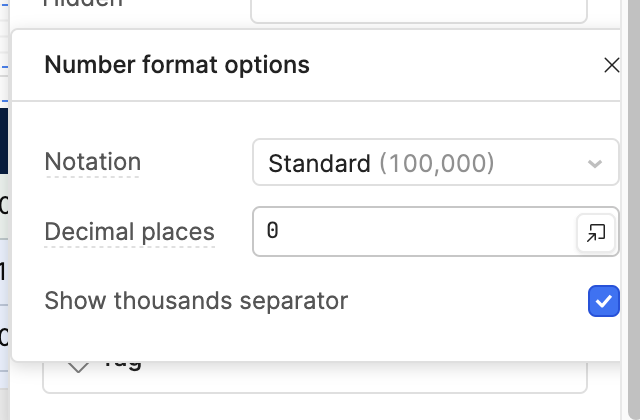
it does not show comma thousands separators and it does not limit the data to 0 decimal places.
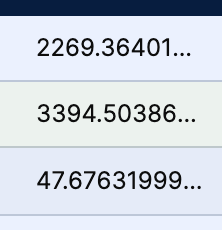
the odd part is, the dynamic formatting seems to work well with my percents, tags, and currency values. With numbers however, it does not change. If i change it to “auto” it does change and allow the numbers setting to work, but auto fails to recognize one of my columns incorrectly so I would like to do it this way.
Is this a Retool bug or has someone already solved this?
Let me hear y’alls thoughts!