Hello!
I am currently struggling to understand something. Okay so, I have a retool table component and I set its default value to a hashparam. This is the Activities Table (both database as well as retool component)

On other tabs that is on other pages in the same App, I have components which display data from the same database table. One for our dashboard which just gives general information and one in our members tab which only displays the activities of the selected member.
Dashboard:
(I know this isnt a table)Here I want when I click one of the bars to open the Activity page and select the Activity I clicked on in the dashboard, in the actvity table on the Activity page. As this doesnt have the activity_id in its data set we get it the following way: /* Get name of selected faculty from chart */const targetFaculty = rt_faculty_barChart.selectedPoints[0].x;
/* Find this name in the faculty list and store the row */
const matchingRow = formatDataAsArray(count_expertPerFaculty_db.data).find(row => row.faculty_name === targetFaculty);
/* Get the faculty ID from the stored row */
const facultyId = matchingRow ? matchingRow.faculty_id : null;
/* Log the result and open the member page */
console.log("Selected faculty ID in chart: " + facultyId);return facultyId;Members page:
With the success handler:
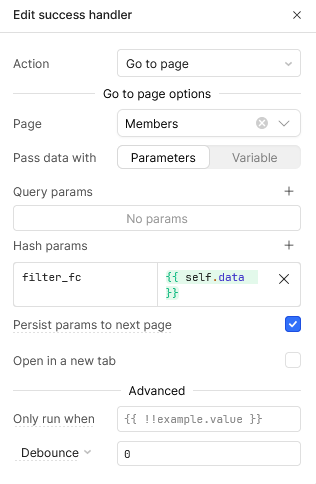
Members page:
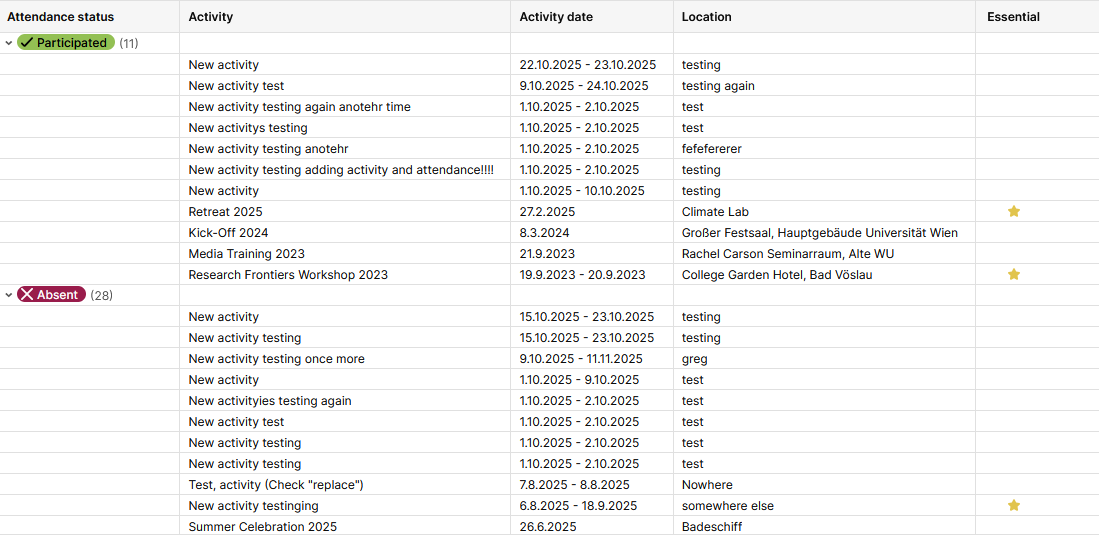
This is the table on the members page concerning the selected member (filled with test data)
here I have a handler:
which looks like this:
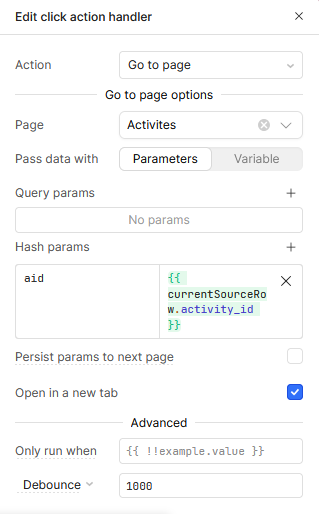
Now to my issue:
When I click the button on the members page it correctly selects the activity in the table on the Activity page.
When I click the bar on the Dashboard it unfortunately doesnt EXCEPT when I mark the "open in new tab" toggle.
I also tried with a debounce as in the members page but this didnt work.
I do apologize for the longwinded explanation.
Thank you in advance and Kind regards!
Edit: When I test it in the front end (that is when I start the app) it opens the Actvity page in a new tab but selects a different Activity than the one I selected in the Dashbaord. This is extremely weird to me because I have set the default value to the hashparam which is correctly of the item I selected