Received feedback from users that the default 12px font size is too small, so I’ve increased to 14px across all our apps. This has worked fine for the most part, except that the time picker on the date/time component is trimming the am/pm text off the end. I’ve increased the width of the component but that doesn’t help.
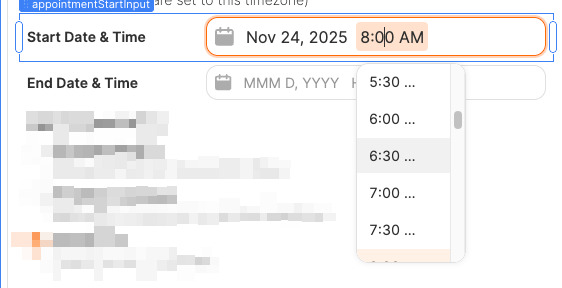
Changing “body” font size from theme typography back to 12px seems to solve this - seems while other input components have a customizable “dropdown font” customization option, the date/time and time components both simply use the body font.
Would be great if…
- The
timeanddate/timecomponents supported customization of dropdown font size like other components do - The
timeanddate/timecomponents automatically adjusted the width of the dropdown so values are not trimmed when font size is increased
1 Like
I ran into the same issue when increasing the global body font size: the “am/pm” text in the Time / DateTime picker gets clipped even if I make the component wider. Since the dropdown uses the body font and doesn’t auto-resize, here are a few practical workarounds:
- Workaround A – Switch to 24‑hour format (no clipping)
-
Use 24‑hour format in the Time / DateTime component (e.g., 14:30 instead of 2:30 PM).
-
This removes the “AM/PM” suffix entirely, so there is nothing at the end of the string to be clipped when the font size is larger.
- Workaround B – Custom time dropdown with Select
-
Instead of using the built‑in time dropdown, use a Select component to represent time:
-
Populate it with time options at your desired interval (every 5, 10, or 15 minutes), e.g., “09:00”, “09:15”, “09:30”, etc.
-
Bind the Select value to the same field your Time/DateTime component used.
-
-
Select has its own sizing and styling options, so you can control the font size and width and make sure the entire label is visible.
Hey @pmadden and @Vishal1620, good news! Not sure if you noticed this, but if you go to Inspect on the Date Time component, then click the plus button in Styles, then Input font. (screenshot 1)
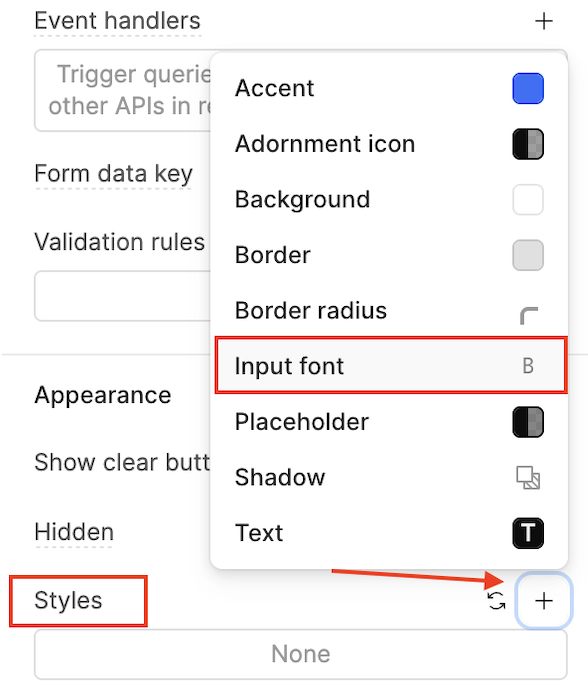
You will see a whole list of font options (screenshot 2)
Let me know how it goes after you try this! 
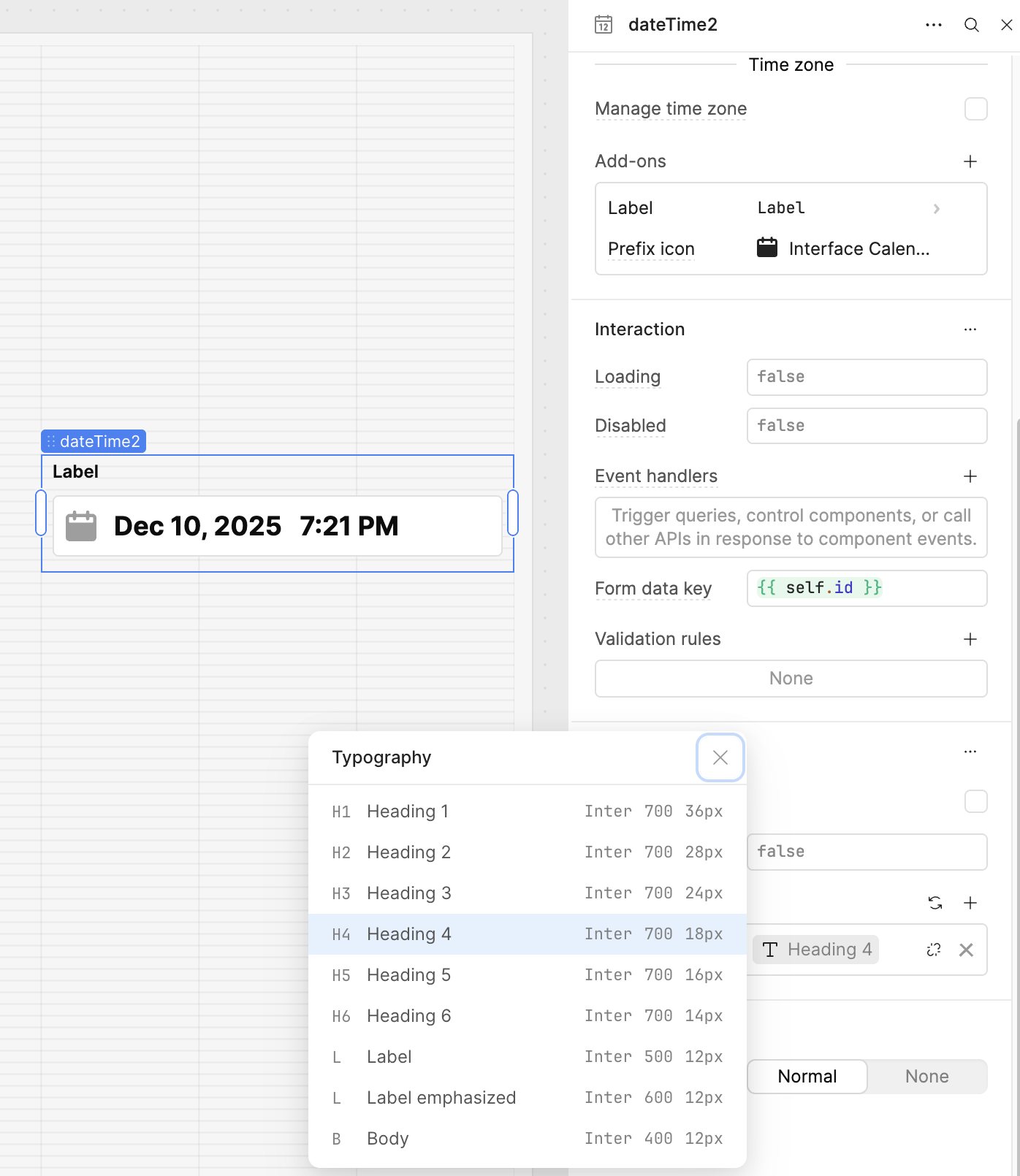
@ChiEn Unfortunately that doesn’t change the font size of the actual drop down though. See below
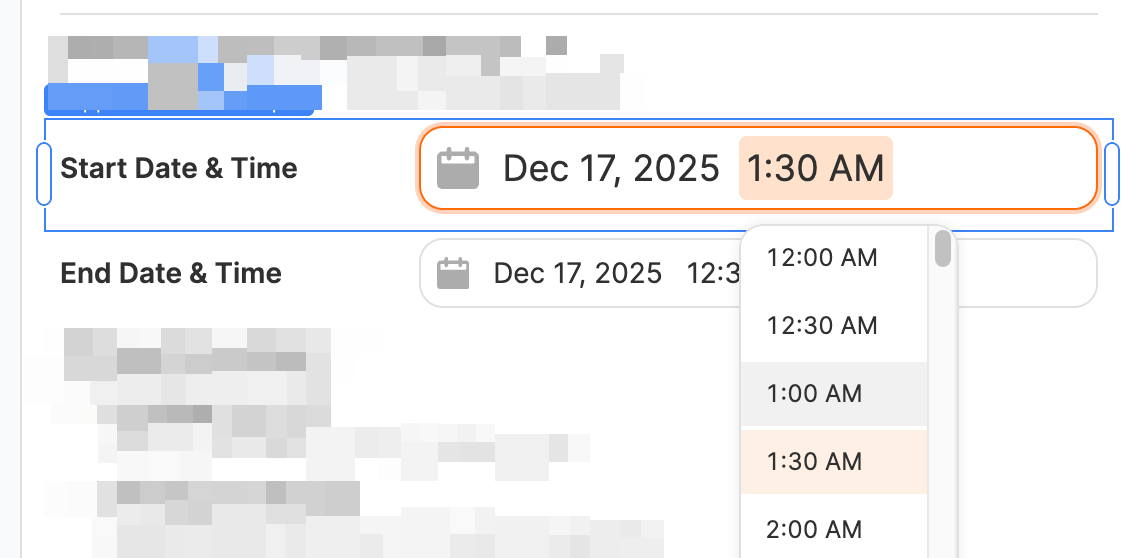
Other elements have the option to customize OPTION font and INPUT font - the date/time component only has INPUT styling - OPTION styling is what would adjust the dropdown.
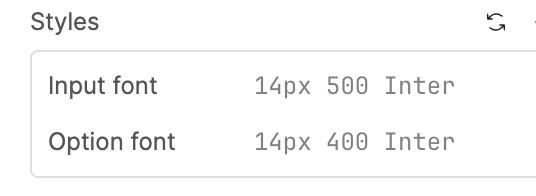
I do believe what I’m reporting is a genuine bug - when you change the ‘body’ font in the the app theme to anything larger than the default 12px, it causes the dropdown options to get cut off on the date/time component (photo in initial post)
@Vishal1620 thank you for the suggestion - Workaround B does work, though is a bit tedious and loses out on some of functionality of the date/time picker (i.e. timezone handling, etc)
Hoping this is a simple bug the Retool team can fix.
@pmadden Ah I see what you mean, thanks for pointing that out. I’ve gone ahead and submitted a bug request to get this fixed, and I’ll keep you posted if I hear anything back. Really appreciate your feedback. In the meantime, it looks like workaround B might be your best bet! 