In our video game, I am looking to broadcast news items on a cron like schedule.
As an example:
One news item might be broadcast every first friday of the month or 3 days.
A second might be broadcast on the first day of March for a week.Our game code looks for starting and ending timestamps for a news item to be available.So my goal is twofold.
Create a workflow that, everyweek checks if a newitem is expired so it can schedule the nest one based on its own Cron string.
Create a gui for creating this sort of CRON notation needed for each news item.
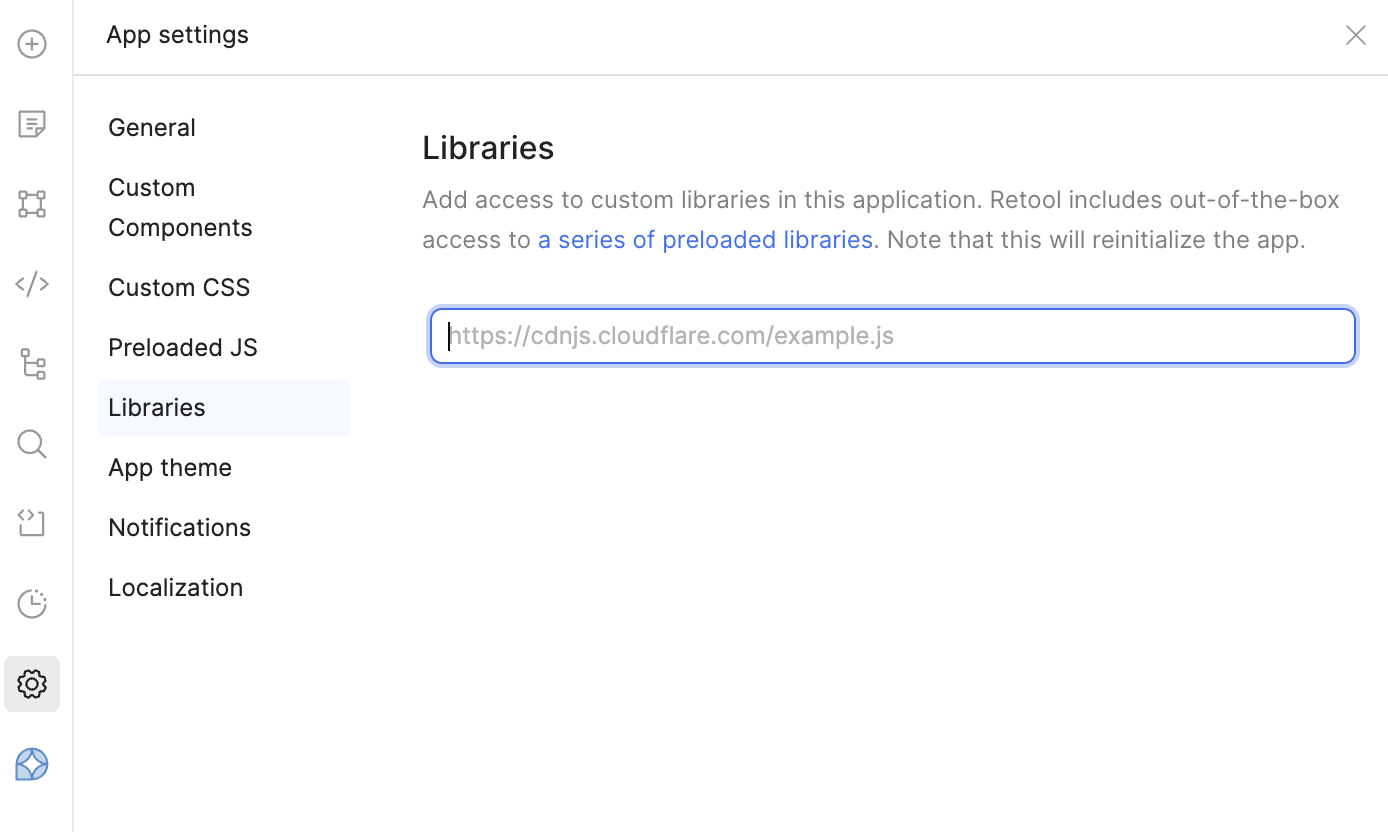
I looked up cron parser on npm, but then realized thats a non starter as retool doesnt allow imports/requires.
I might be able to do it using python though? cron-converter · PyPI
Im looking into this now. If this works, i can maybe solve goal number 1.
Goal 2 seems a bit out of reach though. It might be that i just have to figure out all the different types of schedules we’ll use and then just turn that into a select/dropdown for a user to use upon creation.
Hey @dlbhilbig - thanks for joining Office Hours today. I've done some additional digging and have an explanation for the behavior that you're seeing.
In short, there is an issue with function parameters becoming stale when they are modified after previously publishing the workflow. I've compiled a few different examples of this and shared them internally; as soon as there is news to share, I'll reach out here.
In the meantime, I've confirmed that you can circumvent this issue by recreating the loop block. And a little out of context, but you definitely can add JS packages to the workflow execution environment:
Not in the same way, but potentially. Adding external libraries to workflows is fairly trivial because they run in a backend Node.js environment, but frontend libraries have to be loaded via CDN. It doesn't look like cron-parser has one, but something like cRonstrue might be a functional alternative.
 And a little out of context, but you definitely can add JS packages to the workflow execution environment: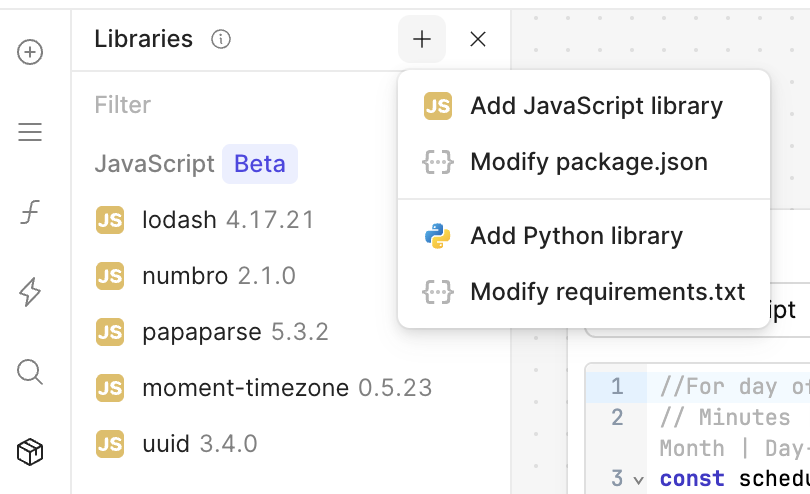
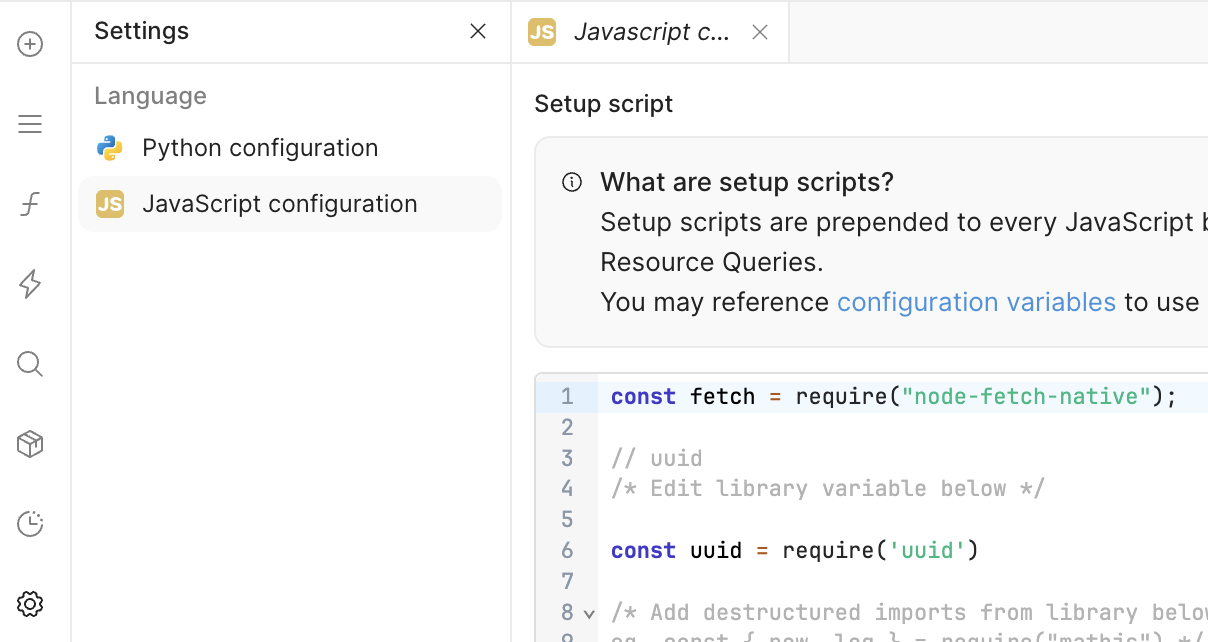
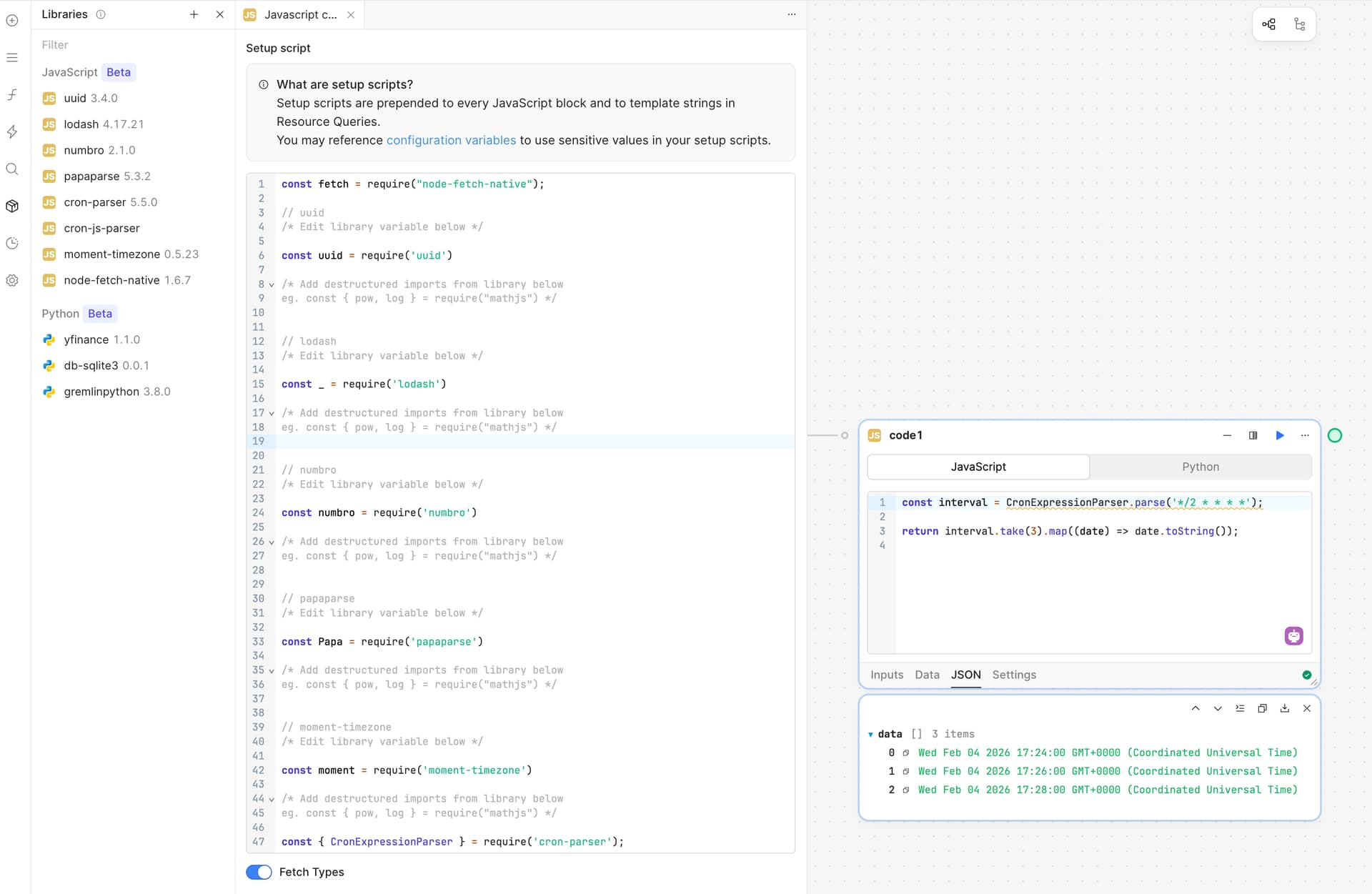
 Adding external libraries to workflows is fairly trivial because they run in a backend Node.js environment, but frontend libraries have to be loaded via CDN. It doesn't look like