I work with json schema forms a lot and have a tool(ResponseVault) that I use when I want to convert PDFs and other non-html forms into a modern interface.
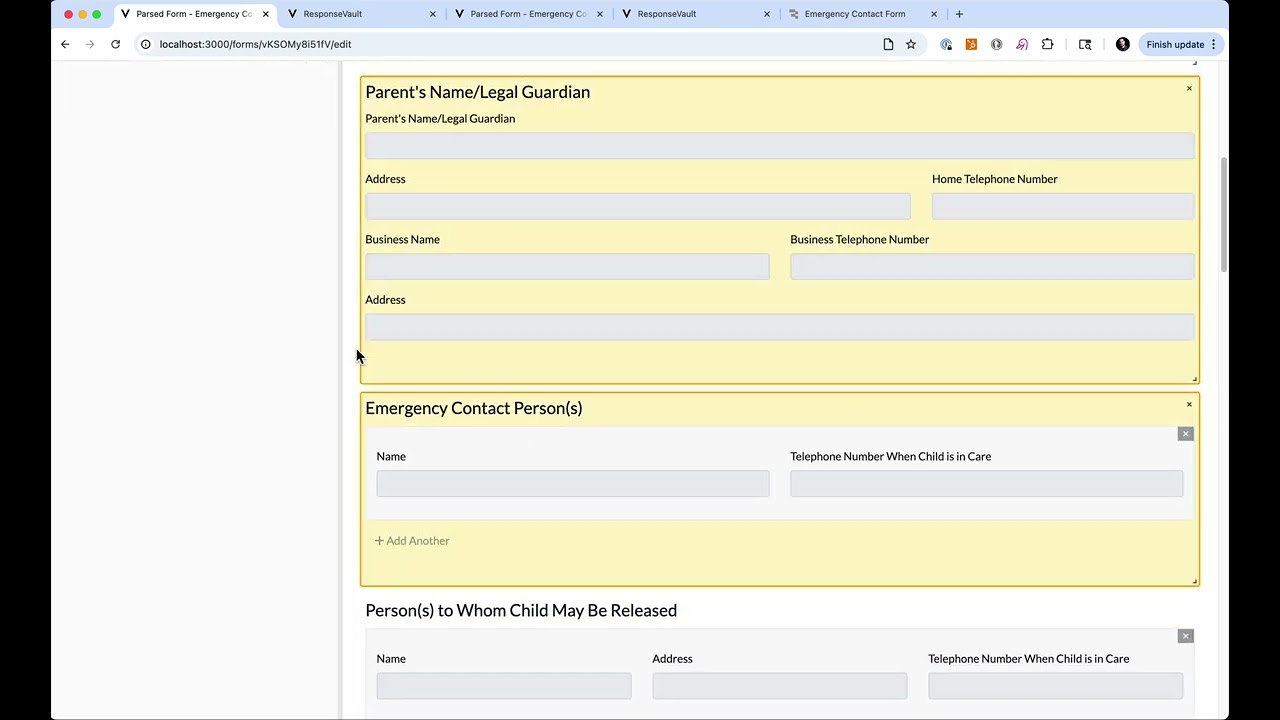
Let's say you have a student onboarding emergency contact form. It has 20+ fields, as well as signatures. How would you add that to Retool today?
Let's take a look in the video:
Benefits
Automated parsing with AI. Upload any image, pdf, etc, and the parser will convert the form to json schema.
HTML Form + HTML Print view: Often, the interface you want for filling out the form is different from the design you want to save as a PDF. This builder produces both.
12 column grid and nested objects/arrays: My favorite feature: the builder allows you to nest fields inside objects for organization and create repeating sections easily with arrays of objects.
Custom uiSchema components We have a list of custom components we're adding every month, like signatures, date ranges, tree selects, and more.
Allow the form to hit APIs and Retool workflows
Custom validation logic
Future features
Convert forms filled out with pen into structured data submissions. This is the ability to create a data pipeline, where an agent takes a form that was submitted the old fashioned way(on paper) and then convert that data into a new submission using the structure in json schema of the electronic version.
PDF/HTML template editor. Edit not only the form itself, but the html and PDF templates.
Let me know what you think and what we're missing!
oh now this is neat. I do have a question though, all models I've found that can take PDF files as input have a limit of 100 pages... and a file size limit, but I've got tons of PDFs over 200 pages that don't come close to the file size limit. Have you ran into this problem and if so would you be able to share a bit about how you solved it?
Right. I'm aware of that limitation too. I haven't implemented a form quite that long. Most of what I work with may be 1-2 pages, but could have over 100 inputs.
I'd be interested to understand the use case for a 200 page form? How many inputs are we talking?
That said, anything that overwhelms the context window would have to have a multi-step process to break the document down into individual pages and process each and then stitch them together with what's already processed.
Our app doesn't do that, but it's getting easier to do. I'm available to brainstorm it with you if you want to DM me.
They're actually PDF files containing insurance policies, some of which have closer to 300 pages. It's a little different, since I'm not using forms, but I think the PDF page problem (and solution) might be the same for both of us. I've almost got something I can test, so I'll see how that goes but I'll def hit ya up in a couple days to see what else we could come up with!
Right now, I can open a PDF using a base64 string then I go through every page and pull the text and create an image. With the page images, if there are only a couple I'll use gpt-4o to perform OCR on each page but, if there are a lot of pages I cheat cause I'm cheap and use PDFMiner.six to try and get text, layout, metadata and whatever else i can.
I think all that's left is to combine OCR and original text i pulled and try to clean it up a bit before using it to create my embeddings which I can use to filter out everything unrelated then pass this and the query to a model to form a response.
I haven't quite figured out if I should use each page as a 'chunk' itself or if I should combine everything from all pages then chunk it by sections. Sometimes a section covers many pages, so if each page is a chunk I'm worried the 2nd or 3rd page of a section might not be strongly associated with the 1st page resulting in a query being answered using 1 out of 3 pages.... but if i chunk based on 'sections' it's possible all 200 pages could be accidently assumed as 1 section or actually is 1 section which would result in the same problem (context too large)
I also haven't considered how to handle holding hundreds of images in memory, I'll probly hit a Retool/workflow limit at some point

 and use PDFMiner.six to try and get text, layout, metadata and whatever else i can.