-
My goal:
I want to upload a file from a File Button component to my custom backend API endpoint using
multipart/form-data, and immediately reflect the uploaded media in the UI without introducing artificial delays.
Issue:
When triggering the upload query immediately after selecting a file:
-
On the first click, the API is hit but the backend does not properly receive the file (appears incomplete or empty).
-
On the second click, the upload succeeds — but it uploads the previously selected file, not the currently selected one.
This suggests the File Button’s value is not fully resolved before the query executes, resulting in stale or delayed state.
The behavior only stabilizes if I introduce a manual debounce (~100ms) before triggering the upload query.
Without the debounce, uploads are inconsistent and unreliable.
Steps I've taken to troubleshoot:
-
Verified the backend endpoint independently (works correctly outside Retool).
-
Confirmed
multipart/form-datais correctly configured. -
Logged
addMediaButton.valuebefore triggering the query. -
Confirmed that the file object appears valid in console logs.
-
Tested with and without
uploadToRetoolStorage. -
Confirmed that introducing a
setTimeoutdelay resolves the issue. -
Confirmed that the issue is reproducible consistently without debouncing.
Example workaround:
setTimeout(() => {
  uploadFile.trigger();
}, 100);
With this delay, the upload works correctly on first attempt.
Additional info:
-
Retool Cloud
-
File Button component (single selection)
-
Custom API endpoint (not using Retool Storage as final destination)
-
Upload triggered manually via button click
-
Using query success handler to update UI state
-
Hi @srmnikhil,
This is a well-documented timing issue with Retool's File Button component. Here's a thorough breakdown of what's happening and better ways to handle it than a raw setTimeout.
Root Cause
Retool's File Button component updates its .value asynchronously after a file is selected. When your event handler fires (onChange or a chained trigger), Retool's internal state hasn't fully committed the new file object yet — so the query reads either null, an empty value, or the previous file. The 100ms setTimeout works because it yields execution long enough for the state to settle, but it's brittle and not guaranteed across devices or network conditions.
Better Approaches (in order of preference)
Option 1 — Use the File Button's onChange event handler directly
Instead of chaining the upload trigger from a separate button, bind the upload query directly to the File Button's own onChange event in the component's event handler settings (not via JS). Retool resolves the component value before firing configured event handlers in some cases more reliably than a manual JS trigger chain.
Option 2 — Use utils.waitForEvent or query chaining with a validation check
Before triggering the upload, guard against an empty value:
js
if (!addMediaButton.value || addMediaButton.value.length === 0) {
  return;
}
uploadFile.trigger();
This won't fix the timing, but prevents a bad upload from going through on the first click and gives you a clean failure instead of a silent bad upload.
Option 3 — Replace setTimeout with a more robust polling approach
If you must use a delay, poll for the value instead of blindly waiting:
js
const waitForFile = (retries = 10, interval = 50) => {
  return new Promise((resolve, reject) => {
    let attempts = 0;
    const check = setInterval(() => {
      const file = addMediaButton.value;
      if (file && file.length > 0) {
        clearInterval(check);
        resolve(file);
      } else if (++attempts >= retries) {
        clearInterval(check);
        reject(new Error("File value never resolved"));
      }
    }, interval);
  });
};

await waitForFile();
uploadFile.trigger();
This is more resilient than a fixed 100ms — it resolves as soon as the value is ready rather than assuming a fixed delay.
Option 4 — Store the file in a Retool state variable first
Use a storeValue call in the File Button's onChange to explicitly snapshot the file into a manually controlled state variable, then trigger your upload query reading from that variable instead of directly from addMediaButton.value:
js
// In File Button onChange:
storeValue('pendingUpload', addMediaButton.value[0]);

// In upload query body, reference:
// {{ state.pendingUpload }}
This decouples the component's async state resolution from your query execution, which is the cleanest architectural fix.
Why the UI reflection issue happens too
The second part of your issue — UI not reflecting the current file — is a symptom of the same root cause. If your success handler runs after an upload of stale data, the UI updates based on what the backend confirmed, not what the user just selected. Using Option 4 above also fixes this, because your UI can optimistically reflect state.pendingUpload immediately on file selection, independent of the upload lifecycle.
Recommendation
The most robust fix is Option 4 (explicit state snapshot) combined with the Option 2 guard check. This eliminates dependency on timing entirely and gives you a reliable, inspectable value to work with throughout the upload flow.
Hey Jack,
I’ve come up against this recently too. Oddly though, this did used to work.
I’ve tried leveraging the fileButton’s onChange - the component’s value array remains empty when this is invoked. This event handler is being triggered too early it seems.
And your setInterval/promise solution doesn’t seem to work because the fileButton component’s state is not updated within the scope of the setInterval call - the function holds the component’s value when the function started execution, but this doesn’t appear to update when the component’s value is set.
Here’s logging from that checking function:
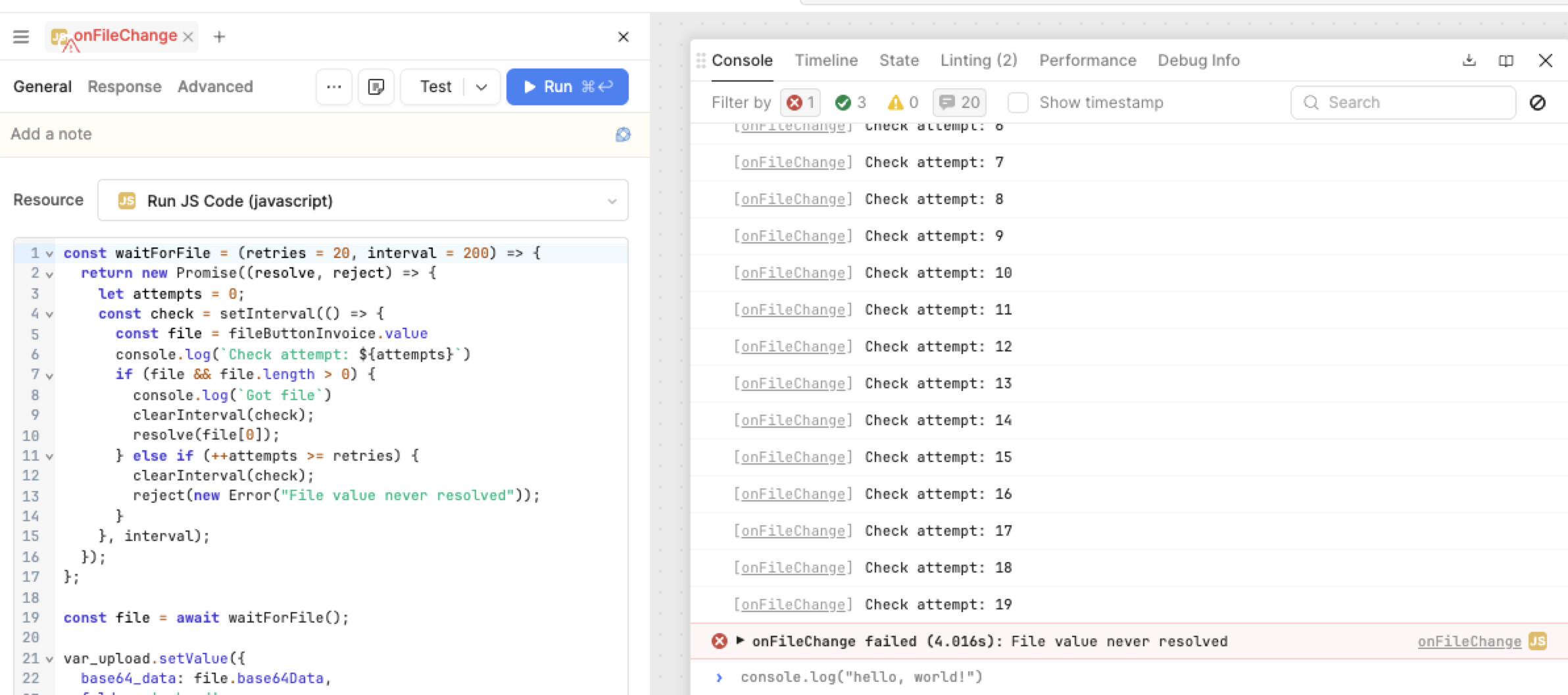
This handler is triggered off a fileButton’s onChange
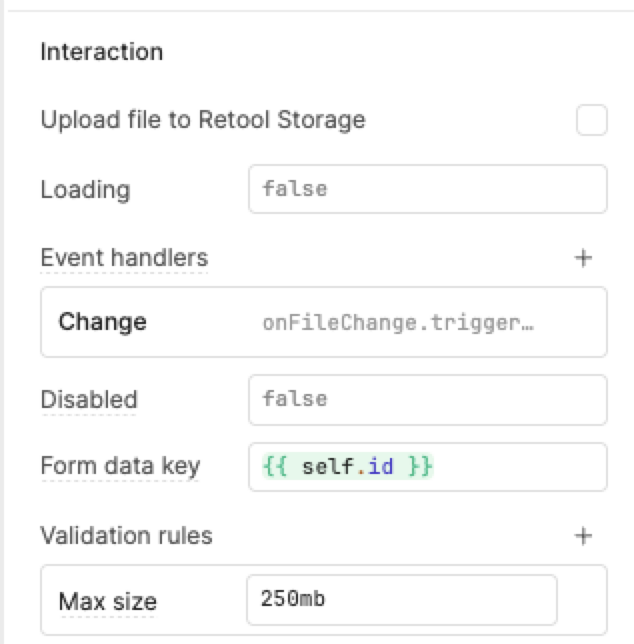
This is definitely a recent thing. I’ve gone back through all my file upload components across my apps, and all the onChange handlers are erroring now, with empty fileButton.values errors. The easiest (but unreliable) option is to debounce every Change handler with 500ms.
Thanks for corroborating, @hansontools. I'm looking for the specific breaking change but can confirm the underlying behavior, at the very least. Instead of relying on a hard-coded debounce, it is likely more reliable to use an onParse event handler instead.