Hi
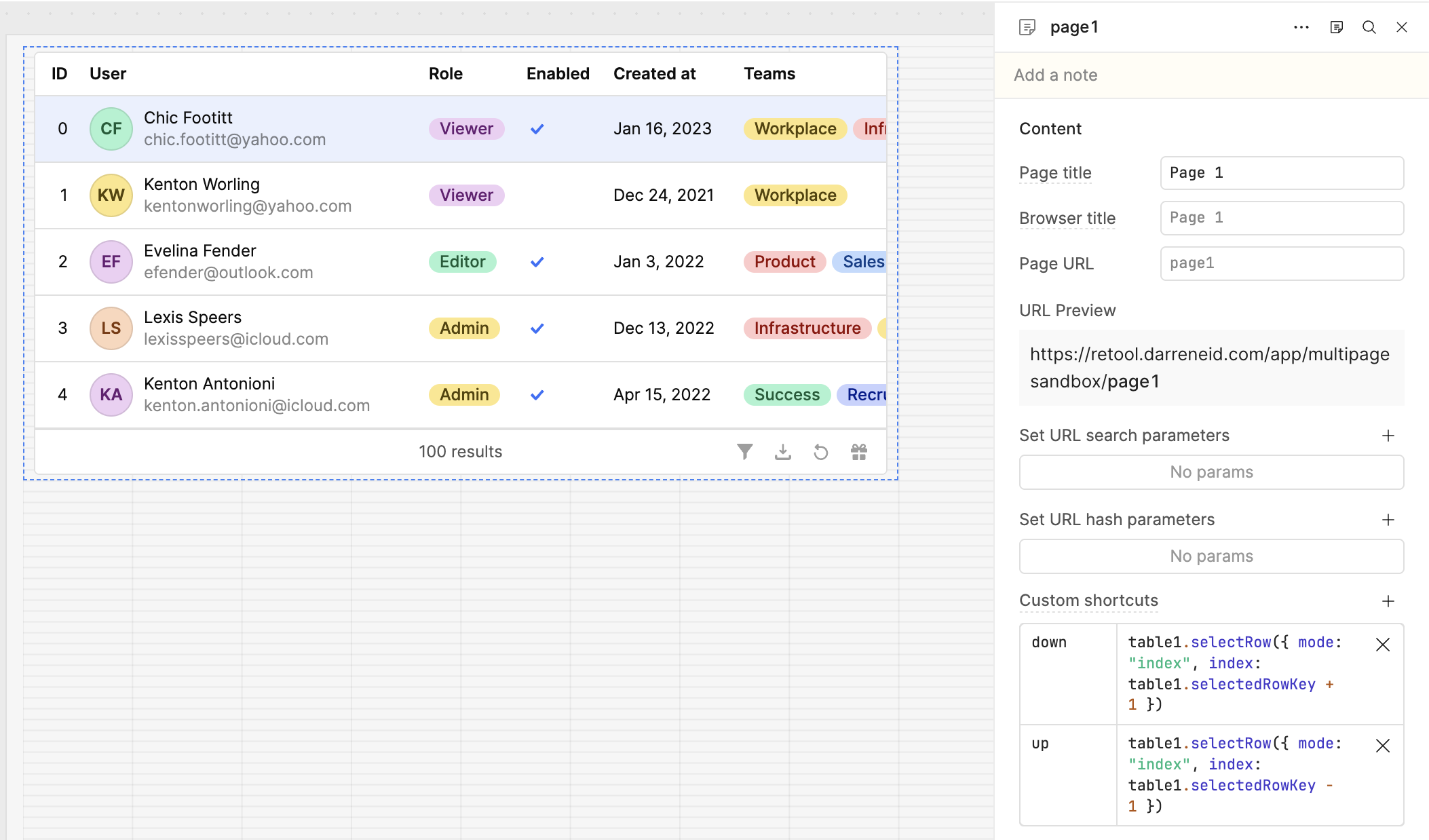
A simple classic app - a table, and a data area that shows detail of the table's selected row.
Aim: immediately after app load, user can use keyboard navigation (principally up and down arrows for previous/next row selection with no prior interaction needed.
Issue: user is obliged to click a row in the table to give it keyboard focus. I want to avoid this necessity.
Steps I've taken: searched through here, looked for and failed to find "OnLoaded" events I can attach JS to on the table or (preferably) on the app.
Hi @Matt_Gillam! Sorry for the delayed response, and welcome back to the forum
It looks like Retool's table only listens for arrow keys once there is a browser focus tied to a click event - I think instead of getting the browser to focus the table, you can do this at the app level.
As a workaround, I have tried using keyboard shortcuts to define the "up" and "down" key behavior for a table.
Please note that you will need to use custom shortcuts that are scoped to your table (e.g. if your table is not in your global scope, then setting custom shortcuts on the App level won't work).