Hey @mdsmith1 ,
I tested this behavior in Retool and was able to reproduce the same issue on my end.
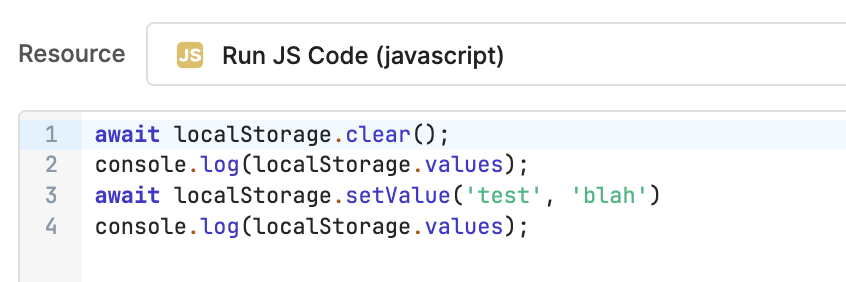
From my testing, the main reason appears to be that localStorage.values in Retool behaves more like a reactive state object rather than synchronous browser localStorage .
Inside a tight while(true) loop, updates made through localStorage.setValue() are not reflected immediately in localStorage.values . Because of this delayed state synchronization, the loop may continue reading stale values, which prevents the break condition from triggering as expected.
A more reliable approach is to use standard JavaScript variables for the loop logic itself and use localStorage.setValue() only for persistence or UI synchronization.
The following version worked correctly during my testing:
try {
  // Initial values
  let runCount = 0;
  let maxCount = 9;

  // Save initial values
  localStorage.setValue("RunCount", runCount);
  localStorage.setValue("MaxCount", maxCount);

  console.log("Loop started...");

  while (true) {
    console.log(
      `RunCount: ${runCount}, MaxCount: ${maxCount}`
    );

    // Stop condition
    if (runCount >= maxCount) {
      console.log("No doctors left, exiting loop.");
      break;
    }

    // Increment local variable
    runCount++;

    // Update Retool localStorage
    localStorage.setValue("RunCount", runCount);
  }

  console.log("Loop finished.");

  return {
    success: true,
    localStorageValues: {
      RunCount: runCount,
      MaxCount: maxCount,
    },
  };

} catch (error) {
  console.error(error);

  return {
    success: false,
    error: error.message,
  };
}
This correctly returned:
{
  "RunCount": 9,
  "MaxCount": 9
}
Reference screenshot from testing:
So the issue appears to be related to Retool’s reactive state update timing inside synchronous loops, rather than the comparison condition itself.