Issue: I can’t use `changesetArray` in GUI mode since the column names are aliased.
So I have joined three tables, like this:
```
select c.name as c_name
       , v.name as v_name
        ,v.type as v_type
      , f.name as f_name
from v
left join f on f.id_v = v.id
left join c on v.id_c= c.id
I have to alias some columns since names are reused across multiple tables.
I’ve found this thread that describes how to update multiple tables at the same time. Issue is though, that I can’t use `changesetArray` as the columns are renamed/aliased.
Is there are best practice way to do this? I considered renaming the columns to be unique across the DB, but that seems more like a last resort thing.
Should I keep an the column names and their aliases in a variable? But then I’d need to turn off prepared statements, which is unsafe (and I also wouldn’t know how to use the variable).
Or is the only way to hardcode all queries in my case?
You probably do not need to rename columns in the database.
A couple details to remember:
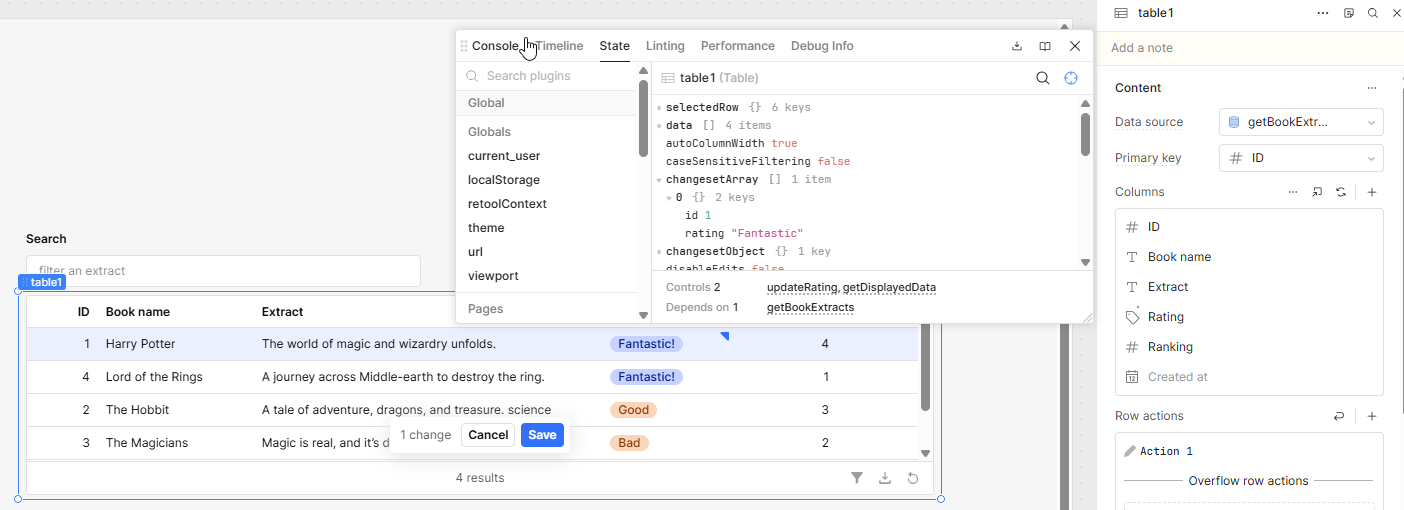
changesetArray stores edits plus the row’s primary key. Retool documents that behavior directly.
The keys in changesetArray follow the column source, not the display label.
So if your table is built from a joined query, the usual pattern is:
Keep the joined query for display.
Include the base-table IDs you need (c_id, v_id, f_id) in the result, even if those columns are hidden.
Alias editable columns in a predictable way, like:
c_name
v_name
v_type
f_name
On save, split table.changesetArray into separate payloads per table.
Run one update query per underlying table.
That is generally the best practice for multi-table inline editing in Retool. GUI bulk update is great when you are saving back to one table, but once a table row represents multiple joined tables, it is usually cleaner to map the changes and send multiple updates yourself.
I would run separate queries, often from one JS query so the edits are handled together.
I think I understand how I should set this up, but my issue is that the `changesetArray doesn’t contain the id’s I need to persist the changes.
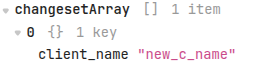
Take this changesetArray as an example
I changed client_name to “new_c_name”. But to persist it I’d need the c_id, which isn’t part of the changeset.
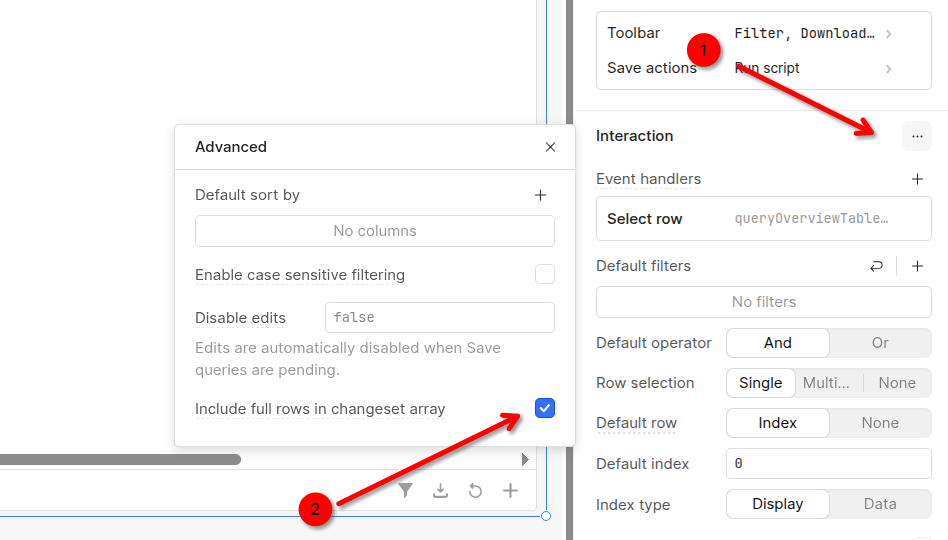
Since I’m joining multiple tables I don’t have a primary key in the changeset. Is there a way to tell retool to add the whole row into the changeset when a field is changed?
I was also going to ask you to ensure your table had a primary key set as this is what allows you to identify the row id. In your screenshot above, I did not see it in the changesetArray.
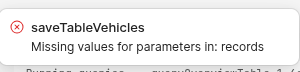
Sorry I have to ask for help again, but since `updates` doesn’t exist when the app is opened I’m now getting three ugly errors when opening my app:
One per table I am saving. The good news is that the updating the tables works as expected, but I am wondering if there is a way to avoid getting these messages on app load?
That’s how the “Vehicles” tables is set up
And I mean, fair enough, the variable doesn’t exist, but I’d rather not tell my users to “just ignore the error message”
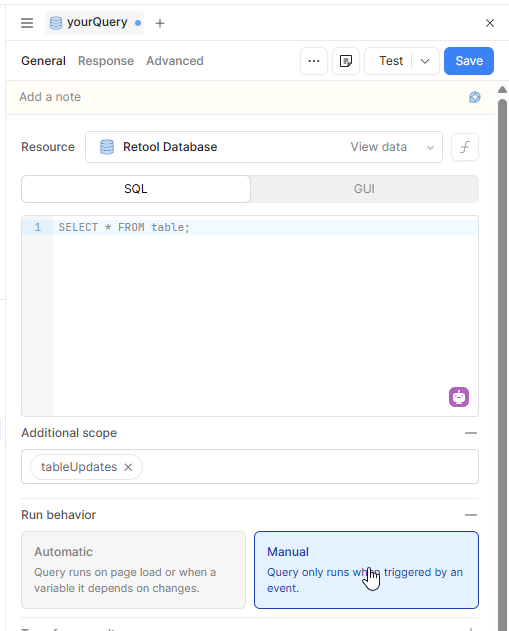
Note: don't forget to set your run behaviour to Manual.
If you prefer to keep GUI mode you could create a variable like tempVehiclesUpdates with the initial value [] then replace your {{ tableUpdates }} with {{ tempVehiclesUpdates.value }}.
In your code instead of passing the additionalScope as above you would set the value of your variable tempVehiclesUpdates.setValue(...).