App building with the MCP server is available in cloud instances. It will be available in upcoming stable and edge releases.
Builders on cloud instances can now use Retool's MCP server to build apps. Apps are built using React and use Retool's updated app builder. Connect the MCP server to Claude, ChatGPT, Codex, Cursor, Kiro, or another agentic coding environment, and describe the app you want to build. Retool's building agent generates the app and returns a preview link. Publish and manage the app from the app builder.
Beyond initial generation, you can also use the MCP server to:
Continue building or iterating on an existing app.
Monitor active builds and view past agent activity.
Review function runs that require human approval.
Inspect or read the files of an existing app.
Cancel a failed or in-progress build.
App building tools require the user to be a builder, and the builder must authorize the mcp:write scope. Refer to the tools reference for the full list.
Using the MCP server to build classic apps is not supported.
I see that you've posted in a few different places, @Dominic_Stewart - thanks for reaching out! I just tested and confirmed that there seems to be a regression here. I'll dig into it and give you an update as soon as I can.
The failing endpoint is GET /api/ai/rr/git/v2/apps/{appId}/files.
Context:
Our org does not have SSO enabled.
App tested: NEW - Marketing Analytics Dashboard (ID 7135cbd6-5ba9-11f1-ae9c-ebc8e93e2aec), a React app.
I've already tried disconnecting and reconnecting the MCP connector — the basic tools still work, but the React app file endpoints continue to 401.
Ask:
Why do the /api/ai/rr/git/v2/... endpoints require a separate access token from the rest of the MCP, even without SSO?
Is there something we need to configure on the org / connector side to grant the MCP access to React app files, or is this a gap in the connector itself?
Happy to provide logs or test against a specific app if it helps.
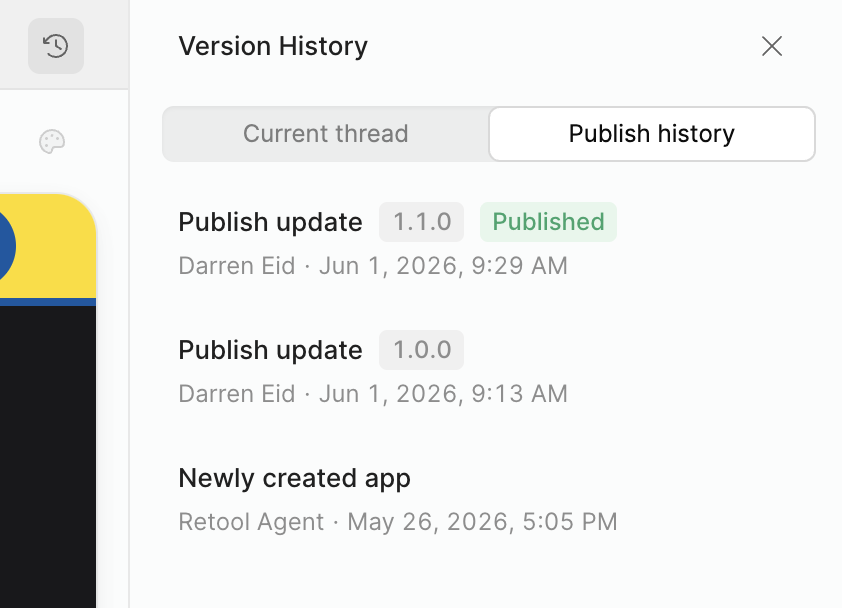
What’s the expected workflow for release management with this paradigm? In the classic app builder, we used the release version functionality. If we were building this locally using React we’d use git with CI/CD pipelines. How do we manage versions here?
@Tiffany_Yu - that's correct, at least for the time being. The ability to generate and share public links is something we'll be rolling out after launch!
@JaredStufft - it's actually very similar! You're prompted to create a new tagged release every time you publish app changes and then have the ability to set any specific release as the live version.