Hey there, I’m observing what appears to be a bug with stacks, auto width, and number inputs. When I place a number input inside of a horizontal stack and set the width of the number input to Fill, it appears that it does not actually fill when the stack width is smaller than some amount – instead the stack displays a horizontal scroll bar. Is this expected behavior, or can this be adjusted to actually fill for those smaller stacks?
I think this is a bug. the number input component has a minimum intrinsic width that it won't shrink below, even when set to Fill.
here’s some ideas on a workaround.
-
Disable the increment/decrement buttons. The stepper buttons on the number input are a significant contributor to the component's minimum width. In the number input's settings, turn off "Show increment buttons" (or similar — the label varies by version). This often reduces the minimum width enough that Fill behaves correctly at smaller stack sizes.
-
Set the stack to clip overflow instead of scroll If the Fill behavior is cosmetically acceptable but the scrollbar is the main annoyance, you can sometimes suppress the scrollbar via a custom CSS class on the stack container.
- overflow: hidden;
Hey @edahlseng, thanks for writing in! Could you share a screenshot or screen recording of what you're seeing? It would help to know roughly how wide the stack is when the scrollbar appears.
On my end, I was able to get number inputs to fill correctly across a range of stack widths, so I want to make sure I'm reproducing the same conditions you're running into.
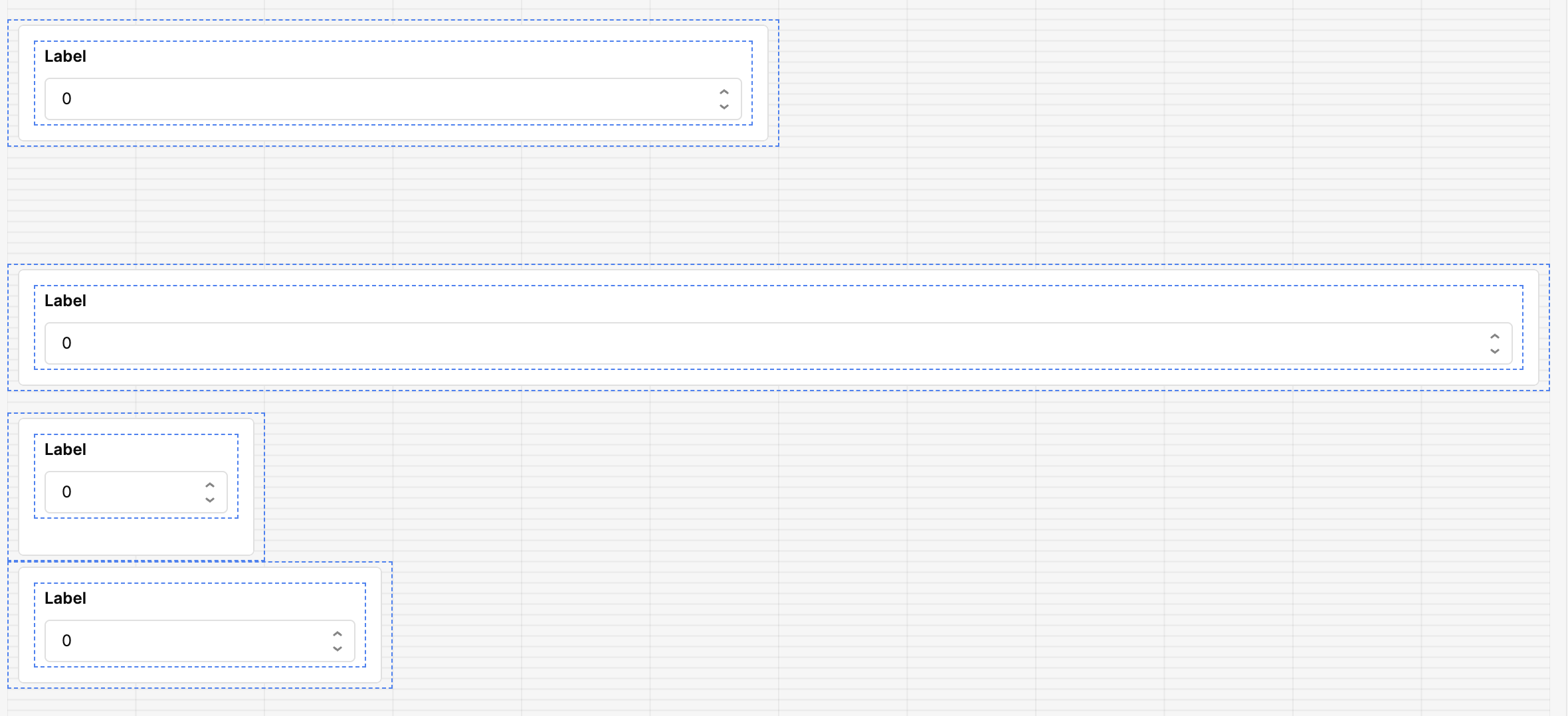
Hey @edahlseng how's it going? Do you still need help? 
Hi @ChiEn, this is still a bug for me, but I haven’t had time to put together a reproducing example. Looking at the screenshot you shared it looks like the stack width would need to be smaller to trigger the error that I’m experiencing!
Hey @edahlseng would be helpful if you could provide a JSON export and screen recording of the behavior!
Hi - here is a screenshot of it showing the scrollbars on a width of 1 or 2 blocks, 3 blocks and it’s ok.
Thanks
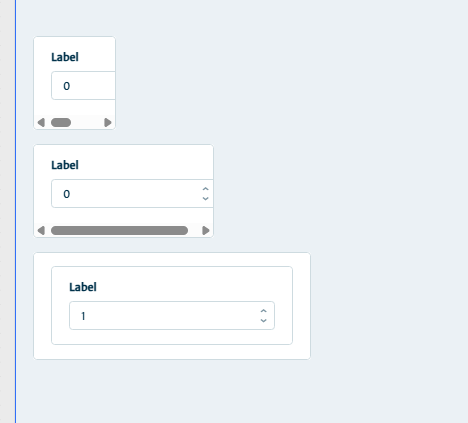
Hey @edahlseng are you seeing similar behavior to what @Jon_Steele is showing above? Let me know!
Yes, that’s exactly what I was seeing! Thanks for posting those @Jon_Steele !
1 Like
Hey @edahlseng, glad we got that confirmed! I've filed an internal bug report for this.
In the meantime, if you haven't already, it's worth checking out our new app builder, it has a redesigned layout system that handles component sizing quite differently, and you may find this issue doesn't come up there. Would love to hear what you think! 