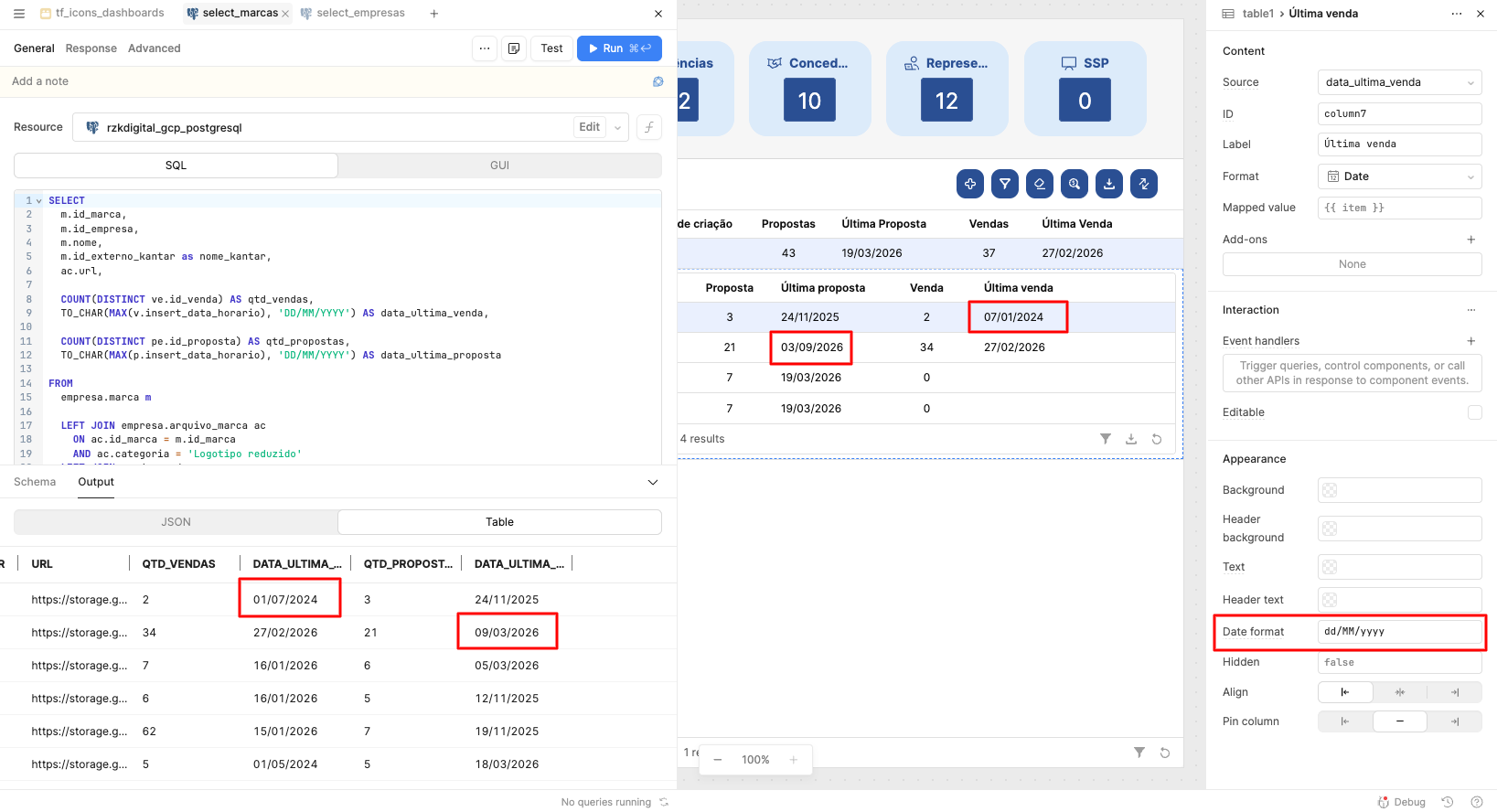
I'm opening this topic because I am experiencing a critical issue with date formatting in the Table component. The component is inverting dates from the Brazilian format (DD/MM/YYYY) to the American format (MM/DD/YYYY), even when explicitly configured to display the Brazilian format.
This behavior is completely changing our data analysis and presenting incorrect dates to our users, making the information very confusing.
Has anyone else faced this issue, or is there a known workaround for the Table component to strictly respect the incoming DD/MM/YYYY string without auto-parsing it into a US date first?
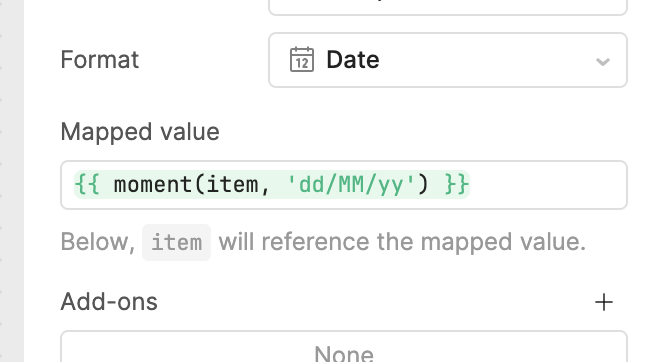
Hey @Victor_Prado - thanks for reaching out. I agree that there seems to be some inconsistent behavior here, where ambiguous dates aren't being parsed correctly. I'll let the team know, but fortunately there's an easy workaround. Instead of using the Date format field, you can strictly enforce your own formatting by mapping the actual date values.
I applied this implementation to the table where I encountered the problem, and it fixed it—in a strange way, but it worked. Here are a few points I noticed that I believe might help provide more context for the team:
When I format the date using moment directly in the item declaration and try to remove it in the date format, it simply removes the date from the table entirely.
This error only happened in one table within my application; in all the others, the dates were being formatted correctly.
If I try to apply this moment formatting directly in the item declaration on a table where the dates are already correct, the date disappears from the table.
I believe this can help the team. If you have any questions, I'm available.
To @zelterNN's point, I'd be interested to know the data type of the backing column. That would probably help determine what's happening under the hood!