User error or bug? How to use formatDataAsArray when returning from javascript?

Hi,

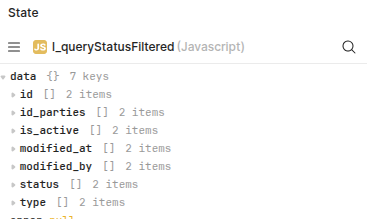
I have a js script that returns an object of arrays:

const data = queryStatusFiltered.trigger({
  additionalScope: {
    p_id_party: fundsTable.selectedRow.entities_id,
  },
});
return data;

Output:

I would like to get an array of objects. Currently I’m using this transformer:

const data = {{ l_queryStatusFiltered.data }}

return formatDataAsArray(data)

Everything is working fine so far. Issue is though that I have two code snippets and as these things multiply rapidly I’m trying to cut down on some of them asap.

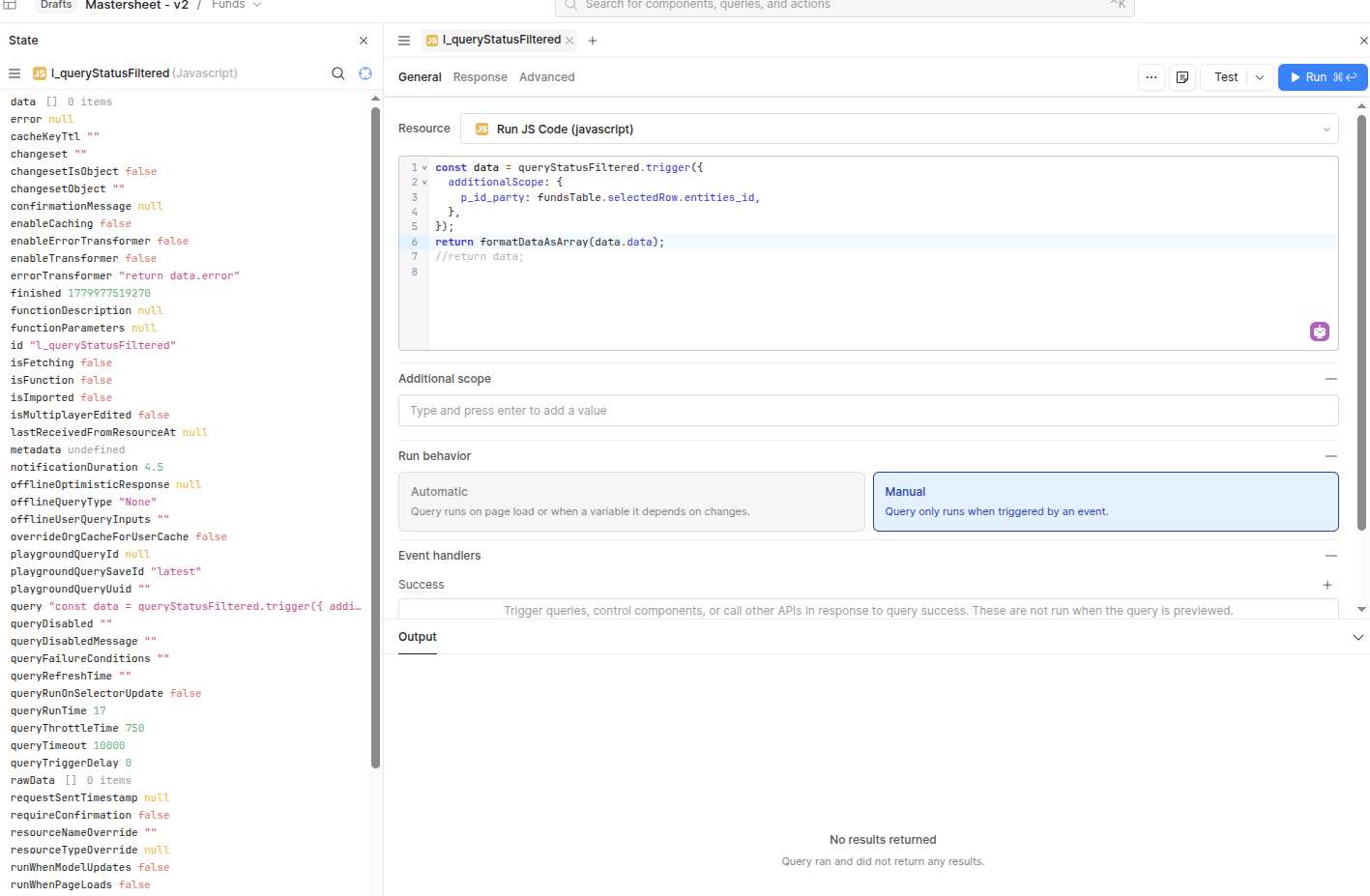
So I changed the code from the js script to

const data = queryStatusFiltered.trigger({
  additionalScope: {
    p_id_party: fundsTable.selectedRow.entities_id,
  },
});
return formatDataAsArray(data);

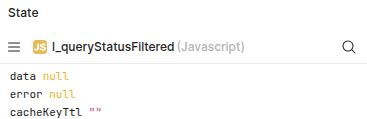
But I’m getting null:

So… what am I doing wrong? Any help is appreciated, thanks :slight_smile:

Hey @dakes!

I believe the issue is with your use of the “data” property:

In your original transformer, you capture the result of the query as {{ l_queryStatusFiltered.data }}

The “data” here is what your are seeing in the original output.

In your new setup, you are returning the query results with the top level “data” included. Two things you can try.

  1. return formatDataAsArray(data.data)

  2. transform the query results directly with formatDataAsArray(data) in the query setup

Hi @pyrrho, thanks for your help!

I tried using data.data. Unfortunately that just returns an empty array:

I don’t see a way to add a transformer to a JS query, am I looking in the wrong place? :slight_smile:

Oh, its a JS Query my mistake!

They return differently (a SQL query has a Transform Results area). You want to apply the transform on the queryStatusFiltered query.

That’s unfortunately a global query. The only way I’ve found to use additionalScope using local data on a global query is to use a JS query in between.

From my understanding I can’t call a global DB query from a local DB query.

I also can’t add a transformer to a JS query and formatting the return doesn’t seem to work.

I’m wondering if this is an async issue that was introduced when you moved from the triggered query feeding the transformer. In the first case you are transforming the already returned data property but in the updated code you are triggering and then returning data from your constant.

JS inherently doesn’t stop to wait for triggered functions to return so it could be the timing of the script causing the empty data.

After the trigger, you can use a .then() to format/set the return value which should let you at least log some values to debug. You can also try to await the return of the triggered function.
Spot on, @pyrrho , thank you!

It works when using then().

const data = queryStatusFiltered.trigger({
  additionalScope: {
    p_id_party: fundsTable.selectedRow.entities_id,
  },
}).then(result => formatDataAsArray(result));
return data;

Hey @dakes
I’d recommend that you use await syntax for a cleaner version:

const result = await queryStatusFiltered.trigger({
  additionalScope: {
    p_id_party: fundsTable.selectedRow.entities_id,
  },
});

return formatDataAsArray(result);

If you need more explicit error handling, this helper pattern is worth bookmarking:

function triggerAsPromise(query, additionalScope = null) {
  return new Promise((resolve, reject) => query.trigger({
    onSuccess: data => resolve(data),
    onFailure: error => reject(error),
    additionalScope,
  }))
}

const result = await triggerAsPromise(queryStatusFiltered, {
  p_id_party: fundsTable.selectedRow.entities_id,
});

return formatDataAsArray(result);

More on that pattern here: Trigger Queries as Promises

2 Likes

Hi @TobiasOhlsson

Thank you for sharing, that looks really useful!