My goal: Have data that is updates in 1 custom module flow into the other modules.
Issue: I built a custom module which is a table that different stocks can get categorized. I have this table about 7 times in my app (hence the custom module). However, when I update the data on one of the modules, it does not flow into the others. I initially did this with individual tables and that worked since I could have the SQL Query rerun on all the tables after an update. However, I can't figure out how to do that in the custom modules.
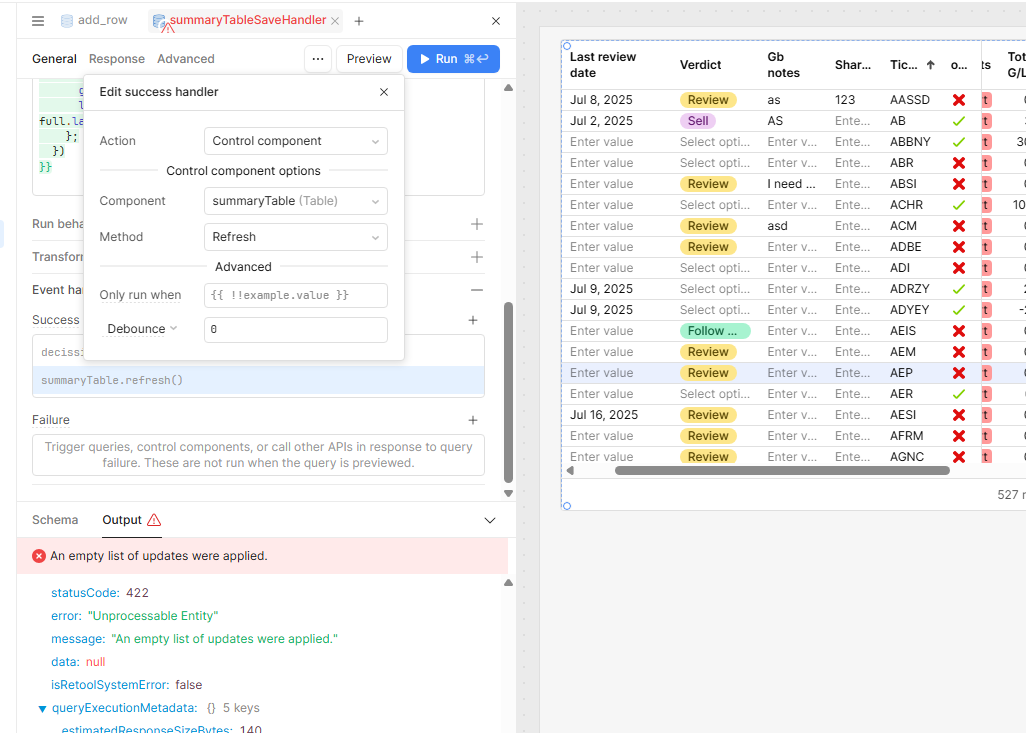
I tried having the module refresh itself in the backend, but that isn't solving the
Additional info: (Cloud or Self-hosted, Screenshots)
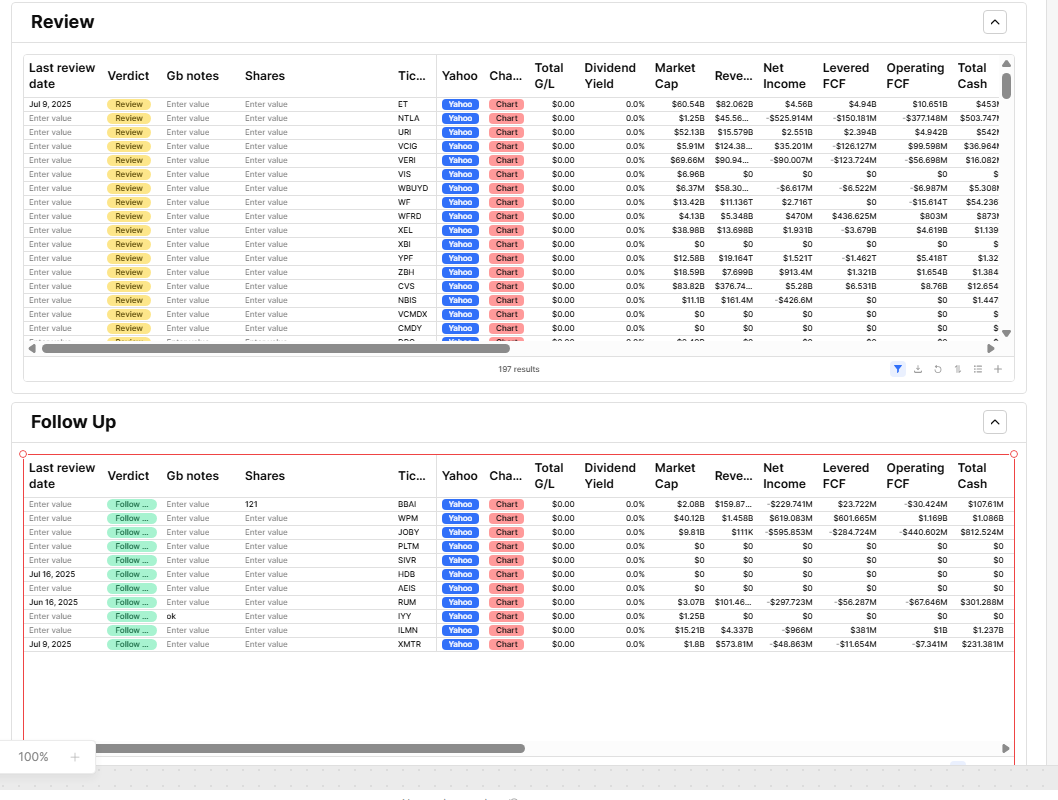
The idea is that the label "Verdict" can be updated (in this case I'm showing the Review and Follow Up tables) and the stock will automatically flow into the correct table. With individual tables and a single SQL + Filter this worked, but I can't replicate that with a custom module.
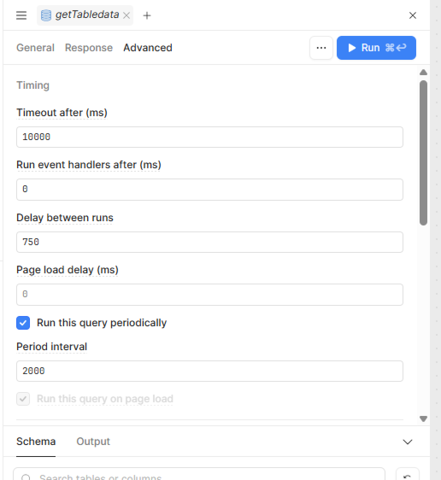
I tested this in my app by first creating a module with a table component and making one of its columns editable. I then integrated this module into the main app. To ensure the data stays up-to-date, I configured a query to run periodically. As a result, whenever the data is updated, the table refreshes automatically with the latest values.
There's no need to trigger a data refresh on the saveHandler query. Instead, you can simply set your table’s GET query to run periodically. This will automatically refresh the data at regular intervals without additional logic.
You can see this working in the attached screenshot.
Thank you so much! I appreciate that solution. The problem I am facing with that is that I added the ability too add rows. With the auto-refresh, it wipes the rows I am busy adding when the refresh happens.
When I built the tables individually and had a single SQL that fed both tables, I was able to refresh them together by running that SQL. For some reason, refreshing the SQL for a custom component doesn't refresh all the instances of the component in the app.
That does make things a little more tricky that you have adding rows as added functionality on the table.
I believe that is one of the drawbacks of custom modules, that even when duplicated they each have their own unique flow of getting data from a source query and then updating the display of this data.
One option could be to have a variable store the results of the SQL query. So that when the query runs it updates this 'single source of truth' and the custom table components can be subscribed to this variable which will hopefully either auto-refresh when the data source variable is changed or be able to have manual refresh triggers re-display the data.
Just wanted to check in on this. I tested things out and having the tables in a module will not allow the the table to know when it should run the query to get updated data.
If you want to replace the 7 places the module with the table appears in the app with just the tables it should work as expected where once one table is edited and the update is saved, the query to get the data will run and all the tables will have this new query data as their source and display the changes.
The only way to get this to work with modules would be to use an intermediary variable that would work as a "thread" going out of the changes table as an output, and going into the other tables as in "input" which would trigger some conditional logic for each module to call their own "get data" function when the input triggers this behavior.