Hello @cz0840,
I have developed a solution to address the issue at hand. To facilitate a clear understanding of my approach, I have created a sample application that demonstrates the implementation. You are welcome to import this file into your Retool instance to follow along.
To begin, I established a variable wireData to store the test data. This data consists of three columns: ID, terminal_size, and wire_gauge. The ID column is an auto-incrementing integer, while terminal_size features values of 20, 24, and null. The wire_gauge column is initially set to null.
Here is the data stored in the wireData variable:
[{id: 0, terminal_size: 20, wire_gauge: null}, {id: 1, terminal_size: 23, wire_gauge: null}, {id: 2, terminal_size: null, wire_gauge: null}]
Next, I created a variable wireGauges to store the possible values for the drop-down menu. Although this could be defined directly in the drop-down options for the wire_gauge column, I have chosen to store it as a separate variable for clarity.
An example of the wireGauges variable is as follows:
{20: [20, 22, 24], 23: [22, 24, 26, 28]}
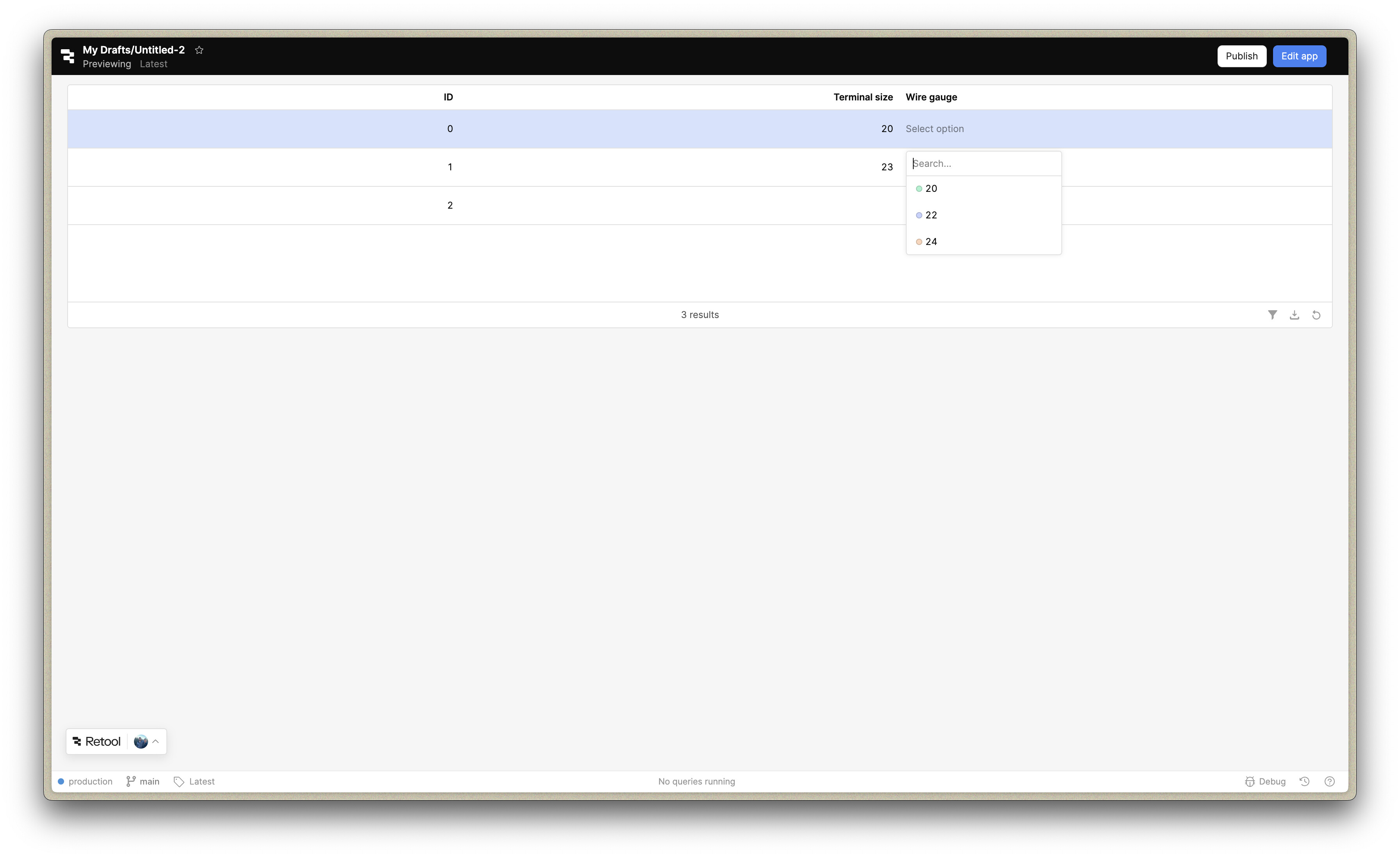
I then created a table to display the data and made the wire_gauge column editable. By changing the column type to tag, a drop-down menu is provided. For the option list of this tag field, I specified the following data source:
{{ wireGauges.value[currentSourceRow.terminal_size] }}
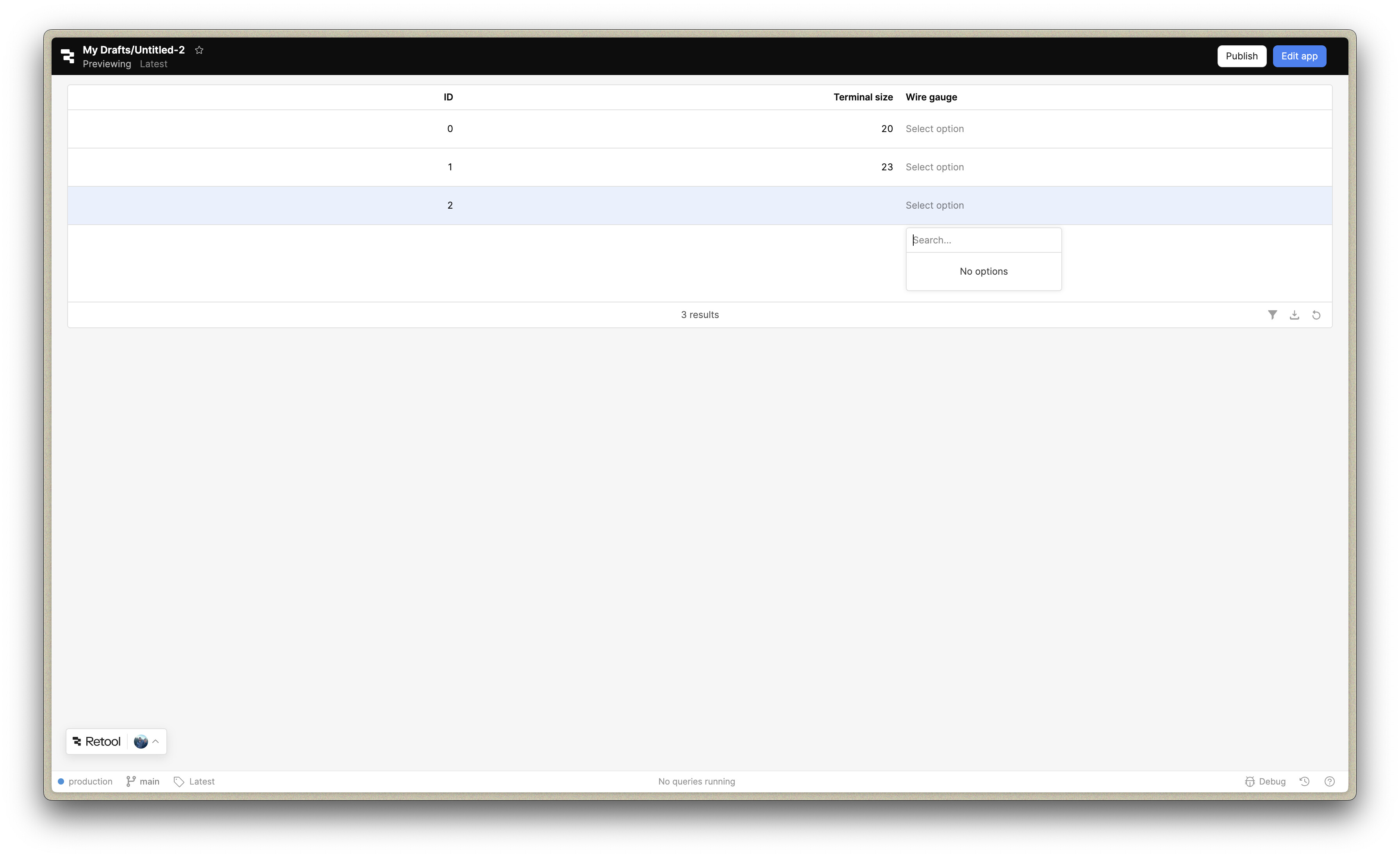
Additionally, I set the label value of the mapped options to {{ item }}. This enables the terminal_size to be mapped to the corresponding wire gauges, ensuring that only relevant options appear in the drop-down menu for each row's terminal_size.
Please refer to the attached screenshots for visual confirmation of the solution's effectiveness.

Here is the file: Untitled-2.json (11.6 KB)
I hope this helps! Please let me know if I'm misunderstanding the issue, or if there are any questions/concerns/follow-ups you'd like me to address!