I saw your question and wanted to help clarify the issue!
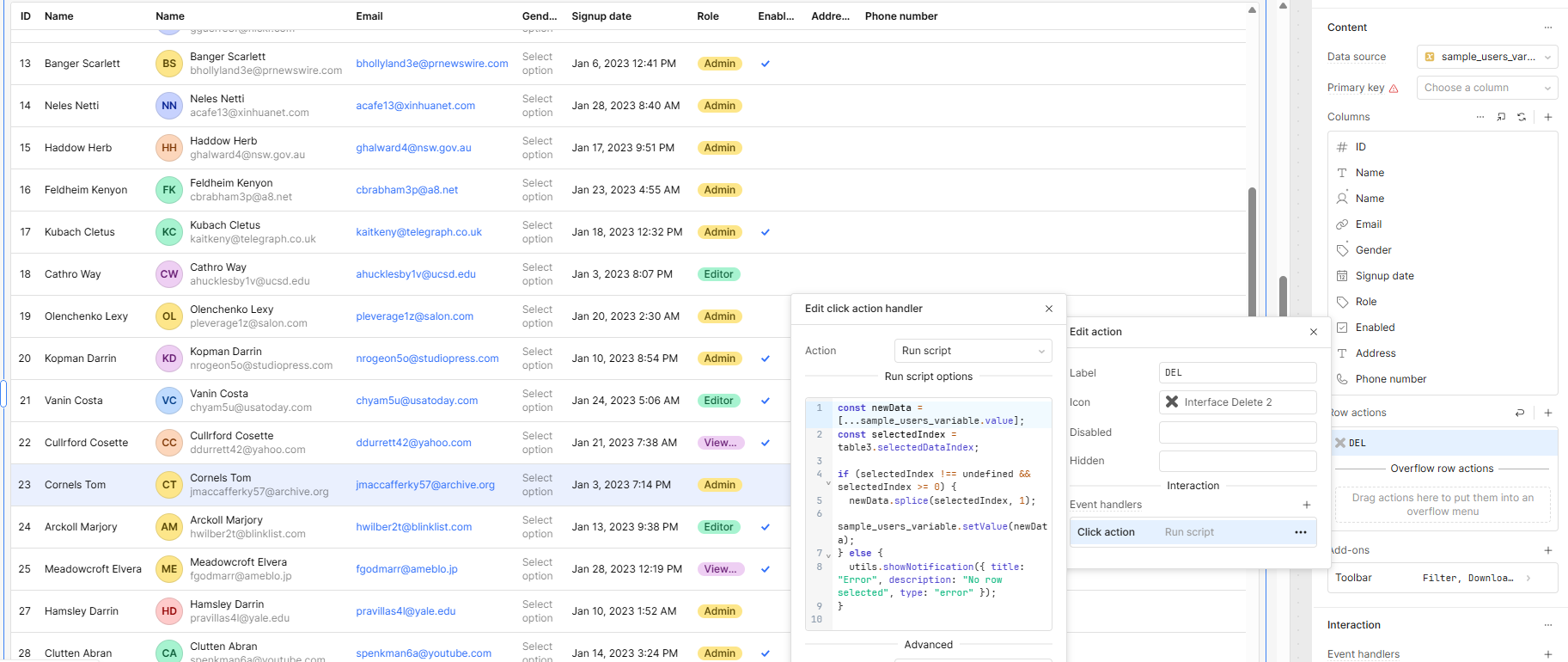
You're almost there — the problem is that you're referencing table3.selectedRow, which returns the selected row object, not its index in the array. When modifying an array like sample_users_variable, you need the index to remove the correct item.
Solution: Use table3.selectedDataIndex instead.
Here’s an example script that deletes the selected row from the sample_users_variable array:
Thank you so much for your helpful answer!
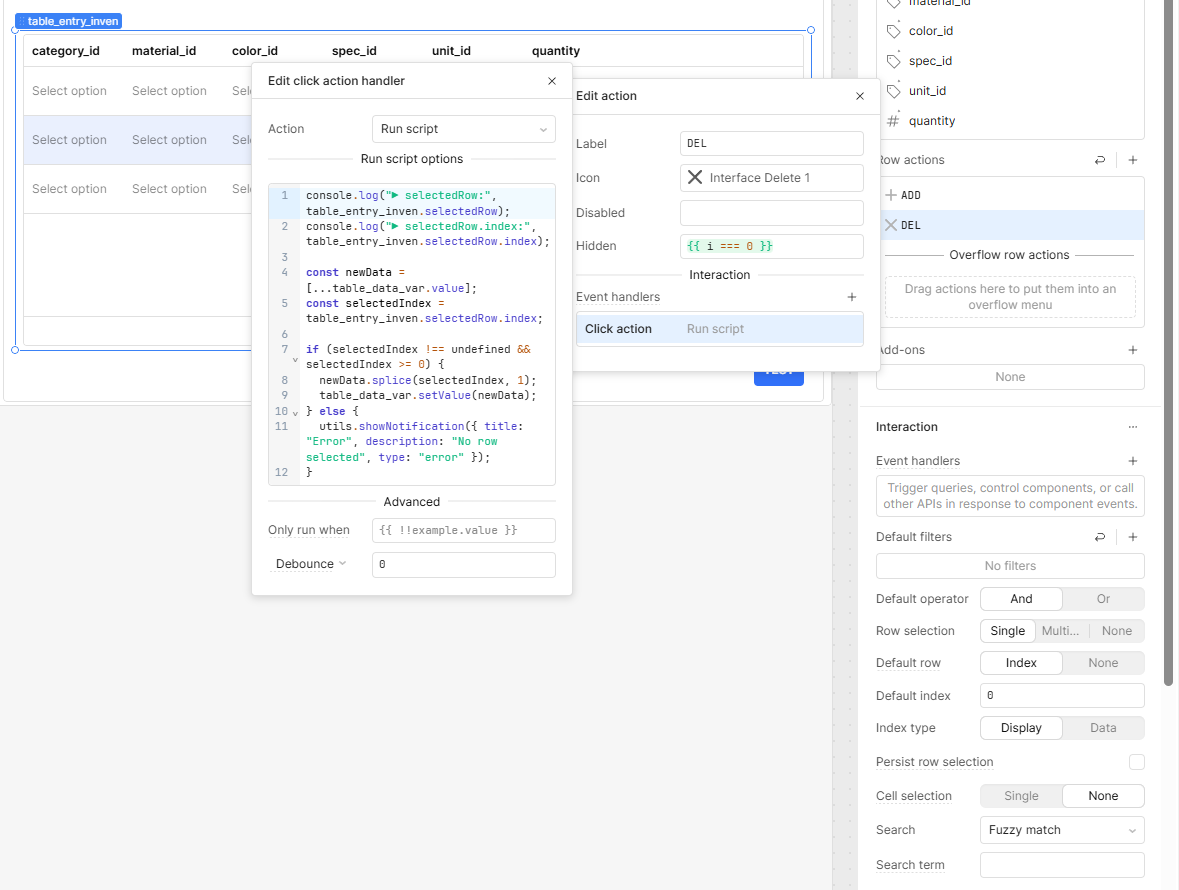
I'm still a beginner, so I tried the script you shared, but unfortunately, it's still not working as expected.
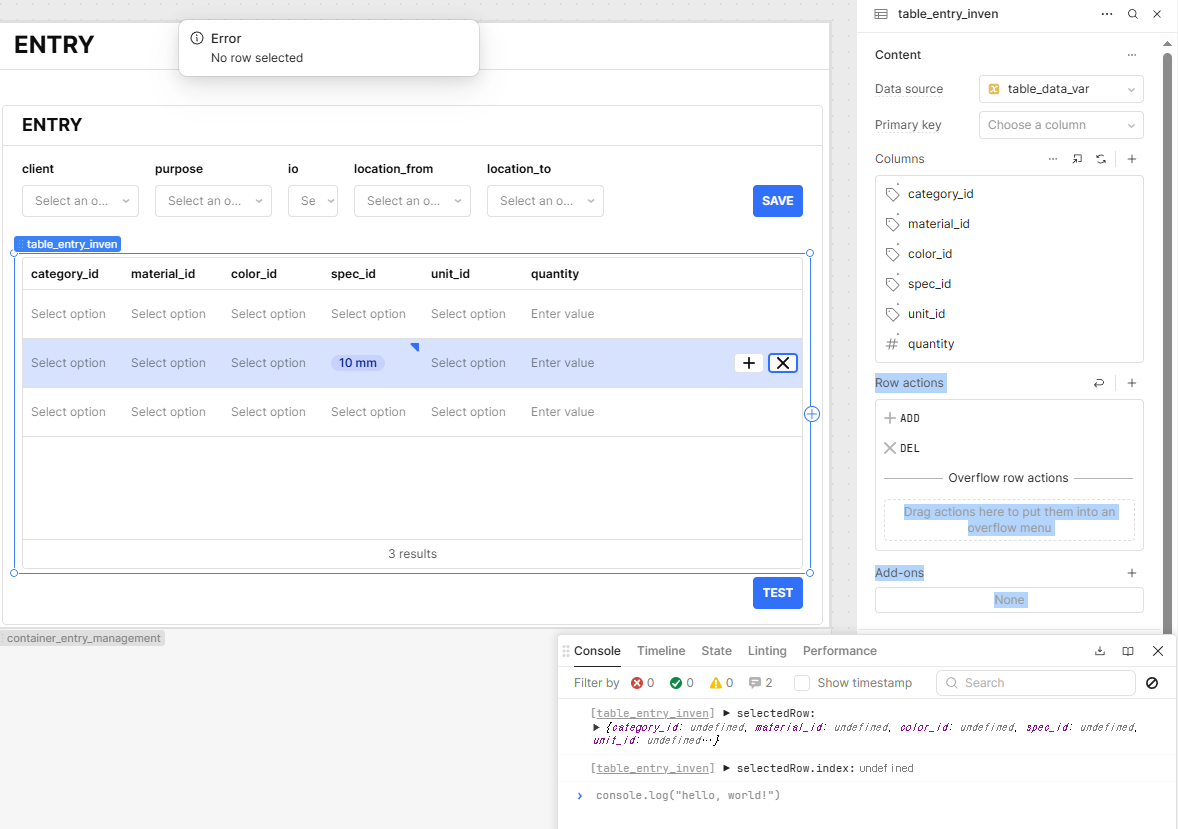
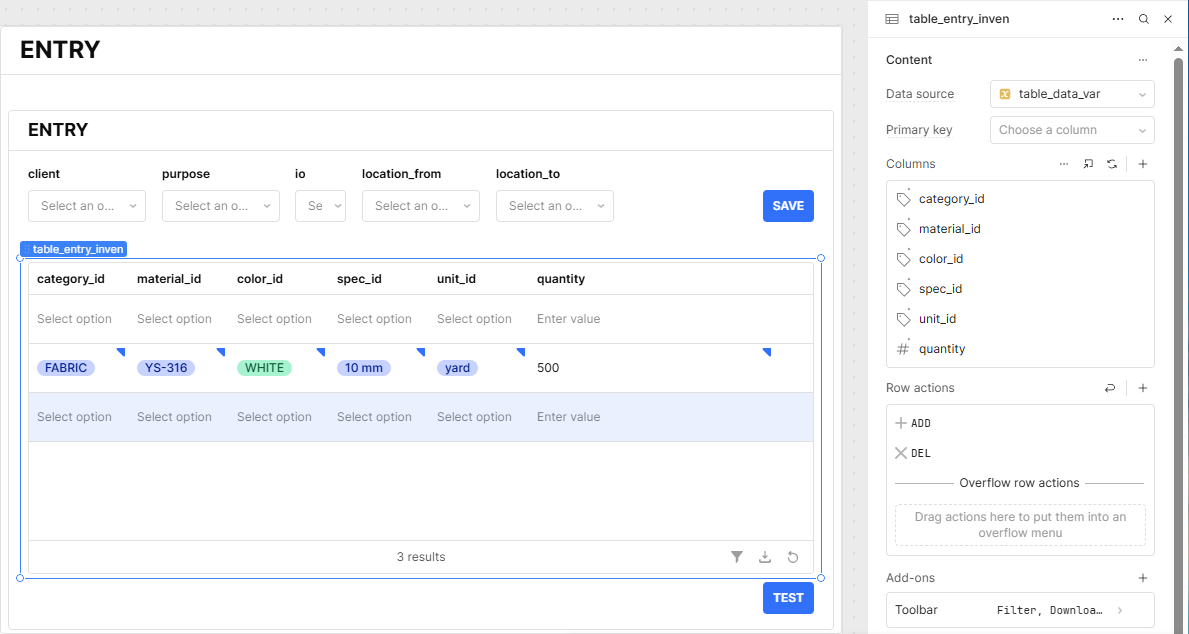
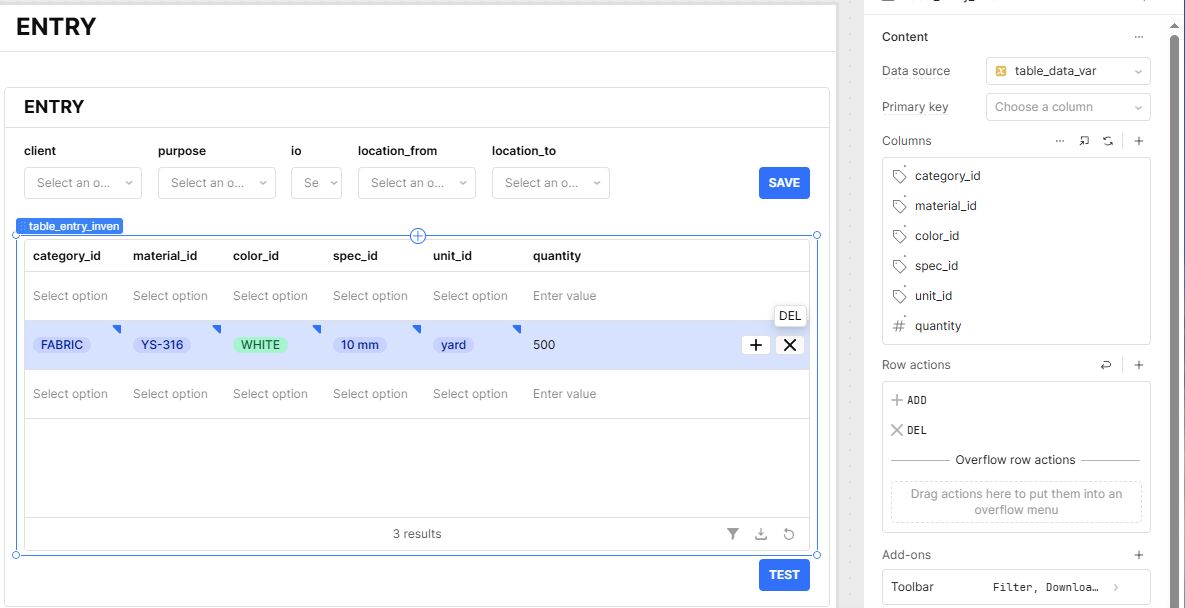
I'm getting the "No row selected" error — even when I manually select a row before triggering the action.
I also added a console log, and it seems like selectedRow is returning undefined.
Is it possible that I'm approaching this the wrong way from the beginning?
Any guidance would be greatly appreciated. Thanks again!
If you're still encountering the same issue, export your app as a JSON file and send it over. I'll take a look and help identify where the problem lies.
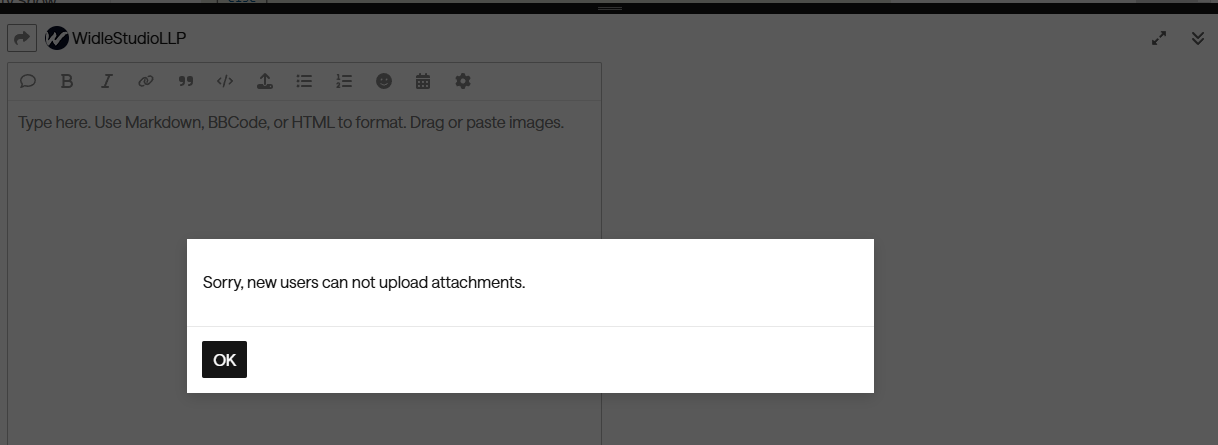
I was about to upload the JSON file, but it looks like I don't have permission to upload files in this thread. Is there another way I could share it with you?
I've uploaded the updated app JSON (with the new JS query) to your shared Google Drive folder. Just to share here as well, below is the JavaScript query I updated in the app:
// Step 1: Start with original table data from the variable
let mergedData = [...table_data_var.value];

// Step 2: Apply all changes from changesetArray into the merged data
table_entry_inven.changesetArray.forEach((change, index) => {
  mergedData[index] = { ...mergedData[index], ...change };
});

// Step 3: Set merged data back into the variable (table data source)
table_data_var.setValue(mergedData);
  //  Clear changesetArray by resetting the table data source
 table_entry_inven.clearChangeset();

// Step 4: Get the selected index
const selectedIndex = table_entry_inven.selectedDataIndex;

// Step 5: Validate and remove the row at the selected index
if (
  selectedIndex !== undefined &&
  selectedIndex >= 0 &&
  selectedIndex < mergedData.length
) {
  // Remove the row
  mergedData.splice(selectedIndex, 1);

  // Step 6: Update the variable again with row removed
  table_data_var.setValue(mergedData);

  table_entry_inven.setData?.(mergedData); // use only if table supports setData()

  utils.showNotification({
    title: "Deleted",
    description: `Row at index ${selectedIndex} has been removed.`,
    type: "success",
  });
} else {
  utils.showNotification({
    title: "Error",
    description: "No valid row selected to delete.",
    type: "error",
  });
}
Let me know if you run into any issues while reviewing or testing it out.
 Solution: Use
  Demo (video + screenshot):