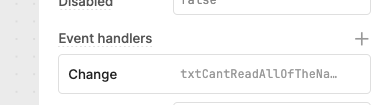
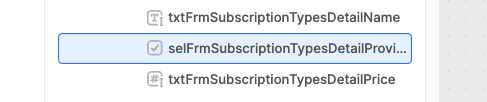
Can we please have the ability to make the side panels in the IDE (leftmost: code/component tree/state/etc and rightmost: property inspector pane) wider?
With monitor sizes being how they are these days, if I could expand their width I'd be able to see complex event handler names and deeply nested or very long component names.
I would like to second this. The issue still persists. The panel seems to resize properly if I go into the browser's DOM inspector. I could understand your designers may feel that some of the editor controls get too wide when you do this, but... just throw a resize handle on that pane and let the users decide if they want it to be bigger or not.
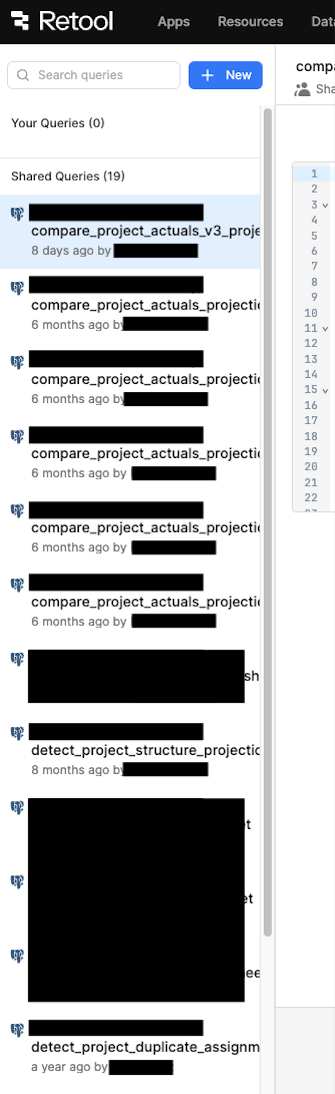
I don't think this is a huge issue in the app designer, but I despise how narrow the query library left pane is by default. Most of my query names are overflowing off the side of the panel, with no way to reveal the full name (no tooltip?!) without making that query active . That should 100% have a resize handle on it. Again, I can go into the browser's DOM inspector and change the panel's width just fine, so it seems like giving it a resize handle would be an easy fix.
Thanks for your detailed feedback! I will share with our team internally
@kevinsplx just to double check, for the app builder, are you looking for more expand options on the left or right panel? (or both) We did enable some expand options on the left panel, but I could see a case for enabling more options as it is limited (even in full screen mode). It would be super helpful to expand the right panel - I'll reach out here if we ship that feature