-
My goal: Already setup the Retool self hosted inside AWS EC2 without https. My machine is planned to move to a close network and hence no public IP domain. I want to setup the custom cert but failed.
-
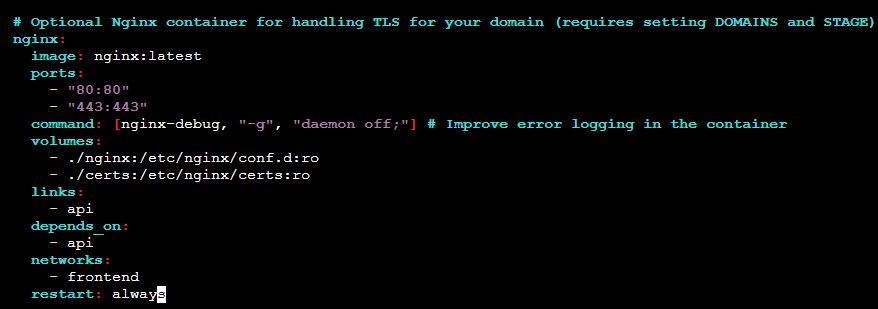
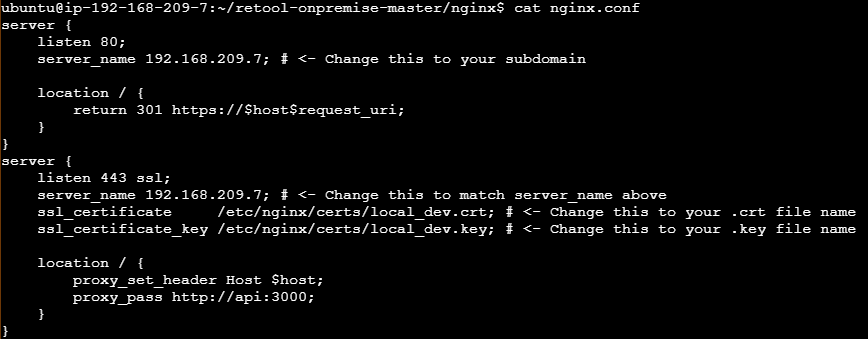
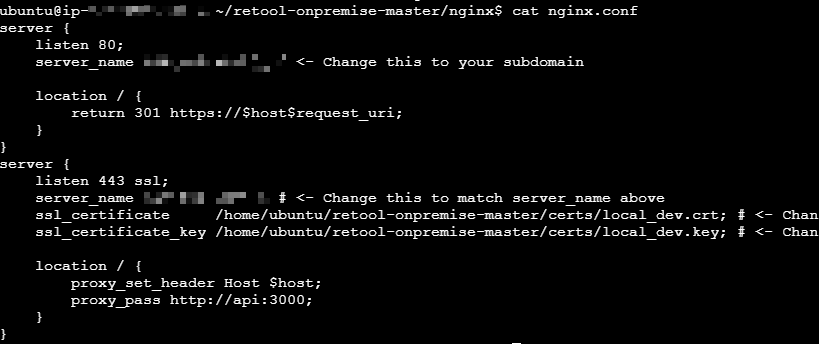
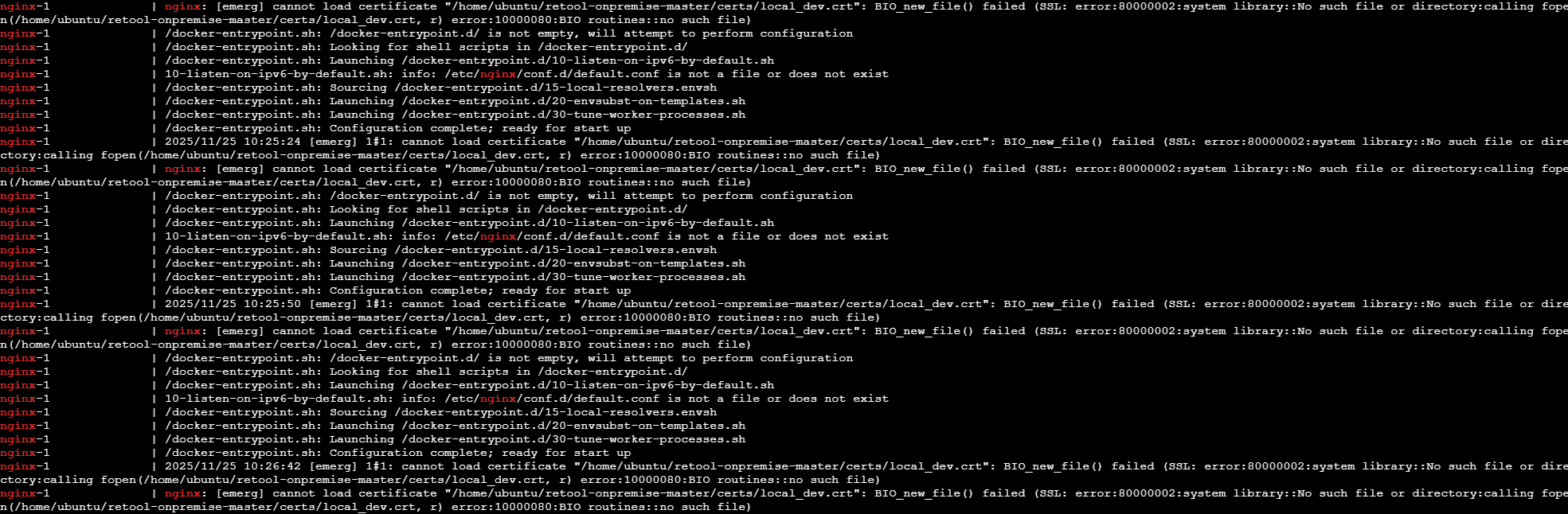
Issue: Follow the instruction on Configure SSL and custom certificates | Retool Docs . Update compose.yaml, create the certs folder inside retool-onprem folder, put the crt and key files in. Also create the nginx.conf (I assume the folder is inside the retool-onprem directory). sudo compose up -d all container but nginx keeps restarting by itself. Look at the log and it complains about missing nginx.conf.d and can’t find the crt file.
-
Retool version & hosting setup (Docker, K8s, cloud provider, etc.): AWS EC2 ubuntu, Retool version: 3.284.4
-
Error message(s) or screenshots:
- Follow the instructions Configure SSL and custom certificates | Retool Docs
- Create a self-signed key from ubuntu using sudo openssl req -x509 -nodes -days 365 -newkey rsa:2048 -keyout /etc/ssl/private/your_domain.key -out /etc/ssl/certs/your_domain.crt. For testing purpose only.
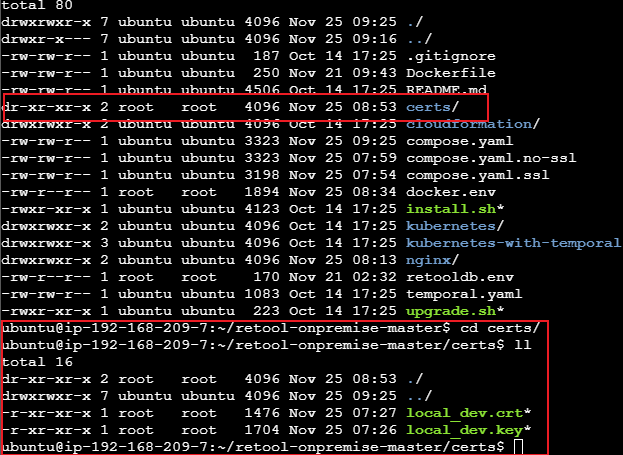
- Move the crt and key files to the retool on-prem folder. Not sure if the permission is set correct as owner is root:root. I have marked all read access.

- compose.yaml
Comment out the below 'include' block to use Retool-managed Temporal (Enterprise license)
include:
- temporal.yaml
services:
api:
build:
context: .
env_file: docker.env
environment:
- SERVICE_TYPE=MAIN_BACKEND,DB_CONNECTOR,DB_SSH_CONNECTOR
ports: - 3000:3000
networks: - frontend
- backend
- code-executor
depends_on: - postgres
restart: always
jobs-runner:
build:
context: .
env_file: docker.env
environment:
- SERVICE_TYPE=JOBS_RUNNER
networks: - backend
depends_on: - postgres
restart: always
workflows-backend:
build:
context: .
env_file: docker.env
environment:
- SERVICE_TYPE=WORKFLOW_BACKEND,DB_CONNECTOR,DB_SSH_CONNECTOR
networks: - backend
- code-executor
depends_on: - postgres
restart: always
workflows-worker:
build:
context: .
env_file: docker.env
environment:
- SERVICE_TYPE=WORKFLOW_TEMPORAL_WORKER
- NODE_OPTIONS=--max_old_space_size=1024
networks: - backend
- code-executor
depends_on: - postgres
restart: always
agent-worker:
build:
context: .
env_file: docker.env
environment:
- SERVICE_TYPE=WORKFLOW_TEMPORAL_WORKER
- WORKER_TEMPORAL_TASKQUEUE=agent
networks: - backend
- code-executor
depends_on: - postgres
restart: always
agent-eval-worker:
build:
context: .
env_file: docker.env
environment:
- SERVICE_TYPE=AGENT_EVAL_TEMPORAL_WORKER
- WORKER_TEMPORAL_TASKQUEUE=agent-eval
networks: - backend
- code-executor
depends_on: - postgres
restart: always
code-executor:
build:
context: .
target: code-executor
# Option 1 (preferred): Run privileged to sandbox user code in Workflows
# privileged: true

# Option 2: Run unprivileged, potentially required with your host machine permissions
user: retool_user
environment:
  - ALLOW_UNSAFE_CODE_EXECUTION=true

networks:
  - code-executor
restart: always
Retool's internal DB, we recommend using an externally hosted database: Retool Docs
postgres:
image: postgres:16.8
env_file: docker.env
command: -c 'max_connections=200'
networks:
- backend
volumes: - data:/var/lib/postgresql/data
restart: always
retooldb-postgres:
image: postgres:16.8
env_file: retooldb.env
networks:
- backend
volumes: - retooldb-data:/var/lib/postgresql/data
restart: always
Optional Nginx container for handling TLS for your domain (requires setting DOMAINS and STAGE)
nginx:
image: nginx:latest
ports:
- "80:80"
- "443:443"
command: [nginx-debug, "-g", "daemon off;"] # Improve error logging in the container
volumes: - ./nginx:/etc/nginx/conf.d
- ./certs:/etc/nginx/certs
links: - api
depends_on: - api
networks: - frontend
restart: always
networks:
frontend:
backend:
code-executor:
volumes:
data:
retooldb-data: