Today I woke up with a client kind of panicking that their app wasn't working anymore. Had been working absolutely fine for 3 months now and today all of a sudden things went down in a bit of a train wreck.
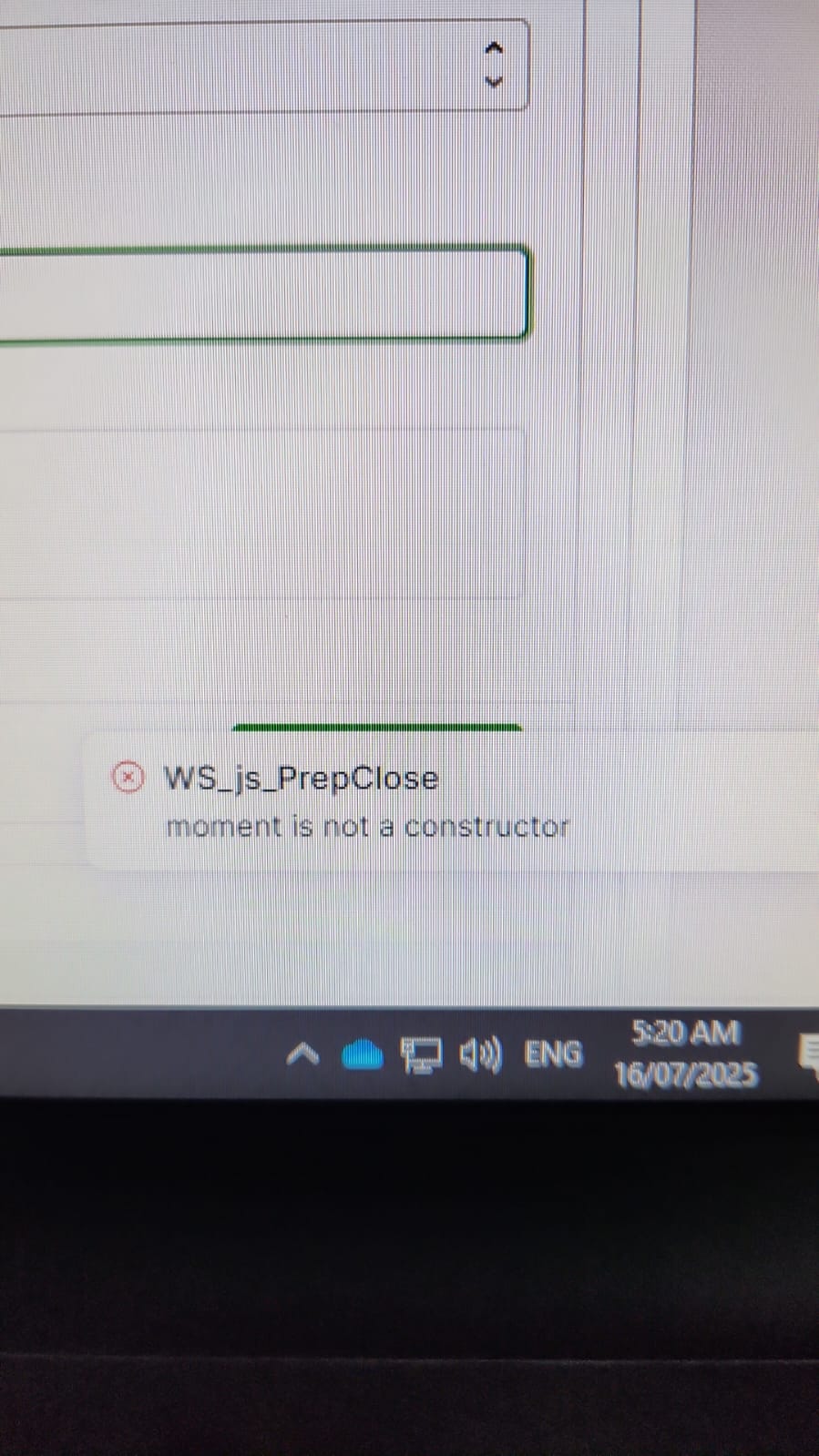
They sent a pic of the error -- "moment is not a constructor".
Initially I was lost, but naturally I quickly realized that it was referring to momentjs.
I had to log in, check the code and simply change
new moment().format()
to
moment().format()
Probably one of the quickest debugs I've ever made.
And beyond trying to point fingers and know if it was my fault because not using moment properly or not, the fact that this just appeared today is annoying.
Plus this meant that I had to edit the app, naturally triggering an editor charge within the billing cycle.
So we're just paying now to edit one word from the code. I don't think it's fair.
I don't know if you have changed the way that the code is interpreted that lead to the error or the implementation of momentjs, but clearly something changed as all this was working absolutely fine since March 2025, now being July.
Don't want this to be a rant but obviously not very happy with things randomly popping up.
found this a bit interesting, so I had to so some searching and thought I'd share. technically, in javascript using new moment(), should work? However, with TypeScript I think this depends on how it's imported import * as moment from 'moment' (namespace import)
vs import moment from 'moment'; or import moment = require('moment'); (class/function import)
and TypeScript vs JavaScript
The moment library itself exports a function, not a class. I know javascript (including JavaScript files checked with TypeScript) lets you call new with a function, but I think TypeScript files require functions to have a construct signature indicating the function can be called with new. The library is now a legacy project and is in maintenance mode.... it's not deprecated, but there won't ever be any new breaking changes. At best, it gets security updates, so we can pretty much rule out the library as the reason for this change.
so I think the options for what happened are:
Retool made an update to ES6 from ES5
Retool is doing a full conversion to TypeScript and they found some .jsx files they forgot to change to .tsx and pushed an update to fix it
TypeScript pushed an update
imo, it's more likely TypeScript had an update as the 2 Retool options are results from full codebase conversion/changes - which are costly, usually avoided unless newer language features are needed, often have workarounds devs would rather use unless annoyed or yelled at.... but I mean, I'm probably a little biased here
I'm unfortunately not that technical between JS and TS so thanks for the knowledge
What is bizarre to me is that this had been working for 3 months straight.
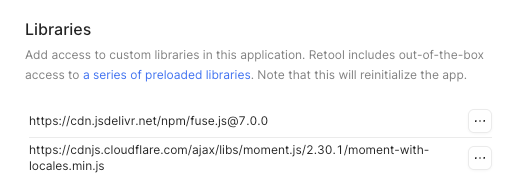
I had changed from new Date() to use moment as I'm in Australia and dealing with Date had become a bit of a nightmare when trying to format things correctly for some uses.
I might have left the "new" there from when I changed it to moment(), but the annoying bit is that as I say this went unnoticed for months. It was working fine.
So something must have changed for this to manifest as a bug.
TypeScript had allowed new being called on functions for, as far as I can tell, 1 very specific use case involving backwards compatibility with pre-ES5 and older browsers... they even had to add command line flags just so older projects with certain configs could force the build to work and TS isn't really known for making 'exceptions to the rule' as it kinda goes against their whole 'strongly-typed' thing they got going on: new should expect a class or constructor function, but for momentjs, it gets a normal function...
This confuses TS when it does its type checking and sees new moment(), since normal functions don't have a constructor or a construct signature like classes and constructor functions respectively (here's your error "moment is not a constructor") it results in the type evaluation defaulting to new [any] and now we have a double conundrum where not only does TS all but disallows the any type but, also the any type still isn't a constructable entity (unless you set noImplicitAny: false, this is another spot they had to make an exception to the rule).
hmmm, I just realized a couple things. 1) Retool may have updated their tsconfg file causing your problem and 2) I probably should ask a couple questions
Do you know what device and browser (and possibly browser version) your client was using?
Was the app working for you or anyone else and just not that 1 client?
I'm pretty sure you're spot on with your #1 realization.
We also had to do a quick pass yesterday of our date formatted tables because some of our editors were using the new keyword when processing their data. Luckily there isn't much to do once the bit has been identified, but we are basically on monitor mode for any stragglers.
Yeah they're just using either Chrome or Edge on Win11.
And no, just them as it is an internal tool. They are the sole users of this. So no one else on the app at the same time.
I have noticed that sometimes things tend to get touchy with symbols so I asked if they were entering ", ' ,&,# or any symbol that sometimes they did break things while building and testing. The answer was no.
I asked them to restart the whole thing (the basic L1 starting point) and it was the same. So definitely no weird caching errors or browser funkiness.
When I logged in I tried to use it (macOS, Firefox) and still gave me the error.
Definitely something changed on the backend, perhaps as you say moving ES5 to ES6 could be one. I really don't know as I'm essentially a beginner still with JS.
It would've been great from the Retool team sending a few warnings or heads up note to people saying that an upgrade or migration was about to take place with the chance of breaking a few things.
Mostly to give a bit of credit if edits would be needed because of it. I am very aware that code is always changing, but it's never fun to get messages at 5:30AM saying things are not working.
They could start pushing changes every month, forcing people to edit apps every month, leading to a forceful subscription/charge. (That wouldn't to well)
i had a similar experience at the end of last week (though thankfully no panicking client, just confused internal users) and i somehow missed this thread here, even though it's more closely aligned with the symptoms and resolution than where i ultimately posted.
so, for those maybe wanting some backstory as to what was happening (and to share my same "ohh, i just gotta remove new realization in the moment) i'm connecting the threads. (linked above)
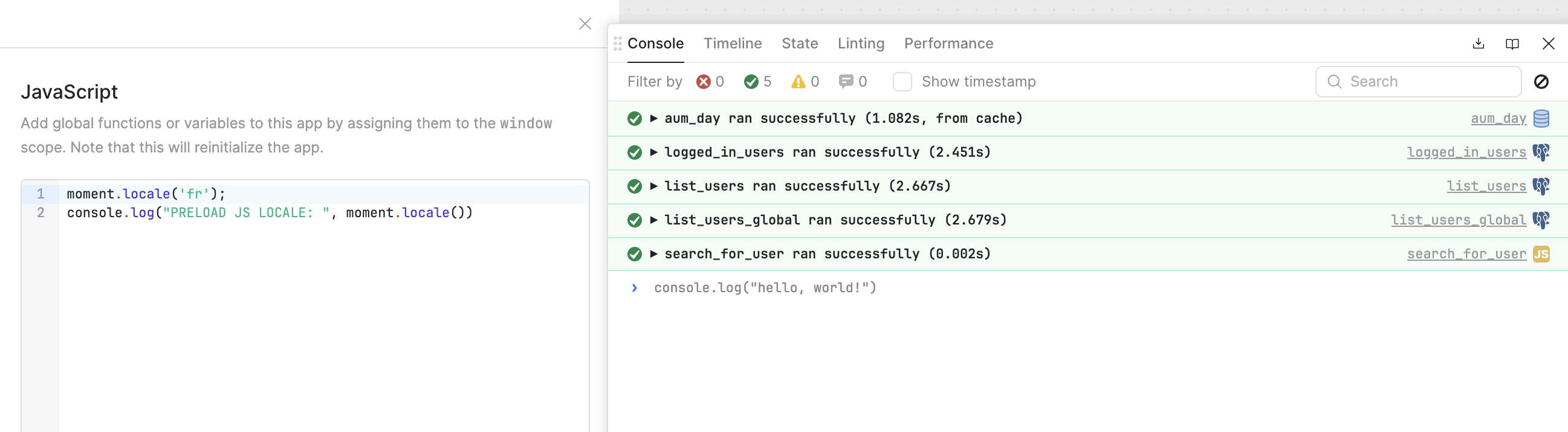
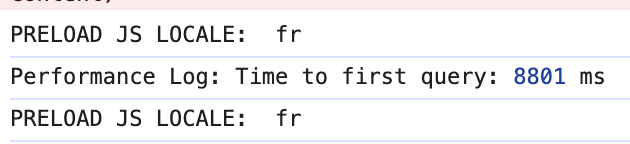
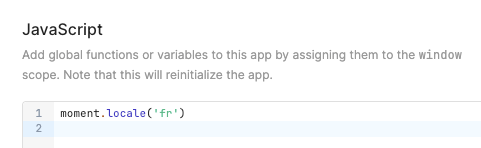
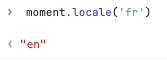
would you mind putting console.log("PRELOAD JS LOCALE: ", moment.locale())
on line 2 then hit save and check the dev console (you may have to wait a little bit as things load before it shows up)
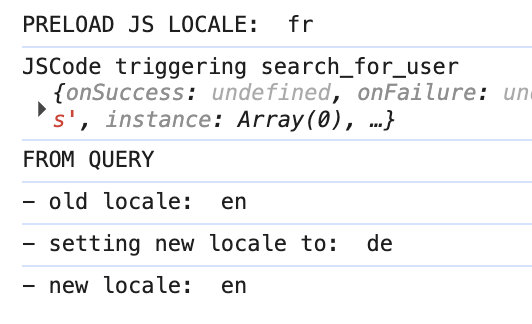
if this outputs PRELOAD JS LOCALE: fr then create a new JS Query and put the following in it:
console.log("FROM QUERY")
console.log("- old locale: ", moment.locale())
let new_locale = 'de'
console.log("- setting new locale to: ", new_locale)
moment.locale(new_locale )
console.log("- new locale: ", moment.locale())
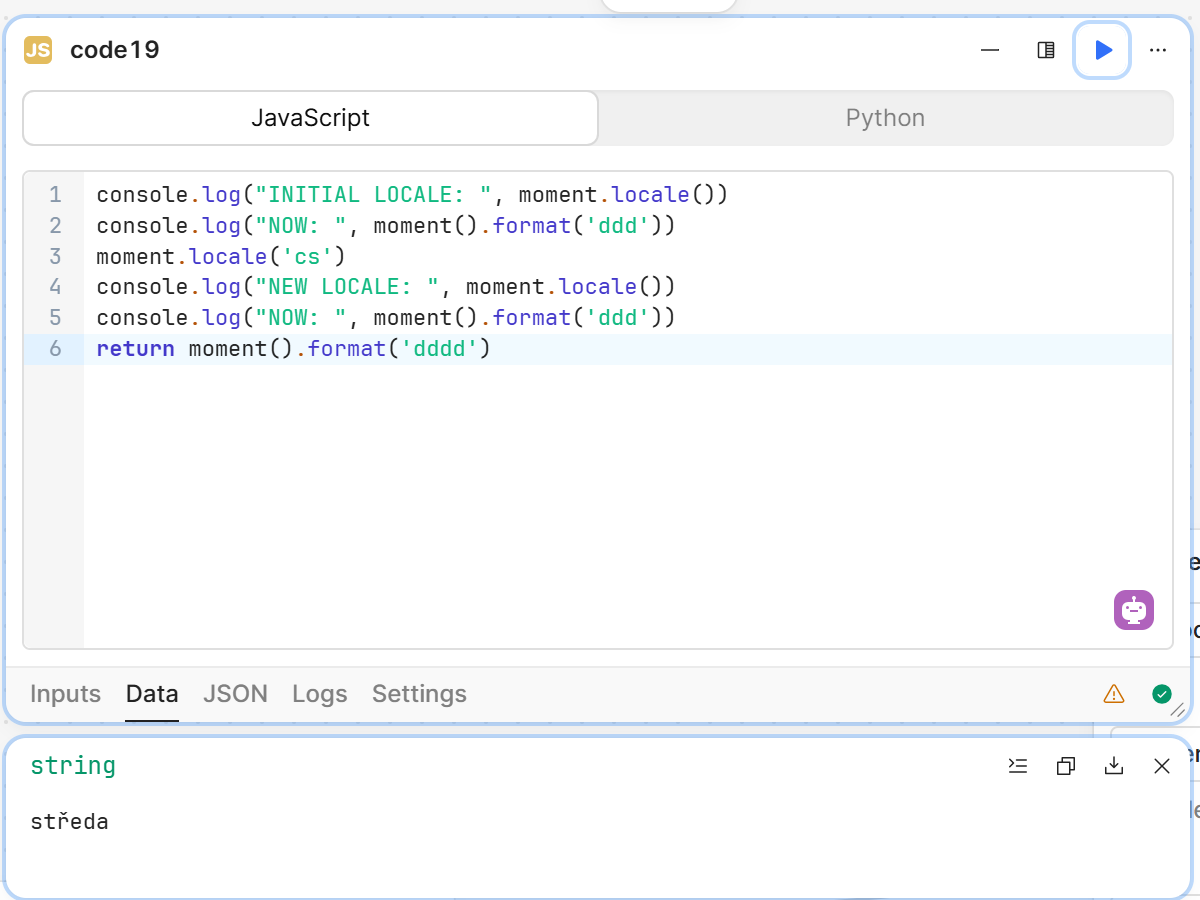
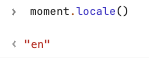
it's just to double check, but I have a feeling you will see PRELOAD JS LOCALE: fr but you won't see it applied in the query. It's almost like moment is loaded globally, then when a JS Query runs it creates a 2nd instance of moment which resets/overwrites whatever you had done at the global scope. I think JS Queries are sandboxed? if so, moment inside a query wouldn't have access to or know where the locales are stored, which would explain why you're unable to set the locale even locally (moment("2025-07-22").locale('fr').format('LL') outputs July 22, 2025 instead of 22 juillet 2025)
Workaround:
It's not the best option, as it adds overhead, but setting the locale in a workflow seems to work with no problems (screenshot below) so maybe you could try creating one that takes a locale string like 'fr' and a formatted string like 'Tuesday, July 22, 2025 00:00 AM' and returns the adjusted datetime 'Mardi, 22 juillet 2025 00:00 AM'
Tried it with multiple "reset app state" and browser hard refresh
The workflow workaround is a smart idea, but I can't call for a workflow each time my users are opening a new page in this app. Loads of dates are displayed as well, it would be a huge work only to display the correct locale...
Something definitely broke with the moment implementation over Retool.
ya I'm not sure what's causing this, but it actually happens even if you try and use DayJS. Feel free to try it out on your end, but I think you'll have the same results, for workflows you can actually set const moment = require('dayjs') so that you don't have to find every mention of 'moment' and replace it with 'dayjs', the usage is actually the exact same:
Apologies for the issue. I have good news, the fix should be going out in a PR today!
Once that happens, the locale issue should be resolved. As we will be turning off the feature flag that caused this locale issue.
For transparency purposes, I was able to get some added background on what changes were being made to how we import and use the moment library and why these were being done.
Backstory:
Our engineers are building out a new in house app testing feature. It is a system we have setup (that scrapes user flows) to help our team generate some useful metrics for the kind of bugs we are dealing with (moment and dates being a core part of the problem with our testing feature). With the goal to solve more bugs and improve the product.
To remedy that issue moment was causing with this testing feature, the engineering team was mocking the moment.js library. Which kicked off some unintended consequences which we apologize for. Now that change is feature gated behind a flag so that moment will go back to normal for everyone, and the engineers will be able to continue with their work on that new app testing feature.
Apologies again, and let me know if anything unexpected occurs once that update is live, which should be within the next 24 hours.
Also, as I mentioned in the original post, it is a bit annoying that some of us had to trigger an edit, leading to additional charges, for something that is 100% on your court rather than normal code obsolescence or further developing.
Sorry to sound like a cheapskate but if a few hundreds of devs (or why not thousands) had to edit because of this, then it becomes an easy cash grab from Retool. Not accusing you of such right now, but it is easy to see how it could become a very corrupt and an abusive move to generate more revenue.
Owning your mistakes that lead to problems and confusion for the community would help keep good relationships. (i.e. issue credits to those who edited just because of this.... hard to find out who did, but the attempt at least would signal good faith.)
I completely understand and agree. I just reached out to our accounts and billings team. Let me see if I can get your org issued credits to make up for this
We are a lot about maintaining good relationships with our community and the developers that use our product. Keep your eyes out for a DM from our team.



 Still searching for the solution...