I’m using Retool Cloud / the new App Builder on a Business Education workspace.
I’m building an internal observability app called “Hermes Operations Control Platform”.
I have reproduced what looks like a New App Builder resource/runtime issue.
What works:
Existing GitHub resource works and tests successfully.
A Retool Workflow can use that GitHub resource.
The Workflow reads private repository metadata, current branch/HEAD and open PRs.
The Workflow returns a 200 JSON response.
The Workflow is published.
The Webhook is enabled and protected with an API key.
A separate REST resource pointing to that Workflow webhook also exists.
What fails:
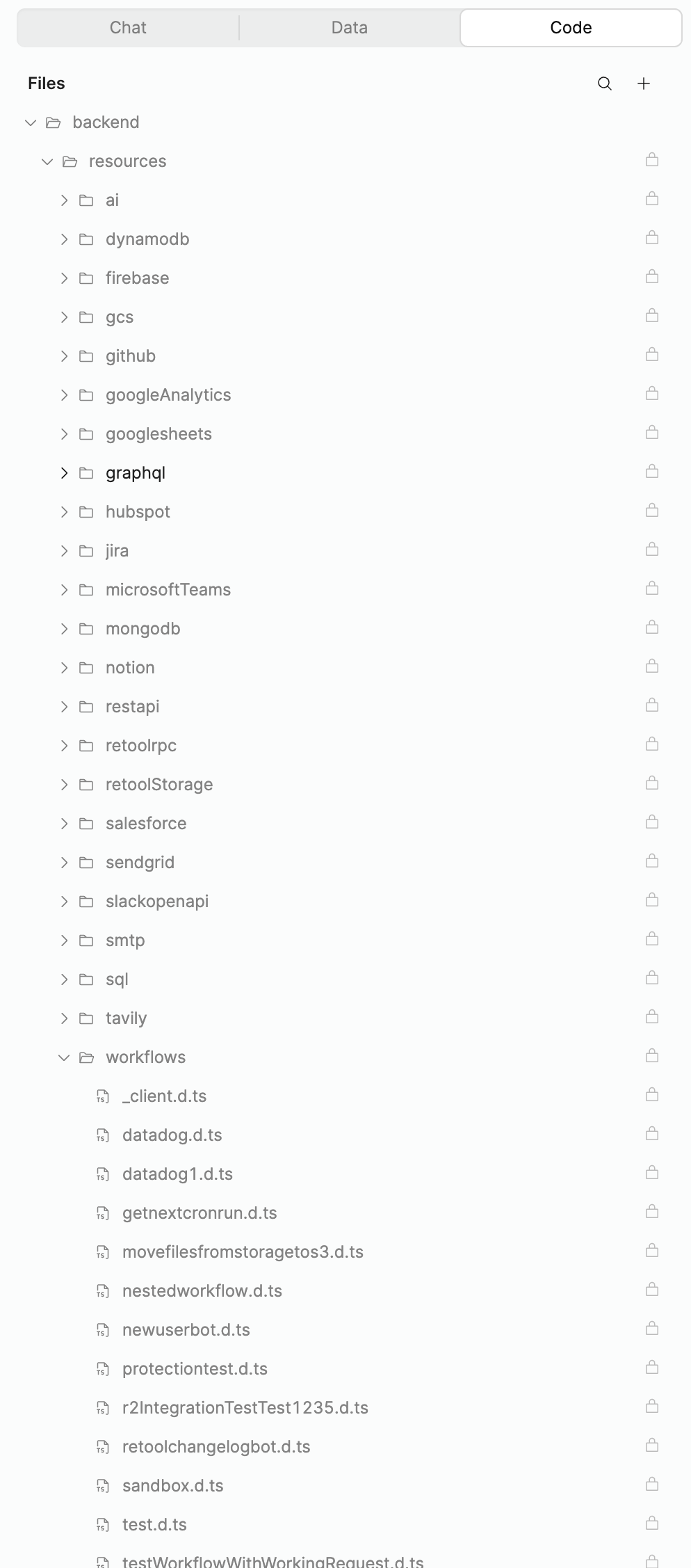
The existing GitHub workspace resource never appears in the app’s /backend/resources.
Hard refresh, waiting, fresh App Builder thread and explicit @resource-name did not fix discovery.
Connect Resources sees the resource type but cannot actually select the existing resource.
Query Library does not reliably switch to the existing REST bridge resource.
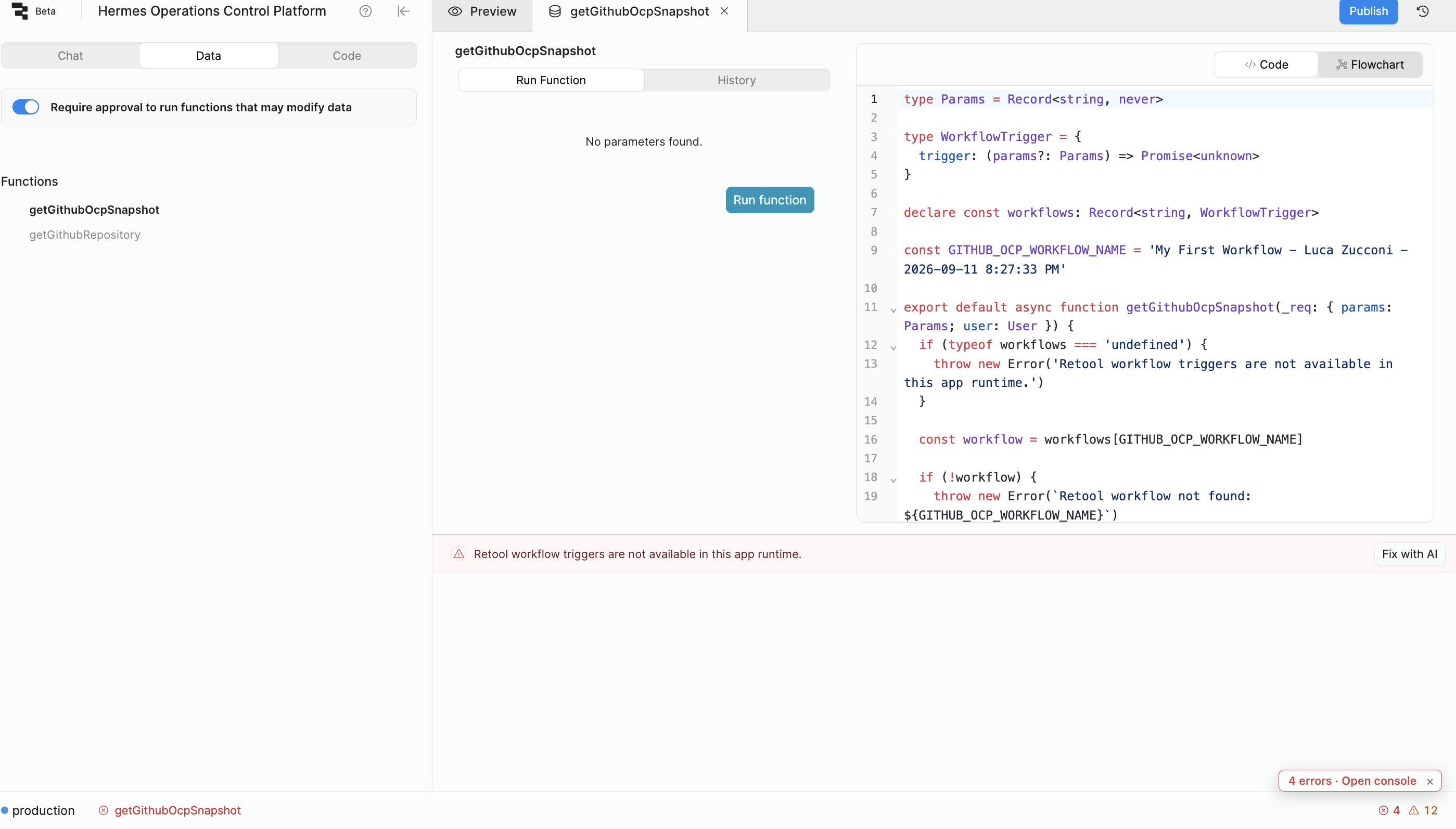
The new App Builder generated a backend function using the native workflows[...] trigger pattern, but running it fails with:
Retool workflow triggers are not available in this app runtime.
I do not want to:
duplicate the GitHub resource or token,
expose the workflow API key in frontend code,
make the webhook public,
create a proxy/database solely as a workaround.
Could you please confirm the supported current-runtime path for one of the following:
A. expose an existing workspace resource to the New App Builder backend;
B. trigger an existing published Workflow from a backend function;
C. invoke an existing REST resource from the New App Builder backend.
This appears similar to the resource-definition/sandbox sync issue already reported in the Community.
On Retool Cloud using the new App Builder, an existing GitHub workspace resource never appears in the app's /backend/resources and cannot be selected, and a generated backend function using the native workflows[...] trigger pattern fails with 'Retool workflow triggers are not available in this app runtime.' The supported path is needed to expose an existing resource to the backend, trigger a published Workflow from a backend function, or invoke an existing REST resource.
AI Response
Both symptoms map to recently reported new App Builder behaviors on Cloud with confirmed guidance. For resource discovery, this is a known sandbox sync limitation where existing resources aren't surfaced to the agent; the confirmed workaround is to force a re-sync by opening a brand-new chat thread (or waiting ~10 minutes) after a hard refresh, and to verify the resource lives in the same workspace and is shared with a group where you have Edit or Own access, since the agent only connects resources you can edit or own (you can then @-tag it by name). For the workflow trigger, the 'Path not allowed'/'triggers not available in this app runtime' failure was a known regression that Retool confirmed fixed and live in production on Retool Cloud 4.47.0, so retrying on the current build should work; in the meantime, the supported bridge is to call the workflow via a REST resource pointing at its webhook trigger rather than the native workflows[...] pattern.
Sources
Custom REST resource not visible to new App Builder backend
A near-identical Cloud case where a custom/existing resource never appears in the new App Builder's /backend/resources; Retool staff confirmed ongoing sandbox resource-sync issues and gave the fix — open a new thread or wait ~10 minutes, and confirm same-workspace plus Edit/Own access. Workflow trigger from app failing with Path not allowed error
Directly matches the workflow-trigger failure ('Path not allowed'/triggers unavailable in the app runtime); Retool staff confirmed it as a regression now fixed and live on Retool Cloud 4.47.0, with a REST-resource-over-webhook call offered as the interim workaround.
The Community Team is testing out a new automation. Let us know if it's helpful (or not) by leaving a , , or . Or by marking this post as the "Solution"! Let us know if you have any feedback here.
Welcome to the community, @Adr-1618! Thanks for reaching out.
We've definitely identified a number of issues with syncing resource definitions - and are actually working on a fix for this specific one - but starting a new chat thread or simply waiting ~10 minutes should force the sandbox to refresh. That said, I'll let you know when we have the more robust fix in place!
Your question about invoking a workflow is a little more puzzling - the generated code might just be wrong. For context, this is what a working workflow function looks like for me:
type WorkflowResponse = {
  res: string
}

export default async function () {
  const result = await workflows.workflowDarrenEid2026091641615Pm.trigger<undefined, WorkflowResponse>()
  return result.data
}
You should be able to see all the workflows available to the agent in /backend/resources/workflows:

 ,
,  , or
, or  . Or by marking this post as the "Solution"! Let us know if you have any feedback