Hi, I'm new here!
I have been searching the forum but I haven't found the solution to my problem, I have tried several things but none of them have worked.
I have two get calls, getOrders and getCustomers.
I have created a table with the information from getOrders and I would like to add a column with the information from "order_count" which is in getCustomers. I would like it to show an X if order_count = 1 and empty if it is a larger number.
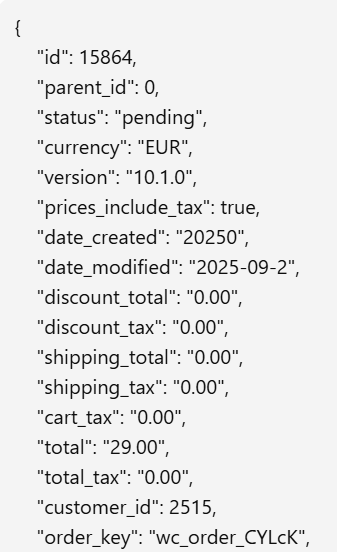
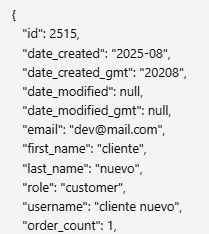
I think it should be related to the customer id, but I have not found the form, in getOrders it is "customer_id" and in getCustomers it is "id".
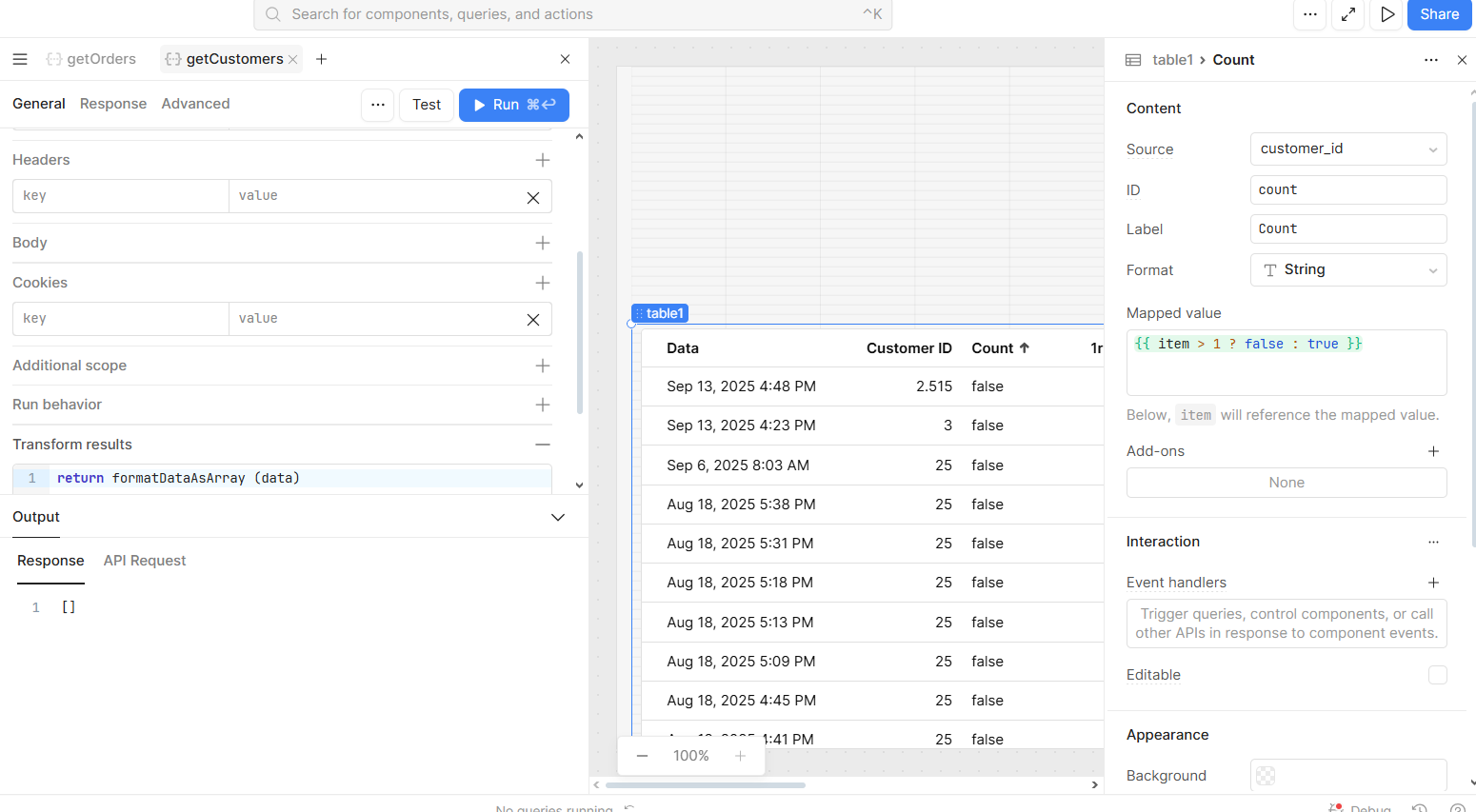
The only additional thing is that you would have to format this additional custom column as boolean and in the "mapped value" section write the logic using item to returb true or false, e.g {{ item > 1 ? false : true }}. This will format your column with an empty checkbox if amount is higher than one, and with a tick (you can edit to change from tick to cross) otherwise.
Let me know if you keep struggling and do send some screenshots of what you have tried.
Note: your getCustomers.data should be formatted as array for the find function to work, if it isn't yet, my recommendation is to go to the query's "transformer" section and replace return data with return formatDataAsArray (data)
This will return, for each row, the correspondent order_count. Afterwards, you can change the column type to boolean and in mapped value write something like:
{{ item > 1 ? false : true }}
Where item will be referring to order_count
Hope this helps!
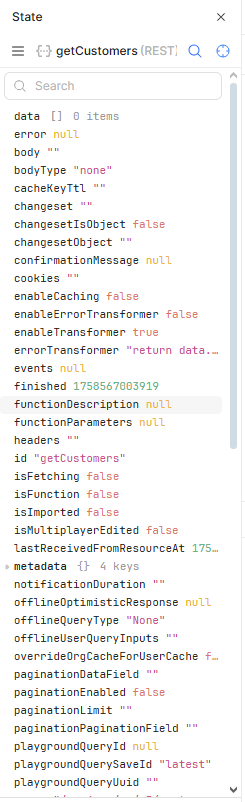
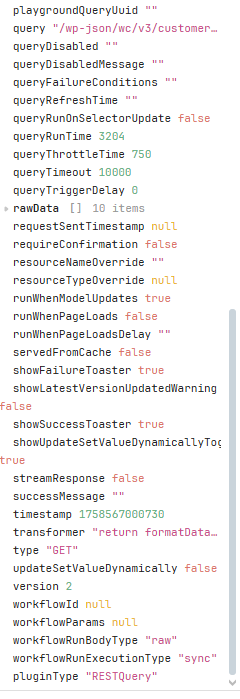
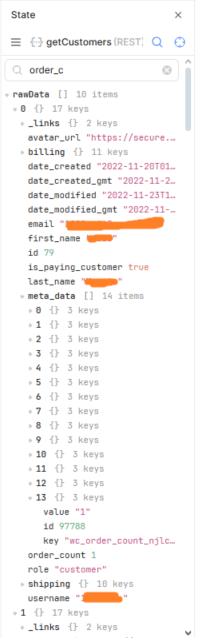
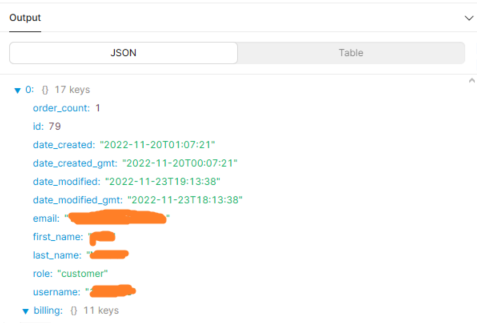
If it doesn't, it would be helpful if you could send a screenshot of both of your query's state (right click on the query and "view state"), namely how the data is structured.
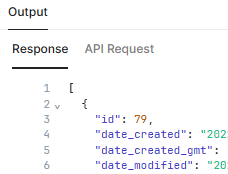
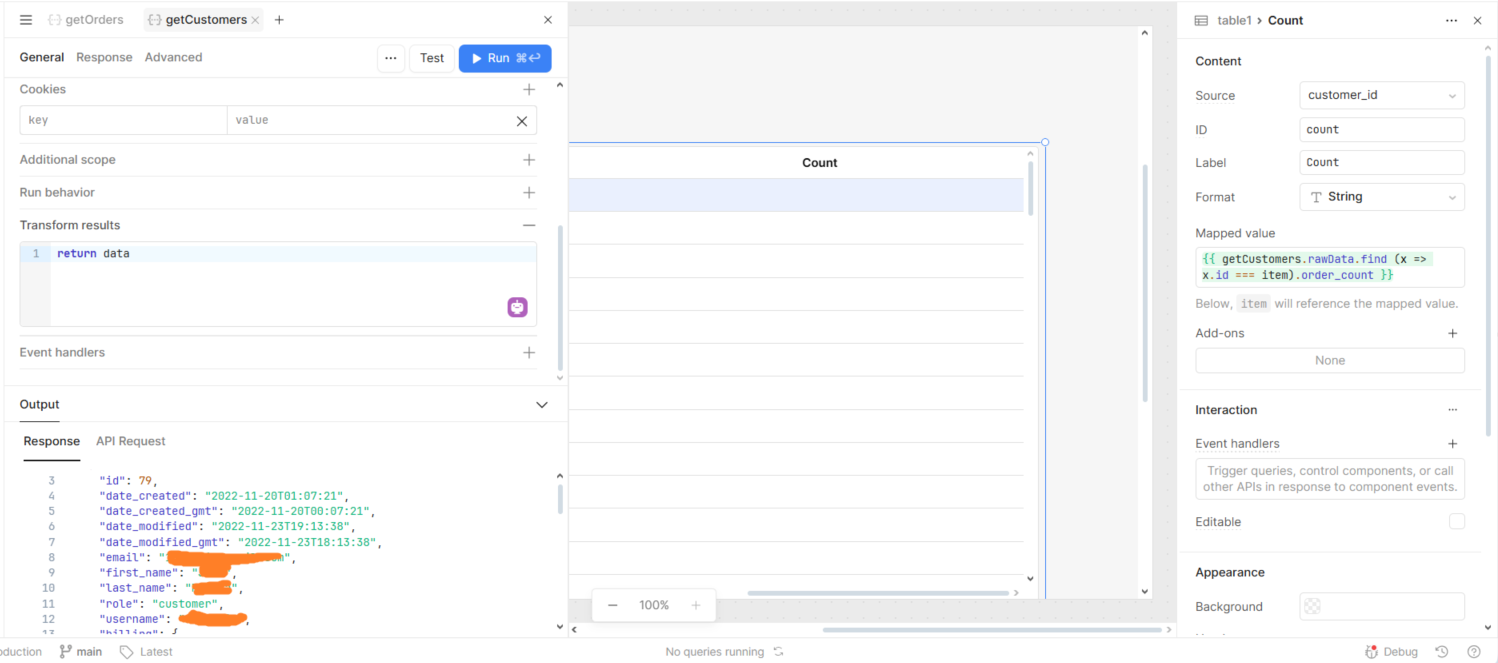
Thanks for the screenshots. I think I see what's happening. Your API is returning a response with rawData instead of data, that's why formatDataAsArray (data) is not returning anything (but this is not needed as your response is already formatted as needed.
So now, try the following
In your table, add a custom column
In the Source section, you can leave customer_id
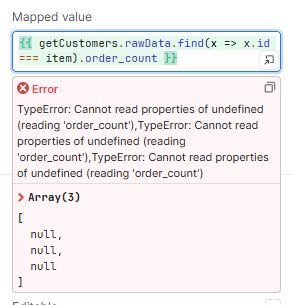
In the Mapped value you can write {{ getCustomers.rawData.find (x => x.id === item). order_count }}
You should see now the order_count appearing in the column. If so, then you only need to update the logic to {{ getCustomers.rawData.find (x => x.id === item). order_count > 1 ? false : true }}
Hey @gem5 - it's possible that you've already explored this option, but have you considered using Query JSON with SQL to concatenate the two data sets and then use the result as your table's data source?
Based on the schema you've shared, it would look something like the following:
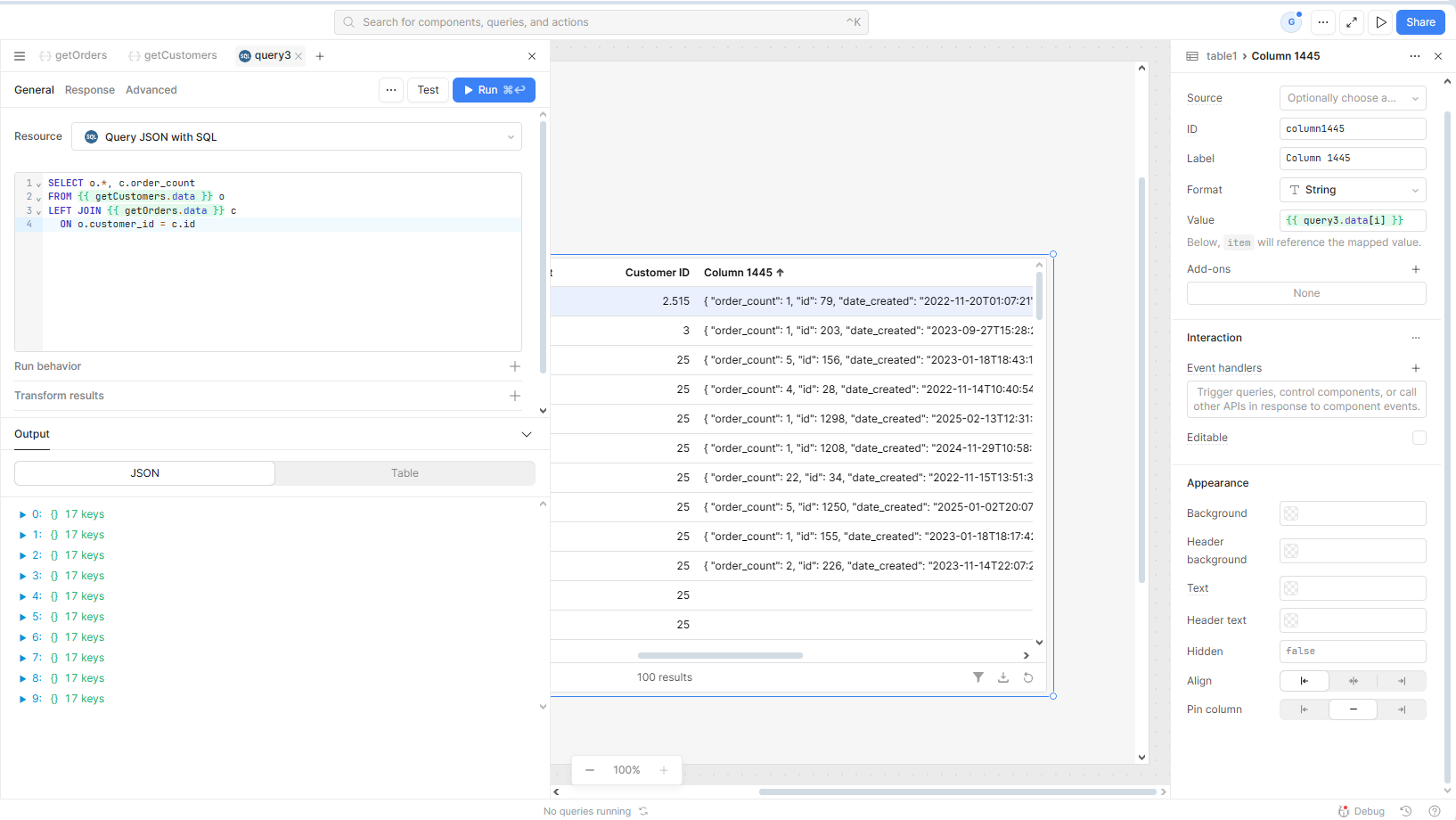
SELECT o.*, c.order_count
FROM {{ getOrders.data }} o
LEFT JOIN {{ getCustomers.data }} c
  ON o.customer_id = c.id
Hi @Darren,
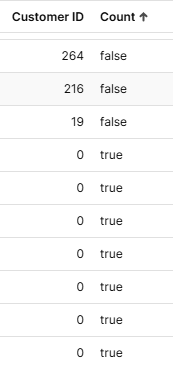
Things start to appear... But the data doesn't appear correctly, only 10 customers are loaded. And in the table the data doesn't match the id_customer (in the value mapped without [i] the array appears in all columns).
It looks like your JOIN clause isn't quite correct, which likely explains the discrepancy. Once that is fixed, you should be able to set the column's Source to order_count and Value to the default {{ item }}.