Hello! I’m new to Retool, I hope you can point me in the right direction!
We are building a form to collect data from our suppliers.
We use Directus to hold our data and generate a new request id which is then used as a URL parameter in Retool to create a unique link for that supplier form. The supplier suubmits the form and the data is then sent back to Directus.
Goal: Upload a File from the Retool app to Directus. Directus requires files to be uploaded in the /files endpoint first, then that file can be linked to my record.
Steps:
-
Upload file to a File Input field.
-
POST query (uploadfileInput2) to upload the file to the /files folder in Directus using Form Data Body type:
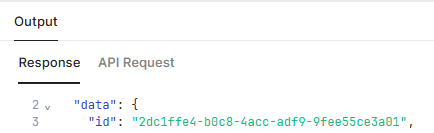
3 The file is uploaded successfully and the response returns the newly generated Directus file id I need to link it to my record:
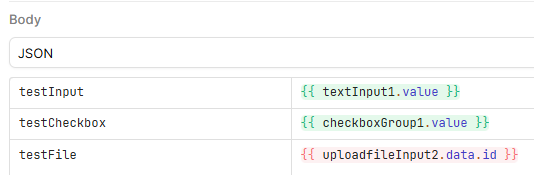
- In my PATCH query, I want to use that id to update the file record along with the other values entered in the form.
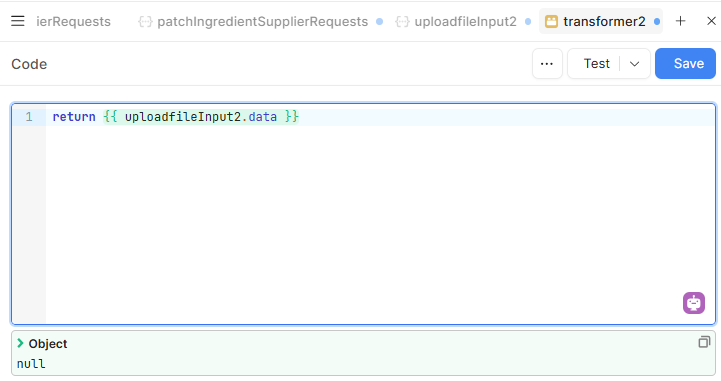
I thought I could reference the “data” held in my query to grab the id that was returned in the POST query response, however “data” is null.
I can’t find any other values within the uploadfileInput2 object that hold any of the response values.
How can I read the POST query response values to be able to write the returned id to my record?
Thank you in advance!
Eleonora
Hell @Eleonora_Celiento ,
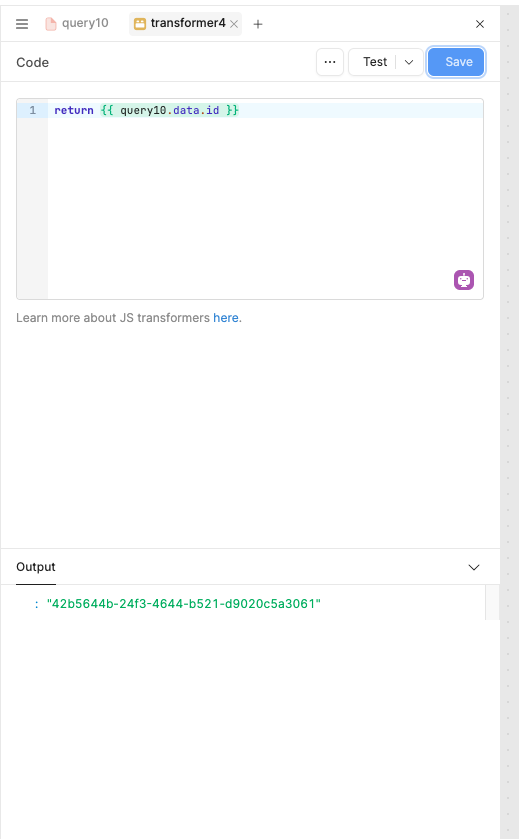
Just use the name of your upload file query for example, I’m using query10 to upload the file.
Hi @WidleStudioLLP ,
That’s what I would expect, but the data is null:
This is the full upload file query object:
{
"pluginType": "RESTQuery",
"data": null,
"queryRefreshTime": "",
"paginationLimit": "",
"streamResponse": false,
"body": [
{
"key": "file",
"value": "[object Object]",
"operation": "binary"
}
],
"lastReceivedFromResourceAt": null,
"isFunction": false,
"functionParameters": null,
"queryDisabledMessage": "",
"servedFromCache": false,
"offlineUserQueryInputs": "",
"functionDescription": null,
"successMessage": "",
"queryDisabled": "",
"playgroundQuerySaveId": "latest",
"workflowParams": null,
"resourceNameOverride": "",
"runWhenModelUpdates": false,
"paginationPaginationField": "",
"workflowRunExecutionType": "sync",
"headers": "",
"showFailureToaster": true,
"paginationEnabled": false,
"query": "files",
"playgroundQueryUuid": "",
"playgroundQueryId": null,
"error": null,
"workflowRunBodyType": "raw",
"queryRunOnSelectorUpdate": false,
"runWhenPageLoadsDelay": "",
"isImported": false,
"showSuccessToaster": false,
"cacheKeyTtl": "",
"requestSentTimestamp": null,
"cookies": ,
"metadata": null,
"queryRunTime": null,
"changesetObject": "",
"offlineOptimisticResponse": null,
"errorTransformer": "return data.error",
"finished": null,
"confirmationMessage": null,
"isFetching": false,
"changeset": "",
"rawData": null,
"queryTriggerDelay": 0,
"resourceTypeOverride": null,
"enableErrorTransformer": false,
"showLatestVersionUpdatedWarning": false,
"paginationDataField": "",
"timestamp": 0,
"enableTransformer": false,
"showUpdateSetValueDynamicallyToggle": true,
"version": 2,
"overrideOrgCacheForUserCache": false,
"runWhenPageLoads": false,
"transformer": "return data",
"isMultiplayerEdited": false,
"queryTimeout": 10000,
"workflowId": null,
"requireConfirmation": false,
"type": "POST",
"queryFailureConditions": "",
"id": "uploadfileInput2",
"changesetIsObject": false,
"enableCaching": false,
"bodyType": "form-data",
"offlineQueryType": "None",
"queryThrottleTime": 750,
"updateSetValueDynamically": false,
"notificationDuration": 4.5
}
1 Like
Hi @Eleonora_Celiento, and welcome to the forum!
Would you mind:
- Saving uploadfileInput2.data
- Run the query
- Right click on the query and select "View State"
- Share a screenshot of the data object?
I'm guessing data may be nested under data? so you may be searching for uploadfileInput2.data.data.id
Thanks
Miguel
1 Like
@Eleonora_Celiento
I think you are not using the upload query of the retool storage , you are using directly from the component .
Can you use that method that i showed you. It will work to get the id.
Hi Miguel,
Thank you, I saved the query, using the Test button still doesn’t populate any data, but if I use Run, it does and it’s indeed nested under data! uploadfileInput2.data.data.id works.
Have a nice day!
Eleonora
3 Likes