I wish to select Table rows using javascript. By Select I mean enable the Check mark that appears in front of a row in the table.
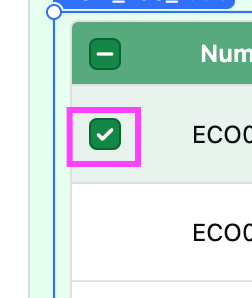
How do I do that? I came across table1.selectRow(1); but this doesn't seem to work anymore.
I wish to select Table rows using javascript. By Select I mean enable the Check mark that appears in front of a row in the table.
How do I do that? I came across table1.selectRow(1); but this doesn't seem to work anymore.
You're not using the correct Syntax for the selection method. I hope this will help.
// Selects row with key
table1.selectRow({ mode: 'key', key: 4 })

// Selects any visible row
table1.selectRow({mode: 'index', indexType: 'display', index: 4})

// Selects the row that represents table1.data[4]
table1.selectRow({mode: 'index', indexType: 'data', index: 4})