I know this is probably a pretty basic question, but I can’t seem to find a way to do it. Is there a way to set the focus to a certain field when a form is launched?
Hey @tomm!
Due to lack of context, I’m not sure if this would solve your issue – but would you potentially be able to simply disable all other form inputs if the one you want in focus doesn’t have a value / is null? And once a valid value is provided, all other form fields are enabled?
If you simply go to each input inspector and locate where you can conditionally set the ‘disabled’ property with javascript by saying something like {{ !initialInput.value }}. This would enable all other form inputs, but only once that initial input you want focus on has been provided one by you or an end-user.
Does this solve your issue?
I’m not entirely sure what you mean by “when a form is launched” but if you go to “control component” on event handlers, you should be able to select the desired component and then choose to focus it or with JS yourComponentName.focus()
Hey @tomm, just wanted to clarify what you meant by launching a form. Are you looking to open a form from another component? Let me know what you are trying to do and I can point you in the right direction!
I have a button on my page that when clicked on opens a modal with a form in it. The first field if for an order date and I want that field to be the focus when the form is opened with that button. I hope that makes sense. Thank you.
Thanks to @AJVancattenburch, you inspired me to try it out in my sandbox! Since you wanted the first field to be in focus, I am assuming you want the user to fill that field before the others. I tested it out and this could work well for you.
- First field is
order date - In the Disabled column of your other fields, add this JavaScript
{{!orderDateInput.value}}. You can replaceorderDateInputwith the name of your first field component. This way the other fields stay disabled until the first field has a value.
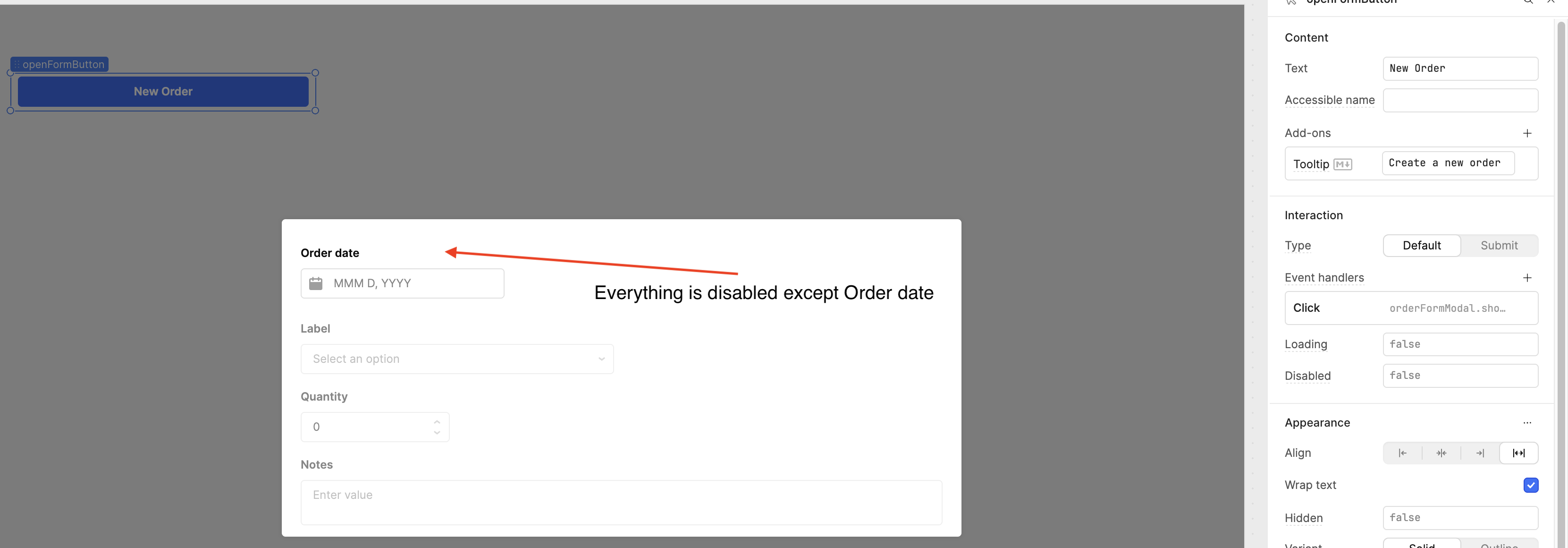

Does that make sense? Check out the screenshots above and let me know! 
1 Like
Thanks for the response, but this is not exactly what I was looking for. Basically, when the form is opened, I want the cursor to automatically be put in the order date field.
Hey @ChiEn thank you for the shoutout! And @tomm I am crossing my fingers that I found a solution that would work for you after reading a bit deeper into your needs. I’m assuming, on page load, there is some query that exists which triggers on page load?
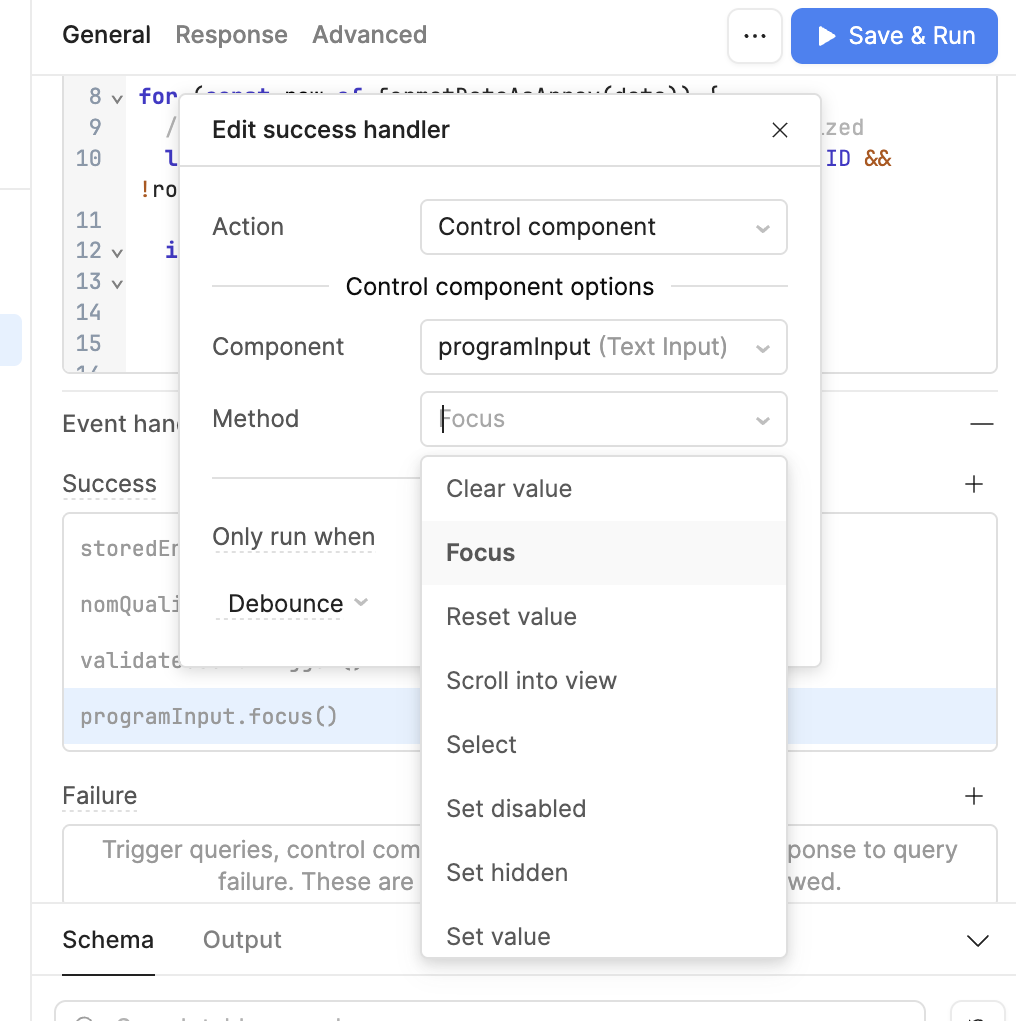
Whenever that query triggers, set an onSuccess event handler to that query that sets focus to the specific input that you need focus on. I included an example below – you would just have to replace where I have programInput selected with the name of your actual input, and set your Method selection to focus. Hopefully this helps! 
Hello again @tomm, happy new year!  Just checking in with you, how's it going? Do you still need help? Were you able to try @AJVancattenburch's suggestion?
1 Like
Hey again @tomm, just checking in to see if you’ve had a chance to look at the comments above. Let me know if you still need any help!
1 Like