Hi, i've got a bit of an issue that I can't quite get my head around.
Apologies if the terms are spot on, I'm learning as I go.
My issues is:
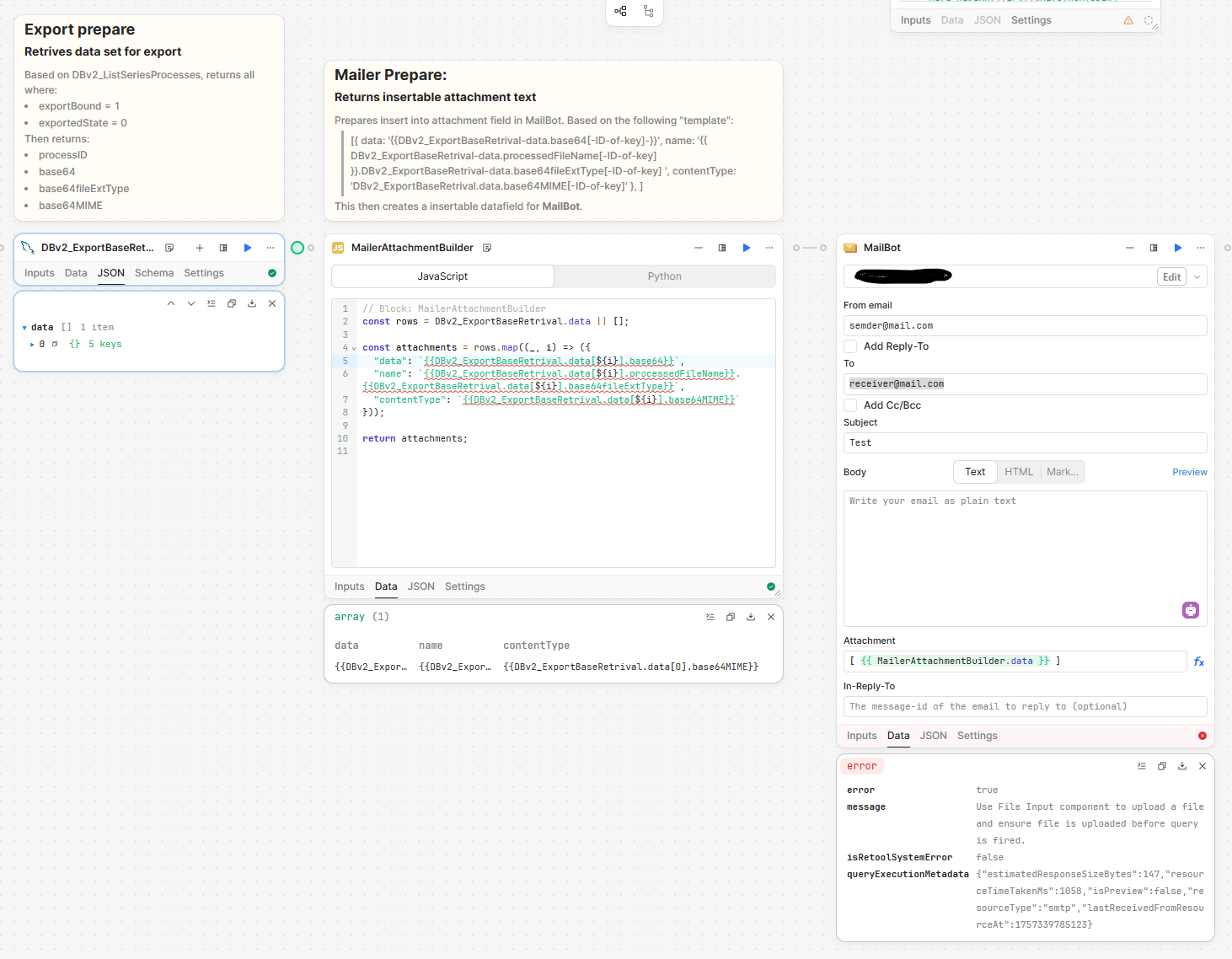
In a series of flows, which creates each creates base64 file, the final step is the "export" part, meaning that I retrieve the files (base64) which are marked for export, to be attached to an emailer.
The final block before export is the MailerAttachmentBuilder, which returns these export marked flows, and creates the "Attachment" text:
All the information refers back to the previous block, but could technically just be in that block.
Right now, there is only one file - but there will be more. I could "just" add each key/values for the given file, but I'm trying to have a bit more dynamic so I dont have to get go back and change more than I have to.
I could loop the data into the mailer, but I would prefer one mail with the attachments.
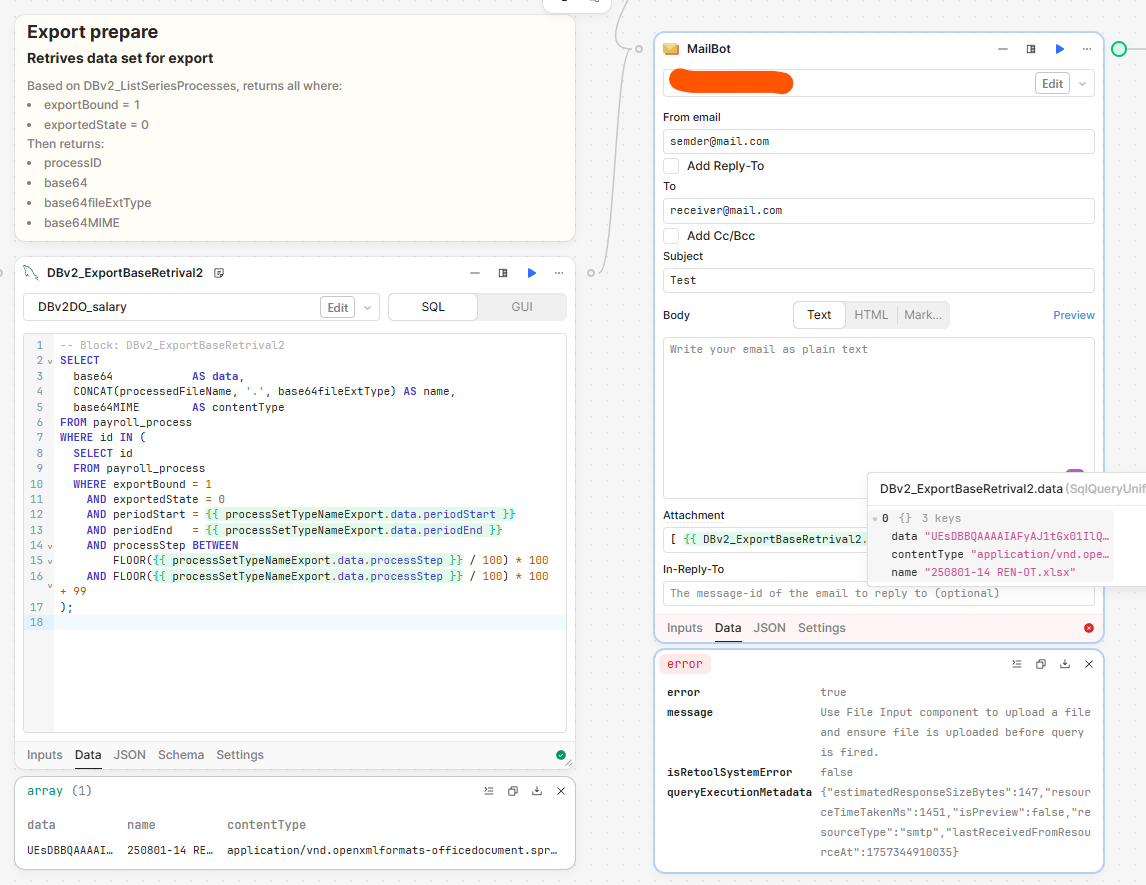
Right now i just the error:
"Use File Input component to upload a file and ensure file is uploaded before query is fired."
I did get it to "work", but SendLayer ended up rejecting it with:
Email rejected by the delivery server MTA. Delivery failed. SMTP Error: Data not accepted. SMTP server error: DATA not accepted from server Detail: Transaction failed: In Content-Type string <{{dbv2_exportbaseretrival.data[0].base64mime}}; name="{{DBv2_ExportBaseRetrival.data[0].processedFileName}}.{{DBv2_ExportBaseRetrival.data[0].base64fileExtType}}">, expected '/', got [ SMTP code: 554
I hope that aboves makes some sense, or if anybody else has a "better" solution - I've tried looking through the forums, without any luck.
Might it be a code bracket issue?
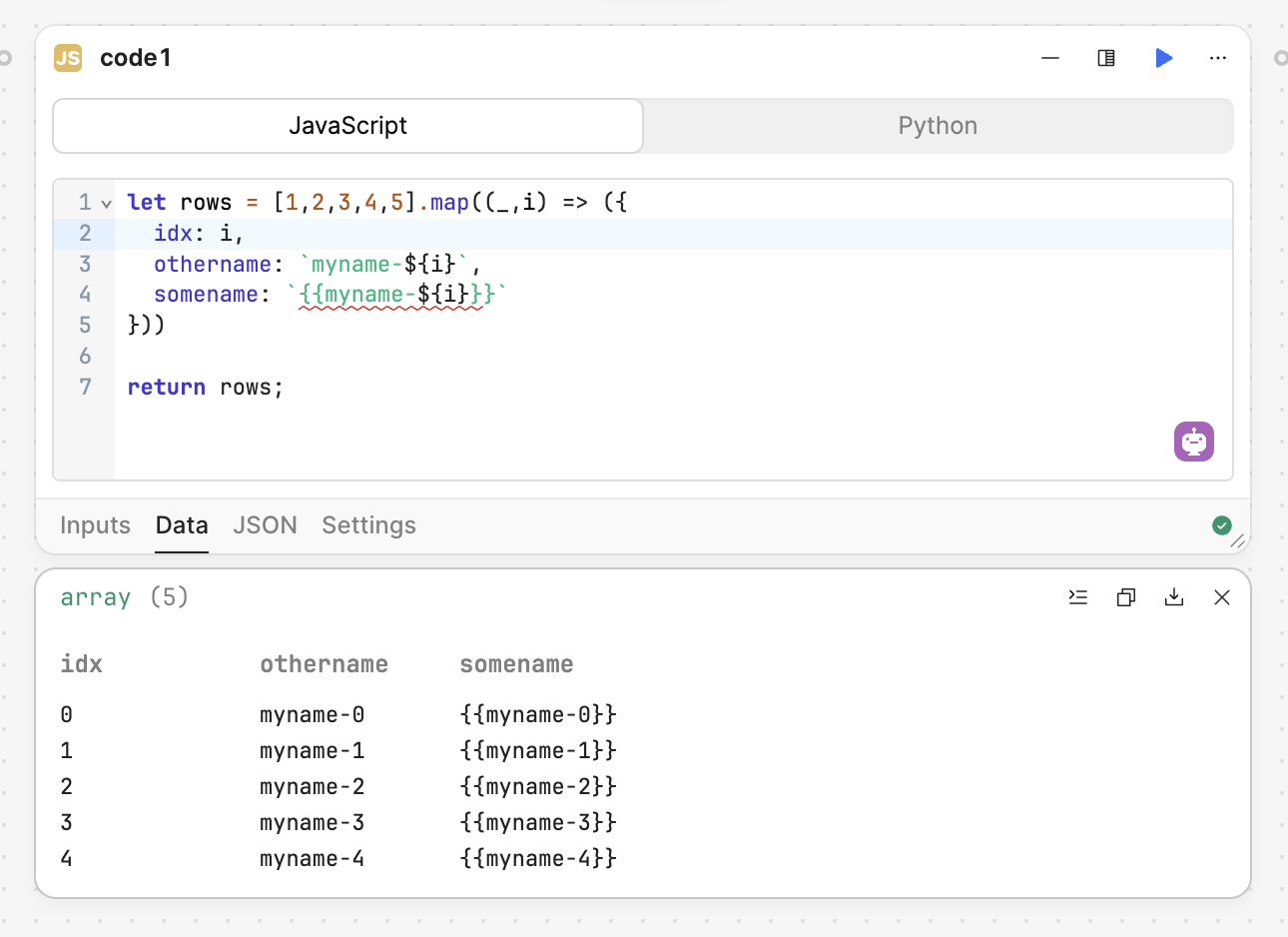
I notice that you're wrapping your properties inside the map loop with backticks but also the {{ }} syntax, which I'm not sure is needed here?
e.g. consider this - I want the output to be the string "myname-0" not the code "{{myname-0}}"
Removed the brackets.
Which places the entire base64 within - which won't (obviously).
I'm following the regular way that I do it, which I am trying to emulate, but with "more flexiblity" for new/removed files:
[{ data: '{{DBv2_ExportBaseRetrival-data.base64[-ID-of-key]-}}', name: '{{ DBv2_ExportBaseRetrival-data.processedFileName[-ID-of-key] }}.DBv2_ExportBaseRetrival-data.base64fileExtType[-ID-of-key] ', contentType: 'DBv2_ExportBaseRetrival.data.base64MIME[-ID-of-key]' }, ]
Again, I probably could temp store the files within retool sources, but I really just wanna have it looped in because it's all there.
What I am trying to do, is basically have something like this:
[{
data: '{{ConvertXSLX_AdditionHolidays.data}}',
name: '{{ FileDateName.data }} {{ NameMapFile.data[0]}}.xlsx',
contentType: 'application/vnd.openxmlformats-officedocument.spreadsheetml.sheet'
},
{
data: '{{ConvertXSLX_MaternityAndPregnancy.data}}',
name: '{{ FileDateName.data }} {{ NameMapFile.data[1]}}.xlsx',
contentType: 'application/vnd.openxmlformats-officedocument.spreadsheetml.sheet'
},
{
data: '{{ConvertXSLX_Sickness.data}}',
name: '{{ FileDateName.data }} {{ NameMapFile.data[2]}}.xlsx',
contentType: 'application/vnd.openxmlformats-officedocument.spreadsheetml.sheet'
},
{
data: '{{ConvertXSLX_SalaryDataSet.data}}',
name: '{{ FileDateName.data }} {{ NameMapFile.data[3]}}.xlsx',
contentType: 'application/vnd.openxmlformats-officedocument.spreadsheetml.sheet'
}
]
But "dynamically" depending on how many matches there are where export is true.
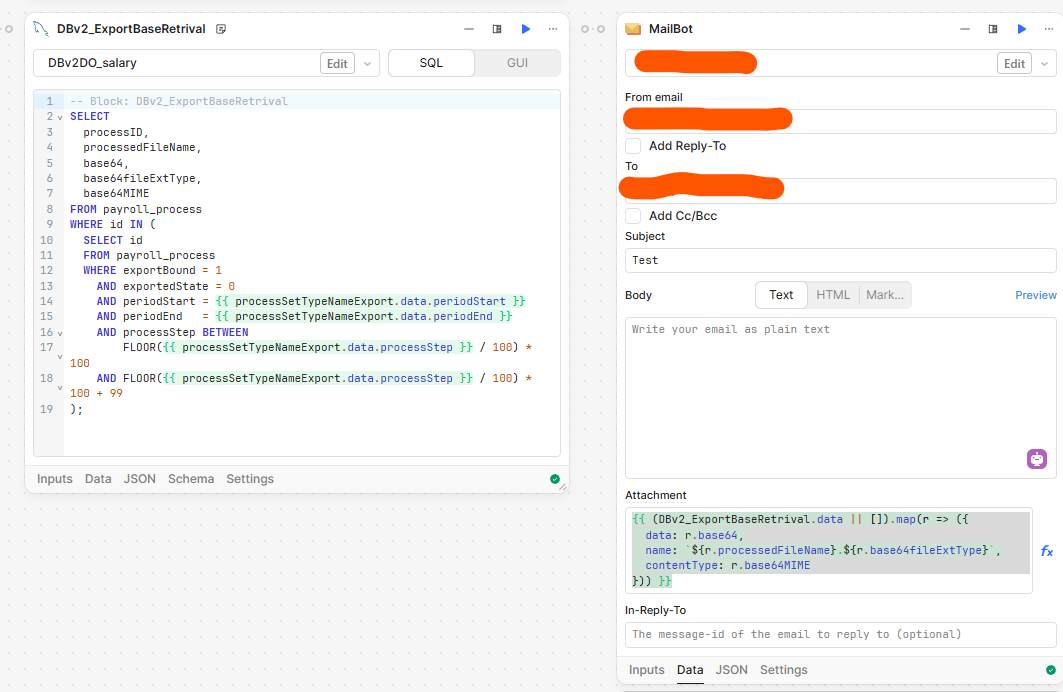
Okay, I think that I might have found my solution - not sure that it works with multiple fields - because there isnt any, yet. But:
{{ (DBv2_ExportBaseRetrival.data || ).map(r => ({
data: r.base64,
name: ${r.processedFileName}.${r.base64fileExtType},
contentType: r.base64MIME
})) }}
This worked, and didn't get stopped by SendLayer either.
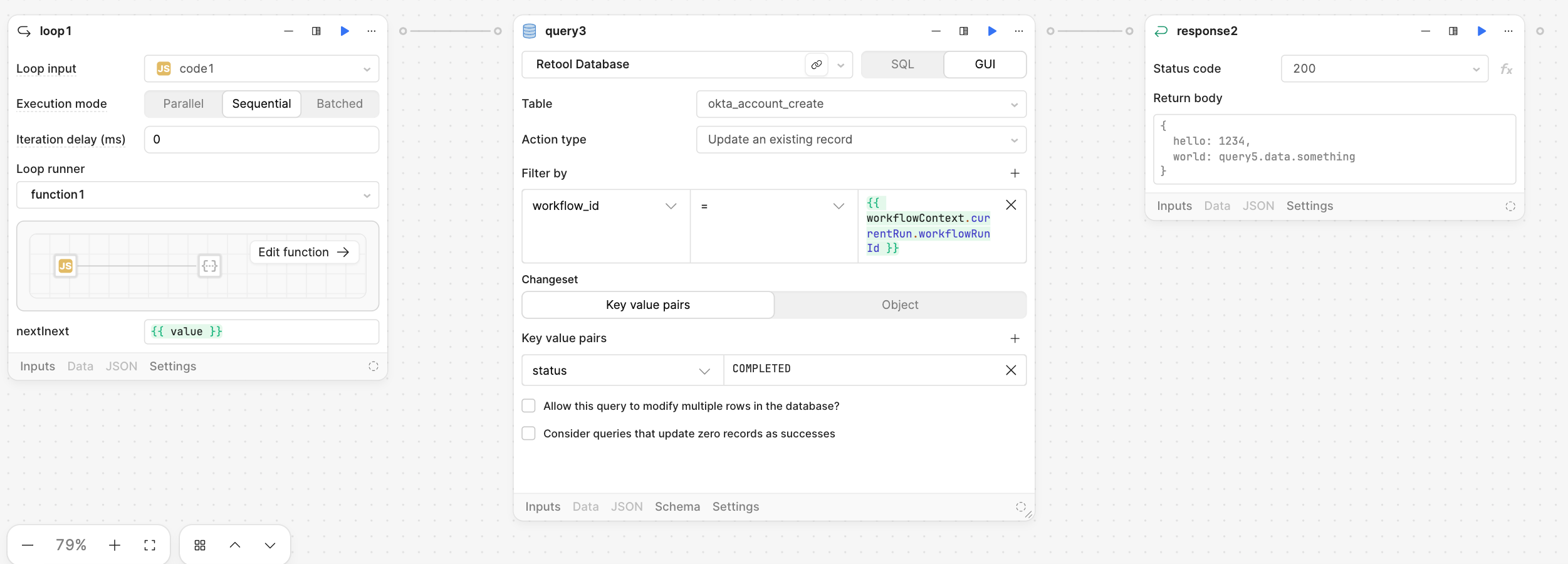
You can use the Loop component in the workflow to send data one by one into the Mailbot. The loop will process each item individually, and at the end, you can add a Response component that runs once the loop has completed or breaks. This way, you can ensure that all data entries are processed in sequence before handling the final output or any further steps.
To help you get started, I’m sharing an example screenshot below. You can use it as a reference to understand how the loop is structured and how it works within the workflow:
Oh! Didn't even think for that - but yes, obviously that would/should work.
Unfortunately, I got stop by myself earlier because of too many sessions open to mySQL which caused the flow itself to fail - before it reached the end. A nice learning experience ;).
But I'll test and get back, and many thanks for your input/help - much appreciated!