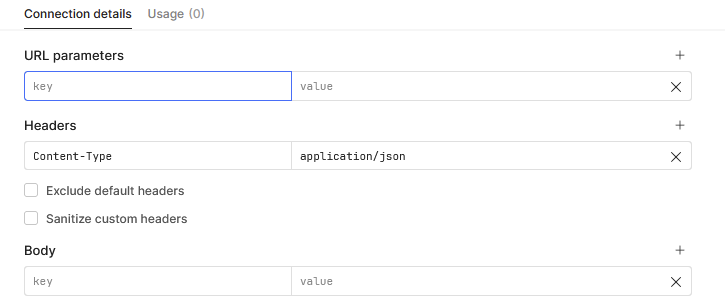
Hi Sophie! The tutorial for DocuSign integration is super helpful. I keep running into an issue when trying to test OAuth integration with my DocuSign account. Based on the DocuSign docs, the content type should be “aplication/json” but there is no option in the resource for me to change this. Here is the error I keep getting:
{
  "error": "{\\"statusCode\\":400,\\"data\\":\\"{\\\\\\"error\\\\\\":\\\\\\"invalid_grant\\\\\\",\\\\\\"error_description\\\\\\":\\\\\\"unauthorized_client\\\\\\"}\\"}",
  "request": {
    "url": "account.docusign.com/oauth/token",
    "method": "POST",
    "headers": {
      "Content-Type": "application/x-www-form-urlencoded",
      "Host": "account.docusign.com",
      "User-Agent": "Node-oauth",
      "Content-Length": 874
    },
    "body": {
      "grant_type": "authorization_code",
      "redirect_uri": "https://oauth.retool.com/oauth/oauthcallback",
      "client_id": "9f28cd5a-f0ab-4f39-b733-bec9115e0228",
      "client_secret": "---sanitized---",
      "code": "---sanitized---"
    }
  }
}
Any feedback would be so appreciated!