-
Goal: Render the new Checkbox Tree component in collapsed or expanded form based on a setting or method
-
Details: The new Checkbox Tree component automatically instantiates in expanded form. For trees with many children, this becomes unwieldy and acts to obscure options lower down on the tree. It'd be great if there were a method or toggle to display the Checkbox Tree as collapsed or expanded.
2 Likes
Hey @jericsinger - thanks for reaching out. This could definitely be a helpful change! I've documented the request internally and will provide an update here as soon as I have news to share.
+1
2 Likes
hey @Darren : this is very important for my client who has hundreds of child element. I have suggested them retool and they are now using retool. But the lack of this feature is a decision changer for them.
So please if you can expadiate on this and in the meantime can provide some workaround that will be helpful for our customers.
many thanks
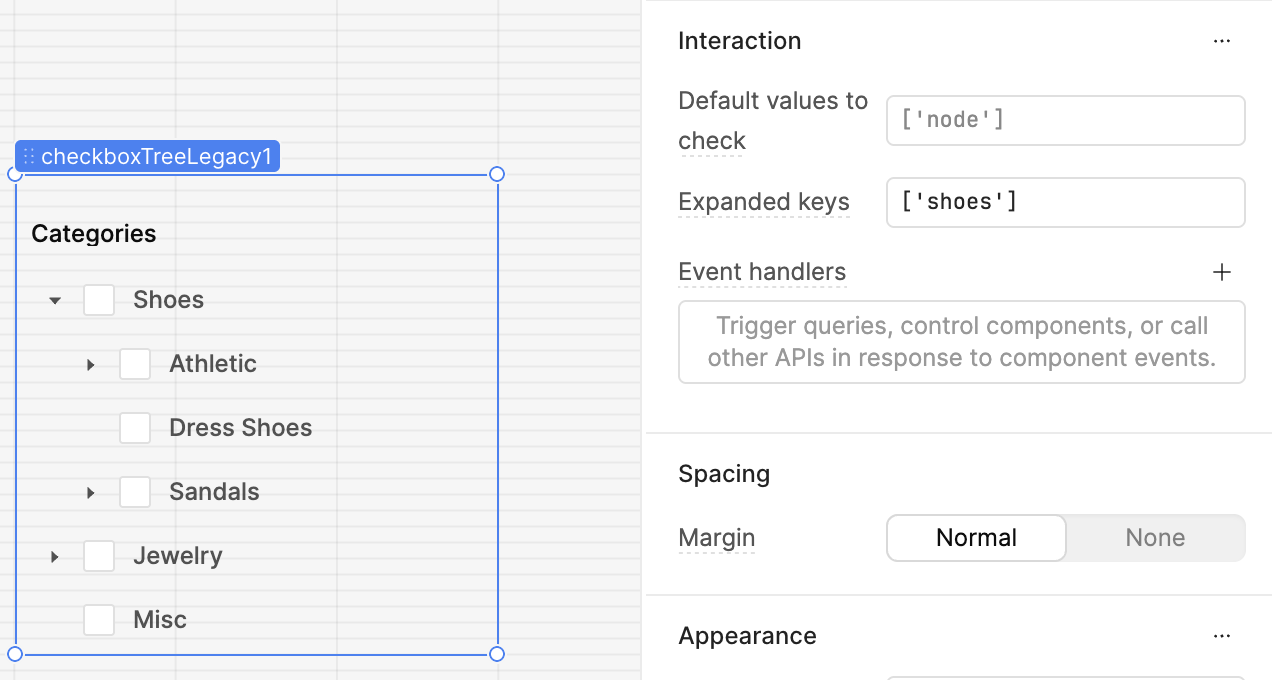
Hey @mpmohi - I've reached out internally to hopefully get more eyes on the relevant ticket, but unfortunately don't have a great workaround for you. If you really need this functionality, it might make sense to use the legacy version of the component, instead.
It's possible to expand specific nodes via the component inspector, which can in turn be tied to a dynamic variable.