It is just about possible, but it's not the cleanest - I never managed to find a way for the "disable query" part of the query to work here so I had to have 2 queries.
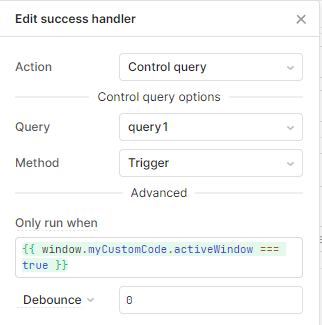
A query that runs a dummy function periodically (each second) and if the window is active then in its success event it triggers the actual query I want it to run.
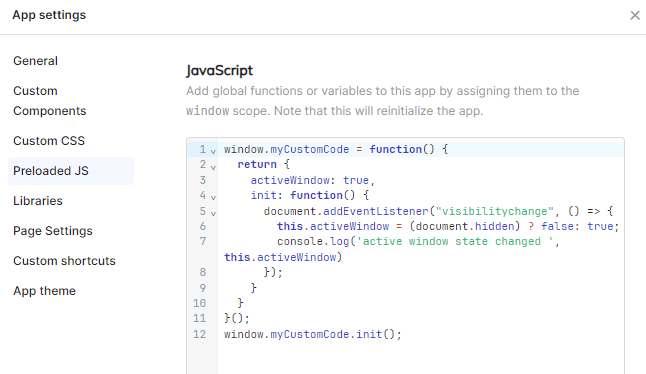
window.myCustomCode = function() {
  return {
    activeWindow: true,
    init: function() {
      document.addEventListener("visibilitychange", () => {
        this.activeWindow = (document.hidden) ? false: true;
        console.log('active window state changed ', this.activeWindow)
      });
    }
  }
}();
window.myCustomCode.init();
This is from a few months ago, likely there's cleaner/better/easier ways than this