Can I change the font size used in the table component? Not seeing it mentioned anywhere. Thanks.
Hey @dgarvin57 - you can try doing this via custom CSS - How to write custom CSS in Retool!
Thanks. I’m probably missing something obvious but not having any luck. Followed your example and doesn’t seem to find the class because the color is not red:
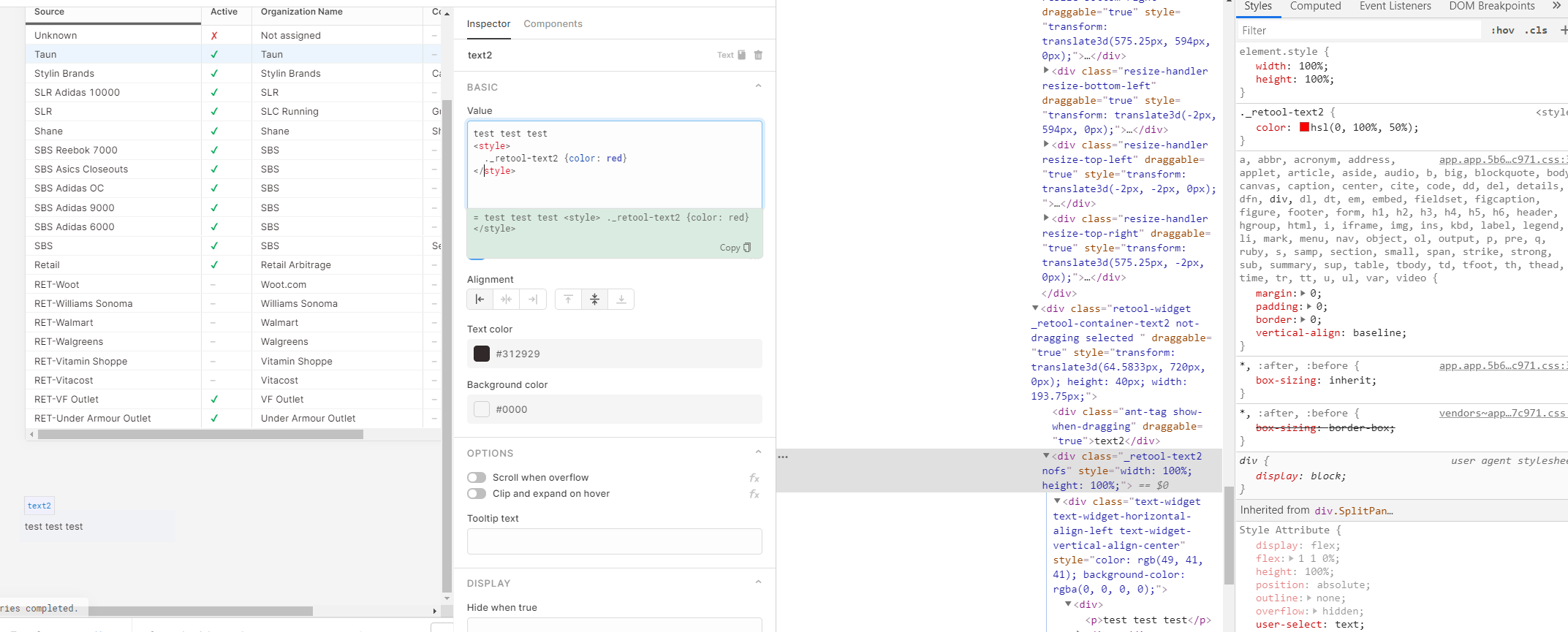
@dgarvin57 I followed up in the custom CSS thread (How to write custom CSS in Retool!)
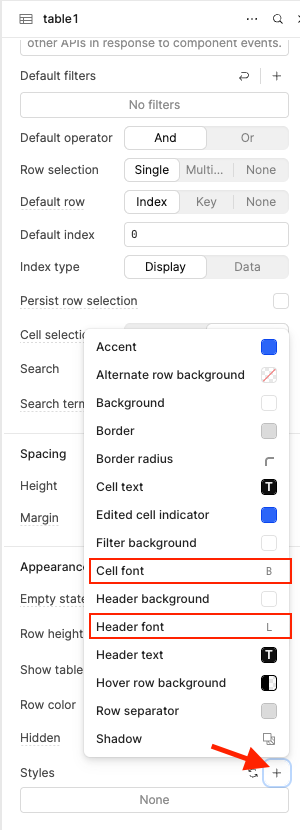
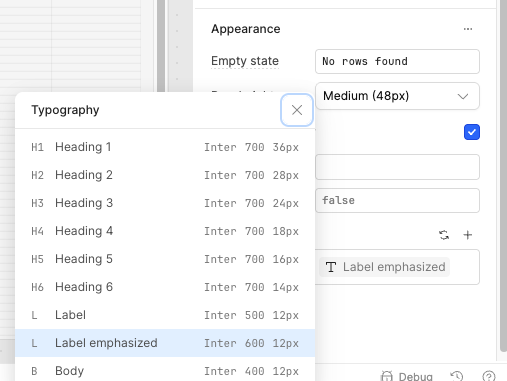
Hey all, great news!  We rolled out Table component font size control a little while ago, and some of you might have already spotted it! You can now choose Styles right from the inspector in your Table component. Just head to Appearance > Styles, then select either Cell font or Header font. From there, you’ll be able to pick from a list of font sizes. Check out these screenshots for guidance!