Hey @tomm! I've had to find a similar solution to overcome the same issue you are facing now.
What I ended up doing was placing each table inside of it's own view in a tabbed container. If you have that, it's fairly easy to scope which table is being updated via a very small js query that you pass as an event handler on success of whatever query you are using to update the data within your tables.
Create a small js query called 'refreshTable' that looks like this (make sure to change table names to the actual names of your tables if not 'table1', 'table2', 'table3', etc.):
// The following tableMap object is set up so that table1 should be in your first tabbled container view, table2 in your second tabbed container view, and so on...
const tableMap = {
  1: table1,
  2: table2,
  3: table3,
  4: table4,
  5: table5,
};

const viewIndex = tabbledContainer1.currentViewIndex + 1;

const table = tableMap[viewIndex];

if (table) table.refresh();
Now plug in your js query as an event handler that triggers on success from your update query like so:
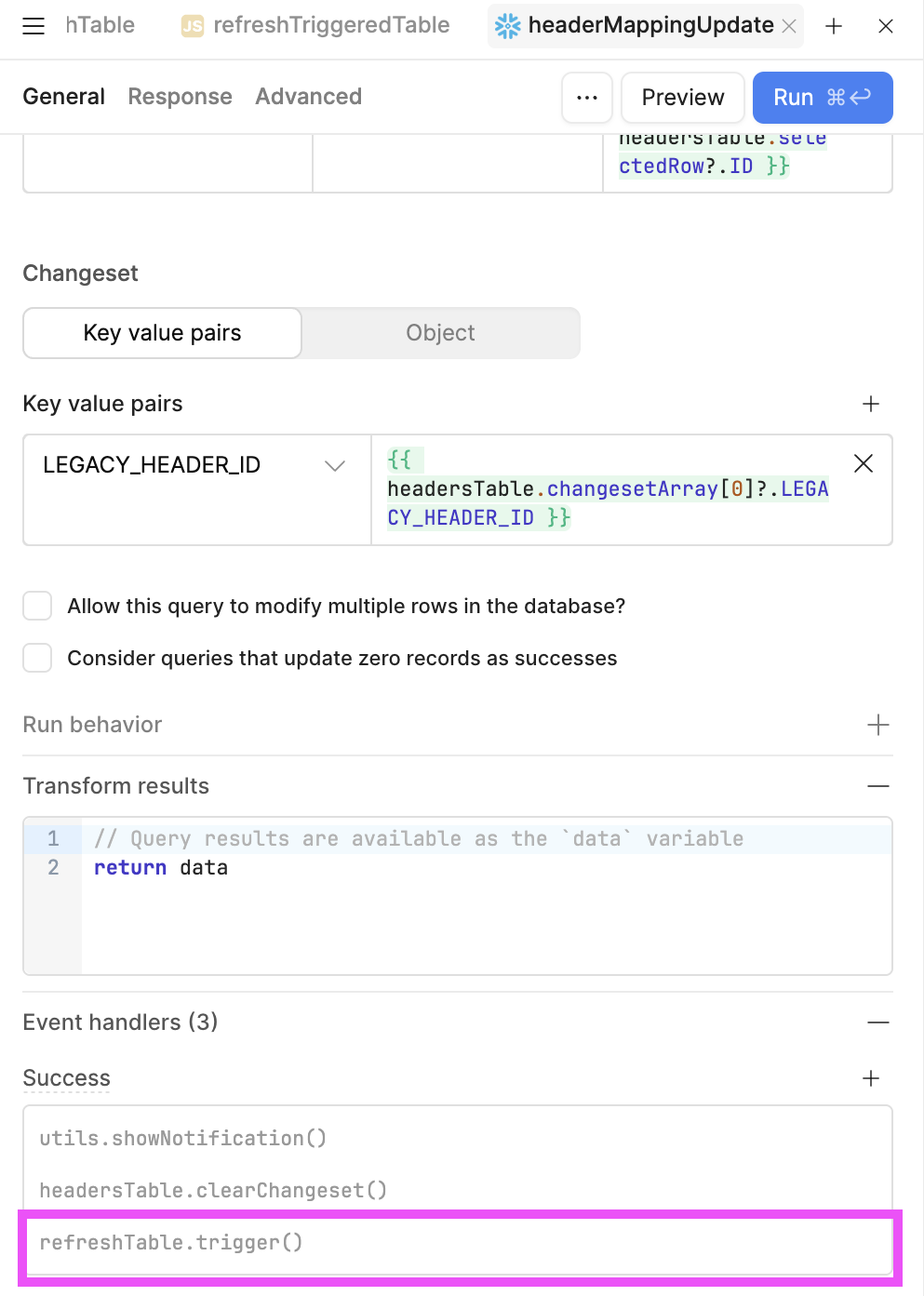
That's it. After setting that up you should be good and donezo! 
Hope this helps! 

