Can't pass variables from App to Workflow

I am trying to pass variables from an App to a Workflow.

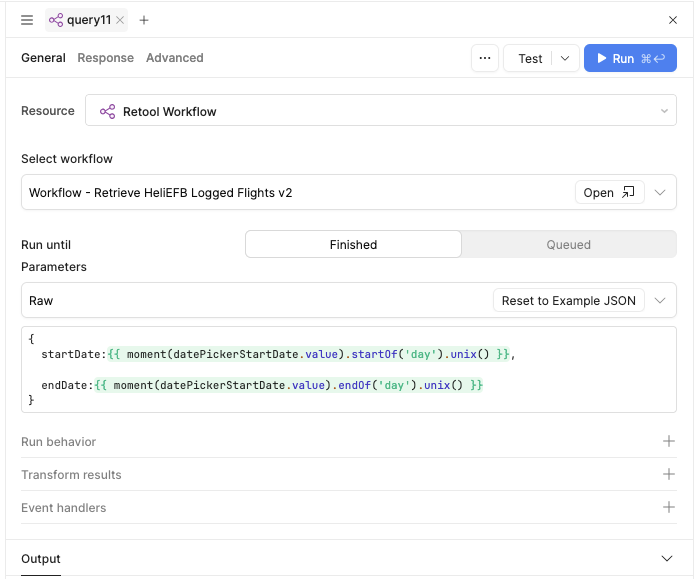
I have 2 datepickers, startDate and endDate which I am trying to pass to a Workflow.

I am passing the parameters to the Workflow as JSON.

startDate: {{ moment(datePickerStartDate.value).startOf('day').unix() }}

endDate: {{ moment(datePickerEndDate.value).endOf('day').unix() }}

In the Workflow, I have a code block immediately after startTrigger which looks like this:

const startDate = startTrigger.startDate;
const endDate = startTrigger.endDate;

console.log('Start:', startDate);
console.log('End:', endDate);

return {start: startDate,end: endDate};

The code block returns start and end as undefined.

When I look at the inputs to the code block in the Run History I see this:

startTrigger 2 keys:
startDate: 1764979200 (which is the correct value for startDate)
endDate: 1765065599 (which is the correct value for endDate)

How do I get access to those passed values in the code block in the workflow and therefore in the rest of the workflow?

Thanks for any help.

Jonathan

2 Likes

Hey @Heliflyer, welcome to Retool Community.

I took a look at the issue, and the root cause is simply how the data is being accessed inside the workflow. Instead of referencing the input directly, you just need to use startTrigger.data, which contains all the values passed from the main app when the workflow is triggered.

For example, if you're sending the start date and end date from your Retool app into the workflow, you can access them like this:

startTrigger.data.startDate
startTrigger.data.endDate


Once you reference them this way, the same code I shared earlier works perfectly without any changes.

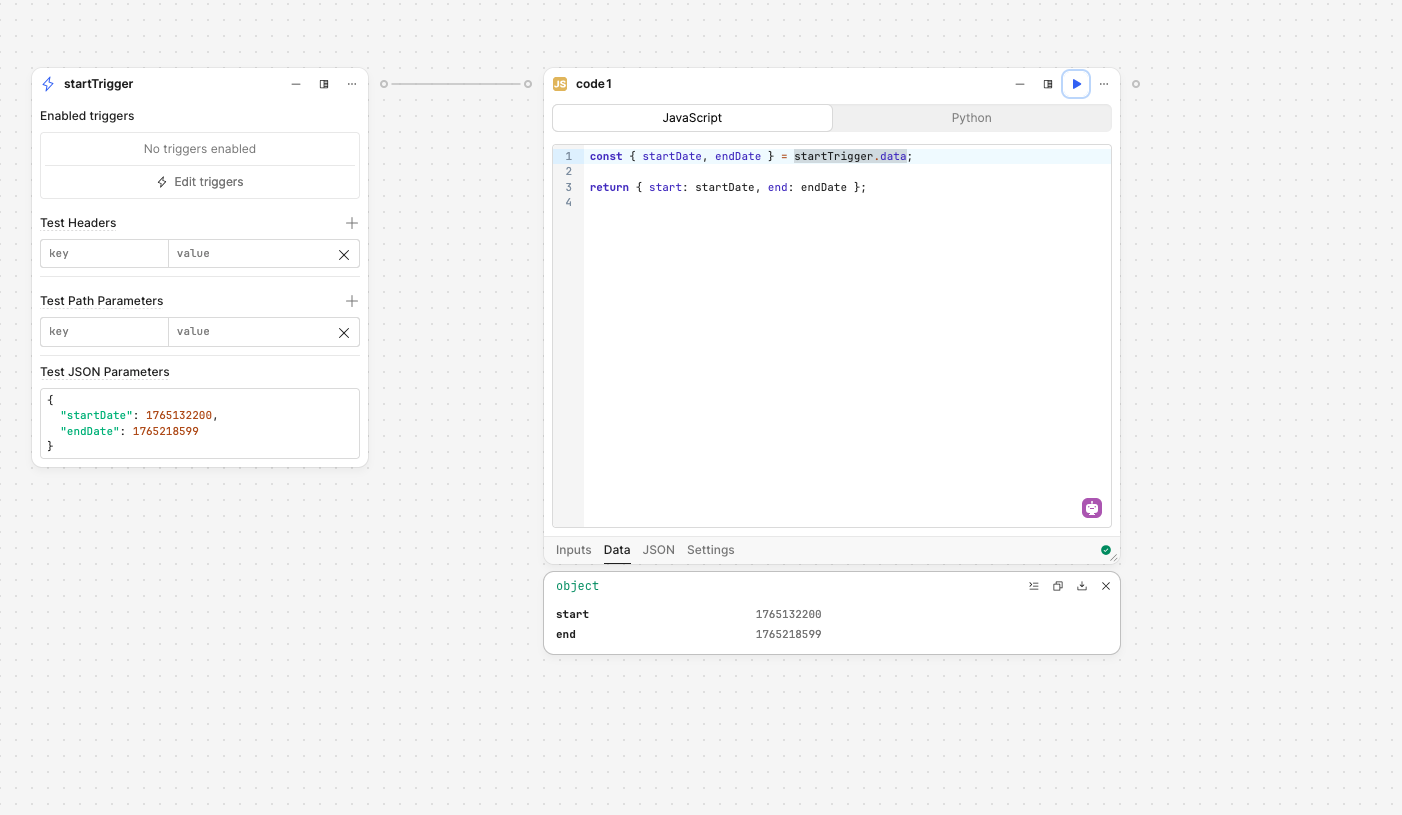
I tested it using:

  • Start Date: 10 Dec 2025
  • End Date: 11 Dec 2025

The workflow received both values exactly as expected, confirming the setup is correct.

So as long as your Retool app is passing the inputs properly, you can rely on startTrigger.data inside the workflow to grab everything cleanly.

Hope this works for you.

1 Like

HI there, thank you so much for your reply.

I have tried to replicate what you have shown me, but it still does not work..

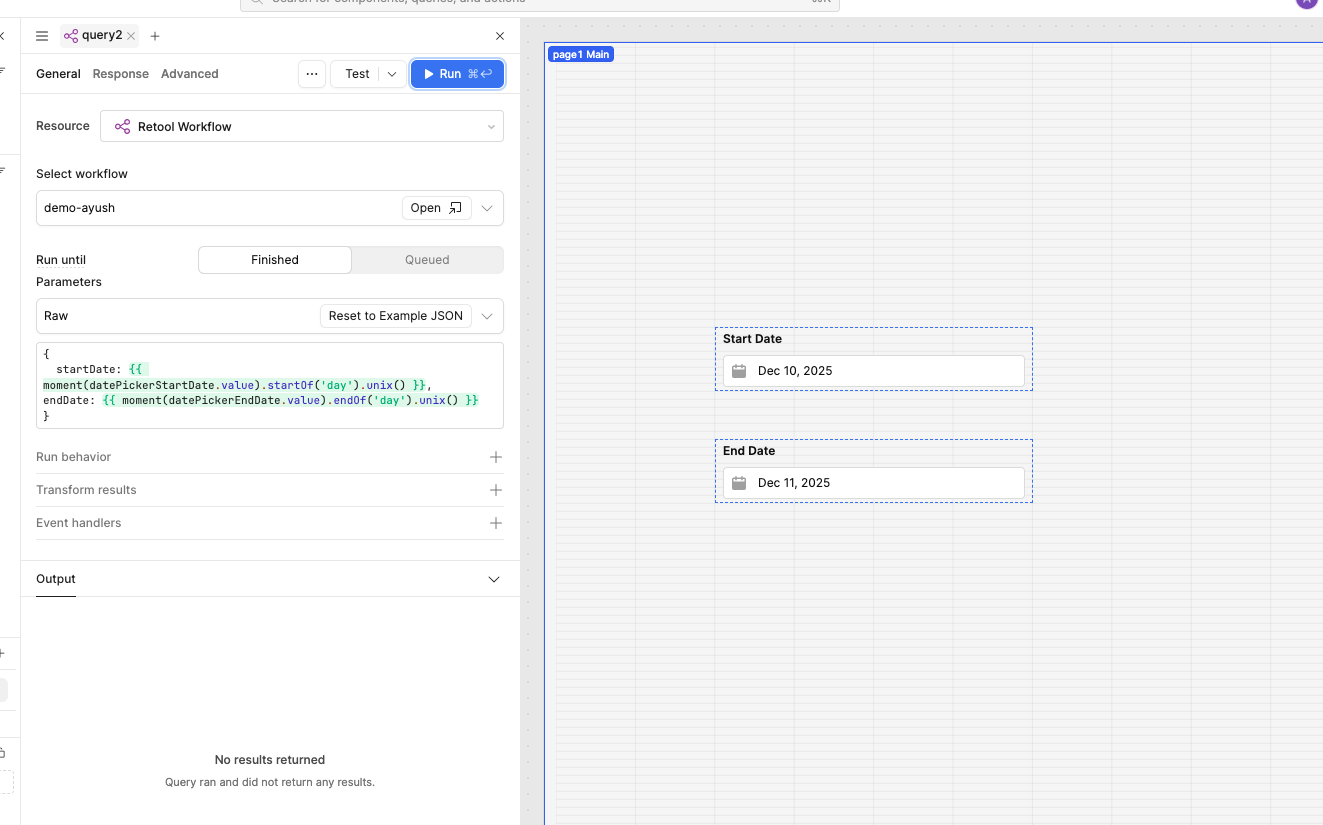
Here is the query:

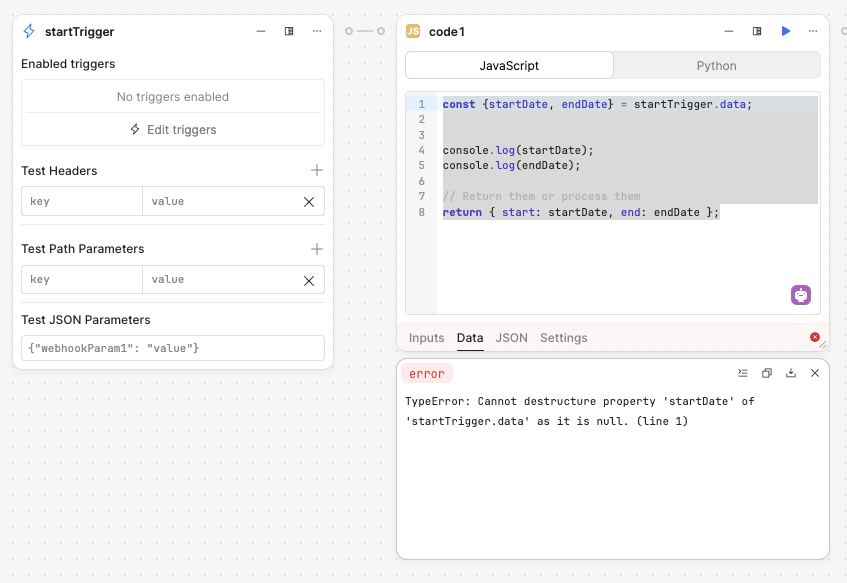
And here is the output from the code1 block when I run the Query:

1 Like

Hey @Heliflyer! It looks like you are almost there.

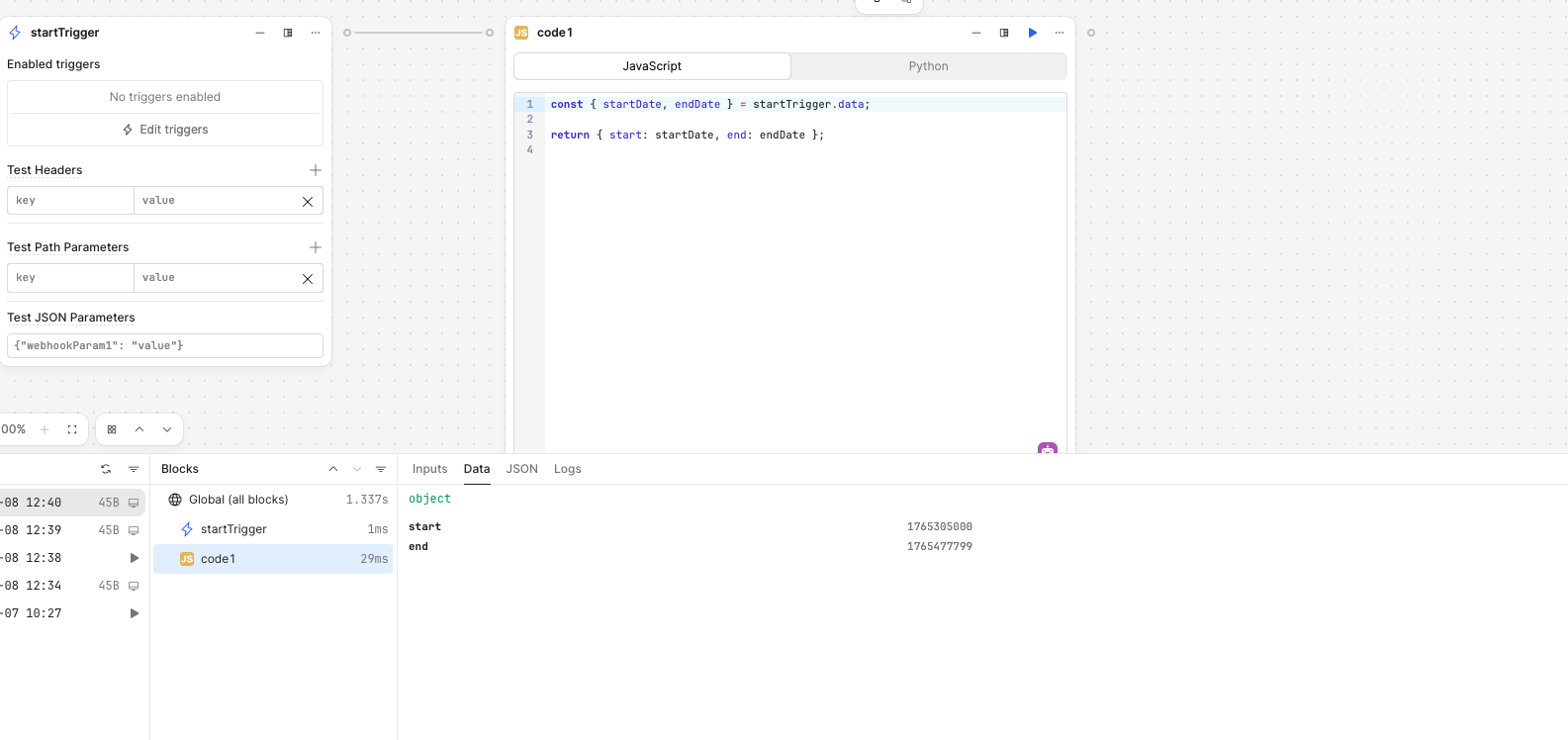
It appears you are running the workflow node directly and expecting to see the data from your app, but in the editor there is no app context. You should publish the workflow, go back to the app (and refresh the page so it loads the newly published workflow image) and then run the query which triggers the workflow.

Then you should be able to see that run within the workflow’s Run History with the inputs from the application in the startTrigger entry and the returned output in the code1 entry.

ETA: if you want to test within the workflow editor, you need to setup the Test JSON Parameters area of the startTrigger block with the object structure you are sending from the application. I believe you can see this in the earlier example from @WidleStudioLLP
1 Like

Wow! It works! Thank you very much indeed! Amazing how one small thing can hold you up for days!

Thanks again!

2 Likes